

A debug menu is located inside of a game and it allows the player to see and manipulate the games internal values in order to debug the game. Essentially, it's a backdoor for the coder to fix the game quickly during development. Sometimes, the debug area is a whole room instead of just a menu! A romhacker might find a reference to a character named "Mr. Debug" and this could be a strong hint to the existence of a debug room. These debug rooms/menus are fairly common, although usually they are hard, or at least non-intuitive to access. People rarely find them on accident.

My favorite game as a child was most likely Ocarina of Time. It defined the future of open world 3D platformers! It was also a very broken game that is full of glitches. People can beat the entire game in minutes by using arbitrary execution of code. You can bomb your way into the air and glitch through walls with your sword slash attack. Ocarina of Time also has one of the most interesting Debug menus.
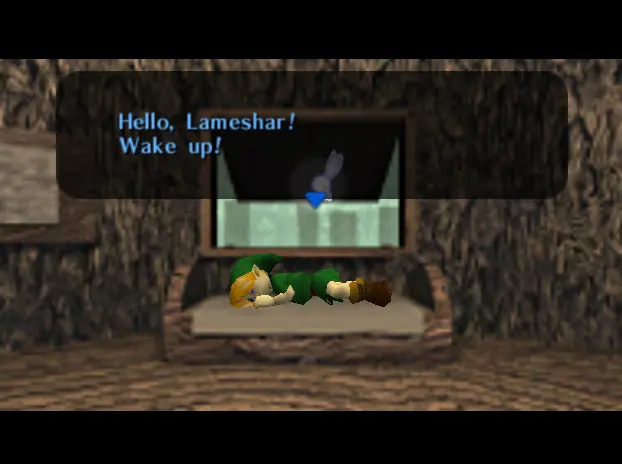
The Ocarina of Time Debug menu really highlights how powerful and interesting Debug Menus can be. You can change the gravity and how fast Link runs! You can change animation speeds. You can access an entire audio menu: Play any song in the game whenever you want, like a GTA radio channel! You can adjust the colors of the game like a television menu!
The easiest way to find the debug menu is a European copy of Ocarina of Time master Quest called the "debug" version of Ocarina of Time. This version actually contains access to the debug menus! You can alternatively use the gameshark code [81210B2F 1111] and use controller 4 to move around further. None of these menus will ruin your game cartridge, but they will be very confusing without a reference. You can read a guide HERE - - > https://xnamkcor.tripod.com/oot_debug.htm. Let's quickly go through each menu and get an idea of what these debuggers can manipulate!
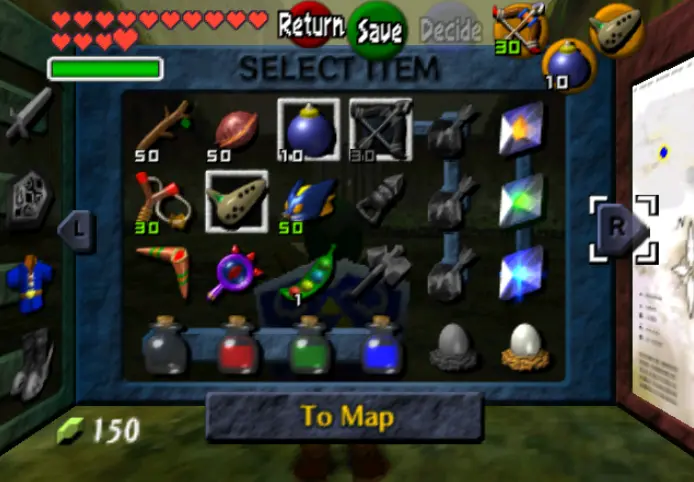
I started the game out with all the items and hearts etc. because ... why not.
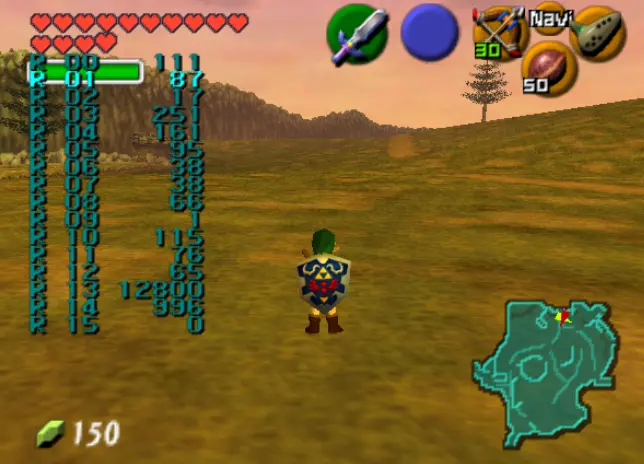
Accessing the menus in Ocarina of Time Master Quest is very easy. If you pause the game and then press "L" you will access the "Inventory Editor". Notice how the picture above shows the value of 150 rupees. Now compare it to the picture below. See how the picture below also has a value of 150? This is the area where you can change the value of rupees! Sometimes you can use simple value comparison like this, although be careful and double check when you can. The bilingual menu is certainly interesting, but not unheard of with Japanese games that also sell well in America and Europe.
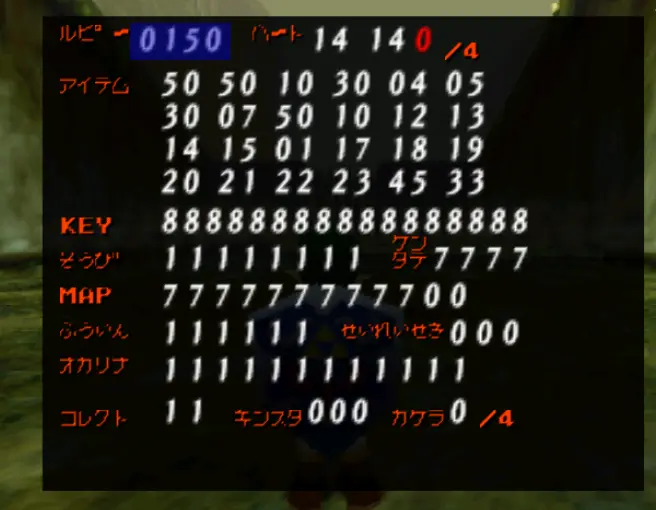
You can actually adjust the Rupee value all the way up to 9999 ... which is significantly higher than normally allowed in game! Something about being extra rich in a retro game because of a hack is extremely satisfying. Nothing else can be overly maxed out: You can give yourself 20 hearts, 9 keys, All the Gold Skulltulas, Medallions etc. You can give yourself any item such as light arrows, hover boots etc. And of course, subtract any value or item. There is not a lot you can do here, except cheat or get extra money. The menu does look cool though and there are a few unknown/untested functions!
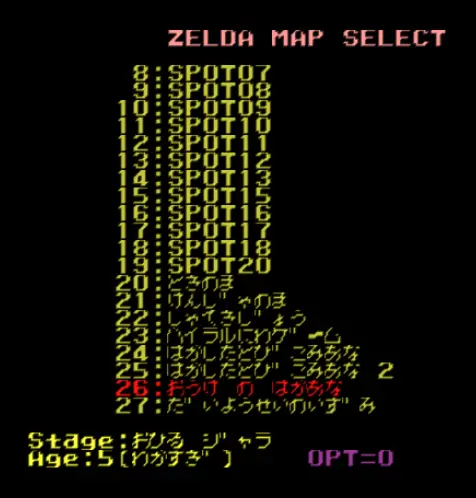
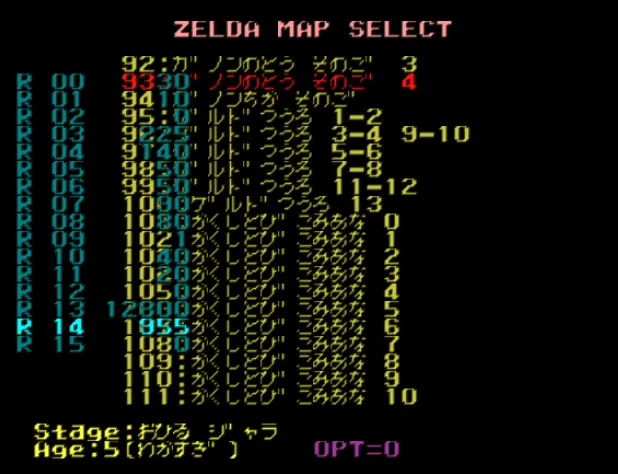
The map select menu is a very fun option to play around with. Not only can you warp anywhere instantly, but there are some beta areas etc. If you head over to #188, you can enter a really cool test room. AT first you start out staring at a bunch of no descript grey walls. It's a bit creepy, like an insane asylum. If you turn around you can see a large ramp with a yellow to red color gradient.

This area obviously exists to test physics in real time. Probably also to look for glitches. They also clearly squeezed some color testing into this area, creating kind of a strange minecraft-esque look. It's very bright and surreal ... sort of the opposite of the Earthen, [at the time] realistic motif of Ocarina of Time. Some N64 games have in game test levels: Of course, Ocarina of Time doesn't because it jumps straight into the story and open world! This test level is tucked away into the debug menus! There is something very fun about the test level, although it's a small area.

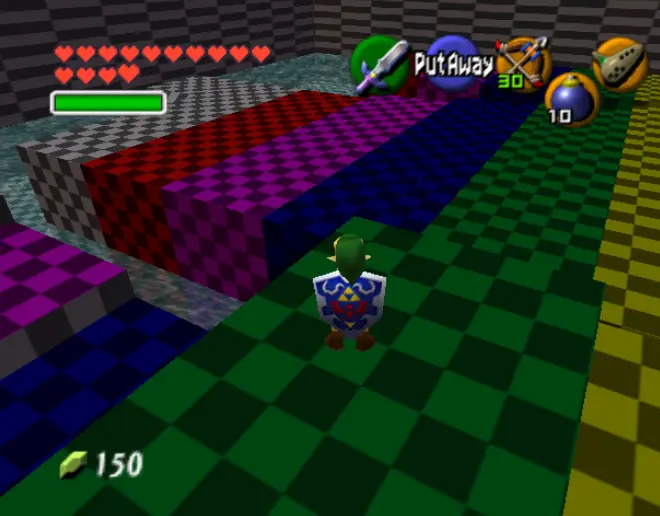
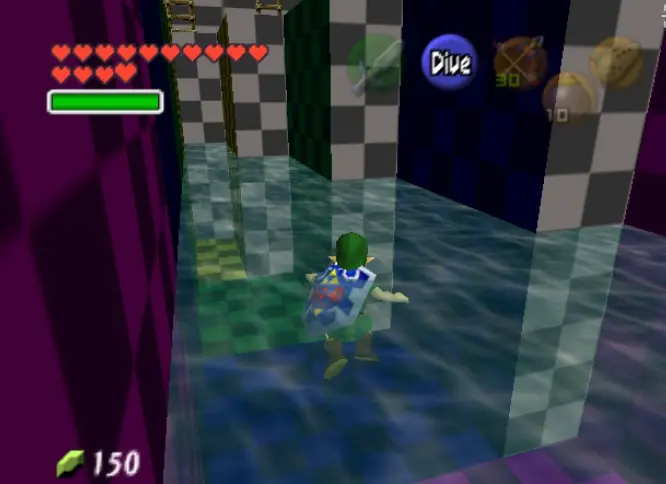
Let's head one room over to #119, which is also a test room!
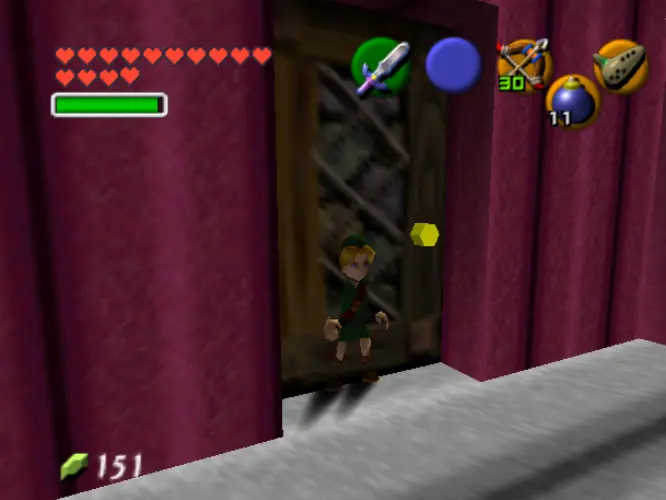
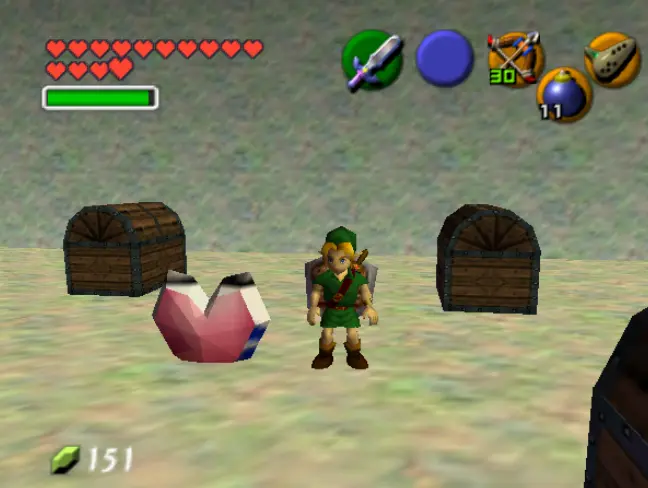
You start out in a strange, nondescript room that again reminds one of a retro horror game. If you go through the door, you are greeted by tons of treasure boxes and items to collect. This room exists for testing in a different way than the first room and isn't as fun to physically explore. It's still a really cool hidden set of rooms though! And who doesn't love collecting items ...
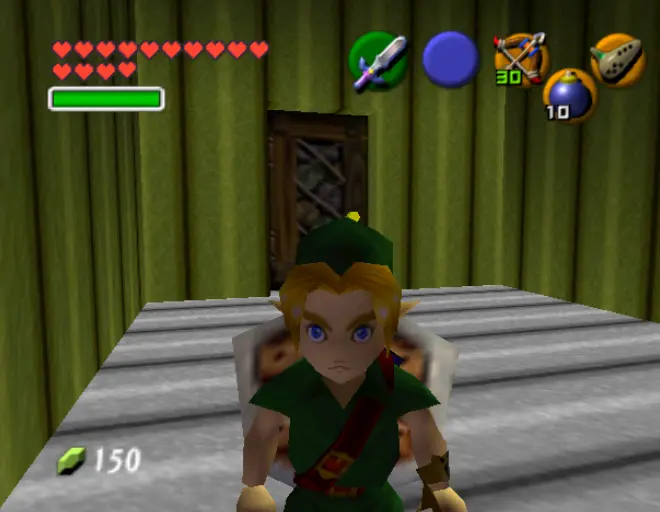
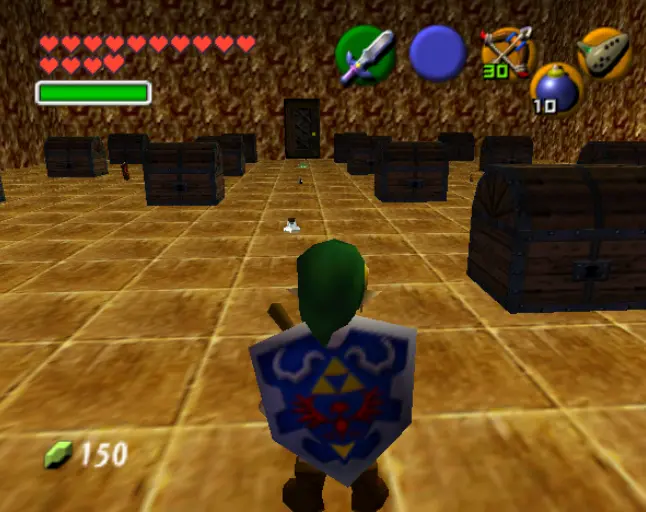

For some reason there is this door that you can just walk through ... also, there is this super weird beta heart container. Older assets are really cool to see, you can really appreciate the final product seeing the early version of 3D models and such. The actual heart pieces in the game look much better. It's strange to remember all of these places are actually inside the Ocarina of Time game.
Let's go to a few more rooms before this lesson on Debug Menus is wrapped up.
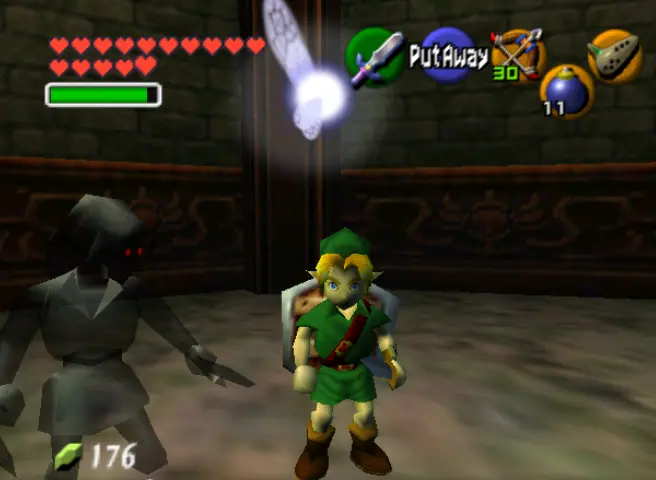
First of all, I explored Beta Dark Link. Everyone remembers Dark Link from the Water Temple, but do you remember BETA DARK LINK? Didn't think so ... It's actually pretty much the same mini boss. It's just in a different room. Still, after exploring all these empty, surrealist type rooms, it was fun to have some actual gameplay.
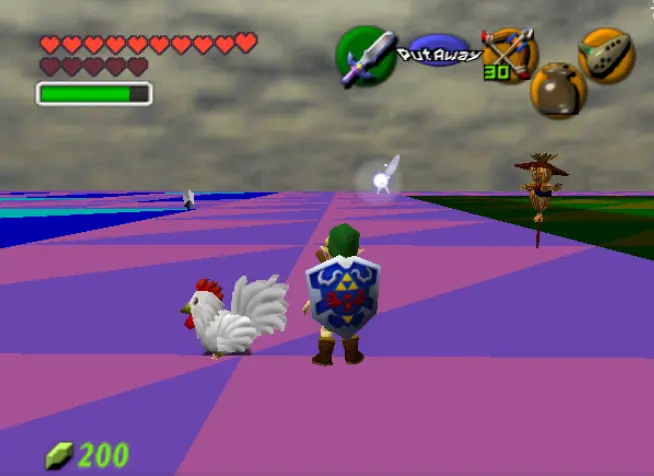
Room #177 was the weirdest and most empty test room I explored. There was some silver rupees, the ones you collect in dungeons to unlock doors. There was also a scarecrow and a chicken inside of a box. The patching on the ground is very strange and obviously from testing textures and colors.


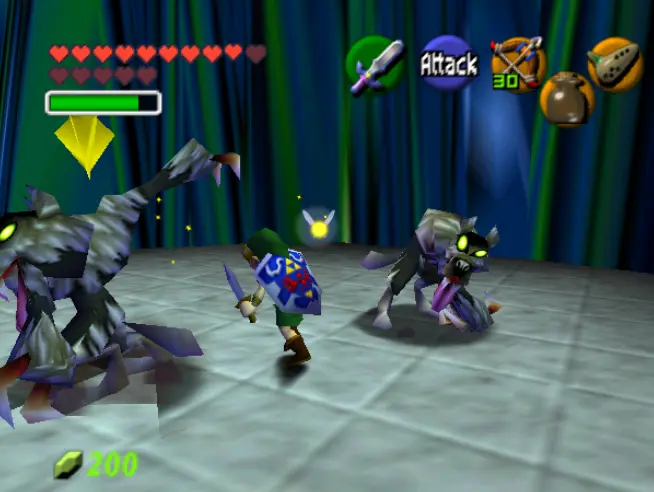
There is a Beta Grotto that doesn't exist in the game where you can fight some wolves that pop up out of the ground and there are some cool wall textures. [Why were things so vibrant early on?] When I left any of the grottos a strange sound effect played and the screen went white.

Room #116 is the "weird box room" and contains some really cool textures, some of which are animated and unique to this room. However, there is nothing in the room and you can't leave [no doors]. It's still really cool for some reason.

Finally, before we leave, let us sample the memory editor: Which you can access by using commands on the second controller, which is fun to use on a one player game like Ocarina of Time. It was amazing to watch the data for the color values change in real time as the sun sets in Ocarina of Time! Having both menus up as I changed levels was very confusing. It reminded me of those televisions with two remotes.
This barely scratches the surface of the Debug menu for Ocarina of Time, although I did cover most of the functions in a [very] general way and also showed most of the cool beta areas that you can physically enter. We also covered the general concepts of Debug menus and why they exist. Ocarina of Time has one of the best examples, but many other games also have similar Debug options. Some games like Ocarina of Time debug menus have been thoroughly tested and explored, while others are more obscure. Other debug menus are most likely undiscovered, hiding under a thin layer of secrecy: Waiting for someone to plug a 2nd controller into a one player game and press a random combination of buttons. Entire test levels of your favorite game could be sitting there, waiting to be played for the first time! All you have to do is crack the code. Grab a gameshark and get to work!








