
So you want to start programming but you don't know which program is the best to use? Well, I can tell you that VScode is one of the best programs for writing python code.
So to set up VScode you will first need to download it.
after you have downloaded VScode you will of course need to install it, then what you will do is be presented with a screen that is telling you to choose where you want to save your work, after you have chosen the folder you will need to install the python extension which you will see here:
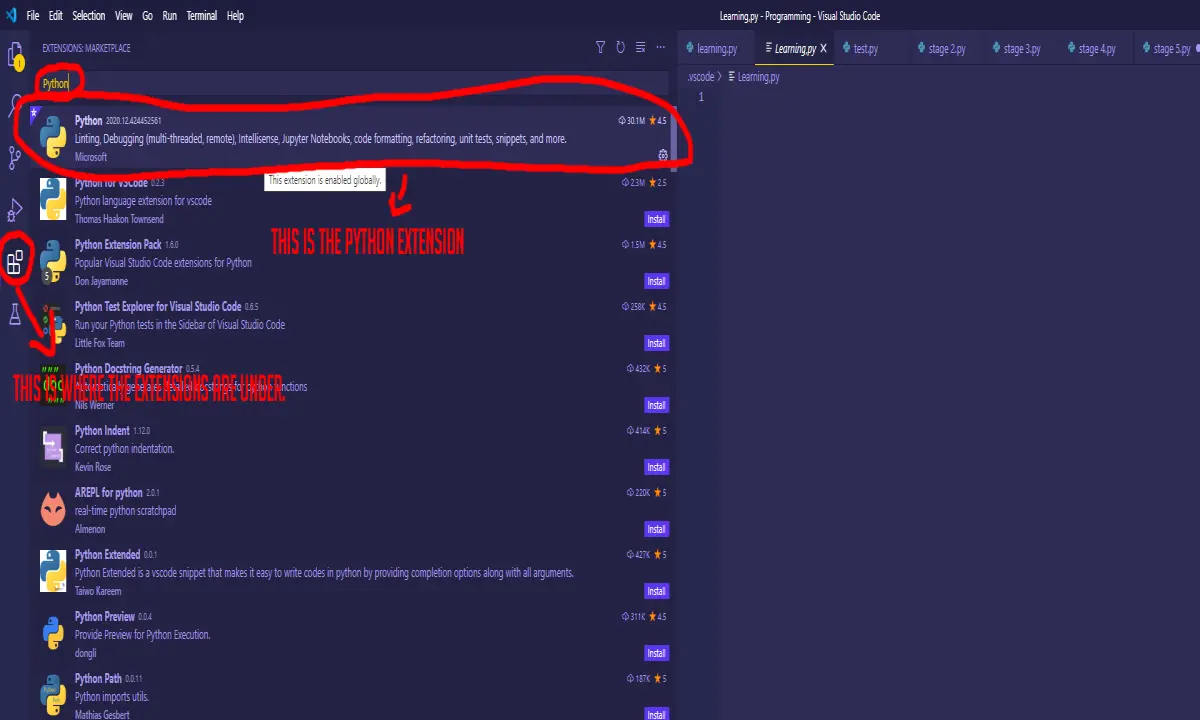
So after you have added the Python extension you will want to go ahead and create a new script aka. file:
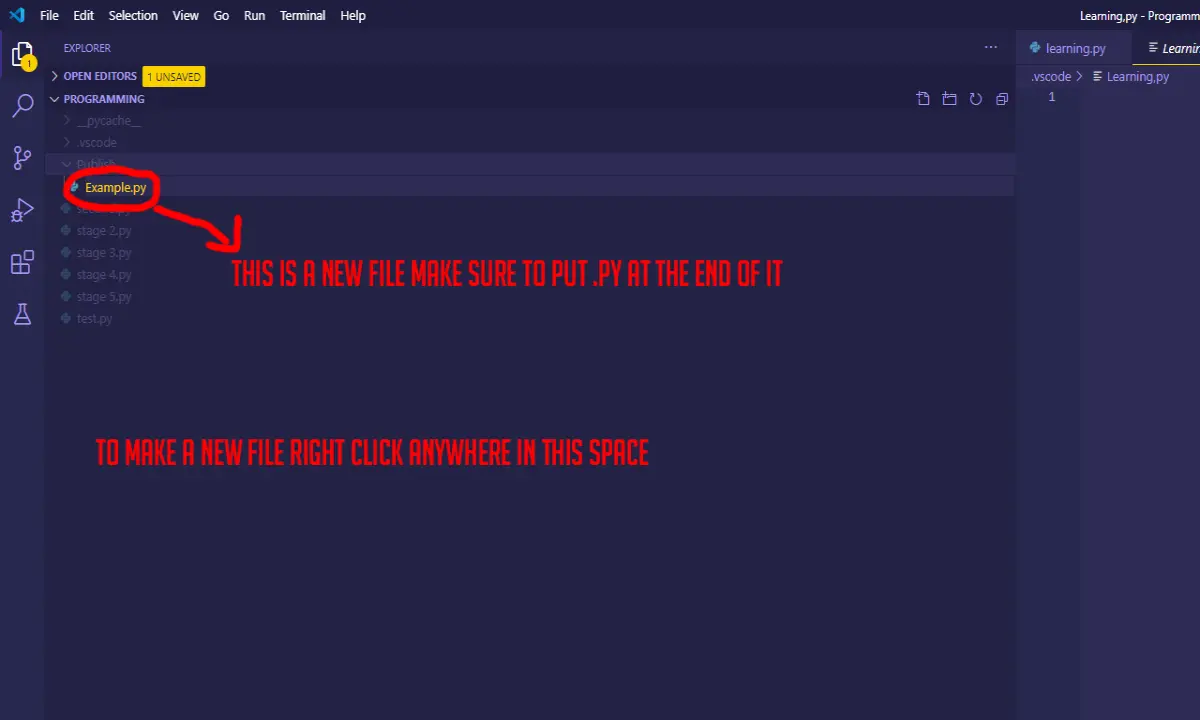
When you've got all that done you are ready to start coding!
To test if the extension works go into the new file you made type print ("example") and run the code ( to run the code left-click the green arrow in the right corner ) the output will be at the bottom and it should say example!






