
My interest in cryptocurrencies increased when I read ‘Start Accepting Bitcoin Cash Donations With Tipb.ch’ by Pantera. It inspired me to create a Bitcoin.com wallet, set up crypto donations on my website and write this article.
Pantera’s article describes creating a page for accepting Bitcoin Cash payments on tipb.ch. The page has a short URL, rather than a long crypto address, that you can share.
When people visit your page, they can copy your BCH address, which they can use to send you money from their wallets. My page is tipb.ch/mwls
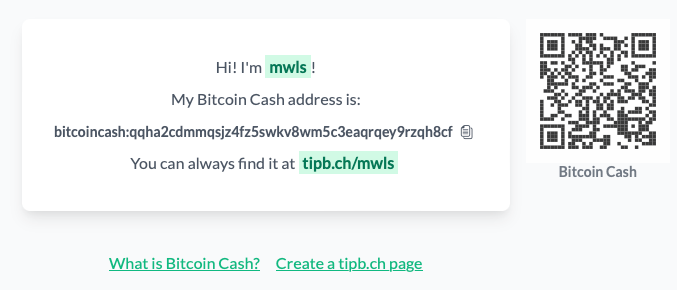
These are the main steps for creating a tipb.ch page:
- Go to the tipb.ch website
- Click ‘Create a tipb.ch page’
- Enter a name for your page.
- Enter your Bitcoin Cash address. You can ignore the SmartBCH address.
- Click ‘Create’.

Accepting Crypto Tips on Your Website
Although using a third-party website for accepting crypto tips and payments is straightforward, payments are limited to using only one cryptocurrency. Also, I would prefer that visitors who visit my websites don’t have to leave to make payments.
So, I wrote a javascript program for accepting crypto tips on my websites.
If you would like to accept crypto donations on your website:
- Add a hidden text field and a button for each cryptocurrency you want to accept.

<!-- Bitcoin -->
<input type="hidden" value="yourBitcoinAddress" id="btc">
<button onclick="crypto('btc', 'Bitcoin')" style="background-color:#3498CA;color:#FFF;padding:5px 12px;border:0;border-radius:4px;font-size:12pt">Bitcoin</button>

<!-- Bitcoin Cash -->
<input type="hidden" value="yourBitcoinCashAddress" id="bch">
<button onclick="crypto('bch', 'Bitcoin Cash')" style="background-color:#3498CA;color:#FFF;padding:5px 12px;border:0;border-radius:4px;font-size:12pt">Bitcoin Cash</button>

<!-- Etherium -->
<input type="hidden" value="yourEthereumAddress" id="eth">
<button onclick="crypto('eth', 'Ethereum')" style="background-color:#3498CA;color:#FFF;padding:5px 12px;border:0;border-radius:4px;font-size:12pt">Ethereum</button>
The ‘value’ of the hidden text field is the address of your cryptocurrency, and the ‘id’ should represent the currency.
Clicking the button calls the crypto() function, which has two parameters: coin and coinName. The first parameter should have the same value as the hidden text field’s ‘id’. The second parameter should have the name of the cryptocurrency.
Paste this code into the <head> area of your webpage
<script>
	function crypto(coin, coinName) {
	    var cryptoAddress = document.getElementById(coin);
	    navigator.clipboard.writeText(cryptoAddress.value);
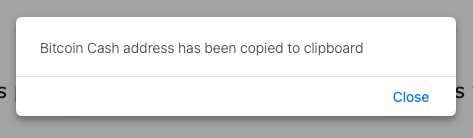
	    alert(coinName + " address has been copied to clipboard");
	}
</script>
- The crypto address is obtained from the hidden text field.
- The crypto address is then copied to the clipboard.
- An alert displays which cryptocurrency has been copied to the clipboard.
If you would like to see how this works in practice, please have a look at ‘Support the Learning Pages Project’ on LearningPages.org






