
So it is Your first time on Publish0x. You just logged in any feel a little bit overwhelmed by quantity of option and possibilities. But don't worry I will try to explain as simple it is possible how to start here :)
I will create that guide in a form of steps but it is just to make it more transparent and easy to understand, but if You want to jump between those steps fell free :)
Important: this is a guide for total beginners here. I remember when I first came to Publish0x and I was totally lost - I didn't know where to start. Also I saw that a lot of users on Telegram channel have a lot of basic questions, so I decide to create that tutorial. If You think that it can help someone who is new here please share that Guide :)
- 1. Just start reading :)
On main page of Publish0x You Can find a lot of articles.
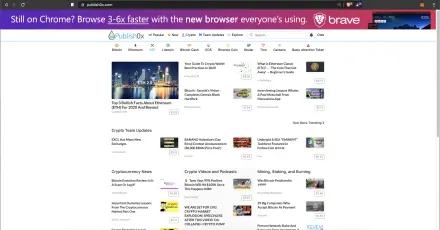
I highly recommend You to just read some of them. That will You will get a basic feeling how everything here works and what is Publish0x all about - at the end it is a blogging platform :) Also articles on main page usually have a good quality- so You will have a good beginnig here:)
- 2. Let's explore :)
Next thing worth to do is just start exploring different posts categories. Those marked titles are also titles of different categories - if You click one of them it will redirect You to page with post that cover selected topic (according to post tags)

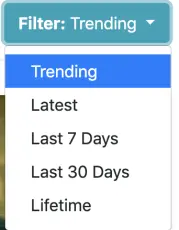
On every category page You will also find a filtering option:
Another option of exploring contest on Publish0x is using option called EXPLORE ;) You Can find it on the top bar of website:

That feature will redirect You to page with some already selected categories:

Last and most exciting option to explore is Search option - You never know what You find :p Again that option Can be found on the top bar of website.
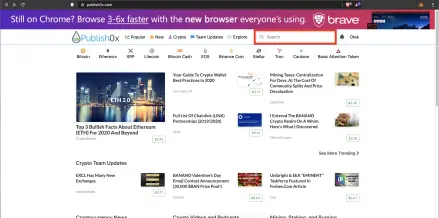
And come on I will not explain how Search option works :p
- 3. Tip posts You like
So You already read some articles and probably some of them was really good and You enjoyed it. It is good opportunity to use most awesome Publish0x feature - tip author.

Below every post You Can find a tip slider. Using that function You Can decide how much You want to tip author and how much You want to keep. Minimum is 20% to author and 80% to You, maximum is 100% for author.
What is most important it wont cost You anything, all tips comes from Publish0x team! So that way You can earning just by reading articles! Tips is in 3 different crypto- Basic Attention Tokens (most if tips), Hydro and DAI coins. You cannot select what coin You want to use it is totally random. Also important info is that You Can tip 6 times in a day!
- 4. Thumb up post You like :)
Below every post is also a like/dislike option

That option doesn't affect currently anything but using it in a nice way You can let author know that You enjoyed content that he create.
- 5. Comment interesting post
You have some questions want to share Your opinion or maybe just wanna write some kind word to author? Use comment option for that:

Remember to protect spamming in comments every user have 20 comments per day :)
- 6. Don't forget to follow!
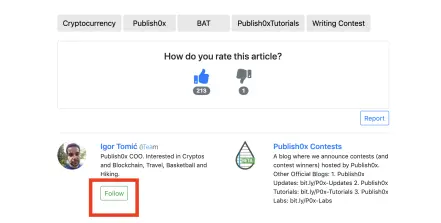
You found a author that writes a really good article? I recommend You to follow him to not miss next great post!
Such option Can be found at the begging of every post

It is also below post:
How You will be inform about a new articles? Let's jump to point .
- 7. Stay up date
Do you see that Bell icon on right side of page?
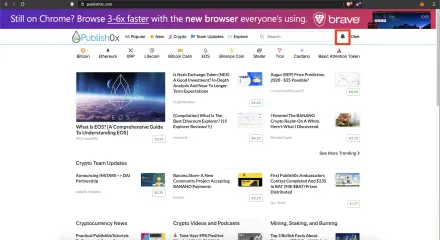
That very useful guy can be in a grey or red colour.


Red colour inform You that something interested happened. When you click on that button You Can see a details of that notification:
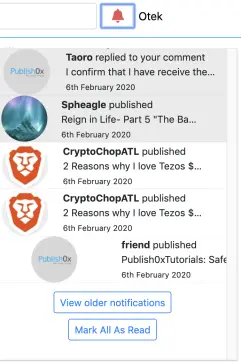
What Can it be?
Thats function will inform You when one of author that your follow will add a new article - that is the reason why I highly recommend You to follow your favourite creators.
Also it will inform You if someone replies to Your comment.
- 8. How are You?
Let's now just quickly jump to place where You can check your status on Publish0x. On right side of website just next to that bell icon You can find Your user name. Hover mouse on it- now new menu should appear. Click on the 'Dashboard' option

Now You are on your Dashboard!

You have some very interesting and useful informations here.
You Can see how may followers You already have.

Also You Can see how much You earn on Publish0x!
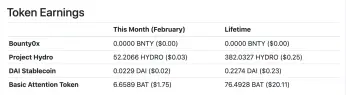
If You became an author You will have also details about every of your posts - how much it earns and how many views it have. I don't cover how to become an author in that guide to - it will be too long, messy and complicated - I will create separate article about that and add link to it here. Meanwhile You Can find such information on that official tutorial: How to Become an Author and Earn Crypto on Publish0x .
Another interesting option is "Payments" - You should use it to withdraw Yours earned crypto :) How it works I cover in another tutorial: https://www.publish0x.com/otek/publish0x-add-metamask-wallet-withdraw-step-step-easiest-gui-xemydw

Last option I like to cover is Settings - to make it clear let's make it in another point - 9
- 9. Adjust Publish0x to feel more comfortable
Im assume that You are already at Dashboard page (if not look at point 8 of that guide). So click on "Settings" button

New page has been opened: https://www.publish0x.com/settings

On first tab - Profile You can add a photo and write a short description in About field.
Wallets tab will show You your crypto wallet details.
Next, Notifications tab allow You to decide if You want to receive a notifications on Your e-mail when someone Replies to Your Comments orComments on Your Posts:

Appearance tab allow You to change theme of Publish0x UI:

This is how the same page looks like in different theme versions:
White: 
Dark Grey: 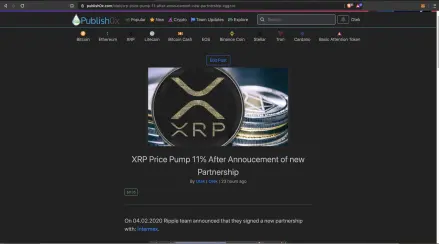
Black:
Last tab on settings "Security" allow You to change Your password
That's all I hope that those information was useful to You. Again that information was for total beginners here - but I saw that a lot of new users asking about how to start.
If You want to became a writer on Publish0x read official tutorial for that: How to Become an Author and Earn Crypto on Publish0x
If You have a more questions feel free to write it on comment :)
Also I suggest to look at official FAQ: FAQ
I hope you like that tutorial and will have a smooth and pleasant start here :)






