
Are you ready to start "mining" Nano (XNO) with your Android cell phone?
Well now you can!
Follow along in my step-by-step tutorial and you'll be collecting Nano payments within a few minutes!
Introduction:
Nano (XNO) is a fully distributed non-inflationary unmineable cryptocurrency. All the coins were distributed over about a two-year period via CAPTCHA faucet payouts starting back in 2015. In order to protect the integrity of the the Nano initial distribution, the faucet was turned off at the time AI Bots were being invented with the intelligence to start solving them.
Even though Nano has a fixed supply, it is almost infinitely divisible (30 decimal places) and has zero transaction fees which makes it ideal for micro-payments, including getting payouts from mining pools for mining other coins. In this way we can still essentially mine for Nano. Since Nano is unmineable directly, the only way to mine it is indirectly. Today I will show you my step-by-step guide how to setup your Android device such as a cell phone to mine Monero (XMR) which will automatically convert into rewards in Nano (XNO).
It doesn't take long! It is pretty easy and you'll start collecting your mining rewards every couple minutes. Withdrawals are instant and since Nano is feeless there are no minimums!
Step 1
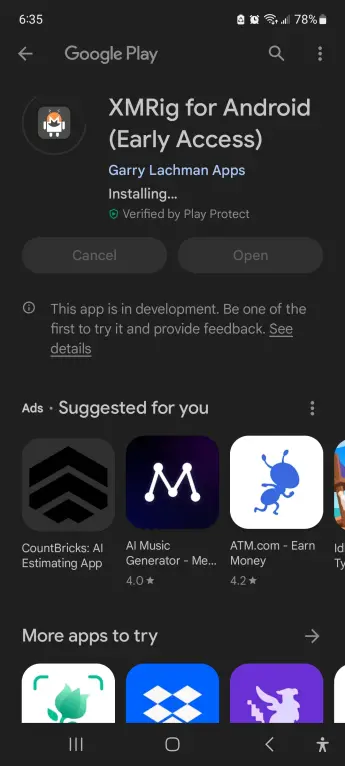
Pull up your Google Play Store and search for the app called "XMRig for Android". Install it. (see screenshot below)
Step 2
Open up the app.
- Setup a Configuration:
- Settings > Menu > Add Configuration (Simple)
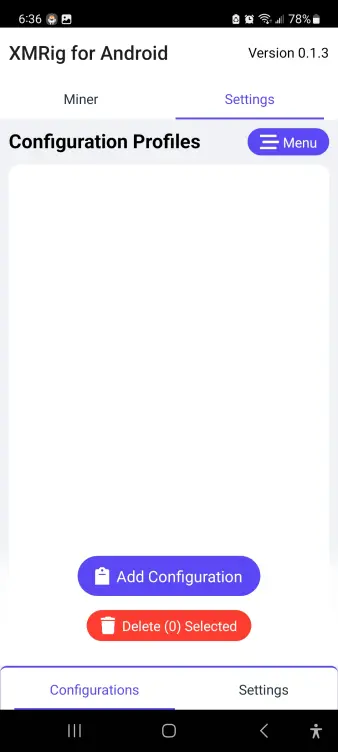
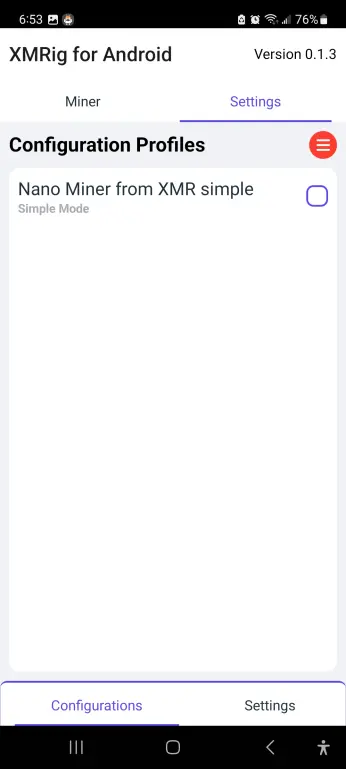
Click on the Name of your configuration to enter into it.
Step 3
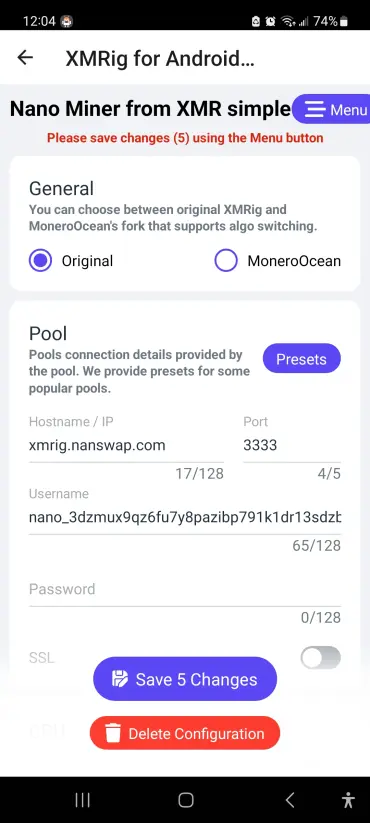
Edit the pool information in your configuration.
- Edit Pool with the following content:
- Hostname / IP: xmrig.nanswap.com
- Port: 3333
- Username: YOUR_NANO_ADDRESS
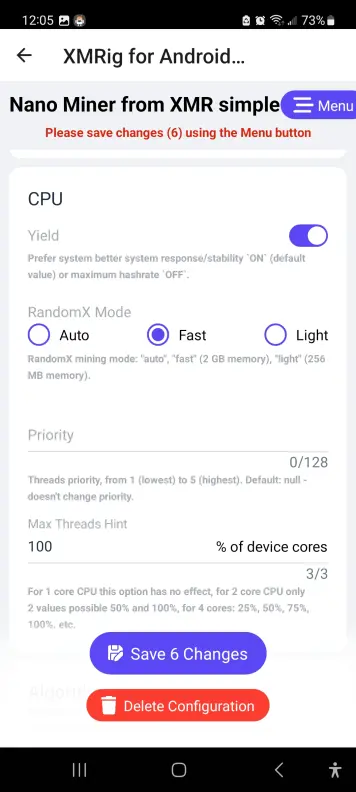
- (Optional) Set RandomX Mode to Fast. Light mode will use less resources, but phone will still be much slower than usual while mining regardless.
- Your Configuration should looks like this: (Click Menu to bring up the Save button)
Step 4
Once saved, click on Miner at the top, make sure you have Selected the Configuration and click Start.
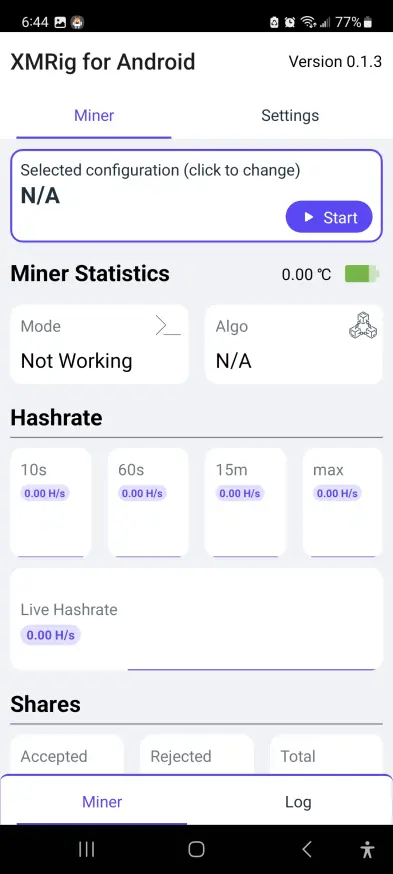
After you have Selected the Configuration and Click Start, You are mining! (Give it a minute to kick in. Light mode is pictured below which hashes slower)
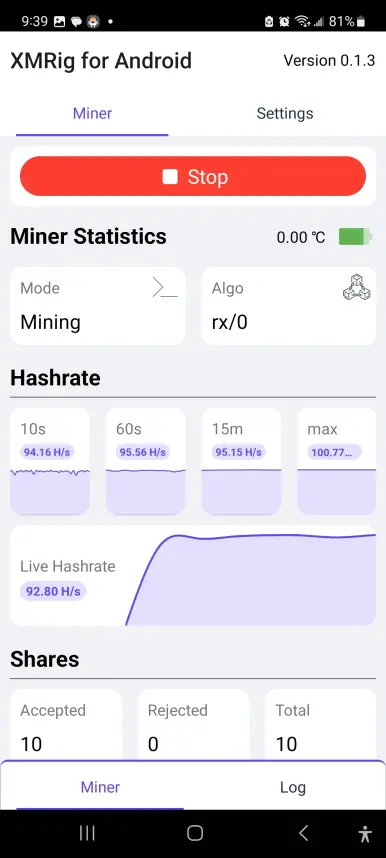
After waiting a few minutes you will see accepted shares. This means you are getting paid some Nano rewards!
Step 5 (Withdrawal Nano!)
Since we are using the Nanswap mining pool we need to click on this link to head to the Nanswap Nano Mining Page.
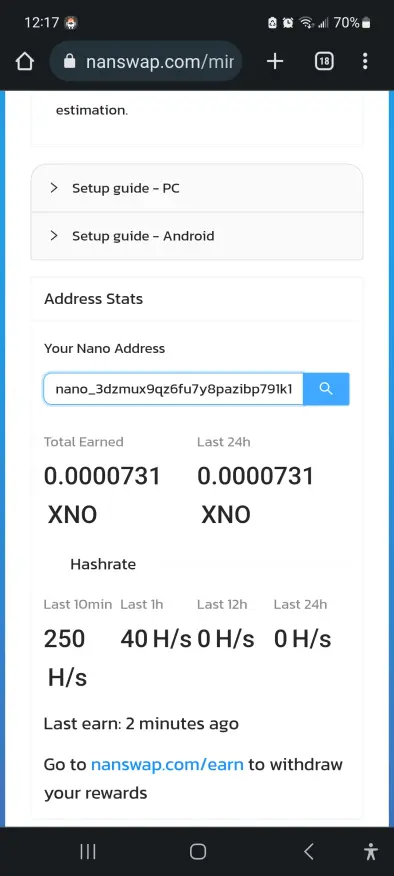
This is where you will be able to view some of your mining statistics and accumulated Nano rewards!
Scroll down and enter your Nano Address that you used in your Configuration, and click search. (sometimes there may be about a minute of delay before it updates your balance).
At the bottom of that page there is a link to where you can click to go to withdrawal your Nano!
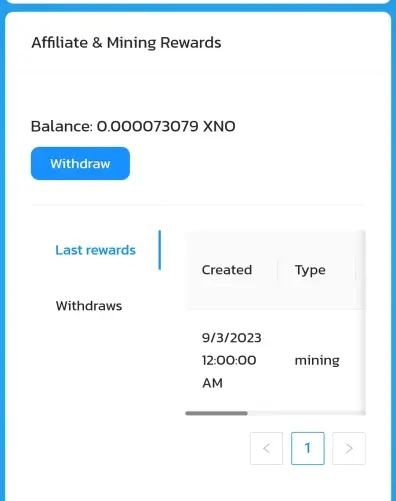
You are done!
Conclusion
While mining on your cell phone is probably not going to make you rich, it is something you can do to get a little extra Nano. Mining uses a lot of power which will drain your battery rather fast. It may be helpful to keep it plugged in, but be careful not to overheat and burnout your phone. Let me know in the comments below how it goes for you. Is it worth it? Maybe especially if you have access to free electricity. As always tips appreciated!
Nano (XNO)/ US Dollar (USD) Price below:





