
What I am going to teach you today is how to easily setup SRBMiner software to mine Dogecoin using your cpu. Mining with your computer is the original mining operation, and once you learn this easy tutorial, hopefully it allows you to open your mind to learn more. Let us start with the basics. To get a free copy of the mining software you will have to go to this link:
Once there click the download tab and download the right one for the operating system you have. Today we are going to show you how to use this software in windows and Linux.
Once the file is downloaded if you are using windows unzip the files to SRBMiner folder in the directory of your choice.
Now let us setup the software to mine on Zergpool. In this example we will mine a guaranteed payout coin of DOGE coin and we will use the cryptonight_upx algorithm. Let us begin.
LINUX
For linux it is best to unzip the folder in your home folder, and rename it SRBMiner. This makes for easy to run ability.
1. Open up a terminal
2. type cd SRBMiner
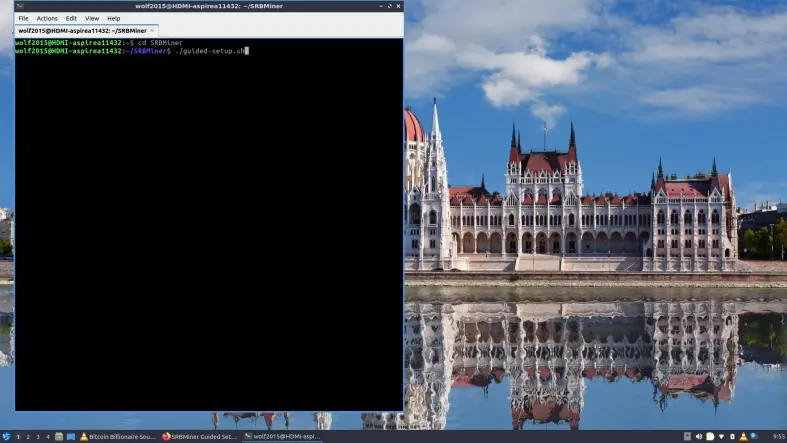
3. Type ./Guided-setup.sh
4. type coin name as file (easy reference)
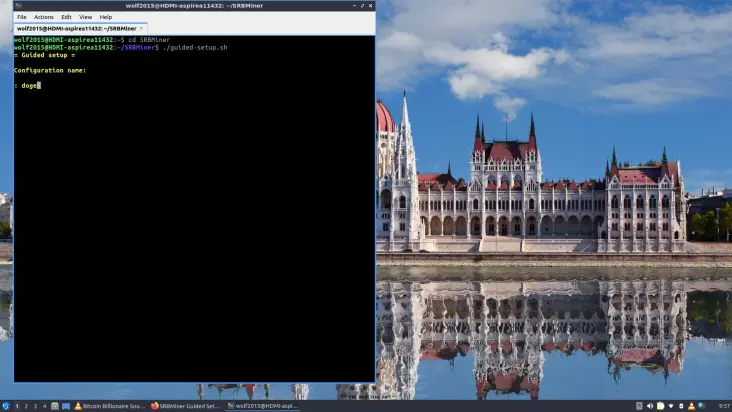
5. type N for multi algorithm. (this is mainly for learning purposes, and for those who are new to mining)
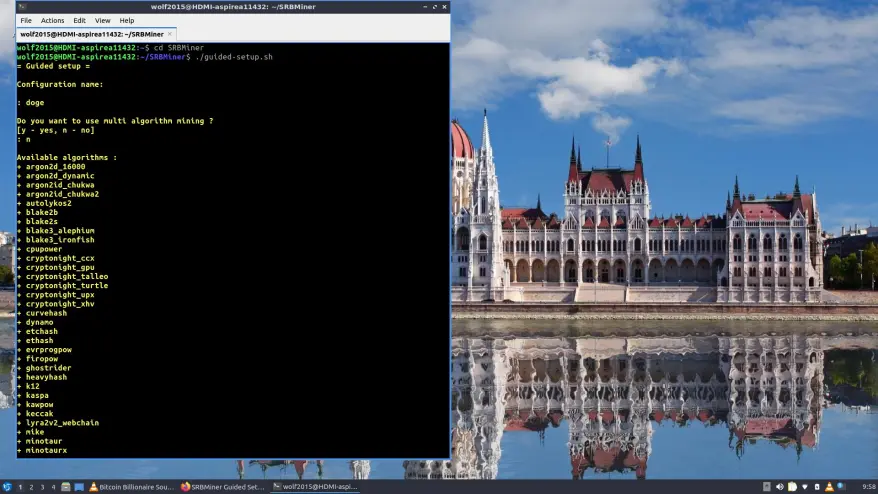
6. Choose the algorithm ( we are using cryptonight_upx for this example)
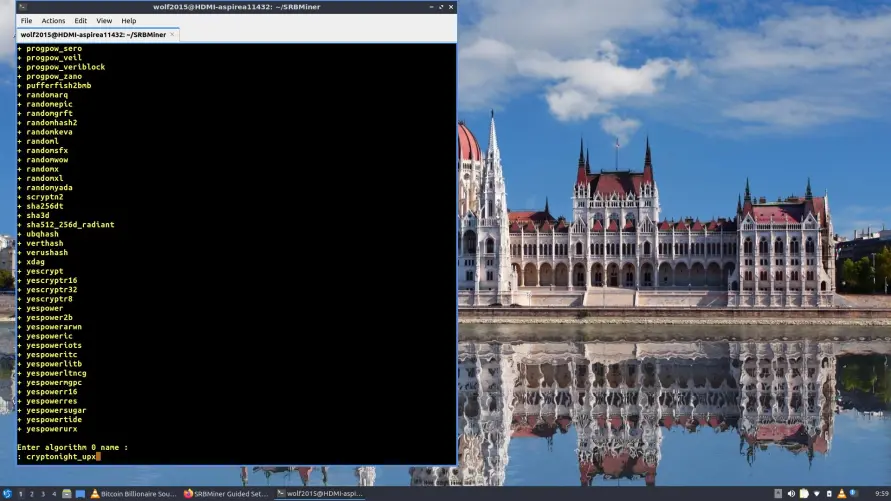
Now hit enter and it will want a pool information just paste the pool data.
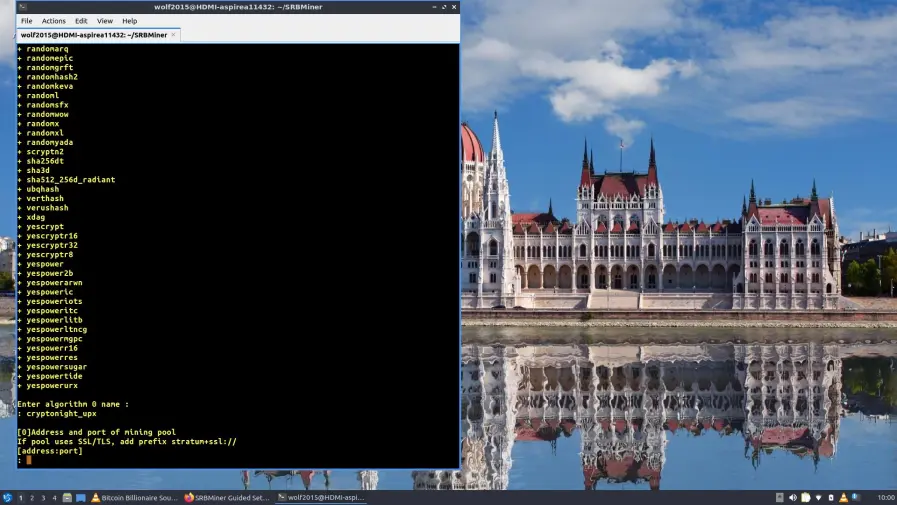
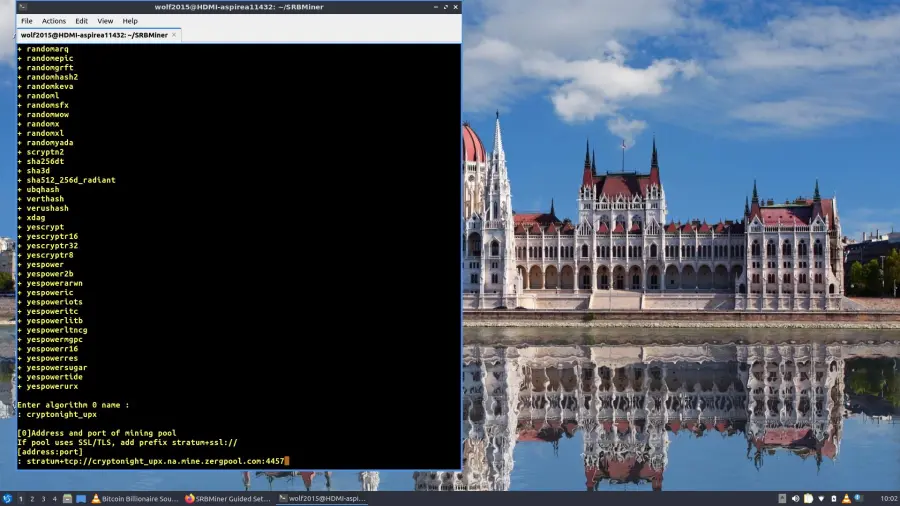
Once that is complete hit the return, and it will prompt you for your dogecoin address, paste that in and then hit return again. For the password just type c=DOGE (c stands for coin and=DOGE means we want to be paid out in DOGE coin.
Now you are free to close the terminal. When you are ready to mine just open a terminal, type cd SRBMiner hit return and when it prompts you too, just type start_doge.sh
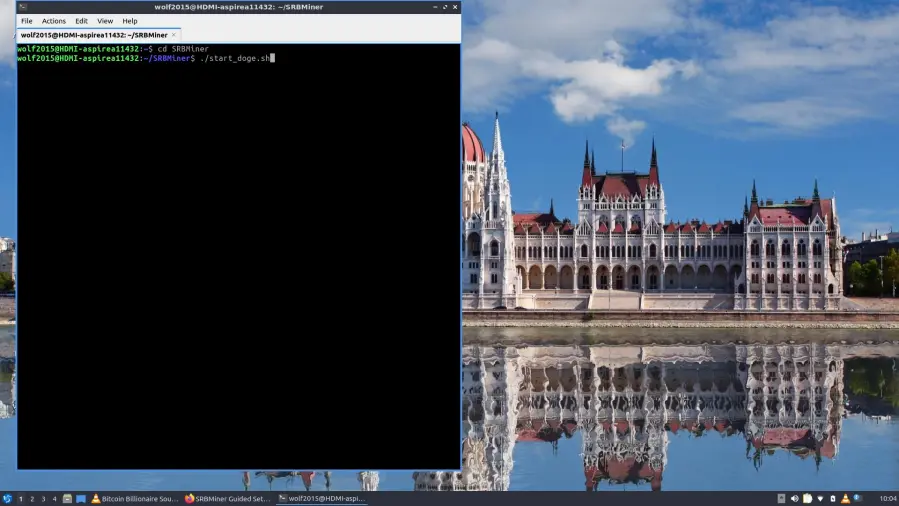
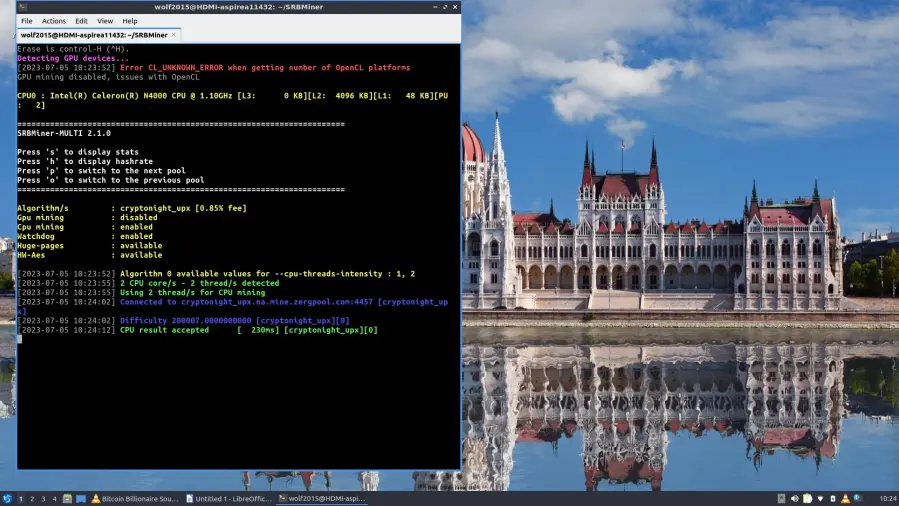
Now you are mining. For windows users all the steps are the same except for the first all you have to do is open the folder where you downloaded the SRBMiner file. Open the folder and double click on Guided-setup.exe. You should then get a screen that looks like this,
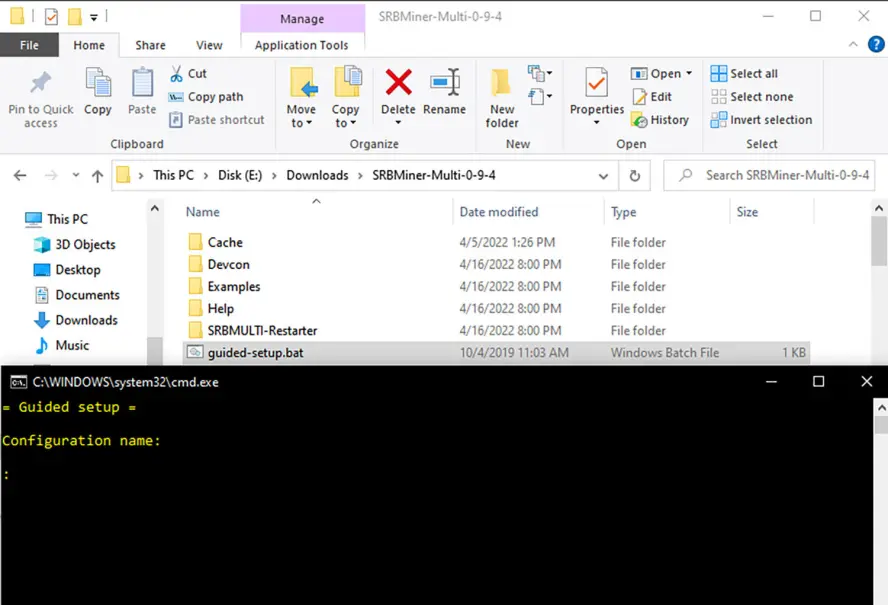
Then the rest of the steps are exactly the same. I hope this helped you learn a little bit more on easy computer mining. Hopefully this helps all of those that are new to the mining operation have an easier time getting started.






