
The following article will clearly detail the steps needed to quickly and efficiently submit the correct information required for the INSTAR Wallet platform and to pass the KYC verification process.
Upon completion of the process, verified users will be able to participate in daily surveys and the chance to win regular INSTAR tokens. There will also be special promotions and competitions for those users who have completed KYC to participate in.
To begin KYC verification, please visit www.instarwallet.com then follow the steps below:
Step 1: Login to INSTAR Wallet or create a new account
- Head over to https://instarwallet.com/auth/login
- If no account has been setup, create a new account by choosing ‘Don’t have an account?’
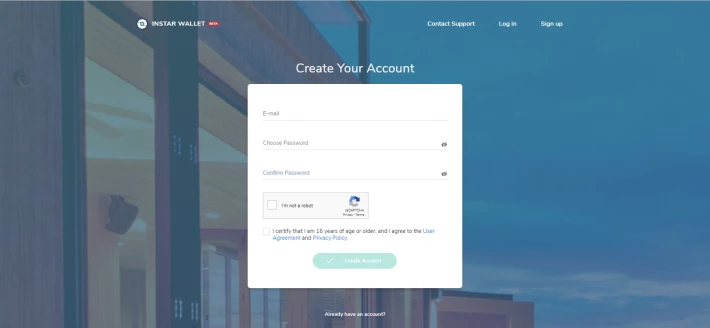
- Follow steps and once completed, verify email sent to address entered.
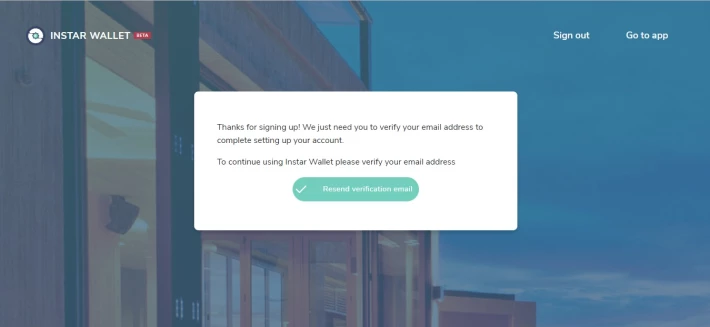
Step 2: Select Gender
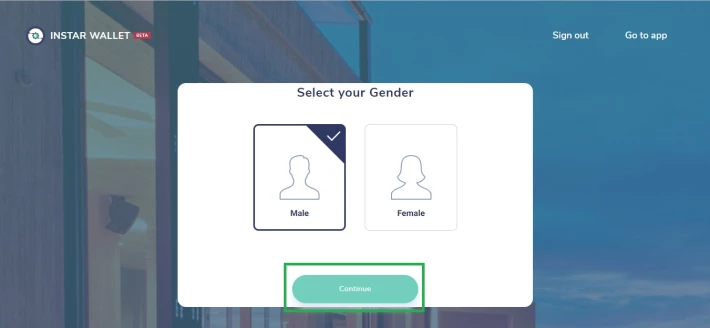
- Once logged in, the following screen will appear
- Select gender, ‘male’ or ‘female’
- Click ‘continue’
Step 3: ID Verification to begin
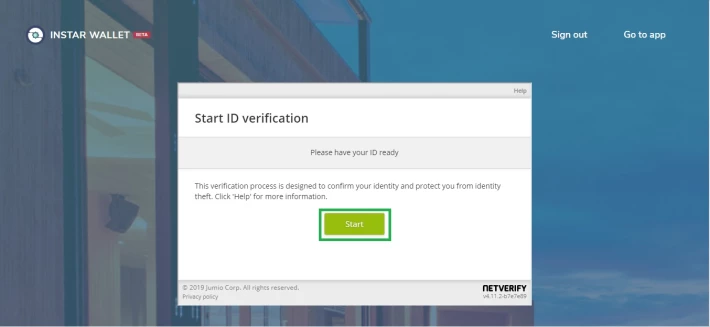
- Following page will then appear
- Please make sure to have your ID documents at hand, as the process will now begin
- Once ready, click ‘start’
Step 4: Submit relevant ID documents
- On the top right-hand corner, choose ‘issuing country, eg United Kingdom’
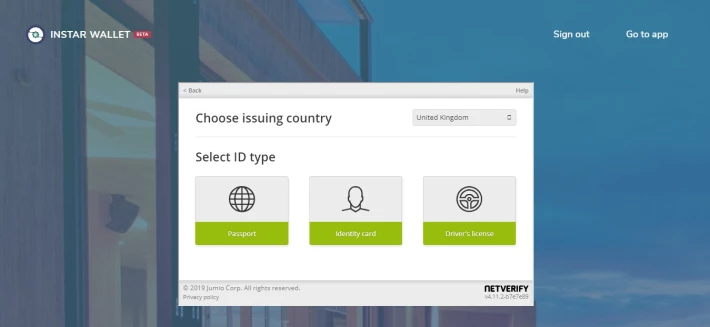
- For every option, you can choose to either ‘capture image with your device’ or ‘upload file from your device’
- Please choose the correct option
- NOTE - All images must be clear with no distortion. There cannot be any difficulty in viewing the face and document ID numbers. Failure to do so could result in KYC being rejected.
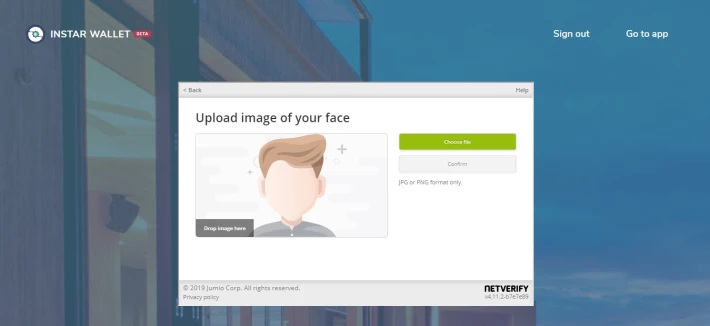
- Please upload a clear image of your face in JPG or PNG format only.
Step 5: KYC Process complete!
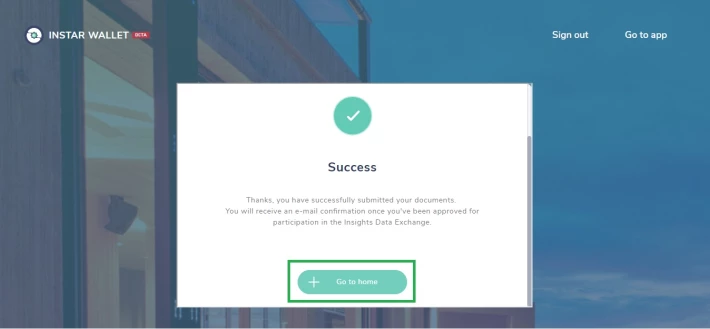
- Once the relevant documents have been submitted and transmitted to servers, the process has been completed.
- Please check for a confirmation email once approved for participation in the Insights Data Exchange
- Click ‘go to home’ to enter the INSTAR Wallet dashboard.
Step 6: Login, go to activities and participate in Daily Surveys
- Login back into your new KYC-verified INSTAR Wallet account and choose the section entitled ‘activities’
- There will be several different daily surveys to participate in.
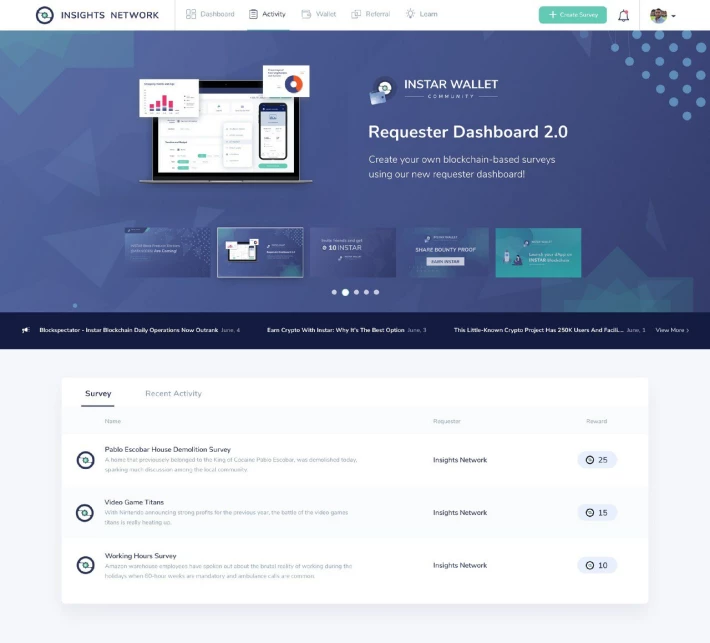
- After completion, you will be rewarded with free INSTAR. That's how simple it is!
Congratulations! You have now successfully created a INSTAR Wallet account are now well on your way to earn free INSTAR. Please browse our daily surveys and competitions to win even more great prizes.
For further information on the Insights Network, please use the following links:






