
Introduction
Have you ever wanted to read a message someone sent you on Whatsapp but later deleted? It's happened to me multiple times, which is why, in this post, I'll quickly explain how to read deleted messages on Whatsapp the easy way. All you have to do is download and use an app, which only takes a minute and is completely free.
Download and Use a Notification Logger
While there are apps that let you see deleted Whatsapp messages by logging only your Whatsapp notifications, I prefer to download an app that logs notifications for all my apps, not just Whatsapp. You never know when you might need to re-read a notification from another app. There are plenty of notification loggers on Google Play and the Apple App Store, all you have to do is search 'notification log' and you will find a plethora of results. However, I personally use the NotificationLog app by JoLo software, which is available on Google Play and F-droid (you might appreciate this if you're a fan of free and open source software). I also like it due to its minimalist design and small size.
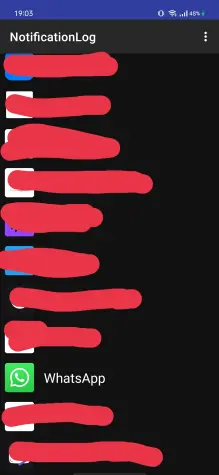
When you first open the app, you may not see many apps listed. However, when you receive notifications from an app, they will appear on the homescreen. When someone sends you a message on Whatsapp, a notification containing the message will be sent to your phone. Of course, this only works if you allow Whatsapp to send you notifications in your phone settings. (they're on by default, so don't worry) So, when someone deletes a message they sent you, you will not be able to see it on Whatsapp, but you will be able to use NotificationLog to read the contents of the message when it was sent as a notification. All you have to do is tap on 'Whatsapp' in the home page of the app, and you will be able to read all the logged notifications.
The specifics may differ for different notification logging apps, but the overall process is the same: Find a way to read the notification, and you will be able to see the contents of the deleted message. I hope this quick guide was helpful and easy to understand!
My referral links:






