
As a coinbase user maybe you have collected several coins and you want to sell them and convert them to real money. This is really easy in coinbase.
the experience is really really good in this platform.
What I did
I converted all my tokens to the same final token. For instance ETH.
On the top of coinbase console you can see the pair of buttons buy/sell and send/receive, so click in the first button buy/sell. 
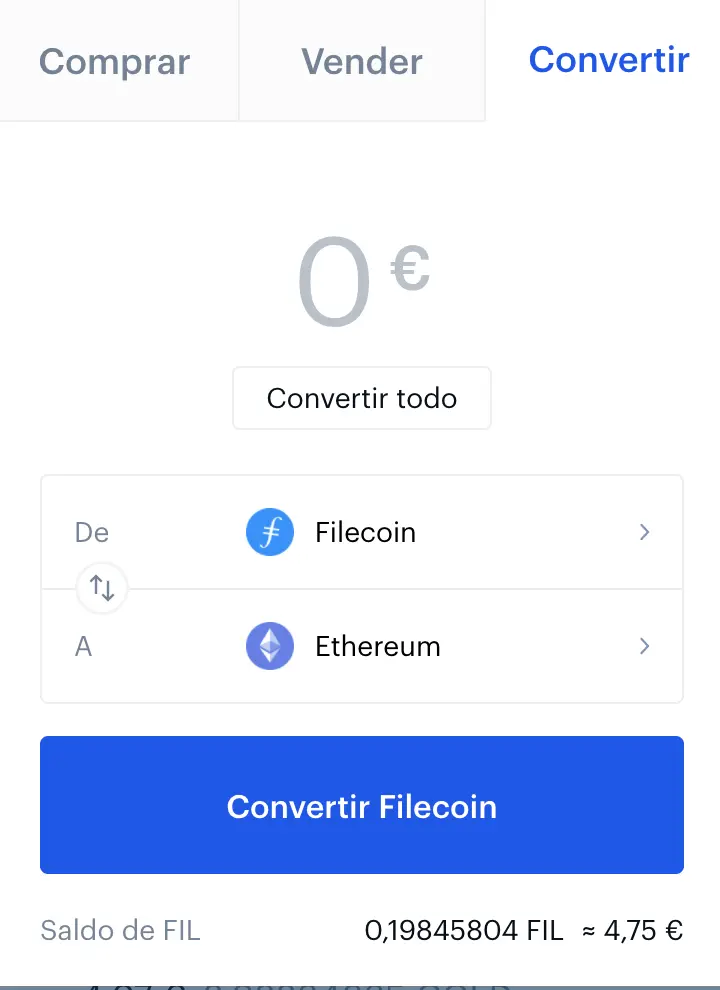
A popup window is shown. Here you have to go to the Convert tab, on the right side. Click it. Now you have to select the origin token to be converted to the final token, in the example I'm converting the File token to ETH. Click on the convert all button to fix the amount of token you want to convert. In my case was the whole amount. After that click on the blue Convert File Coin button and a resume window is shown. You have to confirm it to execute the operation. The best of the process is fee-free for now. So if you are doing this process with all your tokens to convert them to ETH you will have the same amount of money from the beginning of the process. Really nice! and really easy!
Convert the ETH to EUR or USD
Now you have all your money in ETH, so the next step is to convert the ETH to EUR or USD. So click on the buy/sell button as previously.
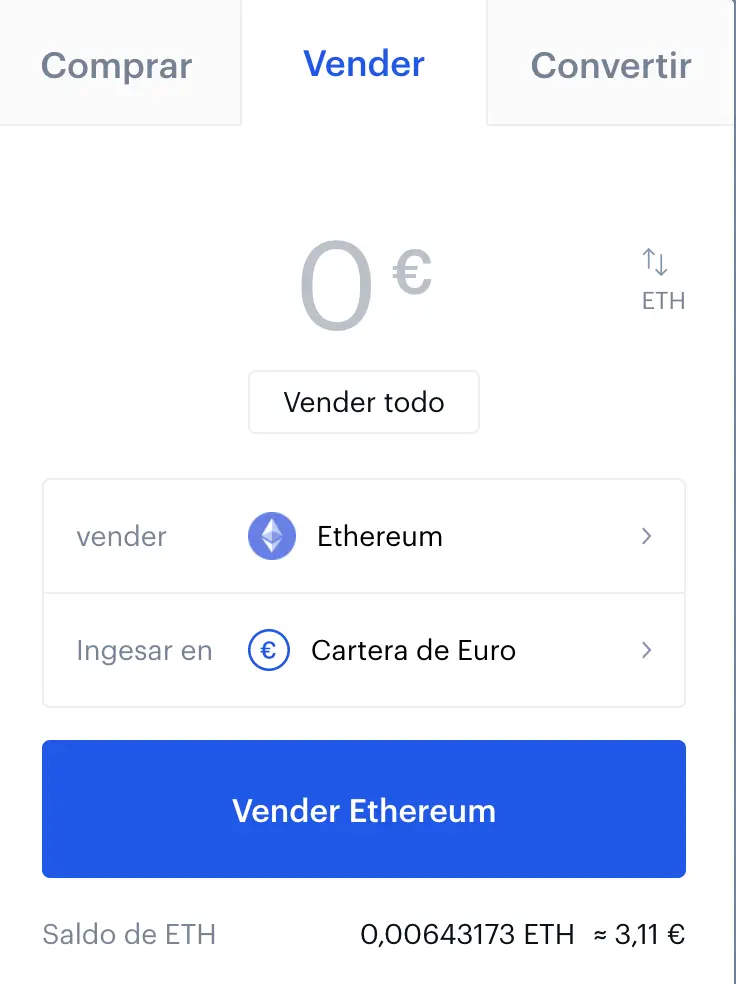
Here you have to set up the ETH token as the origin and EUR as the final. Setup the amount to convert or convert all click in the button with the same name. Then you have to click on the sell Ethereum button and a resume window is shown with the fees of the process. In this case depends on the amount. You can see the tax log table in the coinbase documentation. In any case if you think that the taxes are expensive you can't cancel the process. In my case, I confirmed the operation and I paid 1,99 Euros of fee.
The final step: move the money to paypal
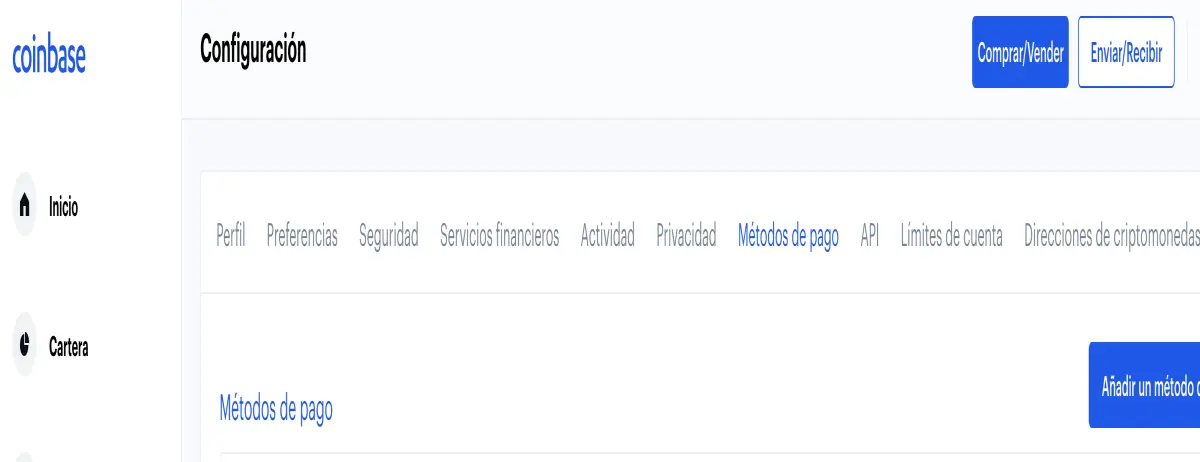
Now we have EUR's and we want to move them to paypal. For doing that you have to configure a link between coinbase and your paypal account. Go to your account, and click on the payment methods tab. Here you have to add a new method click in the button new payment.
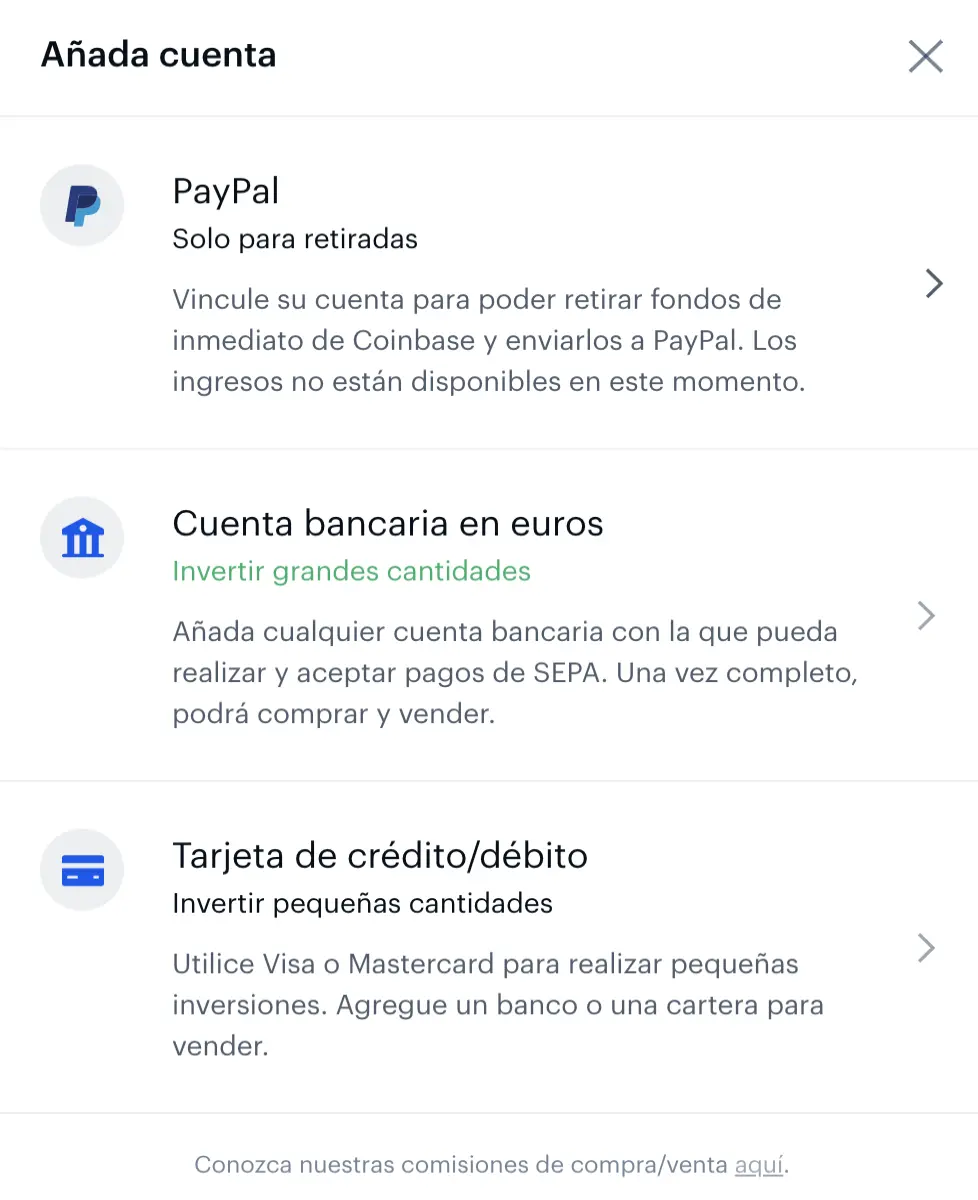
Here you have to select paypal and follow the instructions, that is, fill the paypal user name and the password. To avoid problems, the coinbase user-email and the paypal user-email have to be same. Once you have loged into paypal you have to accept to link the account with the coinbase account. At that all.
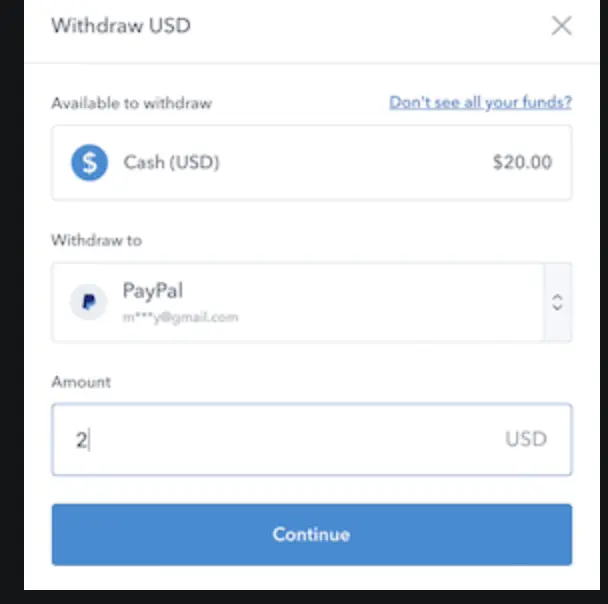
Once you have the paypal account linked you can withdraw your money. Go to your token details and in the right window you can select the amount the origin token from and the paypal account. Click into the continue and after that another window is shown to confirm the operation. So if you confirm you will have the money into your paypal account in a few minutes.
And that all!
previous post: Withdraws from Publish0x to your Coinbase wallet!
do you like movies?... follow us at estrenoscinehoy.com





