
A quick little tutorial, because it is relatively simple, to participate in the supercharger from the mobile application.
Before you start you have to know one thing chosen. If you participate from the app you will not see your CRO balance on the exchange. And vice versa. If you participate in the 2, you will therefore have 2 different scales and not just one adding the 2. It’s not huge but you just have to keep that in mind so as not to be surprised.
1 / Go to HOME and go to the bottom of the page
2 / Click on the Supercharger banner
3 / Go to the bottom of the page
4 / Click on the event in which you want to participate
5 / Click on Charge Now, accept the conditions
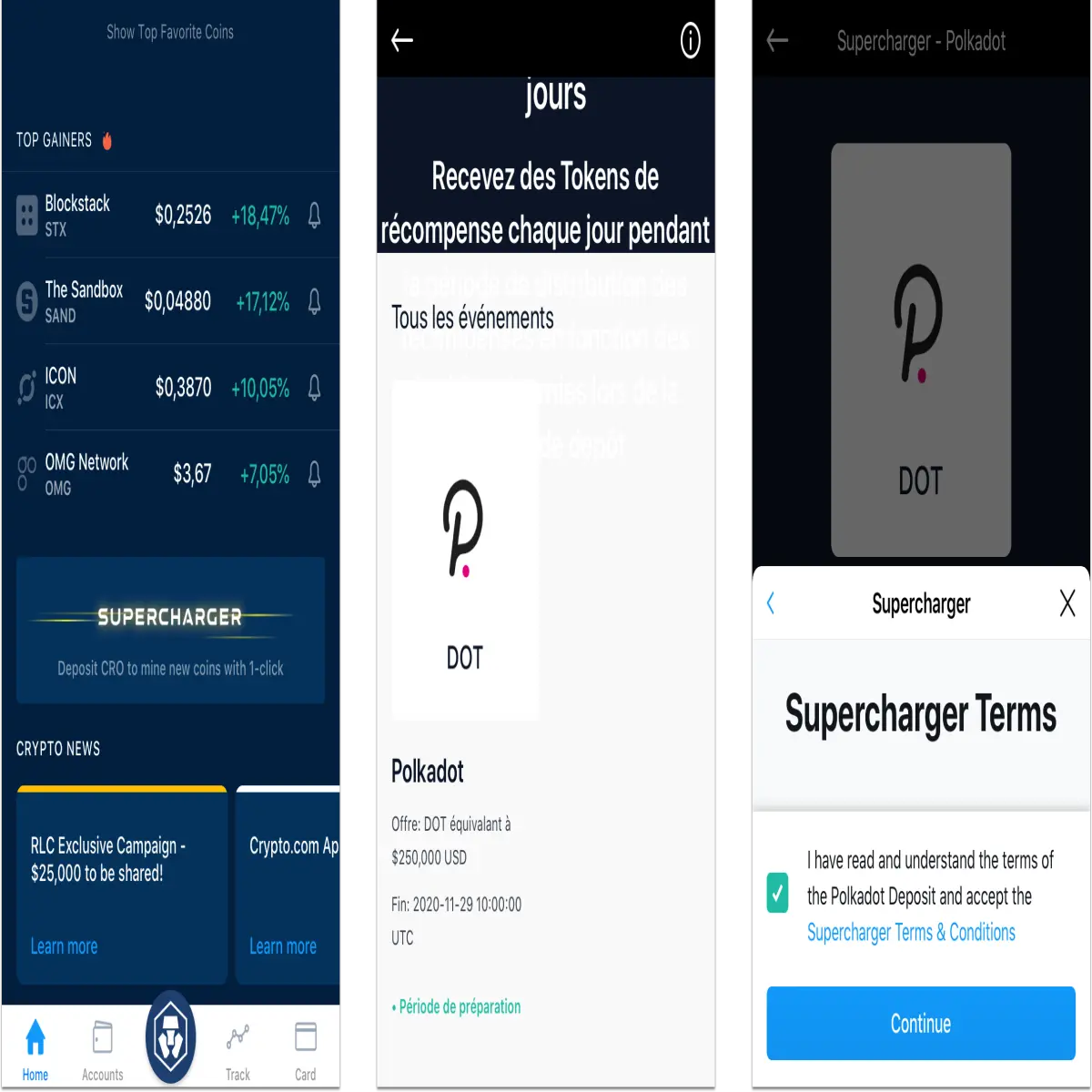
6 / Indicate the amount of CRO you want to deposit then confirm

There it's done !
If you want to add or remove CROs during the event:
7 / Go to the Account tab, then Supercharger
8 / Use the + or - signs to add or remove CROs.






