
We will discuss in this article how to change your LightningNetwork BTC BALANCE to BTC BALANCE.
You will need a BITFINEX EXCHANGE account which you can setup for free if you do not own one, where you will convert LN to BTC.
*If you do not know what Lightning Network is, please head to lightning.network to get familiarized*
Let’s start
First of all you have to deposit your LN satoshis balance that you want to convert to BTC balance into BITFINEX account you created earlier.

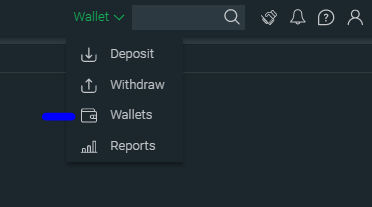
Click on Wallet -> Deposit as you see above and after that you will see the deposit page as you see below.
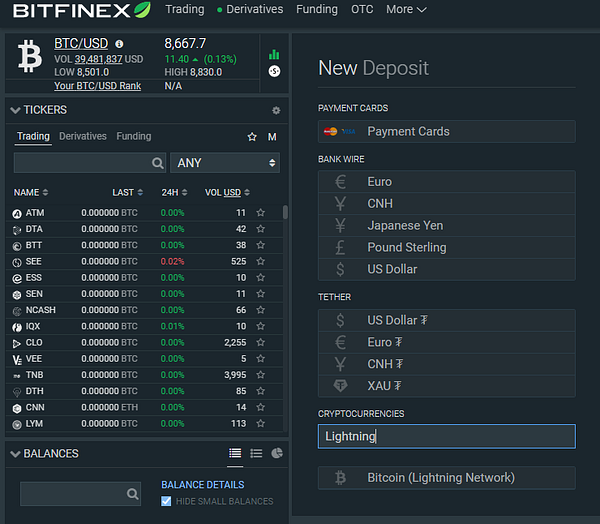
Here on deposit page, search in CRYPTOCURRENCIES for Lightning Network and you will find :
BITCOIN (Lightning Network)
Select it and you will be moved to LN deposit page
On the deposit page you will be asked following :
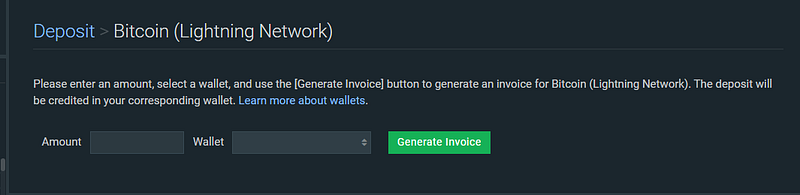
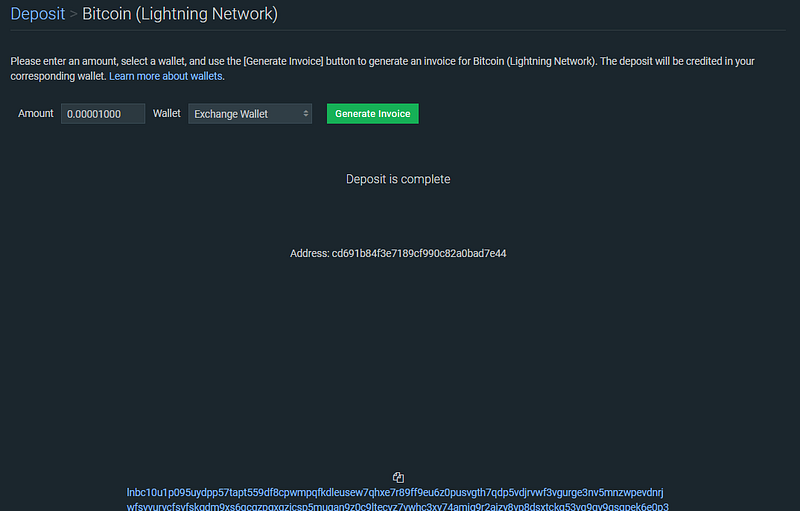
For our example we will found Exchange Wallet with 1000 satoshi ( 0.00001000 BTC )
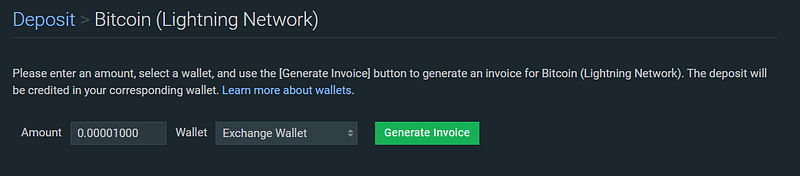
Generate the invoice for deposit and you will have a LN invoice generated :
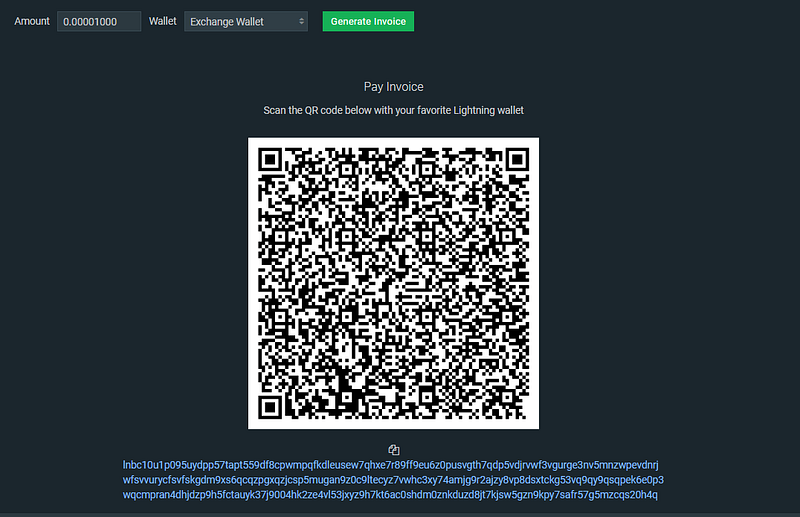
Now it’s time to pay the invoice we just created.
You can use Wallet of Satoshi or BlueWallet or any other LN services that allows you to pay invoices.
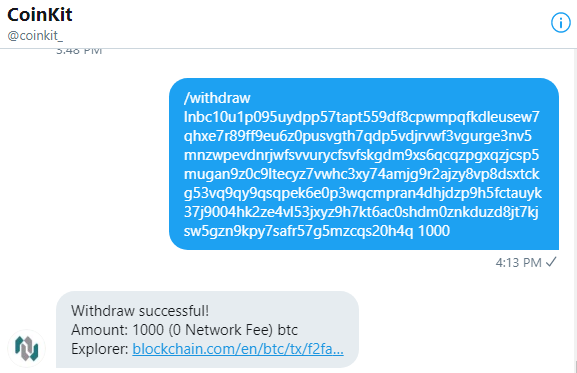
I will use tipbot Coinkit_ which have integrated LN services. to pay this invoice.
I will copy the invoice from BITFINEX and from TWITTER @Coinkit_ DM I will use 2 commands:
1./changecoin BTC
2./withdraw <invoice> <amount> ;
Our example will be :
<invoice> - replace this with your invoice you generated on BITFINEX : lnbc10u1p095uydpp57tapt559df8cpwmpqfkdleusew7qhxe7r89ff9eu6z0pusvgth7qdp5vdjrvwf3vgurge3nv5mnzwpevdnrjwfsvvurycfsvfskgdm9xs6qcqzpgxqzjcsp5mugan9z0c9ltecyz7vwhc3xy74amjg9r2ajzy8vp8dsxtckg53vq9qy9qsqpek6e0p3wqcmpran4dhjdzp9h5fctauyk37j9004hk2ze4vl53jxyz9h7kt6ac0shdm0znkduzd8jt7kjsw5gzn9kpy7safr57g5mzcqs20h4q
<amount> - replace this with the amount you will pay : 1000 SATOSHI
This command will pay the invoice from BITFINEX :
Perfect !!
Now we have 1000 LightningNetwork satoshis ( LNX ) on exchange and it’s time to convert from LNX to BTC
For converting your 1000 LNX you need to go to your wallets:
From here look for CURRENCY CONVERSIONS:
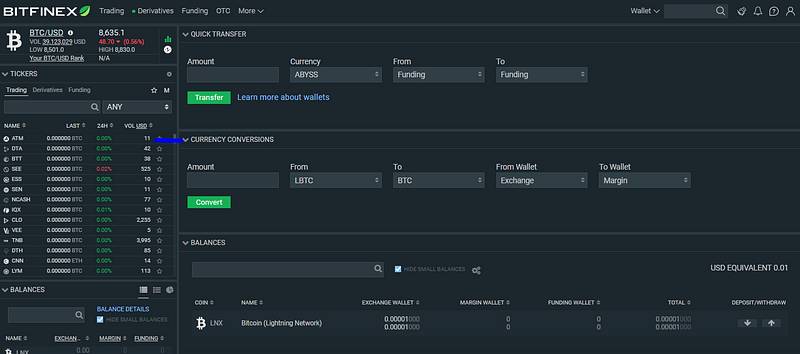
So if we want to change our 0.00001000 LNX -> 0.00001000 BTC we will use following convert details there:

Click on CONVERT and your LNX will be transformed into BTC:
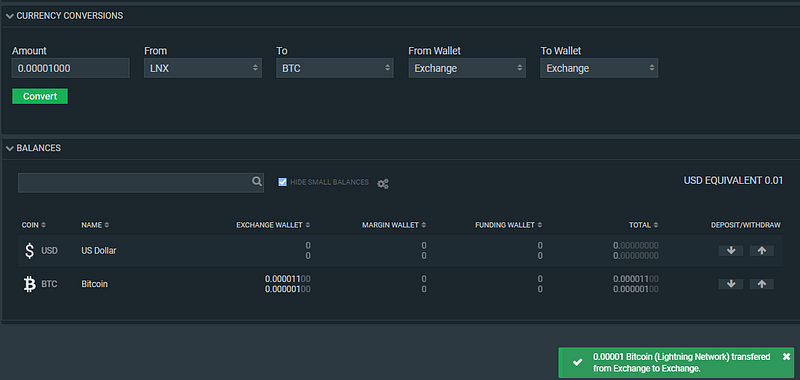
As you can see my 1000 SATOSHI from LNX transformed into BTC.
( I had 100 satoshi before converted from initial testing that’s why balance is 0.00001100 BTC )
And that’s all , now if you want , you can use your fresh BTC BALANCE to trade on BITFINEX EXCHANGE :

Hope that you like this tutorial and that you learned how to change LN BALANCE to BTC BALANCE
#cLEarn






