
As I booted up OpenToonz (OT) to begin work, I was met by a pleasant surprise, a notification for a new update. After the ceremonial fiddling around to uninstall the old and install the new (after backing up my files of course), OT V1.5 was open and I was ready to rumble.
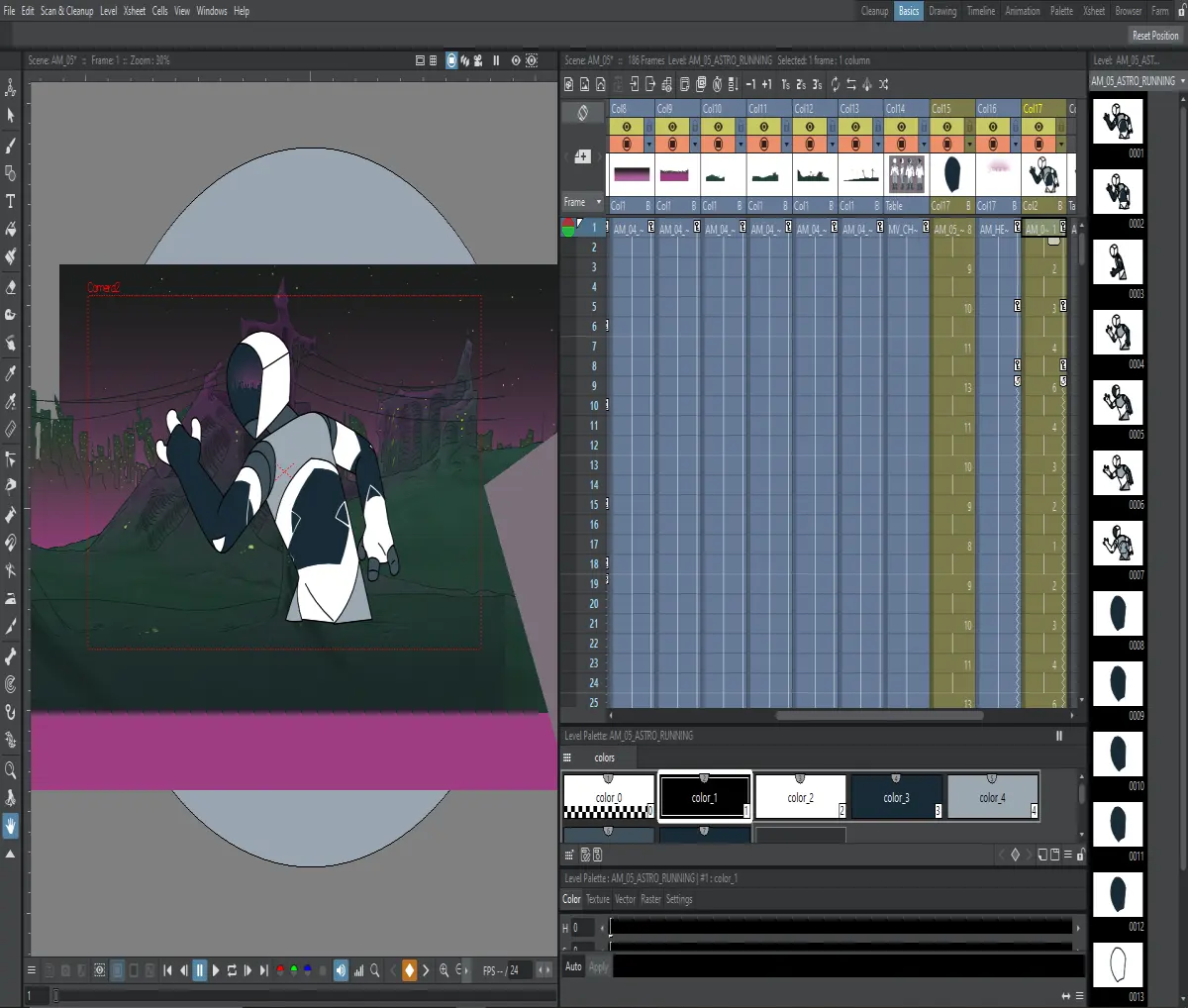
(If you're interested in seeing what exactly I'm animating here, go give me a follow at Instagram or Twitter, I'll be posting more about it soon)
Right off the bat, I noticed that the UI was just... Smoother. Making the part of the levels you grab in the xsheet darker instead of lighter has really reduced the eyestrain, and made it easier to distinguish what you're looking at. Even the 6 frame divides have been softened in brightness. The xsheet really just looks much cleaner.
The new icons have a certain uniformity that's quite nice, and works well in the dark version of the UI.
And then I right clicked to set interpolation...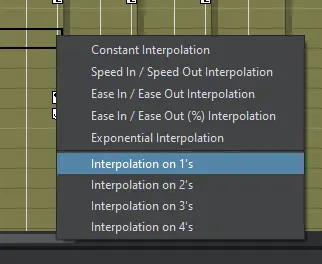
Setting interpolation step directly in the xsheet took me by surprise, I audibly gasped. I recently had to muck about in the function editor to change a step to 2s, and I couldn't help but feel it was needlessly complex.
Now let's pop over to the release notes to see what's new and improved, also hoping to see fixes to some of my favourite bugs. (Spoilers: They haven't).
New Stuff: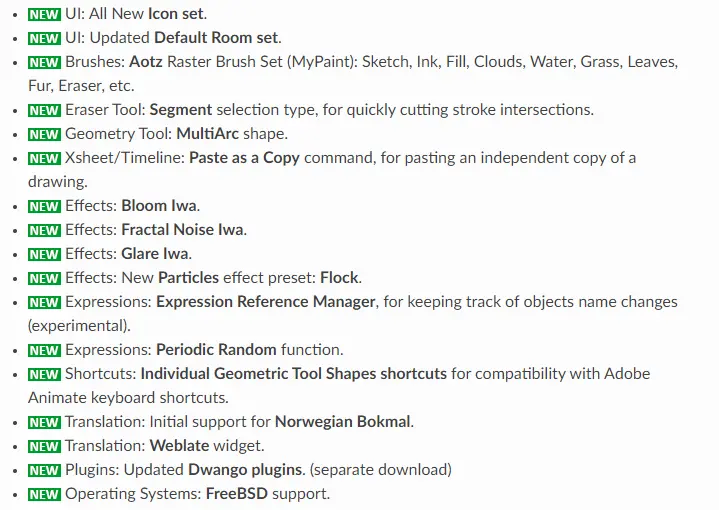
As mentioned before, the new icons are nice.
A new brush set is also a welcome addition, it will be nice to not have to go back and forth between different programs to make certain assets.
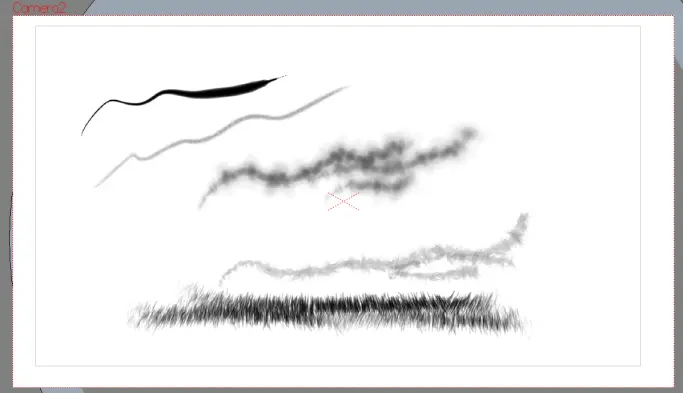
Trying out the new effects brushes, they work like an an absolute charm. This might be be the fact that I've worked mostly vector in OT talking, but using these brushes was surprisingly smooth. I was expecting a whole lot of lag, but they're really nice. I can see myself getting a whole lot of use out of some of these, especially the sketch and cloud effect brushes.
Back to the Release Notes, paste as a copy is nice, how it gets used will be seen in time.
You've Gotta love some new effects to play around with, never know when you'll need it... Yet they never have what you need it seems (In desperate need of a fish eye or bulge effect).
Now, an Expressions Reference Manager could be a game changer. OT has made me obsessively name and organise drawings and other assets, lest I get lost in a sea of A, AA, AAA, AAB, AAC..... ZZF, ZZG, ZZH. So if a manager can mitigate any amount of object name confusion in any way, I'm on board.
Enhancements:
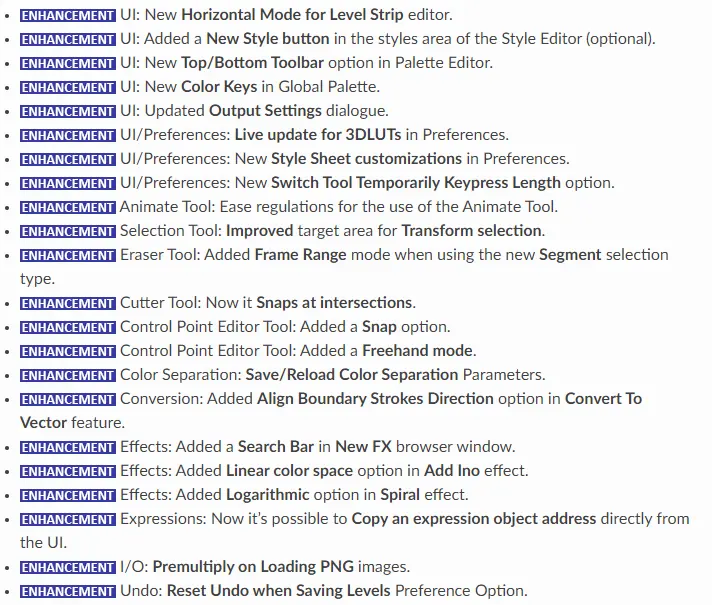
What stands out to me is the control point snap. I do a lot of vector work, and having a snapping option may make some things a little easier.
A FX Search Bar is great! Saves some time sifting through the list.
Honestly, just a bunch of enhancements I probably won't truly appreciate until I've been using OT V1.5 for a while.
Fixes: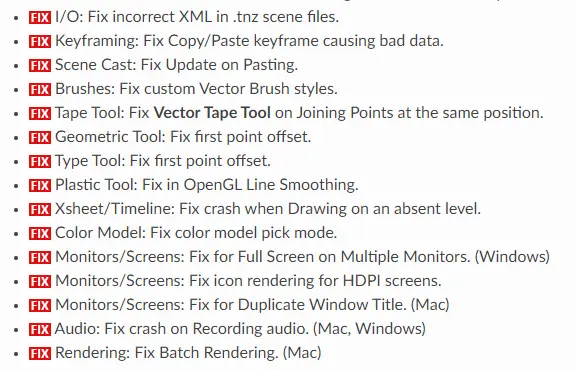
The copy/paste keyframe bad data bug cost me a good week of work. It irreparably corrupted 2 rigs, and backups didn't help either. Seeing this has me breathing a sigh of relief. In order to make things fast for my clients, Copy/Pasting keyframes is a must, so having it be a game of Russian Roulette makes the animating process super stressful.
A fix for the vector tape tool is nice, sometimes you'd need to move points away from each other, join then, then delete one of the points and reposition the other to get it to work.
And it's just good to see some crash fixes.
OT V1.5 seems to have added some much needed improvements to the program in both QoL, as well as new features. This is has only been a cursory look at it so far, and if I find anything of note I'll be sure to mention it either on Twitter, or here as a 'Quick Tip' if it's substantial enough. If you find anything interesting I haven't mentioned, please let me know.
I'd love to see some of the creations you have made in OpenToonz, tweet them at me over at my Twitter. I'm also happy to try and answer any OT question you may have, I'll do my best to help.
I'll be posting Open Toonz Quick Tips, as well longer, in-depth tutorials in the future. After 3 years of using OpenToonz for my professional work, I thought to pay the knowledge forward. If you're interested in that, why not give me a follow.
If you want to check out my art, both animated and otherwise, go give me a follow on Instagram.





