
Cosmos is one of the most promising ecosystems in the crypto landscape. There are over 20 currently active networks implemented with Cosmos SDK technology, able to communicate with each other through the IBC (Inter-Blockchain Communication) protocol. I talked to you in a previous article about how the Cosmos universe and IBC work. Here I will focus on how to practically enter this universe and how to prepare for future airdrops intended for its supporters.
Types of airdrop
As some of you know, for those who contribute to the functioning of the Cosmos network by binding a certain amount of tokens on the network of belonging (staking on-chain), there are often some airdrops, or small (or large) gifts that consist of a quantity of tokens related to a new network or protocol just launched in the ecosystem. Let’s give some concrete examples right away:
- Osmosis, the first inter-chain DEX on Cosmos, at the time of the launch of its network and its token, OSMO, distributed in airdrop 50M OSMOs to ATOM holders as of February 18, 2021 (taking a snapshot of eligible wallets on that date), with an additional multiplier for those who were staking their tokens. This was a so-called fairdrop, i.e. a distribution not directly proportional to the amount of tokens held by the individual user, capable of decreasing the disparity between beneficiaries while still recognizing the important contribution of stakers with more resources. Finally, to receive the OSMOs, users had to complete missions, such as staking tokens or voting on a governance proposal, all of which we will explain later in this article;
- Juno, a network dedicated to smart contracts, promoted an airdrop for ATOM stakers with a snapshot always made on February 18, 2021 (the day of the Stargate upgrade). More than 30M JUNO have been distributed to more than 45K wallets with a 1:1 ratio, that is 1 JUNO for each ATOM staked. In this case, we are talking about Stakedrop, and the reward was directly proportional to the only ATOMs staked (setting an anti-whale limit at 50K). Another specification: the staked funds should not be delegated to an Exchange validator (Binance, for example).
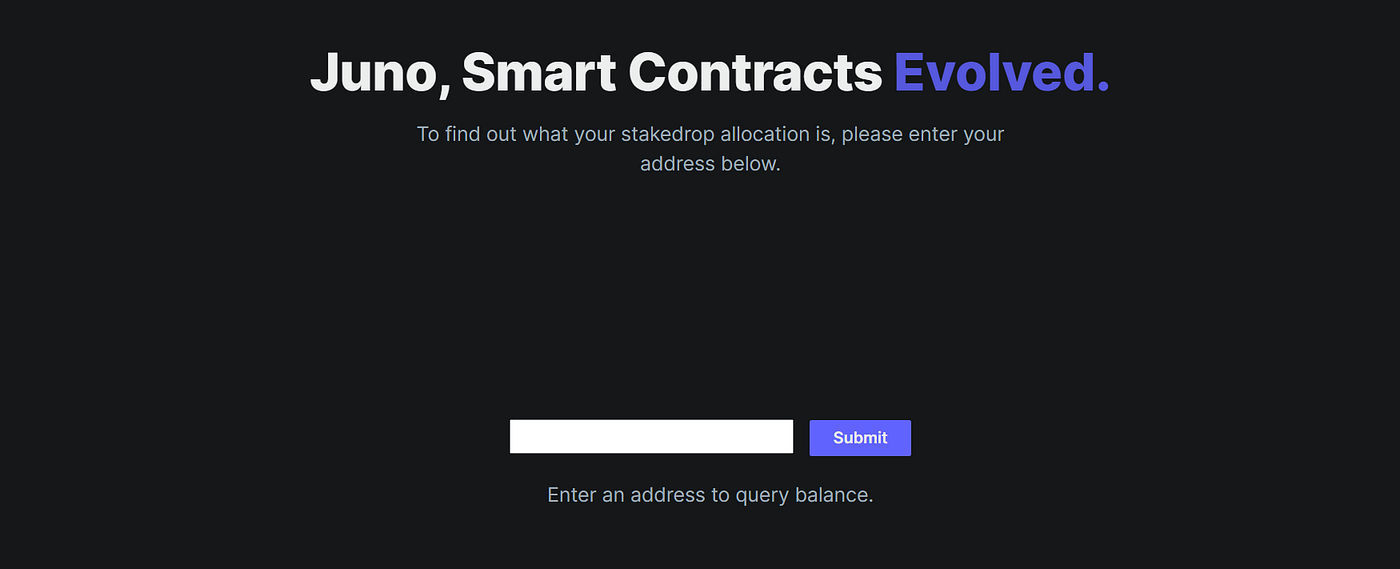
With these two examples, it is clear that each new network sets its own rules for distributing tokens to ecosystem backers. Those who benefit the most are those who stake their funds. In an ecosystem that adopts a Proof-of-Stake consensus algorithm like Cosmos, staking on the network means delegating our funds to a validator, who is in charge of validating the transactions contained in the blocks of the blockchain and therefore of making the network work. It is possible to remove the delegation, waiting for a release time of a few weeks (depending on the network), or re-delegate to another validator.
Now that we have seen how an airdrop is distributed and some types, let’s see how to make our wallet eligible starting from a centralized exchange. We’ll understand how to create a non-custodial wallet (of which you’ll hold the private keys) compatible with the Cosmos ecosystem, how to transfer funds, and finally how to stake tokens.
Configure Keplr and transfer funds
As a wallet, we’ll take Keplr as an example, available as a Google/Brave extension and for iOS/Android smartphones (although in this case, we won’t have all networks available).
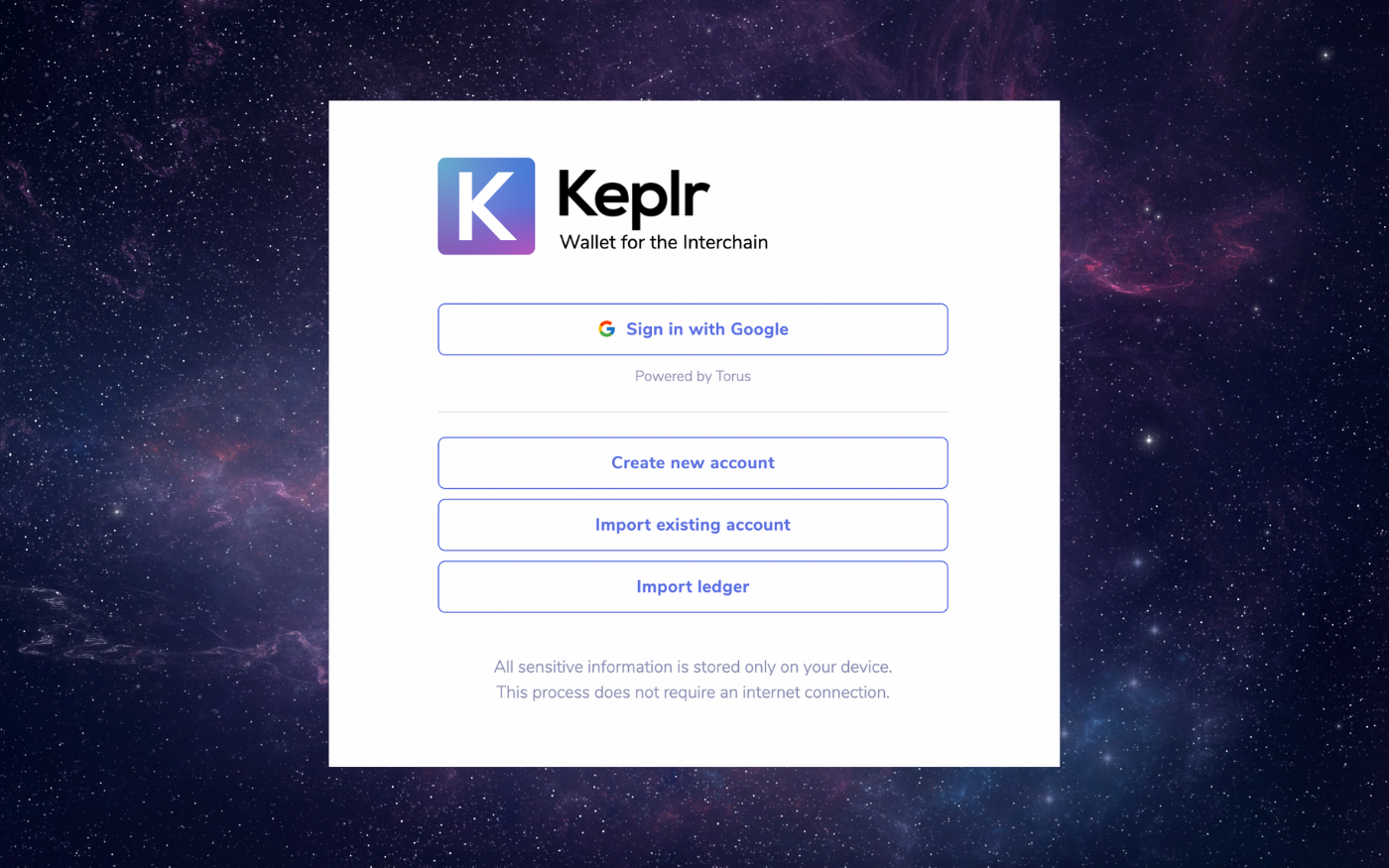
1. First, download the browser extension of the Keplr app. When you first open the extension, you’ll be asked to register with Google (not recommended for privacy reasons), create a new account, import from Ledger or import an existing one. Choose the first option to create one from scratch, the second if you already have a wallet hosting ATOM with funds inside (for example, you could import the secret phrase of your Trust Wallet or Terra Station), and the third if you have Ledger and want to use the secret phrase of the hard wallet;
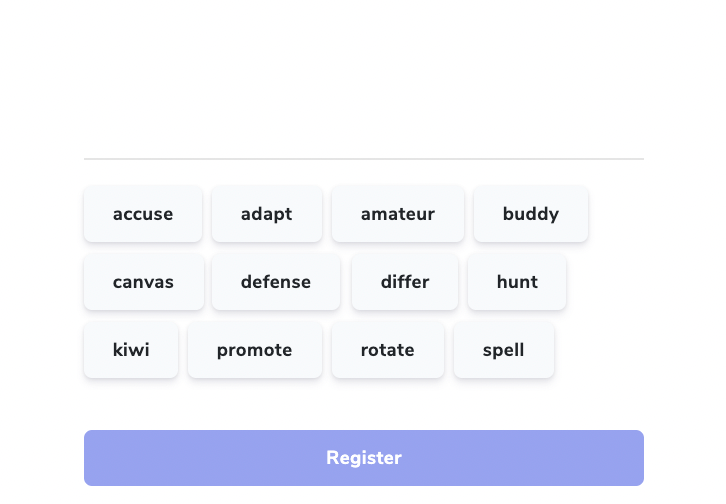
2. If you chose the first option, the creation of a new account, you will be shown a sentence consisting of twelve words. Write it down in a secret notebook or on a note stored on a USB stick to be kept offline: it is the key to restore your wallet on any device and thus to get access to the funds. If you communicate these twelve words to someone, this person can easily set up your wallet on their device and drain it. Don’t reveal it even under torture;
3. Once you’ve shown the app that you’ve saved the secret phrase (it will ask you to enter random words from your phrase), set a wallet username and password (if you forget it, just reset the wallet by importing the secret phrase obtained in step 2). The wallet will be configured. The first network that will be shown to you will be Cosmos, with its ATOM deposit address;
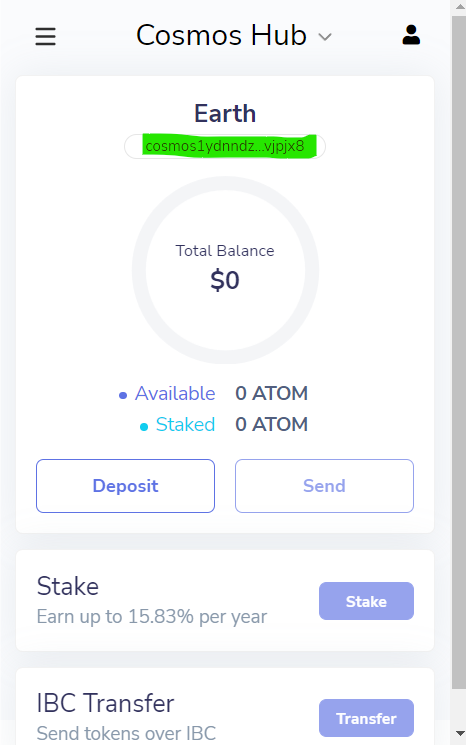
4. From your favorite centralized exchange, purchase ATOMs and, from the spot wallet, select Withdraw. Make sure that the selected network is Cosmos, enter your Keplr address which will start with cosmos…, enter the amount to be withdrawn and make the appropriate confirmations. Pay attention to the NETWORK!
- From Binance, For example, you can also withdraw ATOMs on Binance Smart Chain in BEP2 and BEP20 format. If you were to send the tokens to the Keplr address (on Cosmos network) using either of these networks, the funds would be lost. Currently, on Binance the withdrawal fees through Cosmos network are 0.005 ATOM (about $0.14).
- From Kucoin, instead, you will only have the Cosmos network available. The withdrawal fee is significantly higher, 0.02 ATOM to date, and you will also have to enter the Memo in addition to the Keplr address (you can repeat the address).
Delegate your funds
Once we have received ATOMs on Keplr, we are ready to stake them. Although some of the networks on Cosmos have dedicated staking portals (like BitSong, for example), to stake your funds on the major networks including Cosmos Hub, you’ll just need to connect to Keplr’s webapp.
1. Once connected to the app via the “Connect Wallet” button at the top left, select Cosmos Hub always in the menu on the left and choose “Stake”;

2. Choose one of the active validators by selecting the “Manage” button. The choice must take into account the voting power but also the percentage of commission that the validator will take on the stake rewards. Currently, Cosmos Hub offers about 16% of APR on ATOMs staked, the percentage of the validator will be deducted from these rewards. Remember not to delegate at centralized validators (like “Binance Staking”), otherwise, you will be excluded from some airdrops. Also, try not to choose validators with higher voting power to favor decentralization;
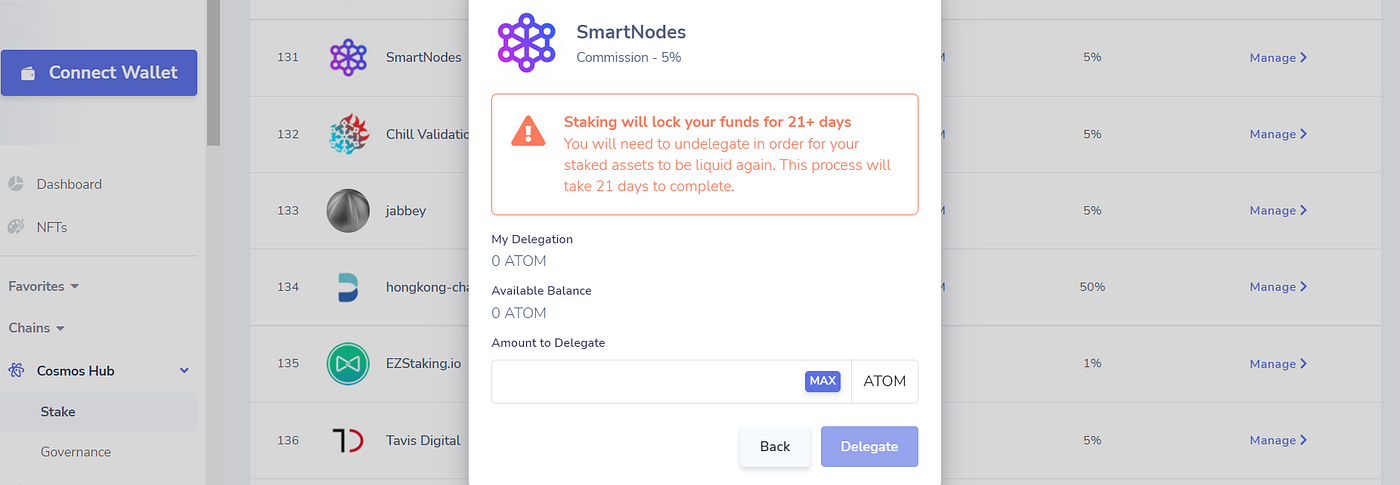
3. Once you have chosen the validator and clicked on Manage, a screen will open that will show you the validator’s submission message. From here, by clicking on “Delegate”, you can choose the amount in ATOM to delegate. Confirm with “Delegate” and pay the transaction on Keplr which will open as a pop-up. Remember not to delegate 100% of your funds, otherwise, you won’t have funds to pay the tx fees to delegate, withdraw the delegation, make the rewards claim, etc. I recommend that you keep at least 0.05 ATOM liquid for safety;
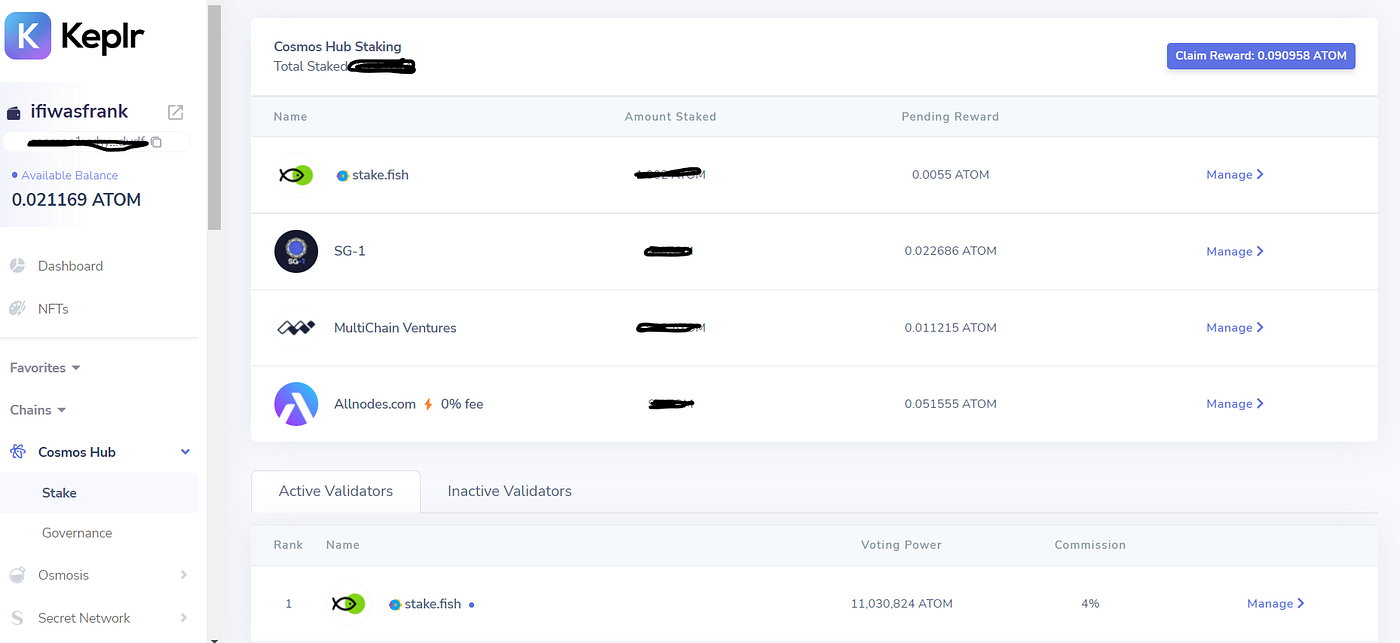
4. If the operation is successful, a section dedicated to your staking position will appear just above the list of validators. From here, as you accrue them, you will be able to claim staking rewards;
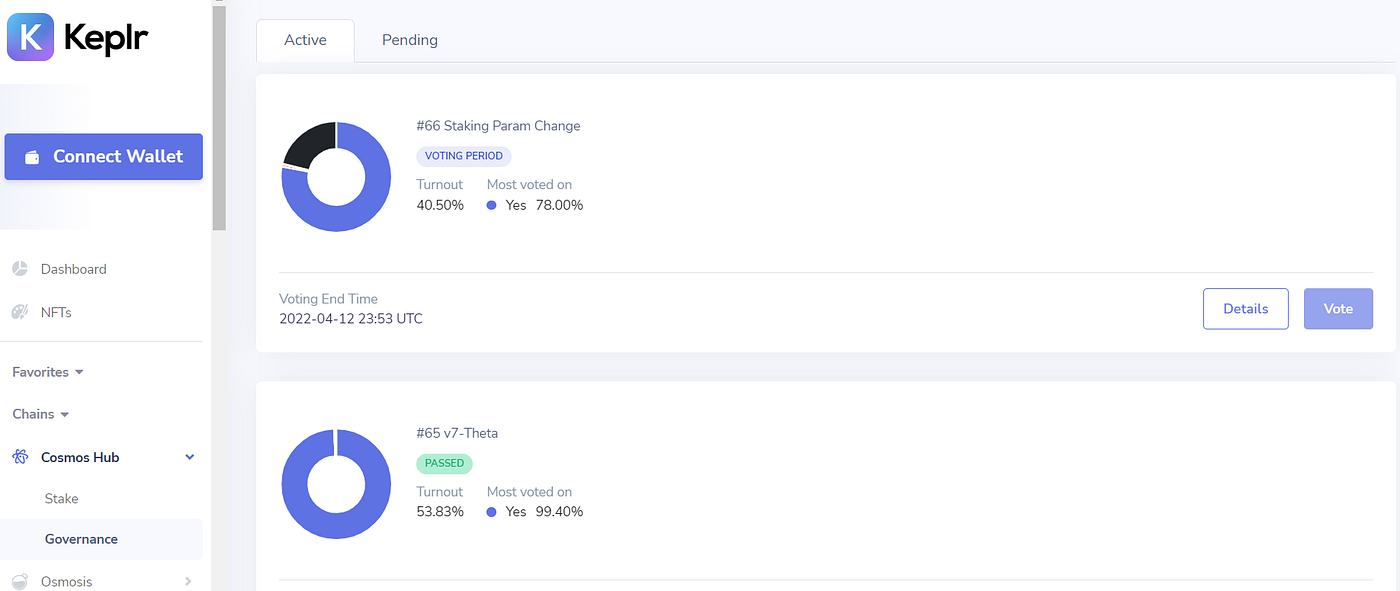
5. Immediately below the “Stake” heading, for each network, you will find the “Governance” button, where you can vote on proposed changes to the network that are proposed. You must have an active staking position to vote, and some airdrops also take into account voting participation on certain governance proposals.
With your first ATOM staked, you may be eligible for future airdrops coming to Cosmos. The procedure indicated for ATOM staking is also valid for all other networks like Osmosis, Juno, Secret, Stargaze, etc.
Future airdrops
Having staked funds, as we have seen in the examples of Juno and Osmosis, does not automatically guarantee eligibility for airdrops, as each new project or chain decides its eligibility criteria from time to time. You can follow Bull&BearITA’s channels to be updated on the Cosmos ecosystem airdrops, but there are also dedicated portals that allow you to consult the incoming airdrops and, in some cases, the eligibility criteria. Let’s take a few examples:
- BitSong Sinfonia airdrop: the blockchain dedicated to music will airdrop a percentage of the fan tokens created on the brand new Sinfonia platform. To be eligible, you will need to be staking a minimum of 400 BTSGs, OSMOs or JUNOs at certain validators. Participation in certain liquidity pools on JunoSwap and Osmosis also makes you eligible for airdrop. Snapshot date not available;
- Crescent airdrop: intended for ATOM stakers with snapshots taken on 01.01.2022. In addition to staking, you get bonus tokens for voting on governance proposals #38 or #58 on Cosmos Hub (always voting via Keplr, as we’ve seen), providing liquidity, or making a swap on DEX Gravity;
- Fortis Oeconomia airdrop: intended for ATOM and JUNO stakers who have delegated their funds by December 15, 2021 (snapshot date). The minimum stake amount for the tokens is 0.1. Airdrop is already available for claim for JUNO stakers, it will be available from April 14 for ATOM stakers. In this previous article, you can find the features of the project and further details about the airdrop.
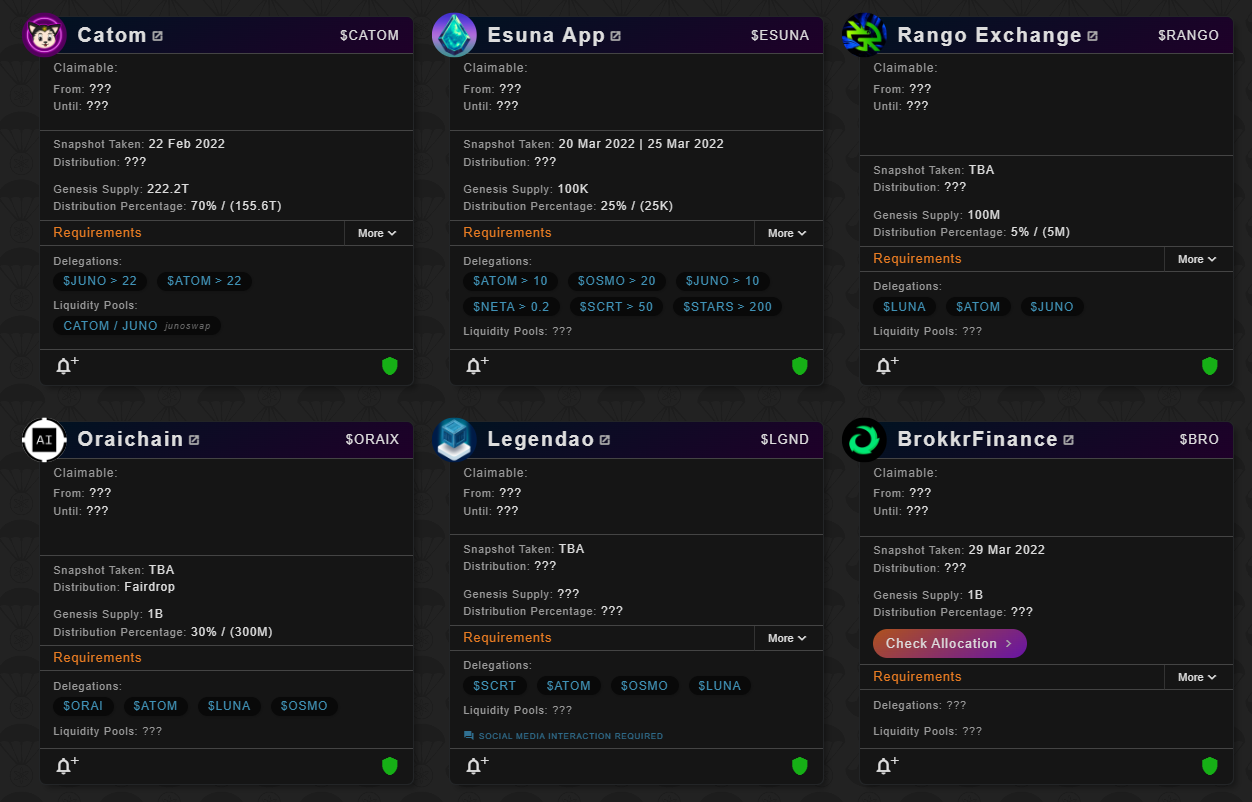
The airdrop list is constantly updating, so the sooner you start staking tokens in the Cosmos ecosystem, the sooner you can hope to be eligible for someone. As you’ve seen, Cosmos Hub is the parent network and stakers in this chain often benefit from airdrop, but its centrality is diminishing. It is becoming more and more important to contribute to the security (and therefore participate in the staking) of other networks, first of all, Osmosis, Juno, and Secret.
The next step
I hope this article has helped some of you get into the Internet of blockchain. If staking ATOMs was simple enough, you can already proceed with the next step by starting to interact with the most famous decentralized exchange in this ecosystem, Osmosis. Here you will be able to exchange ATOMs for all the other IBC tokens present, as well as provide liquidity in one of the many pools. Find all the information about DEX and a quick user guide in a previous article. Do your research and, if Cosmos convinces you as it has convinced us, cosmonauts, start participating in the life of its chains through staking and governance voting.
Resources:
I originally posted this article here.
Join #IBCGangITA!
Twitter: https://twitter.com/BullandBearITA
Telegram: https://t.me/IBCGangITA
Useful links (to earn and help me earn):
Loop, the most LUNAtic community of the crypto-sphere
noise.cash - BCH post-to-earn social network
Cake DeFi - $50 Sign up and first deposit bonus
Splinterlands - next-gen digital trading card game
SwapSpace - the exchange aggregator
Join Torum, the crypto social network
Loop market - TERRA/LUNA community
ExpressCrypto: your best faucet
MOBOX - Free to play, play to earn
Become a rocker with Rising Star Game
Discover Upland and start earning!
The Sandbox: Join the Metaverse!
Join publish0x, earn by reading!





