
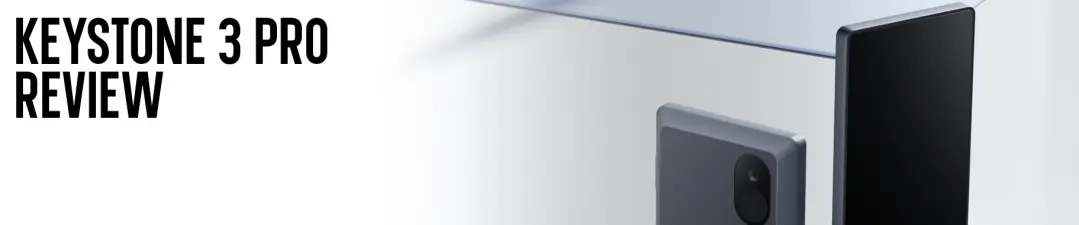
Keystone's entry into the premium hardware wallet market started with the 3 Pro in 2023. The manufacturer brought a smartphone style design to the cold storage arena. Originally launched as Cobo Vault back in 2018. The Hong Kong based company rebranded to Keystone and built its reputation on open-source transparency. The 3 Pro merges a fairly large 4-inch color touchscreen with triple Secure Element chips. It's also equipped with a fully air-gapped architecture.
While Ledger and Trezor dominate the hardware wallet conversation, Keystone has carved out a different path. The 3 Pro prioritizes air-gapped QR code transactions and open-source code, as opposed to the convenience of USB or Bluetooth connectivity. This review breaks down whether the Keystone 3 Pro delivers on its premium promises, or if its trade offs make competitors a better fit.
Key Takeaways
- Triple-Layered Security Architecture: The Keystone 3 Pro uses three Secure Element chips. This provides hardware level protection for recovery phrases and biometric data. The triple-chip design is quite unique in the hardware wallet market.
- 100% Air-Gapped by Design: Transactions are signed exclusively via QR codes or microSD card. With zero USB data transfer, Bluetooth, WiFi or NFC connectivity. This essentially helps eliminate wireless attack vectors almost entirely.
- One of the Largest Screens in the Market: The 4-inch color touchscreen (480 x 800 pixels) offers great visibility for transaction verification, compared to wallets with 1-2 inch displays.
Hardware & Build Quality

When in hand, the Keystone 3 Pro feels quite significant. Weighing in at approx 103 grams and measuring 62.44 x 103.99 x 12.08 mm. The device is noticeably larger than most hardware wallets. While the casing is constructed from polycarbonate and ABS plastic. The overall size makes it less convenient for placing it in your pocket on a daily basis.
One of the main features of the unit is its large 4-inch color touchscreen, which dominates the front. This is one of the biggest displays you'll find on a hardware wallet. Even when compared to the Ledger Stax. The screen delivers fairly crisp text and vibrant colors, with touch responsiveness comparable to most mid-range smartphones.
The Keystone 3 Pro is designed with a power button on the right side, a microSD card slot on the left, and USB-C on the bottom for charging. On the back of the unit, you will notice a combination fingerprint reader and camera for QR code scanning. This familiar smartphone layout essentially communicates. That the device is as intuitive to use, as the phone you've been carrying for years.
One design choice worth mentioning is the non-removable 1,000 mAh battery. While Keystone wallet claims it can maintain a charge for 12-18 months while powered off. Lithium-ion batteries will degrade over time. For ultra long term holders (10+ years), the sealed battery could become a failure point. A removable design would have been preferable, by many users.
Note: Keystone 3 Pro can be purchased in a bundle that ships with recovery seed cards, USB-C cable, and tamper-evident packaging.
Connectivity & Security
The Keystone 3 Pro's security model makes its boldest departure from the majority of its competitors. Connectivity is designed to be deliberately minimal: USB-C for charging only, with absolutely no Bluetooth, WiFi, NFC or wireless features. This is a fully air-gapped device, which communicates exclusively through QR codes and microSD cards.
The units foundation is its triple Secure Element architecture:
- Microchip ATECC608B: Hardware-level security for recovery phrases
- Maxim DS28S60: Trusted platform module for secure seed storage
- Maxim MAX32520: Secure MCU protecting fingerprint data
Only two chips secure your private keys, the third is dedicated to fingerprint authentication. This multi-chip approach helps to ensure protection if one SE (secure element) is somehow compromised.
Beyond the Secure Elements, the wallet includes PCI-grade tamper resistance with self-destruct capability. If someone attempts to physically open the device. It will detect tampering and wipe the contents of the device.
For recovery, the Keystone 3 Pro does support both BIP-39 seed phrases (12 or 24 words) and SLIP-39 Shamir Secret Sharing. Shamir Backup essentially allows you to split your seed into multiple parts. This helps to add more security against loss. The device also supports an optional passphrase (25th word) for a hidden wallet, providing plausible deniability under duress.
One unique capability is support for up to three separate recovery phrases, each protected by different passwords. This makes it ideal for managing multiple crypto accounts without buying three separate wallets.
PIN protection uses randomized on-screen entry to prevent keylogging. While all firmware is fully open-source (MIT License) and reproducible. You can also verify firmware by calculating its SHA256 checksum directly on the device.
Note: The air-gapped design with no physical data connections, offers superior protection against remote attacks.
Keystone Nexus & User Experience

The Keystone 3 Pro doesn't operate on its own. Keystone recently launched the Keystone Nexus, which is a software wallet designed specifically for the 3 Pro. This app allows you to send, receive and swap crypto. While keeping your private keys offline on the hardware device.
Where the hardware really shines is how the 4-inch screen integrates with software. Verifying transaction details is far easier on this large display. You can see entire Bitcoin addresses without scrolling, review smart contract interactions in detail, and confirm amounts with confidence.
Daily management is designed around air-gapped security. The Keystone 3 Pro uses QR codes to sign transactions. Create a transaction in your software wallet, export it as a QR code, scan it with the hardware wallet's camera, review and approve on the device screen. After that step, scan the signed QR code back into your software wallet and broadcast. This "see on device, sign on device" workflow can drastically reduce phishing risk.
One standout feature is the official partnership with MetaMask. Keystone is the only air-gapped hardware wallet officially integrated with MetaMask Mobile, while also working seamlessly with the MetaMask browser extension. This essentially allows seamless interaction with DeFi protocols, NFT marketplaces, and Web3 dApps across all EVM-compatible chains.
Beyond MetaMask and Keystone Nexus, the 3 Pro supports 35+ third-party software wallets. Including;
- Sparrow Wallet
- BlueWallet
- OKX Wallet
- Solflare
- Phantom
- Keplr and many more.
This extensive compatibility means you can manage almost any blockchain from a single hardware device. However, you'll likely need multiple software wallets to handle different assets. Which to some can feel fragmented, when compared to Ledger's all-in-one experience.
At the end of the day, the Keystone 3 Pro is built for secure and deliberate asset management. It's optimized for long-term holders and DeFi power users, not high frequency traders.
Coin Support & App Capacity
The Keystone 3 Pro supports up to and over 5,500 digital assets across more than 350 blockchains. This includes major cryptocurrencies such as Bitcoin, Ethereum, Solana, Cardano, XRP etc. The unit also includes a variety of ERC-20 tokens, NFTs and DeFi assets.
A key advantage is universal coin management. Unlike competitors that require installing individual blockchain apps with limited storage. The Keystone handles all supported assets through unified firmware. There are no storage limits or app installations. Every supported coin is available simultaneously.
However, Keystone's approach differs from competitors like Ledger. Ledger Live provides an all-in-one experience for managing thousands of assets, with native staking, swapping, and DeFi integrations built in. Keystone pretty much relies entirely on third-party wallet integrations. This means you'll use different software wallets, depending on which assets you're managing.
One area where Keystone falls short is native staking capabilities. Ledger Live supports staking for several assets directly within its app. Keystone lacks this native feature. If you want to stake, you'll have to do it through third-party wallets and protocols.
Essentially, the Keystone 3 Pro is built for long-term holders with diversified portfolios. The type of users who don't mind managing multiple software wallets. It covers mainstream coins seamlessly, but if you want everything managed from a single app with built-in staking. Ledger's ecosystem is more polished.
Keystone 3 Pro vs. Trezor Safe 5 vs. Ledger Nano X vs. COLDCARD Mk4

The Keystone 3 Pro is currently priced at $149 USD. This strikes a balance between premium security features and accessibility. Below is a comparison of the device, versus some of their competitors in its class.
Vs Trezor Safe 5
Choosing between the Keystone 3 Pro and the Trezor Safe 5, is almost like choosing between air-gapped QR code security and modern touchscreen convenience. The Safe 5 (currently $169) offers a Secure Element chip (EAL 6+), 1.54-inch color touchscreen with haptic feedback, and Gorilla Glass 3 protection. While supporting 7,000+ assets through their Trezor Suite. Keystone counters with a vastly larger 4-inch touchscreen, triple Secure Element chips, and fully air-gapped QR code design. However, the Safe 5 integrates more smoothly with Trezor Suite and is more compact at 23g versus Keystone's 103g. Go with the Safe 5 for a responsive touchscreen, direct USB workflow, and all-in-one Trezor Suite management. Choose the Keystone for air-gapped security, triple Secure Element protection and large readable display.
Vs Ledger Nano X
This matchup pits open-source transparency against ecosystem convenience. The Ledger Nano X ($149) offers Bluetooth for mobile use, Ledger Live for managing thousands of assets in one place and native staking. However, Ledger's firmware is closed-source. Keystone is 100% open-source, fully air-gapped, and has a screen 4x larger than Nano X. The trade-off? You'll need multiple third-party wallets and there's no native staking. Go with Ledger for Bluetooth and all-in-one asset management. Choose the Keystone for its open-source code and massive screen contrast.
Vs COLDCARD Mk4
This is a clash of philosophies. Air-gapped touchscreen usability vs. hardcore Bitcoin only paranoia. COLDCARD Mk4 ($147.94) is Bitcoin only with NFC, Seed XOR, and advanced security features like duress PINs. Keystone offers multi-chain support, 4-inch color touchscreen, and fingerprint authentication, making it far more user-friendly. Go with COLDCARD for Bitcoin maximalist ultra-paranoid security. Or, choose Keystone for a multi-asset touchscreen experience.
Strengths & Limitations
The Keystone 3 Pro is an excellent alternative to traditional cold storage wallets, given its air-gapped security. Despite its unique approach to protection, it does have its weaknesses.
Strengths:
- Triple Secure Element Architecture: The unique three chip design, offers hardware level security not many other wallets can match. This architecture is significant for those managing large portfolios or institutional holdings.
- 100% Air-Gapped Design: By eliminating USB data transfer, Bluetooth, WiFi and NFC entirely. The Keystone helps to remove entire categories of attack vectors. The QR code signing process is more cumbersome but objectively more secure.
- Large Screen, Great Transaction Verification: The 4-inch color touchscreen dramatically reduces user error and makes phishing attacks far less effective. You can see entire Bitcoin addresses without scrolling and review smart contract interactions in detail.
- Fully Open-Source (MIT License): Everything from firmware to hardware design is publicly available and reproducible. This transparency is essentially the gold standard for crypto wallets.
Limitations:
- No Native Staking Support: If you want to stake ETH, SOL, or any other asset, you'll need third-party wallets and DeFi protocols. Ledger Live offers one-click staking, which is far more convenient.
- Non-Removable Battery: The sealed 1,000 mAh battery is a potential long-term failure point. For users planning to hold crypto for 10+ years, this could become an issue.
- Bulky & Heavy: At 103 grams, the Keystone is quite larger than most competitors. It's not really pocket friendly and can feel clunky when compared to sleek devices such as the Ledger (21g) or Trezor Safe 5 (23g).
- Fragmented Software Experience: Unlike Ledger Live, which manages all your assets from one app. The Keystone requires multiple third-party wallets.
Final Thoughts
The Keystone 3 Pro is a premium hardware wallet that delivers exceptional security and usability. It's fully open-source, has a massive touchscreen, and features a unique triple Secure Element architecture. For DeFi power users, NFT collectors, and multi-chain investors who prioritize air-gapped security and transparency. The Keystone 3 Pro is an outstanding choice.
However, it's not the right wallet for everyone. If you're an active staker who wants one-click staking from a unified app, Ledger's ecosystem is more polished. If you want ultra portability with modern touchscreen convenience, Trezor Safe 5 is similarly priced ($169) but far more compact.
For users managing $1,000+ in crypto who value transparency, large display verification, and absolute air-gapped security. The Keystone 3 Pro is worth the $149 investment. Just be aware of its trade-offs. No native staking, fragmented software experience and a non-removable battery.
To learn more information about the Keystone 3 Pro and how to purchase, click here ($149 USD).
Or, click here to read the full review on our website.
Disclaimer: Cryptocurrencies remain a highly volatile asset class, and participation involves significant risk. This content is intended solely for educational purposes and should not be interpreted as financial advice. Always perform your own research and due diligence before engaging in any crypto related investments or projects.





