
Gridcoin is a cryptocurrency that helps research. So the computing power is used by research projects (against coronavirus). Please do not say things like "you didn't talk about hashing algorithm" or "What stratum should I use ?", because you won't make true mining (it's rewarded scientific computing) and because network is secured by PoS (more informations in this post).
Hardware requirements :
- An android Phone
- An internet access (It seems you've because you're reading that)
So the tutorial starts NOW :
step 1 - Create a grcpool account - grcpool.com
step 2 - Install a modified version of BOINC (distributed computing) - that you can find here -
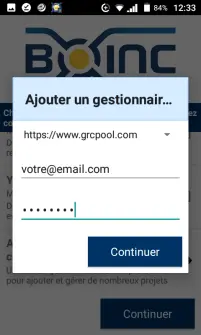
step 3 - Link your GRCpool account by adding it a project manager (in the normal version, grcpool.com isn't in the list of project managers, I just added it). If it doesn't run with your grcpool email, just use your username.
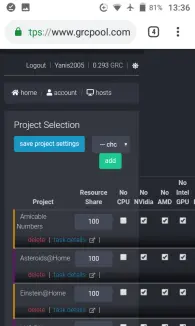
step 4 - Assign projects to your phone (for that, go to grcpool > account > hosts > your phone). Asteroids@home and Universe@home are good on phone but if you want to help fighting covid-19, let's run Rosetta@home
information : Rosetta will need for 512MB installed RAM per cpu core, so if you want to run rosetta on 4 cores, you'll need to have 2GB installed RAM . It won't use all but it's a safe amount to run it without having lack of memory
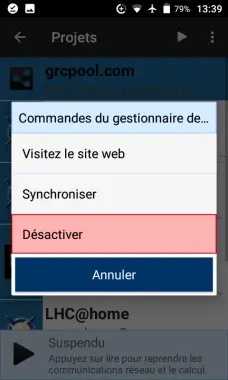
step 5 : Sync your boinc client with grcpool
Step 7 - Add your gridcoin address
Mining is good. Getting mined coins is also good. For that, on grcpool, add your address in "grc address" field.
If you want grc wallet, you can use coinomi (SPV) or Gridcoin Core (full node).





