
Hi everyone
During the quarantine I decided to start streaming my PS4 gameplay on Twitch. I began by streaming using the Share Play function to stream directly from my PS4. This was a decent way to stream as I was just beginning but as I have so much free time at the moment I decided to try and improve the quality of my streams. Shareplay caps at 720p and causes lag (at least for me) in your gameplay while streaming. I decided to start streaming from my PC and to do this I needed a capture card.
The capture card I decided to buy is the Elgato 4k60 pro. This capture card allows PS4 Pro users to stream in 4k, unfortunately for me, I'm still stuck with the original PS4 which does not have 4k capabilities. The reason I still opted for this capture is that the new generation of consoles are coming out this year so I wanted to be ready for them instead of having to upgrade my capture card again. 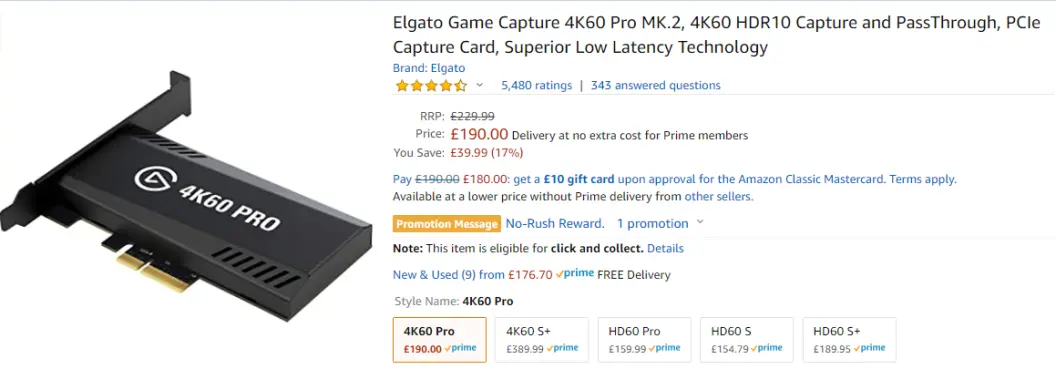
After purchasing and setting up this capture card in my PC, I had to download the 4K capture utility. This allowed me to record my gameplay and showed a really high quality picture when compared to shareplay. I still needed a way to stream my gameplay from here so I decided to download Streamlabs OBS. After downloading I had to add my capture card as a source to Streamlabs. To do this I opened up Streamlabs and clicked on this + icon shown in the below picture. 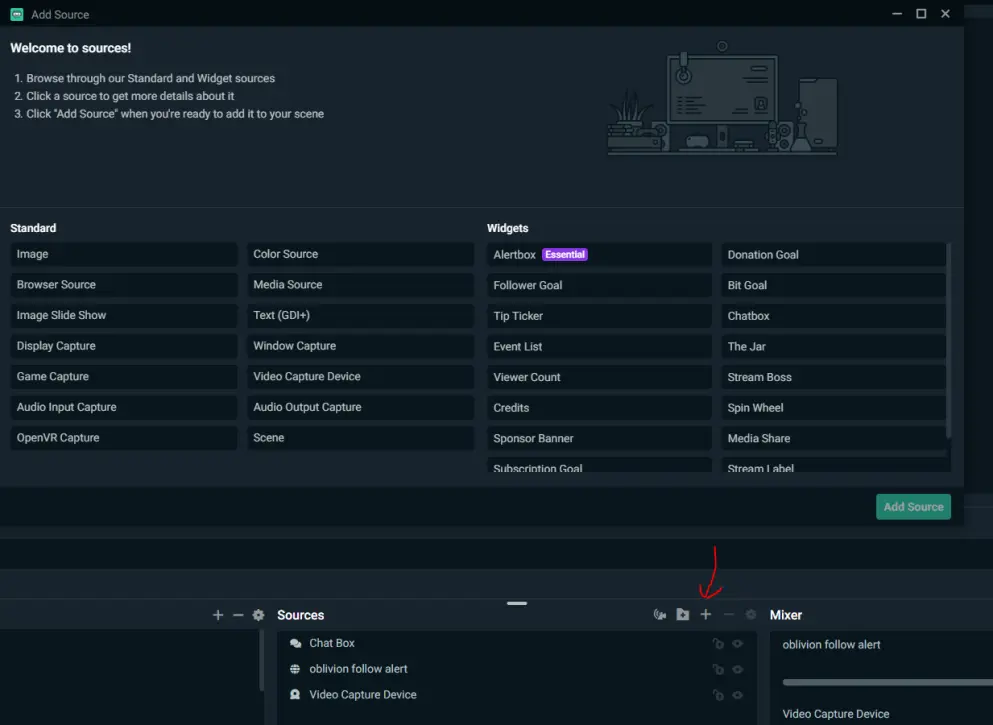
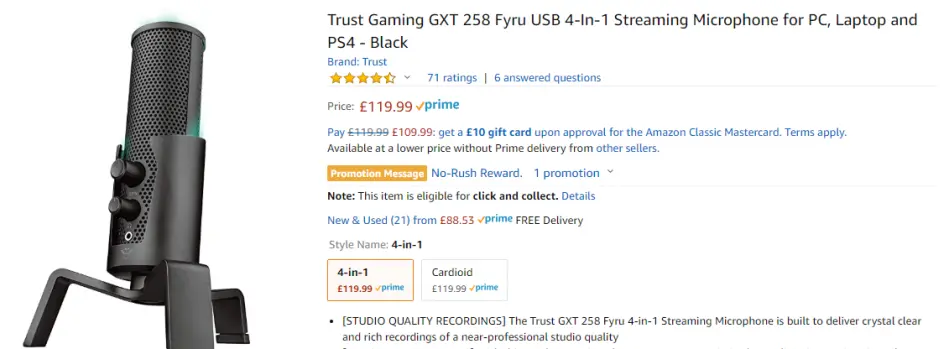
From the list that appears select your video capture device and you should be ready to stream your gameplay. I finally decided to get a decent mic as my headset's mic quality is extremely poor. I bought the trust gaming gxt 258 as seen below.
I'm still beginning my journey into Twitch streaming and would really appreciate if you would check out my stream and drop a follow here: https://www.twitch.tv/frankitaryan I stream for a few hours most days and could use some advice on how to improve my stream.
Thanks for reading!!!!
Download the brave web browser for no ads and speeds up to 3x faster than google chrome here:
Follow us on publish0x for more articles
https://www.publish0x.com/@Frank12
Follow our affiliate for software reviews and more information on Brave






