
Discover what a trading journal app is, the essential features to look for, and how AI improves journaling. The complete 2026 guide for traders.
There's a predictable arc most serious traders go through. It starts with a spreadsheet — free, flexible, and good enough to build the initial habit of recording trades. Then, somewhere around the point where trade volume grows or review starts eating into actual trading time, a question comes up: is it time to move to dedicated software?
For many traders, the answer eventually becomes yes, and the reason isn't that spreadsheets are bad — they're genuinely useful, especially early on. It's that a well-built trading journal app automates the parts of the process that become tedious at scale — data entry, metric calculation, chart-building — freeing up time for the part that actually matters: reviewing decisions and improving. This guide is built to be the most comprehensive, unbiased resource on the topic, covering what a trading journal app actually is, why every trader benefits from one, the specific features worth prioritizing, how AI is changing what these tools can do, and the mistakes that lead traders to choose the wrong one.
What Is a Trading Journal App?
Definition. A trading journal app is dedicated software — typically cloud-based — built specifically to record, organize, and analyze a trader's trades, going beyond what a spreadsheet or a broker's own transaction history can offer.
Purpose. The core purpose is the same as any trading journal: turning individual trades into a structured, reviewable dataset. What a dedicated app adds is automation — reducing the manual effort required to log trades, calculate performance metrics, and generate the kind of structured reports that would otherwise require building formulas and charts by hand.
Benefits. A well-designed trading journal app typically offers automatic or semi-automatic trade logging, calculated performance metrics that update in real time, structured psychology tracking, cloud access from any device, and — increasingly — AI-assisted analysis that can surface behavioral patterns far faster than manual review.
Why Every Trader Needs One
A handful of concrete reasons explain why dedicated trading journal software has become close to standard practice among traders focused on long-term improvement.
Historical analysis. A trading journal app turns a trader's full trade history into something that can actually be filtered, compared, and analyzed — rather than a scattered collection of broker statements and personal memory.
Discipline. Knowing that every trade will be logged and reviewed tends to make traders more careful about following their own stated rules, functioning as a built-in accountability mechanism.
Performance tracking. Automated calculation of win rate, risk-to-reward, expectancy, and drawdown removes the burden of manual formula maintenance, letting a trader focus on interpreting the numbers rather than producing them.
Psychology. Structured fields for emotional state and confidence level, ideally connected to outcomes, turn behavioral self-awareness from a vague intention into something measurable.
Risk management. Automated tracking of position sizing and risk percentage makes it far easier to verify that stated risk limits are actually being followed in practice, rather than assumed.
Essential Features
Not every trading journal app needs every feature below to be useful, but this list represents what a genuinely comprehensive, modern platform should offer.
Automatic trade logging. Broker or exchange sync that pulls trade data directly into the journal removes the single biggest source of friction in manual journaling — typing in every trade by hand.
Trade screenshots. The ability to attach a visual record of the chart at entry (and ideally exit) directly to each logged trade, rather than storing images separately from the trade data they relate to.
Strategy tracking. Fields for tagging trades by setup type, allowing performance to be compared across different strategies rather than viewed only in aggregate.
Asset Performance. Automatic breakdowns of results by instrument, revealing where a trader's actual statistical edge is concentrated — often narrower than assumed.
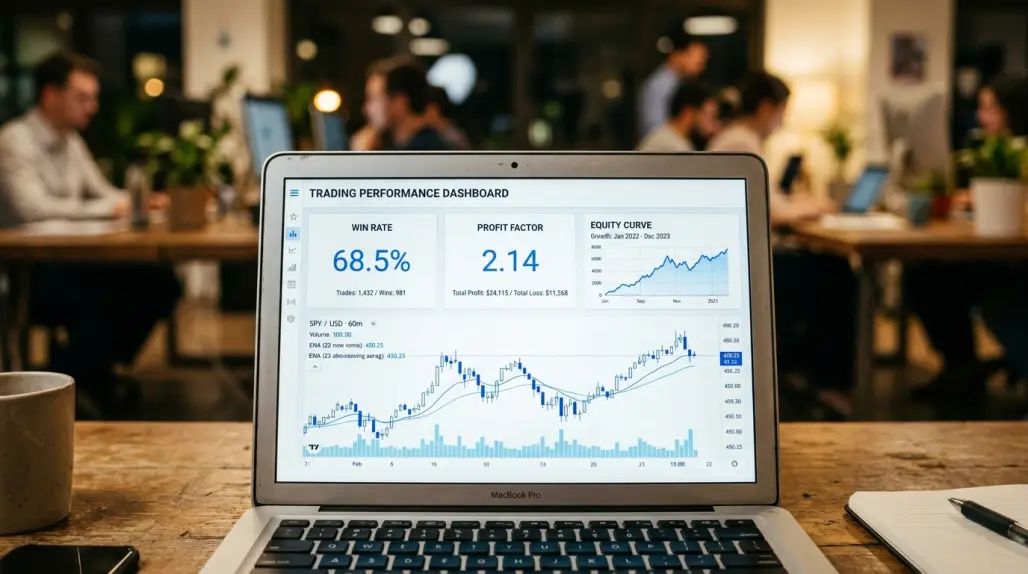
Trading Dashboard. A centralized view combining key metrics, recent trades, and performance trends into a single at-a-glance summary, rather than requiring a trader to dig through separate reports.
AI Analysis. Automated summarization of trading activity and detection of recurring behavioral patterns across a trader's full logged history, based entirely on historical data.
AI Coach. A feature that surfaces specific, individualized observations about a trader's own patterns — such as a tendency toward larger losses following a winning streak — rather than generic trading advice.
Trade Risk Planner. A tool for calculating appropriate position sizing based on account equity, stated risk percentage, and stop-loss distance, reducing the manual math (and manual errors) involved in consistent risk management.
Reports. Structured weekly and monthly summaries that consolidate trade data into a regular review cadence automatically, rather than requiring a trader to manually rebuild that structure each time.
Goals. The ability to set specific, measurable improvement targets — such as reducing risk drift or improving consistency within a particular strategy — and track progress against them over time.
P&L Calendar. A calendar-style view of daily results, useful for spotting day-of-week or session-based patterns that wouldn't be obvious from a simple list of trades.
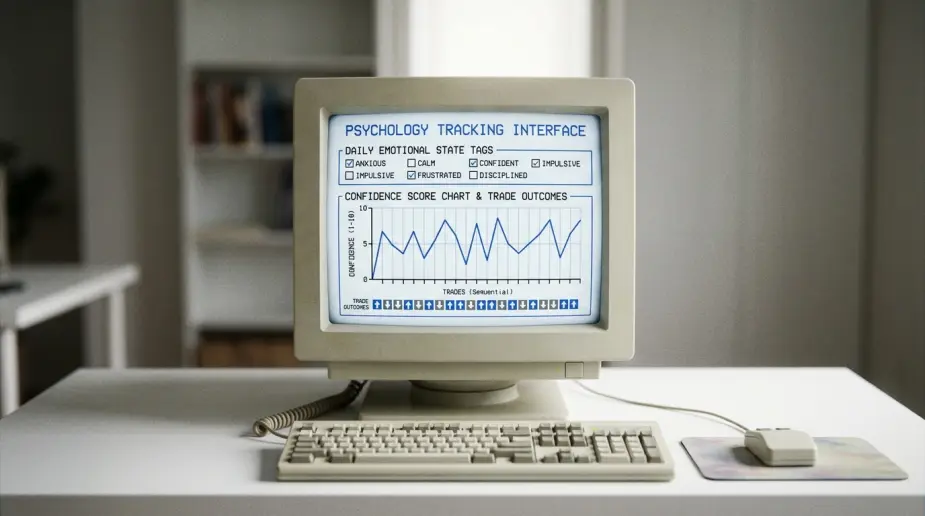
Psychology Journal. Structured fields for recording emotional state and confidence level alongside each trade, ideally with analysis connecting those notes to actual outcomes.
Mobile responsiveness. The ability to log a trade or review recent performance from a phone, useful for traders who want to record reasoning immediately after closing a position rather than waiting until they're back at a desktop.
CSV import/export. The ability to bring in historical trade data from a spreadsheet or another platform, and to export logged data out again if a trader ever wants to switch tools or maintain an independent backup.
Spreadsheet vs Trading Journal App
The comparison between a manually built spreadsheet and dedicated trading journal software comes up constantly, and it's worth being direct about where each genuinely excels.
Automation. A spreadsheet requires every trade to be entered manually, and every summary statistic to be built and maintained through formulas. A dedicated app automates both, often through broker or exchange sync.
Charts. Spreadsheets can produce charts, but doing so requires manual setup and maintenance. Trading journal apps typically generate visual performance breakdowns automatically as trades are logged.
Statistics. A spreadsheet can calculate any metric a trader is willing to build a formula for, but a single incorrect cell reference can silently distort results for weeks. Dedicated apps calculate standard metrics consistently and without that specific failure mode.
Cloud backup. A locally stored spreadsheet risks being lost if a device fails, unless separately backed up. Cloud-based trading journal apps store data remotely by default, accessible from any device.
AI analysis. This is where the gap tends to be largest. A spreadsheet can't independently notice a behavioral pattern unless a trader specifically thinks to build a formula checking for it. AI-powered apps can surface these patterns automatically, across a trader's full history.
Scalability. A spreadsheet that works fine at twenty trades a month can become unwieldy at two hundred. Dedicated software is generally built to handle much higher trade volume without a proportional increase in manual effort.
None of this makes spreadsheets obsolete — for lower-volume traders or those who prefer building their own systems, Excel or Google Sheets remains a perfectly reasonable long-term choice. The tradeoff is largely about how much manual effort a trader is willing to invest as trade volume and review depth increase.
AI-Powered Trading Journals
AI-assisted analysis has moved from a differentiator to close to a baseline expectation in modern trading journal apps, for specific, well-defined reasons.
Behavior analysis connects logged emotional states or confidence scores to actual trade outcomes, testing whether a trader's assumptions about their own tendencies hold up against their own historical data.
Historical insights surface recurring tendencies across a trader's full trade history — such as a consistent drop in win rate on trades taken shortly after a loss — that would otherwise require deliberately cross-referencing dozens of entries to notice manually.
Psychology summaries condense weeks or months of logged emotional data into a short, readable overview, saving considerable time compared to reviewing every entry individually.
Execution reviews measure how closely actual trades match a trader's stated strategy or plan, providing an objective, data-driven measure of discipline rather than a subjective impression.
Strategy comparison breaks down performance by setup type automatically, revealing which approaches are genuinely contributing to results versus which merely feel productive to trade.
Consistency tracking measures variance in outcomes across similar setups, which often points more directly to execution quality than aggregate profitability alone.
It's essential to be precise and consistent about the boundary here, regardless of which platform is providing the analysis: AI analyzes historical trades only. AI never predicts future market prices, and AI never provides financial advice. Every AI feature described in this guide works exclusively with a trader's own already-completed, already-logged trades — helping surface patterns in past behavior, not forecasting what happens next in any market.
Common Mistakes When Choosing a Trading Journal App
A handful of decision-making patterns consistently lead traders to choose a tool that doesn't actually fit their needs.
Only focusing on price. The cheapest option isn't automatically the best value if it lacks automation or analytics depth that would save significant time for an active trader. Conversely, the most expensive option isn't automatically justified for a trader with lower trade volume.
Ignoring analytics. Some traders choose a journal primarily based on interface aesthetics without checking whether it actually calculates the specific metrics — expectancy, drawdown, strategy-level breakdowns — that matter most for their own review process.
Ignoring psychology. A platform that only tracks technical trade details, without structured emotional or confidence tracking, misses a dimension of analysis that often explains recurring mistakes better than the numbers alone.
No reporting. A tool that stores data well but doesn't generate structured weekly or monthly summaries places the entire burden of building a review routine back on the trader, undermining much of the value automation is supposed to provide.
Poor user experience. A feature-rich platform that takes too long to update after each trade tends to get abandoned within weeks, regardless of how powerful its analytics are on paper. Ease of day-to-day use matters as much as the feature list.

How DailyTraderz Helps Traders Improve
DailyTraderz is one platform built around the features and principles described throughout this guide — combining structured journaling, AI-assisted analysis, and risk management tools in a single place, without ever crossing into financial advice or market prediction.
Its core Trading Journal provides structured trade logging with fields for strategy, screenshots, and psychology notes. AI Analysis applies the behavior-analysis and pattern-detection functions described above across a trader's full logged history. An AI Coach feature surfaces specific, individualized observations drawn from a trader's own data. The Strategy Playbook lets traders define setups and rules in advance, then measures how closely actual trades match that plan. Asset Performance provides automatic breakdowns by instrument. A Trade Risk Planner calculates appropriate position sizing based on account equity and stated risk tolerance. Goals connects analytics directly to specific, measurable improvement targets. Reports consolidate everything into structured weekly and monthly reviews automatically. A P&L Calendar view surfaces day-based and session-based patterns at a glance. And a central Performance Dashboard brings all of the above together into a single, at-a-glance summary of a trader's historical performance.
None of this replaces the underlying discipline of logging trades honestly and reviewing them consistently — it simply reduces the manual friction involved in doing so, and in turning that record into genuinely useful insight. You can explore the full feature set and current pricing directly, or start from the DailyTraderz homepage.
For further reading, see the ultimate guide to trading journals, the ultimate guide to trading dashboards, the complete guide to trading analytics, the complete guide to measuring and improving trading performance, how professional traders analyze every trade to improve performance, and the guide to building genuine trading consistency, which pairs well with the discipline-related features discussed throughout this guide.
For broader, non-promotional education relevant to this guide, FINRA's guidance on frequent intraday trading, the CFTC's customer advisory on virtual currency trading risk, CME Group's education on position and risk management, and the National Futures Association's investor education resources are all worth reading alongside this guide.
Frequently Asked Questions
What is a trading journal app? A trading journal app is dedicated software, typically cloud-based, built specifically to record, organize, and analyze a trader's trades, offering automation and analytics that go beyond a spreadsheet or broker statement.
Why should I use a trading journal app instead of a spreadsheet? A dedicated app automates data entry, metric calculation, and reporting, which becomes increasingly valuable as trade volume grows. Spreadsheets remain a reasonable choice for lower trade volume or traders who want full manual control.
What features should I look for in a trading journal app? Automatic trade logging, trade screenshots, strategy tracking, asset performance breakdowns, a centralized dashboard, AI-assisted analysis, risk planning tools, structured reports, goal tracking, and a usable mobile experience are among the most valuable.
Is AI necessary in a trading journal app? Not strictly necessary, but AI-assisted pattern detection and summarization can save considerable manual review time, particularly for traders with higher trade volume or a large historical trade log.
Can a trading journal app predict future market movement? No. Any reputable trading journal app's AI features analyze historical, already-completed trades only. None of these tools forecast future prices or generate trading signals.
What's the best trading journal app for forex traders? The right choice depends on specific broker integration needs and whether session-based and multi-pair analysis are priorities, but platforms supporting strong MetaTrader integration and forex-specific fields tend to fit this workflow well.
What's the best trading journal app for crypto traders? Crypto traders should prioritize apps that support exchange integrations, trading pairs, and leverage tracking, given the 24/7 nature and often higher trade frequency of crypto markets.
What's the best trading journal app for stock traders? Stock traders often benefit from apps with strong broker sync coverage and asset-level performance breakdowns, particularly if trading across multiple accounts or strategies.
How much should a trading journal app cost? Pricing varies considerably across the category, from free tiers with limited features to premium subscriptions offering full automation and AI analysis. The right cost depends on trade volume and how much time automation would realistically save.
Can I switch trading journal apps later without losing my data? In most cases, yes, provided the platform supports CSV export. The process and level of detail preserved when switching can vary, so it's worth checking export options before committing to a platform long-term.
Do trading journal apps work on mobile devices? Many modern trading journal apps offer mobile-responsive web interfaces or dedicated apps, allowing trades to be logged or reviewed from a phone shortly after closing a position.
What is a Strategy Playbook in a trading journal app? A Strategy Playbook is a feature that lets traders define their intended setups and rules in advance, then measures how closely actual logged trades match that plan — a direct, data-driven way to assess strategy adherence.
How does a trading journal app track psychology? Most apps include structured fields for logging emotional state or confidence level alongside each trade, sometimes paired with AI analysis connecting those notes to actual trade outcomes.
What is a Trade Risk Planner? A Trade Risk Planner is a tool that calculates appropriate position sizing based on account equity, a defined risk percentage, and the distance to a stop loss, helping maintain consistent risk management across trades.
Can a trading journal app help me identify overtrading? Yes. Tracking trade frequency alongside performance over time, often visible in dashboard or report views, can reveal whether periods of higher trade volume correlate with weaker results.
Do I need broker or exchange integration in a trading journal app? Not strictly, since manual entry remains an option, but automatic sync significantly reduces the time investment required to keep a journal consistently updated, particularly for active traders.
What's the difference between a trading journal app and a trading log app? The terms are often used interchangeably. Where a distinction is made, a "log" typically emphasizes the quantitative trade record, while a "journal" typically includes broader qualitative context like reasoning and reflection — most modern apps combine both.
How often should I use my trading journal app? Ideally, a brief entry after every trade, combined with a more thorough weekly review and a broader monthly review, to catch both short-term issues and longer-term trends.
Can a trading journal app improve my trading discipline? The app itself doesn't create discipline, but consistent logging and structured review tend to make traders more deliberate about following their own stated rules, since they know each trade will be recorded and reviewed.
What is a P&L Calendar, and why is it useful? A P&L Calendar displays daily trading results in a calendar-style view, making it easy to spot patterns tied to specific days of the week or recurring periods that might not be obvious from a simple trade list.
Are free trading journal apps good enough, or do I need a paid subscription? Free options can work well for beginners or lower-volume traders. Paid subscriptions generally become more valuable as trade frequency increases and the time saved through automation and AI analysis starts to outweigh the subscription cost.
Can trading journal apps support multiple asset classes at once? Many modern platforms support forex, stocks, crypto, and futures within a single account, though the specific integrations and fields available for each asset class vary by platform.
What's the biggest mistake traders make when choosing a trading journal app? Focusing primarily on price without evaluating whether the platform actually calculates the specific metrics and supports the review habits that matter most for their own trading style.
Does a trading journal app replace the need for a trading plan? No. A trading journal app records and analyzes trades; it doesn't replace the need to define a trading plan in advance. Analytics are most useful when compared against a stated strategy.
Can AI in a trading journal app give me specific buy or sell recommendations? No. AI features in a trading journal app analyze historical trading behavior only and do not provide financial advice or specific buy or sell recommendations.
How does a trading journal app handle multiple trading accounts? Support for multiple accounts varies by platform — some allow consolidated views across accounts, while others require separate tracking. This is worth checking directly if you manage more than one account.
What is CSV import/export, and why does it matter? CSV import allows historical trade data to be brought into a new platform from a spreadsheet or another tool. CSV export allows data to be taken out again, which matters for data portability and backup.
Can a trading journal app help with risk management specifically? Yes. Features like a Trade Risk Planner and risk percentage tracking over time help verify that stated risk limits are being followed consistently, rather than drifting unnoticed.
Is trade screenshot storage a necessary feature? Not strictly necessary, but genuinely useful, since a marked-up chart often reveals hesitation, chasing, or early exits during review that a written trade description alone doesn't capture as clearly.
How is a trading journal app different from a broker's trade history? A broker's trade history is a compliance-oriented record of executions. A trading journal app goes further, capturing strategy, reasoning, psychology, and structured analytics that no broker statement provides.
Can beginners benefit from a trading journal app, or is it only useful for advanced traders? Beginners often benefit significantly, since a journal helps establish disciplined habits — position sizing, risk limits, setup criteria — early, before inconsistent execution becomes an ingrained pattern.
What is a Trading Dashboard within a trading journal app? A Trading Dashboard is a centralized view combining key performance metrics, recent trade activity, and trend charts into a single summary, rather than requiring separate reports to be checked individually.
Do trading journal apps offer customer support or onboarding help? This varies by platform. It's worth checking directly with any provider regarding available support channels before committing to a subscription, particularly for traders new to structured journaling.
Can a trading journal app be used for backtesting strategies? Some platforms offer basic strategy simulation or replay features based on historical trades, though dedicated backtesting engines are a distinct category of tool with different capabilities.
How does AI Analysis differ from an AI Coach feature? AI Analysis typically refers to broader summarization and pattern detection across a trade history. An AI Coach feature typically surfaces more specific, individualized observations framed as actionable takeaways for the trader.
What's the difference between weekly and monthly reports in a trading journal app? Weekly reports tend to catch short-term patterns and immediate issues, while monthly reports reveal broader trends that individual weeks, more heavily influenced by normal variance, don't show as clearly.
Can a trading journal app track goals over time? Many modern platforms include goal-tracking features, allowing traders to set specific, measurable targets and monitor progress against them using the underlying trade data.
Is cloud storage safe for sensitive trading data? Reputable trading journal platforms generally implement standard security practices for stored data, but traders concerned about data sensitivity should review a specific provider's security and privacy documentation directly.
How do I know if I'm ready to move from a spreadsheet to a dedicated trading journal app? Common signals include trade volume that makes manual entry time-consuming, a desire for automated analytics beyond basic formulas, or interest in AI-assisted behavioral pattern detection that a spreadsheet can't easily replicate.
What makes a trading journal app genuinely "the best" for a given trader? There's no universal answer — the best trading journal app is the one that fits a trader's specific asset classes, trade volume, and review habits closely enough that it actually gets used consistently, since even the most feature-rich platform provides little value if it's abandoned within weeks.
The best trading journal app isn't necessarily the one with the longest feature list — it's the one that actually helps a trader consistently review historical performance, manage risk, improve discipline, and learn from past decisions over time. Automation and AI-assisted analysis can meaningfully reduce the friction involved in that process, but the underlying value still depends on honest, consistent logging and genuine engagement with the review it enables. DailyTraderz is one AI-powered platform designed to support exactly that process — combining structured journaling, performance analytics, psychology tracking, and risk planning in one place, without ever offering market predictions or financial advice.





