
The Acala wiki provides a guide, but it's a touch techy, like many things on the Polkadot Ecosystem, so I thought I'd provide a simple guide.
- Navigate to Karura's apps.
- Click on the settings wheel in top right and select "Flexi Fee".
- Define an appropriate token as your default fee token and save.
- In the side bar, if not already selected navigate to your portfolio, which is the top link.
- In the portfolio screen, which has already opened, select "Cross chain".
- Select "Inter Kusama Transfer" - which will present the below
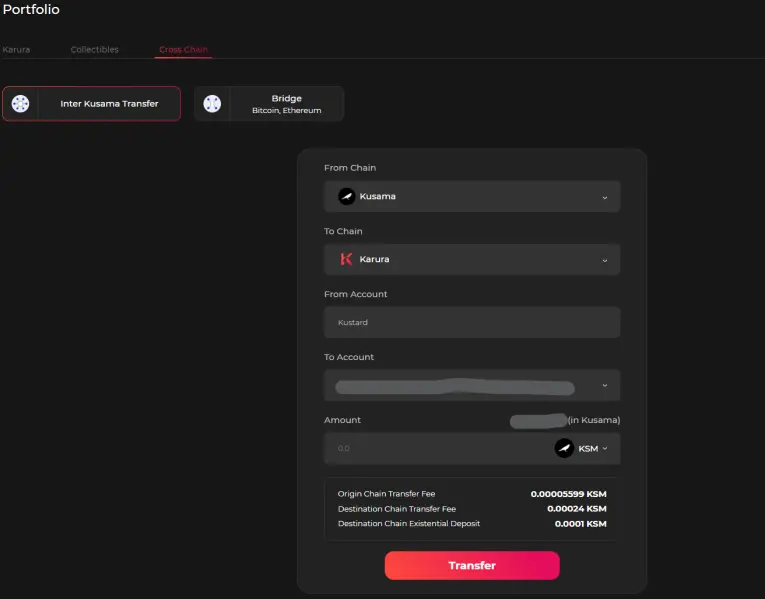
- Make sure you have selected Kusama as the source chain and Karura as the destination chain.
- Under the "To Account" tab make sure to pick your KSM account not your DOT account.
- Enter the amount you want to transfer, check fees, and click transfer
- Enter your Polkadot.{js} password and confirm
- The KSM should appear in your Karura account in the blink of an eye






