
This tutorial is designed to illustrate how easy it is to acquire and stake the Atomic Wallet AWC-982 token now available both the mobile and desktop versions of the wallet!
1. Install the best version of Atomic Wallet for you. If you click the link here , you'll receive an airdrop of 10 AWC!
*ADDED BONUS* You get 5 more AWC for every additional person you're able to refer as long as they hold at least $10 worth of any cryptocurrency in their wallet. Tell someone that loves money today!
https://atomicwallet.io/?kid=19A64G
2. The only place I can recommend exchanging AWC right now is on Binance. If you're not familiar with the exchange, you can trade all the major cryptocurrencies against the Binance token BNB. With BNB, you can then exchange it directly for AWC-982 on the exchange here. I provided a link to get 10% back if you create an account using it here!
https://www.binance.com/en/register?ref=YYCBWG3B
3. Transfer the tokens from Binance to your mobile Atomic Wallet AWC-982 address. Alternately, you can exchange them with any BNB you hold in the app. Navigate to the 'Settings' menu, then by select the 'Buy AWC' tab at the top.
4. Once the AWC tokens arrive, click the 'Staking' button, then 'AWC', and finally 'Stake'- that's it! Check out the staking information from my iPhone screenshot below.
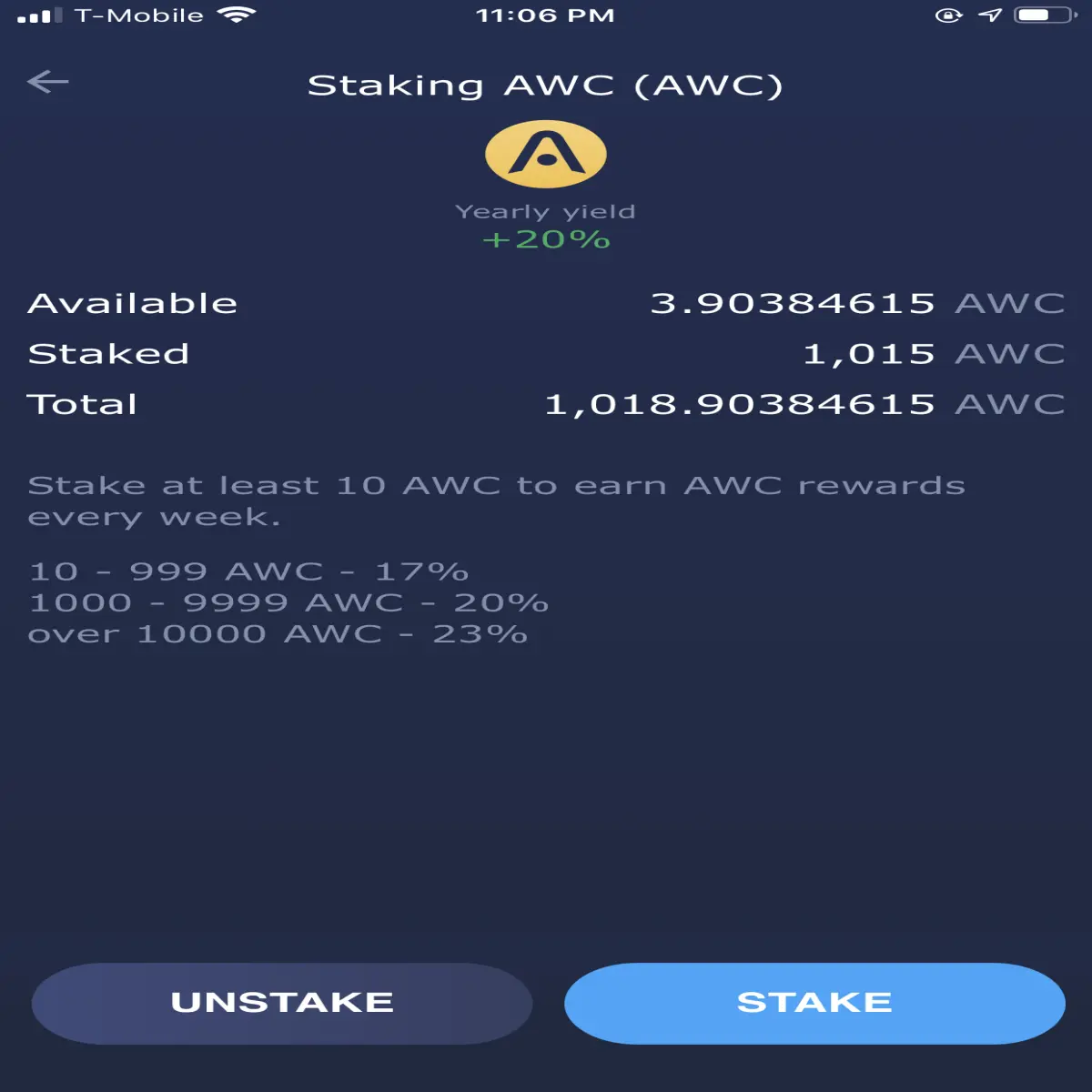
Here's the breakdown for rewards:
You must Stake at least 10 AWC to be able to earn any rewards, and the payouts happen every week. You can un-stake your AWC at any time without penalty.
10-999 AWC staked - 17% back in AWC
1000-9999 AWC - 20% back in AWC
over 10000 AWC - 23% back in AWC (!!)
Atomic Wallet is non-custodial, has no KYC, is open source, multi-platform, supports all the major chains and tokens, your keys, your crypto- 'nuff said. Consider yourself shilled.
-klymacks






