
Quick note before we get started...
This post is all about Brave Browser. If you haven't ditched Chrome for the future of the crypto web yet, fear not! I've got you covered:
1. Go read my in-depth Brave post to learn why it's so awesome
2. Consider downloading Brave with my referral link, here. Thanks for supporting the blog!
Hello friends!
If you're like me, you see massive potential for Brave and BAT moving forward, and get an extra kick in your step each time Brave completes another phase of its rollout.
Well, I've got some great news for you!
After a brief hiatus to iron out the kinks, Brave Browser's long-anticipated Sync feature is BACK and better than ever on Windows, Mac, and Android!
Passwords, browsing history, extensions, tabs, and themes can now be connected between your devices, with Rewards syncing on the way (you can sync 4 devices' Rewards data via Uphold, however).
“Starting today, Brave desktop users (version 1.12) and Android users (version 1.12) can use our fully redesigned sync functionality to sync data from desktop to desktop, as well as across desktop and Android devices. Support for iOS will follow shortly.”
-Brave Team
Here's how to set it up:
1. On your desktop, go to Settings --> Sync
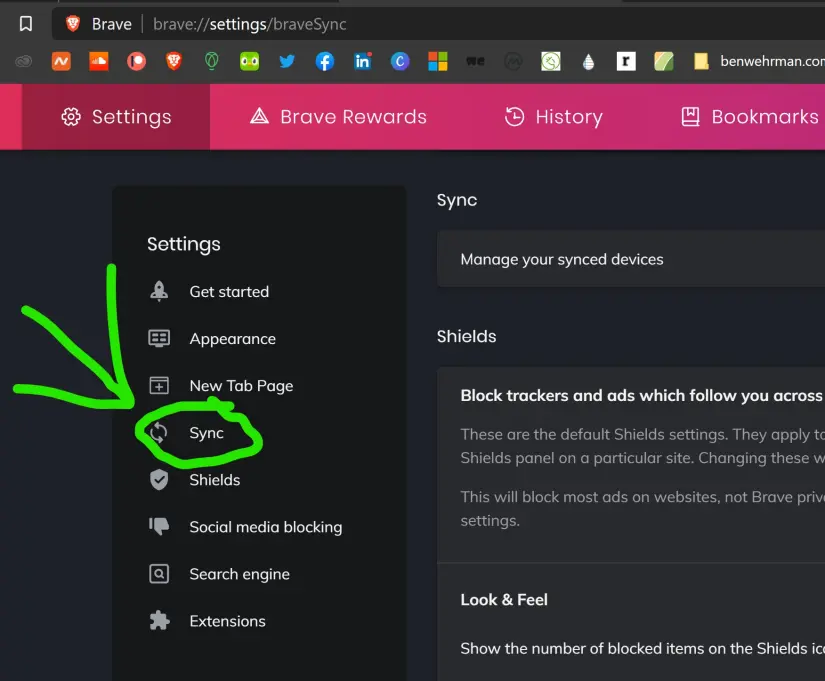
2. Click "Manage Your Synced Devices"
3. Click "Add New Device", and select which type of device you will be syncing with
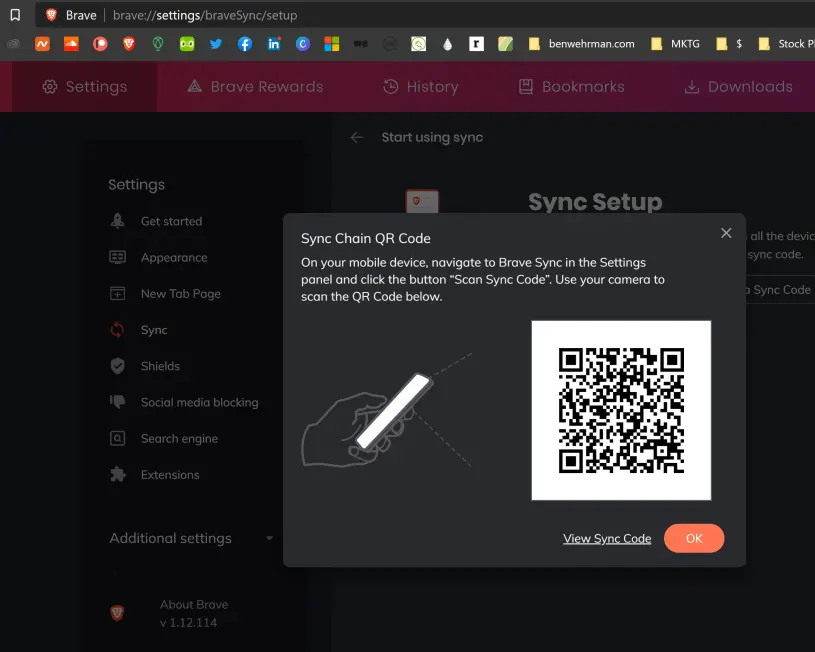
4. Pull up Brave --> Settings --> Sync on the device you'd like to sync, then select "Scan or enter your sync code"
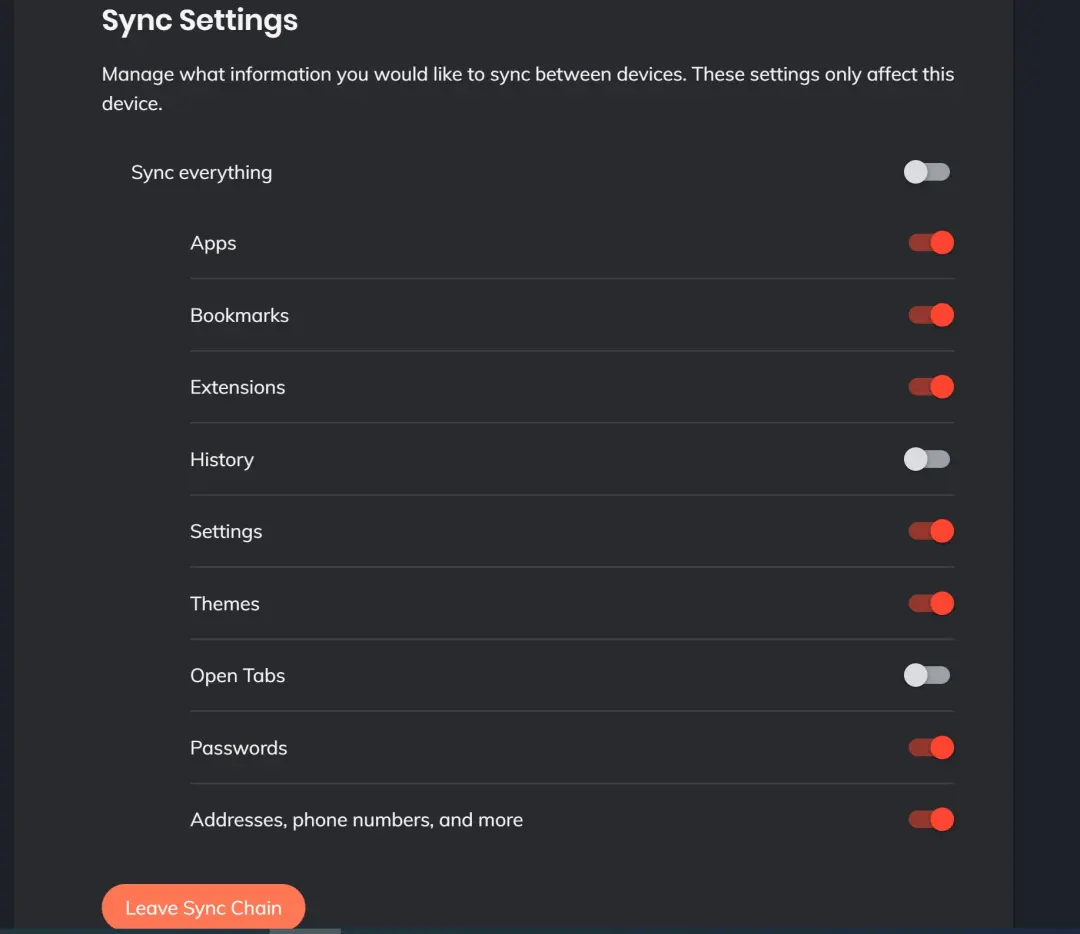
Once you've scanned the QR code from step 3, you're all set, simply select which options you'd like to be synced up between your devices, and you're good as gold!
So...why is this a big deal?
Should be pretty self-explanatory, but it's going to make the back-and-forth movement between your devices much more seamless. I don't know about you, but I basically visit the same websites on my phone as I do my desktop. Now that bookmarks, passwords, addresses etc. will be interconnected between both, we can all save a great deal of time.
My question...
Here's one for any Brave team members out there that may be reading this:
As an avid user of the Presearch extension on my desktop version of Brave, the toggle switch that really caught my eye was Extensions. I've been anxiously awaiting the day that I can earn PRE for my searches on mobile as well, but right now, I'm unsure how to set this up since Presearch is not included in Brave's native search engine options.
If anyone out there knows a solution to this conundrum, give me a shout in the comments!
Alright folks, that's about it!
If you have any problems with this process of setting up Sync between your devices, feel free to drop your questions in the comments. I'll do my best to lend a hand!
Happy syncing,
-Ben






