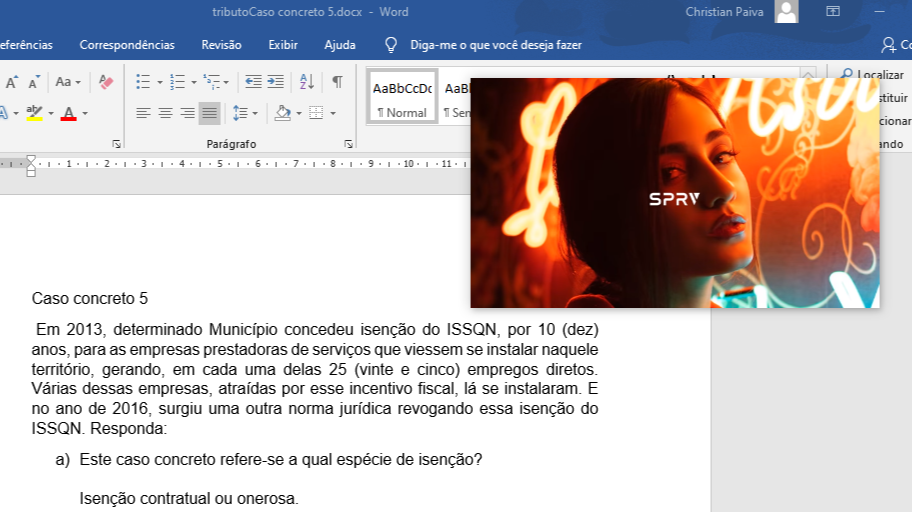
You are at the office or even at home doing a job at the computer, a typing that will take hours, it would be really cool for you to do these dull work watching a movie or even a clip of your favorite songs, wouldn't you say?
I'll teach you in this little tutorial how to do this, you just have to download an extension on your Chrome browser or any other derivative of it, install and click on it with the left button on that video that you want the window to be floating
Well, let's go there
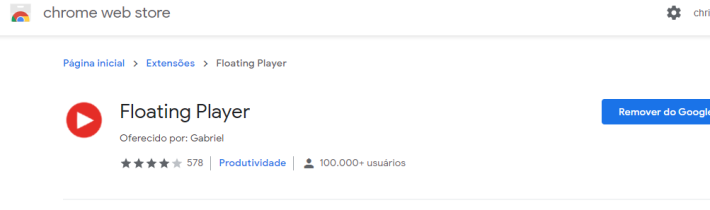
1- Download and Install the Floating Player Extension in the Chrome Web Store, I will leave the link below to facilitate your work
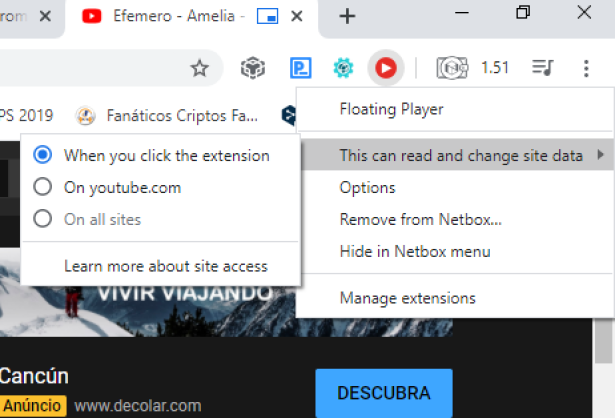
2 - When the extension has been installed a red player icon will appear as the figure below, right click and choose This can read and change site data, then choose the option When you click the extesion to open the floating window of the chosen video
Ready ! Now you can watch your Movies or Music Clips while doing that boring job or college job