
How to Import your DeFi Wallet Seed into MetaMask:
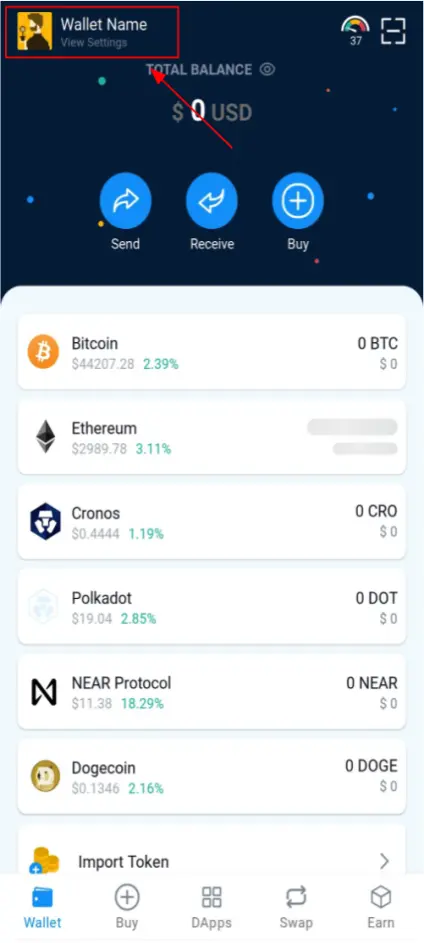
- Open your Defi Wallet.
- Click the “View Settings” in the Upper Left of the screen.
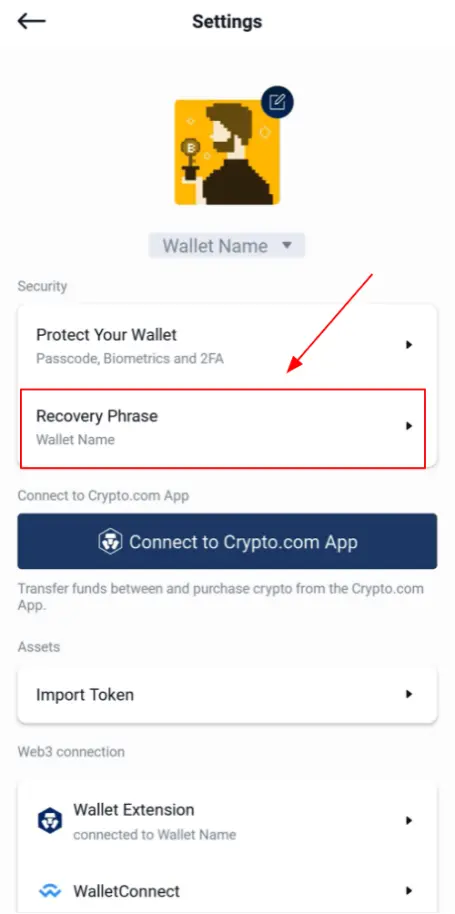
- Next, select “Recovery Phrase”.
- Click "Continue".
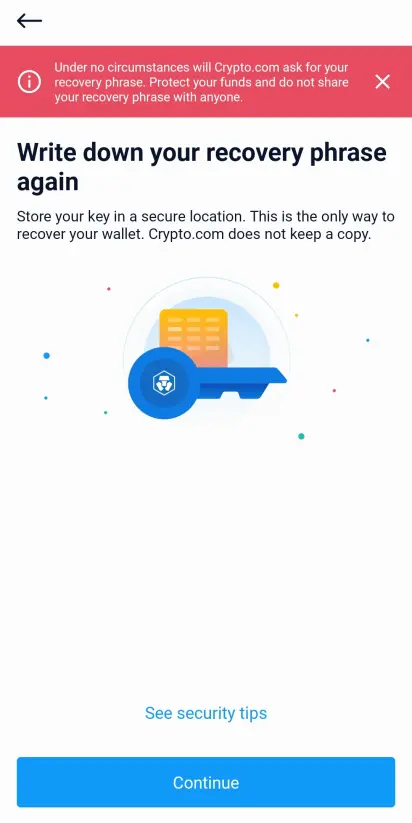
- The app will display each of your 12 seed words. Write them down in a safe place.
- Next, install MetaMask onto your phone via the App Store / Google Play or install the MetaMask extension onto your browser.
- Open MetaMask, select “Get Started”, then “Import using Secret Recovery Phrase”.
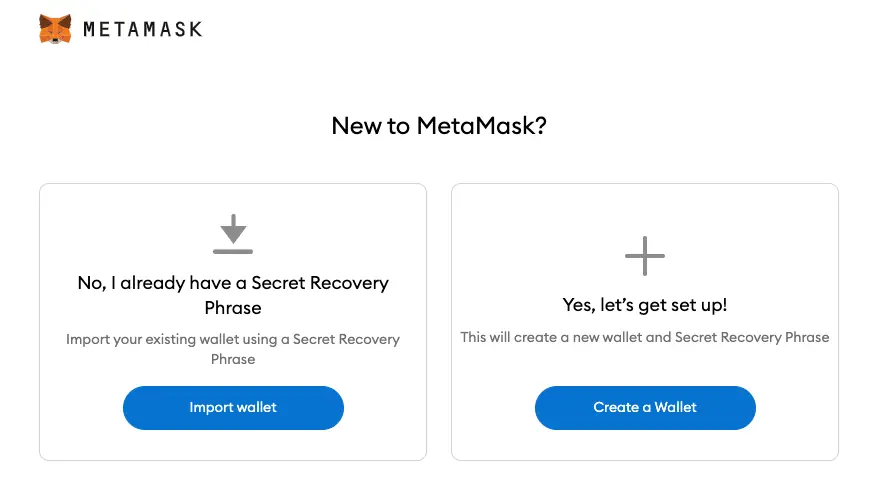
- Enter your seed phrase into the field labeled “Secret Recovery Phrase”, then set your password.
- You are now good to go! Now your wallet is shared between both apps, in case one doesn’t work.
How to Connect with Cronos?
Edit: There is a new and more convenient way to add Cronos to your MetaMask Extension. You can follow this article.
If you're on MetaMask mobile, follow the instructions below:
- Click on the MetaMask icon or open your MetaMask.
- Open your Settings.
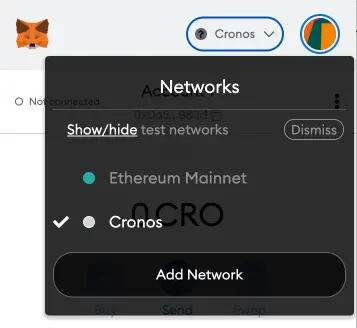
- Click "Networks" and add and edit Custom RPC networks.
- Click "Add Network".
- Enter the following.
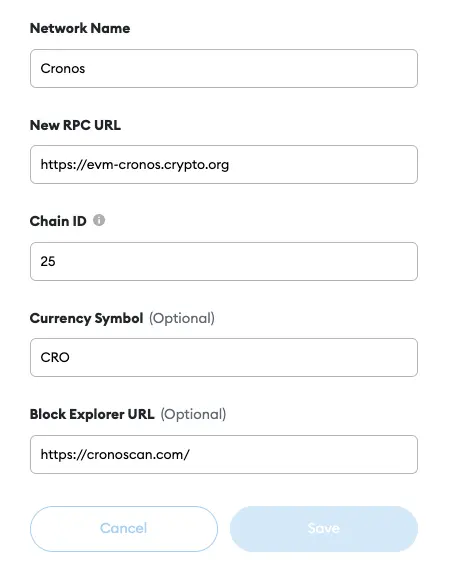
You can copy the information below.- Network Name: Cronos
- New RPC URL: https://evm-cronos.crypto.org
- Chain ID: 25
- Currency Symbol: CRO
- Block Explorer URL: https://cronoscan.com/ or https://cronos.org/explorer/
- You're all set up and can use the Cronos ecosystem!






