
Hello Dears,
Here's a simple guide for withdrawing your BTC from HoneyMiner,
REMINDER : I've talked about HoneyMiner in a previous post : How to Mine BTC on your own PC with HoneyMiner
1- Log in to your HoneyMiner account : HoneyMiner - Log in or Register
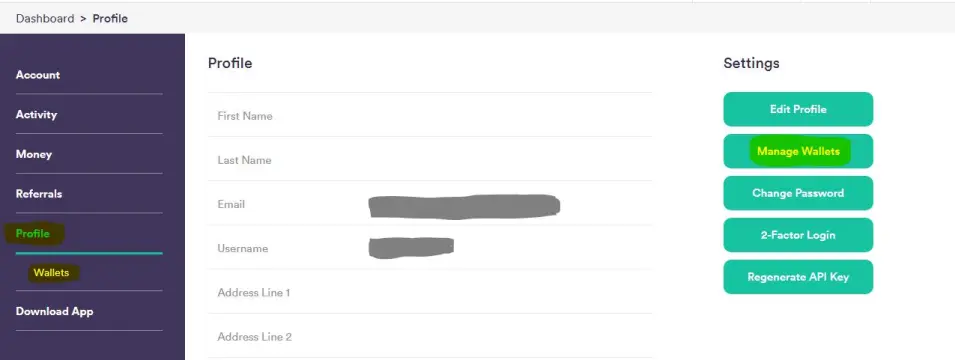
2- Go to Profile then Wallets or Manage Wallets
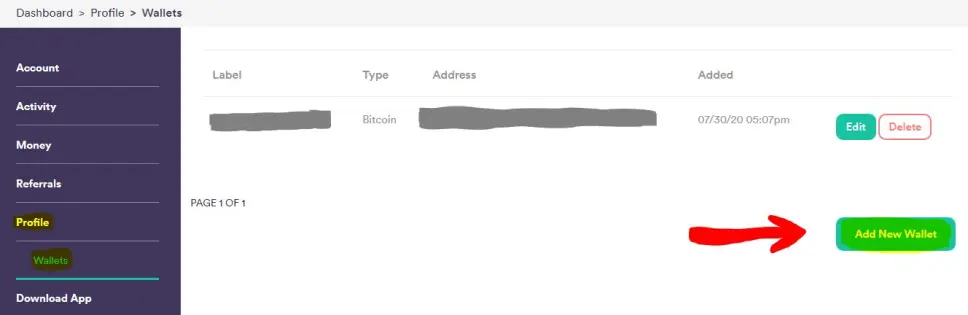
3- Click Add New Wallet
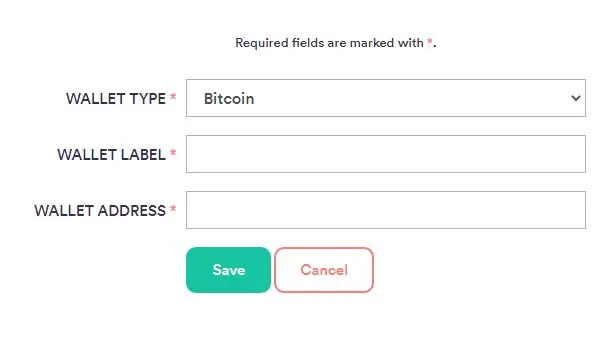
4- Fill the required fields:
- WALLET TYPE : BITCOIN
- WALLET LABEL : Give it a name
- WALLET ADDRESS : your Bitcoin wallet address (withdrawal bitcoin address)
Then Click Save.
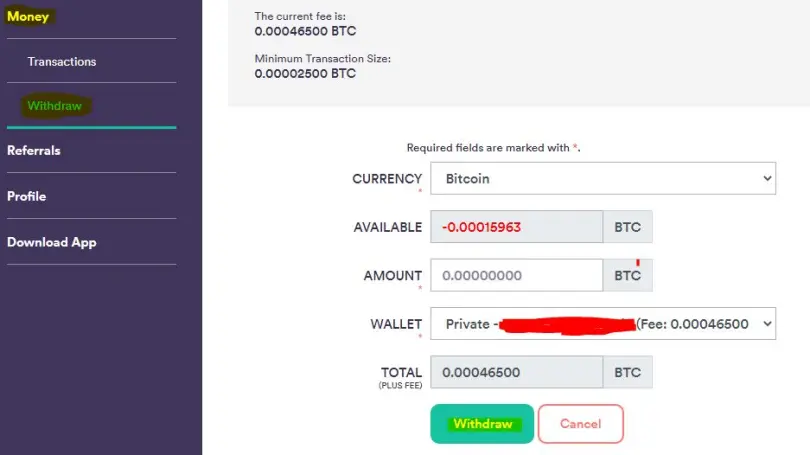
5- Go to Money > Withdraw, Choose BTC quantity to withdraw and choose the wallet you've just added, then click Withdraw.
NOTE:
There is a fee for every withdraw (Transaction), make sure that you have enough BTC to cover the fee and the minimum withdraw amount.
That's all.






