
So guys, I have been using Ultimate Windows Tweaker from TheWindowsClub for several years already. Yesterday, a new version (4.7) was released and now I decided it's a good time to present to you that awesome software.

So, here's what all the fuss is about. UWT is a software that combines multiple Windows settings in a single place, which otherwise you would need hours if not days to find inside the various Windows menus, options, registry settings and so on. Here everything is 1-click away from being changed. The best part is that even if you don't know what something does, there is this short explanation on the bottom of the window for each setting which becomes visible once you hover with the mouse pointer over the button/checkbox/lever/etc.

It would take literally me to write a book if I have to describe all options that UWT provides you with so I let you decide guys if you want me to write another article of the top 10 or 20 things I like to change once I install a new Windows. Just write in the comments. If not, that's fine.
Few things worth noting:
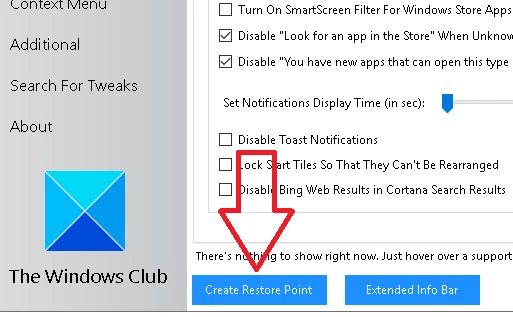
1) It's best if you create a restore point just to be safe
.
2) when you are doing some of the changes and Windows restart will be required so I would suggest doing that always when the software asks you to.
3) UWT does not require installation, it is a zip file with a portable version inside, it can literally be saved to a flash drive and you carry it with you and run it on different machines.
I would suggest just from time to time to check for the latest release. For example, the new version 4.7 has added support for the latest Windows 10 update -> v1909. Otherwise it will work on all previous Windows version as far as I am aware.
I'm long time user for UWT and recommend it to everybody who is not really satisfied with how their Windows runs. And from my professional experience I can say, this is possibly every single person.
I however would hesitate to use the software in a business environment (like my corporate job) where it can be mistaken for a something it is not. This is why I recommend using it wisely, because it is very very powerful tool. It can make 5 years old installation bloated with crap to run like a fresh install.
And because I'd like to keep my articles Crypto connected - this is for everybody who in some way is involved in crypto - has wallets, visits crypto related websites, mines, stakes from his own PC, etc. Go on the Security and Privacy tab and check the settings there. Check what I have selected for myself and I suggest you guys do the same:
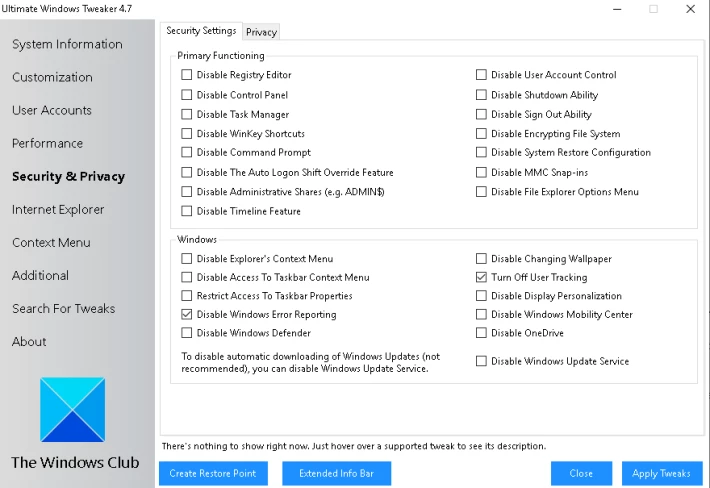

There are multiple ways Windows is using to sniff in your business and this is how you disable most of them.
I hope you guys find this useful.






