
What is a Flipper Zero?
In fact, it is a portable single-board computer with a retro display, a battery, a handful of interfaces, and some buttons with which you can operate it. Inside there is an extremely economical dual-wire ARM CPU (STM32WB55RG). The device is designed for a specific purpose: to hack with it. This starts with the device itself: The hardware and firmware of the Flipper Zero are open source, which means they can be customized and expanded. But it is also perfectly suited for hacking other devices.
Flipper Zero Design:
If you had to develop a multifunctional tool for hackers to crack access cards, computers, and infrared devices, you would probably imagine a futuristic high-tech device that could come straight out of a sci-fi movie.
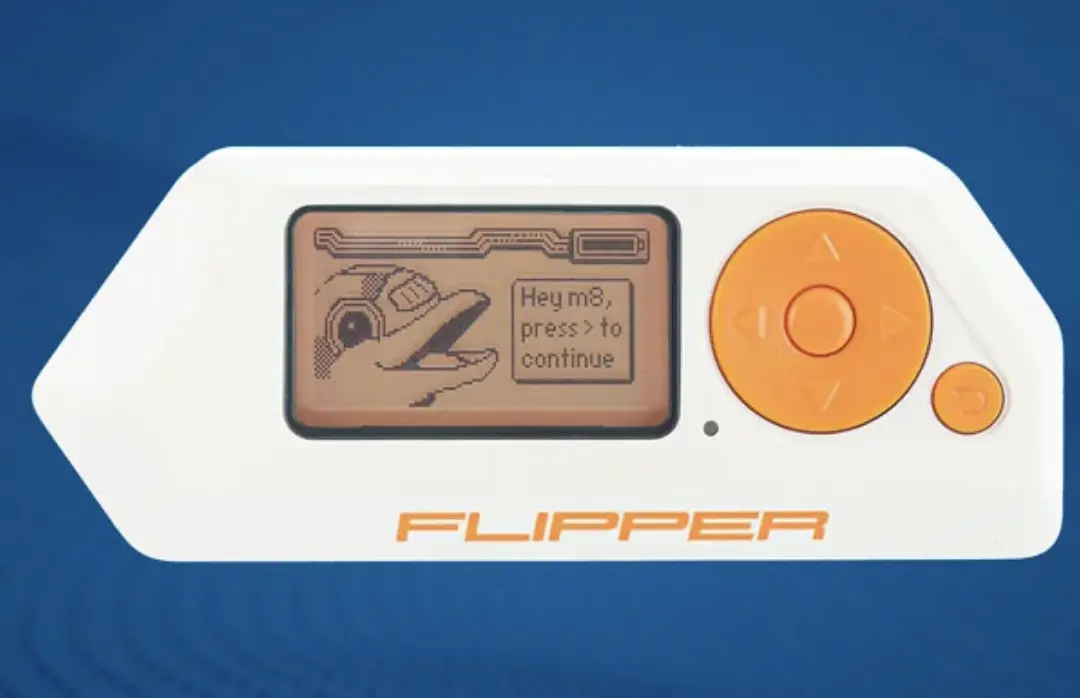
The device probably wouldn't look like the picture below. We thought that a hacking tool should look complex and complicated, especially not as cute and toy-like as the Flipper Zero. But that's exactly what makes it so fun. The Flipper invites you to play with it, and not a performance that suggests it is only safe in the hands of experienced experts.
What can you do with Flipper Zero?
The Flipper supports various wireless connections. The built-in CC1101 transceiver from Texas Instruments operates in the sub-GHz range. Car keys, wirelessly controlled sockets, garage door openers, and alarm systems communicate in Europe over the frequencies of 433 and 868 MHz, which the Flipper can capture and emulate.
Replay attacks are possible with simple wirelessly controlled sockets, but not with car central locking systems that use rolling codes. However, the Flipper can open the motorized cover of a Tesla charging port by imitating the radio signal of a compressor."
Connectivity:
The Flipper Zero supports NFC (13.56 MHz) and can read, write, and emulate NFC cards and tags. Whether this works in practice depends on the situation. During a test, the Flipper was able to display the card number and expiration date of a MasterCard, but could not read the card's memory or impersonate it as a credit card. Simpler NFC devices, such as Nintendo's Amiibo figures, can be recreated.
The Flipper Zero also supports the RFID standard (125 kHz) for access systems. For example, cards with the EM-4100 or HID Prox standard can be read and emulated. If you use several of these cards, you can combine them with the Flipper into one device.
Support for Bluetooth LE 5.0 is also present on the Flipper Zero, and it can, for instance, register as a keyboard on a computer and send keystrokes. The Flipper can be updated and operated via a smartphone app (Android/iOS) and desktop system through the qFlipper tool. The USB-C connection also serves as a charging port.
The infrared interface is also useful: With the Flipper, you can capture and play infrared signals from remote controls. This way, you can control your TV if you have lost the remote. Hackers will appreciate that the Flipper can be used as a TV-B-Gone device. It tries out various shutdown codes and can turn off almost any television. We strongly advise against testing this mode in an electronics store."
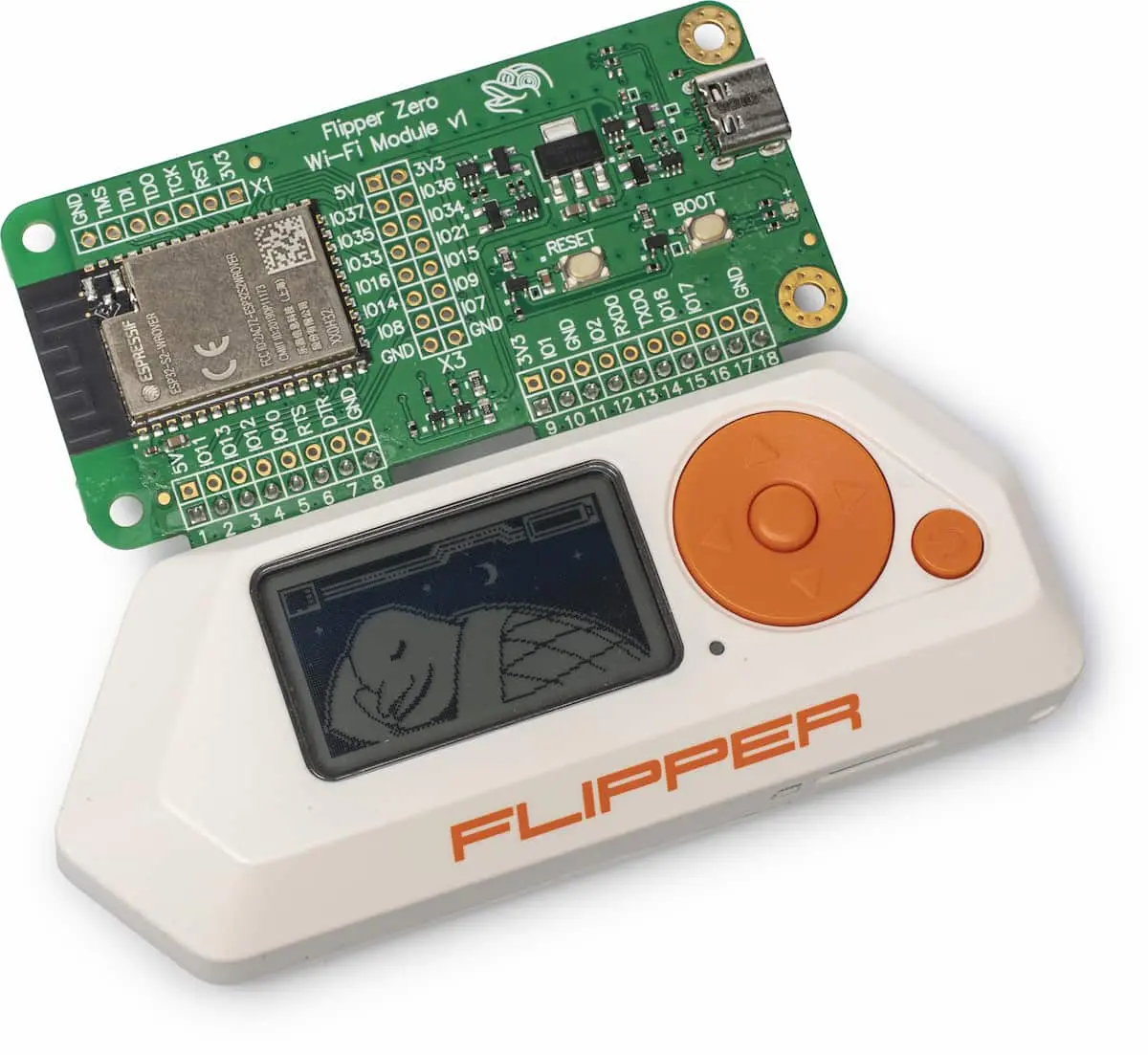
There is no integrated Wi-Fi module, but you can upgrade the Flipper with one: On top of the Flipper are GPIO pins that are suitable for accessories and hardware debugging.
You can place a Wi-Fi card on it, which costs about 30 euros and essentially consists of an ESP32-S2 SoC soldered onto a circuit board. If you flash it with freely available firmware, then you can initiate a series of well-known Wi-Fi attacks via the Flipper menu to check if your own router is protected against them. An example is the deauthentication attack, where Wi-Fi clients get disconnected from the router.
Security Concerns:
The Flipper Zero can act as a keyboard and send key combinations over USB. This carries risks, as most operating systems accept USB keyboards without control. The Flipper can therefore execute a trojan in a short time using a key combination, e.g., by opening the Windows Run dialog and entering a PowerShell script. The Flipper makes it clear why publicly accessible USB ports represent a serious security issue, and allows the automation of time-consuming tasks via a keyboard script.
Popularity and Functionality of Flipper:
Although the device has been available for only several months, a large group of users has already adopted the small gadget. The Awesome Flipper collection on GitHub contains dozens of user-made databases, wireless recordings, plugins, and tweaks. It's not just about hacking; there are also some retro games interspersed, like Snake and Tetris, which make their presence known on the monochrome LCD screen. You can transfer the files to the Flipper via the qFlipper tool. Since the internal memory is small (1024 kB), it's best to order a microSD card (up to 128 GB) right away.
Fun Animations and Tamagotchi Elements:
When no menu is displayed on the screen, you can view the comical daily activities of the dolphin, after which the Flipper is named. For example, if you use the wireless function, you see the dolphin in the weather with a parabolic antenna. If nothing happens for a while, he's lying on the couch eating fries. It also includes a bit of Tamagotchi: the more the Flipper is used, the higher its level rises, and it gains more confidence. This is just a visual joke and has no impact on the technical function.
Legal Restrictions and Responsibility:
While the Flipper Zero is a handy tool for exploiting technological vulnerabilities, the legal situation must be considered. Radio frequencies and transmit power are strictly regulated by the government. The pre-installed firmware for Europe takes these restrictions into account, but alternative firmware does not always. It's important to take responsibility and avoid attacks on the equipment and networks of others.
Conclusion:
The Flipper Zero is so unique that there's nothing to compare it to. Is it a hacking tool? Is it educational toy? Is it a 220-euro Tamagotchi? It's probably all of these at once.
IT security forces can use it daily, but the playful nature of the Flipper also appeals to other audiences. Due to the potentially dangerous aspects of the device, it is possible to be critical. However, it also provides the opportunity to acquire technical knowledge and discover wireless technologies in a playful way without programming ski
Flipper Zero Specifications:
Manufacturer Flipper, flipperzero.one
Dimensions / Weight 10.0 x 4.0 x 2.5 cm / 102 g
Display (Resolution) 1.4" LCD (monochrome, 128 x 64 pixels)
Interfaces USB 2.0 (Type C), GPIO, Infrared (800 – 950 nm), Sub-GHz, NFC, RFID 125 kHz, Bluetooth LE 5.0, 1-Wire, microSD slot
Processor ARM Cortex-M4 at 64 MHz, 256 KB RAM, and 1024 KB Flash
Battery USB-C, LiPo battery of 2000 mAh (approx. 7 days standby)
Price at the time of writing approx 179$
I hope that the article was able to clearly explain the Flipper Zero to all of you and remember that the use of such devices should comply with local laws and regulations, and ethical considerations should always be taken into account.





