Yesterday I received a marketing email from Coinbase Wallet inviting me to earn Optimism (OP) tokens by participating in quests. While I didn't know much about Optimism (a Layer 2 protocol built on top of Ethereum), I could see that its token was in the top hundred by market cap.
And these quests sounded very much like your typical learn-and-earn scheme: "Learn how to swap or delegate your Optimism tokens and get rewarded with OP tokens in just a few minutes," the email told me.
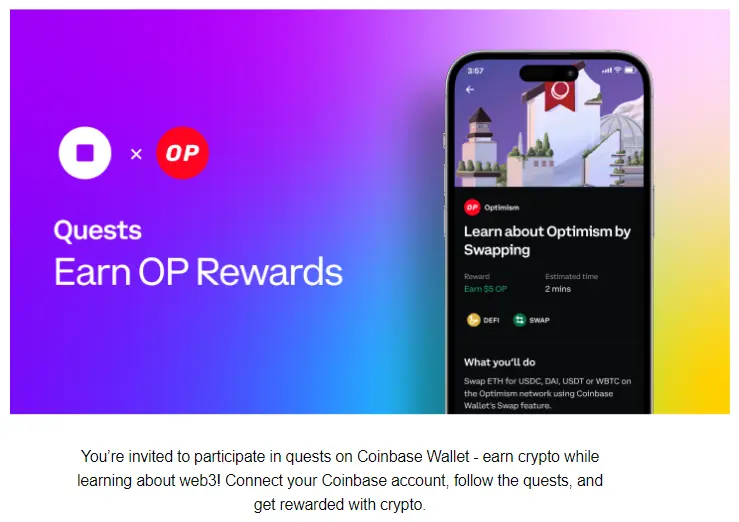
When it comes to learn and earn, Coinbase has good form with its own longstanding Coinbase Earn scheme - so of course I gave this new Coinbase Wallet scheme a go. And while it did work, I'm saying upfront that it was neither totally straightforward nor entirely profitable.
Here's how the process went down for me. Hopefully my write-up will help you decide whether you want to do the same.
Coinbase vs Coinbase Wallet
First, I should explain that Coinbase and Coinbase Wallet are two different things, though part of the same ecosystem. Coinbase is a centralised exchange - it's custodial, so they hold the keys. Conversely, Coinbase Wallet is a free self-custody wallet - you hold your own keys, and as a result have complete control of your crypto. It's a bit like Binance versus Trust wallet, if more confusing because the names are so similar.
What this means is that you can be a Coinbase user and not a Coinbase Wallet user (or vice-versa). There's a separate app for each. But in my case I was already using both Coinbase and Coinbase Wallet, which put me in good stead for the quests.
Speaking of the quests... they can be accessed in the Coinbase Wallet app, Browser or Explore tab. The first is called 'Learn About Optimism by Swapping', with a promised reward of "US$4 in OP":
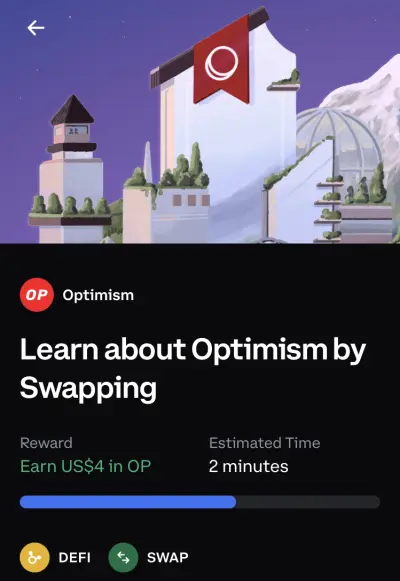
The two steps to complete this first quest are:
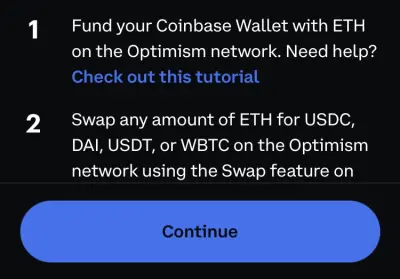
1. Fund your Coinbase wallet with ETH on the Optimism network
2. Swap any amount of ETH for USDC, DAI, USDT, or WBTC on the Optimism network using the Swap feature
A bridge too far
As luck would have it, I was already holding over $20 of ETH in my Coinbase Wallet. One slight issue - it was on the native Ethereum blockchain, not Optimism. No problem, I thought, I'll use the Optimism Bridge inside Coinbase Wallet, as outlined in the Coinbase help article.
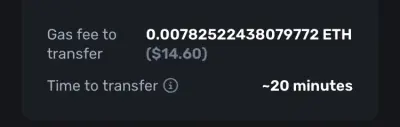
But previewing the transfer, the gas fee came out at almost $15! There was no way I was blowing $15 of ETH to get $4 of OP.
Fortunately there was another option: I could transfer assets from my Coinbase account to Coinbase Wallet. As the help article explained:
"Transferring from your Coinbase account is one of the easiest, fastest and low-cost ways to move funds into the Optimism network."
Annoyingly I didn't have any ETH in Coinbase itself, but what I did have was lots of random bits and bobs of crypto I'd picked up in the past from Coinbase Earn. I chose one token that wasn't filling me with excitement, Maker (MKR), and Converted it to ETH within Coinbase.
Coinbase didn't charge me a fee, but I did lose out slightly on the spread as Coinbase warned:
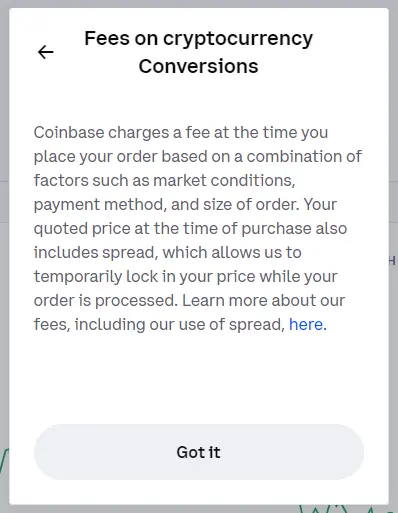
So I went from having 0.01109 MKR worth $7.76, to having 0.00403989 ETH worth $7.58.
Receive from Coinbase
The next step was to get my new ETH from Coinbase into Coinbase Wallet. To do this, I first needed to link my two accounts (in Coinbase Wallet, Settings, 'General').
I then went to Coinbase Wallet, Assets, Receive, and chose Receive from Coinbase. It seems counter-intuitive to me that the process is initiated at the Receive end and not the Send end...
The key part here was to make sure I chose the 'Optimism' network - after all, there was no point sending more ETH to Coinbase Wallet that I couldn't use for the quest (and presumably paying a massive fee to boot). Talking of fees, the fee this time round was much more reasonable than the Optimism Bridge:
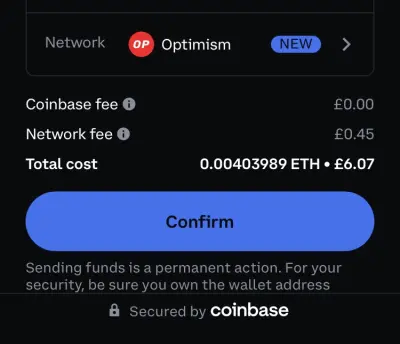
(My wallet is set to GBP because I'm a Brit - but that fee works out to around $0.56).
Nearly there! I now had ETH on Optimism within Coinbase Wallet, though because of the fee it was slightly reduced to 0.00374 ETH (worth $7.01).
Completing the quest
The final step was to swap my ETH on Optimism in Coinbase Wallet to USDC, DAI, USDT, or WBTC (I chose WBTC, Wrapped Bitcoin). And that swap also carried a fee - estimated at $2.81 and payable in ETH:
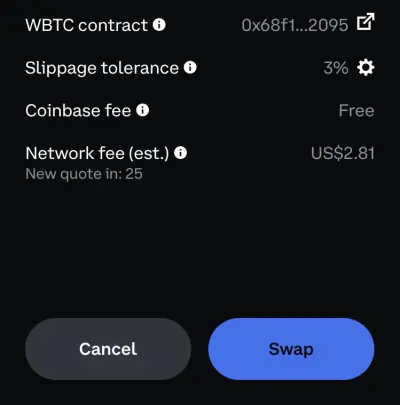
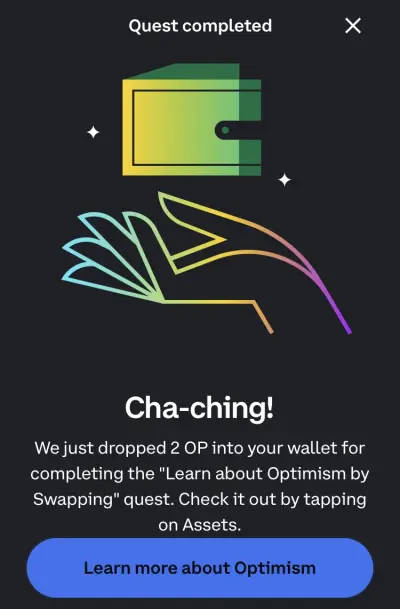
Almost as soon as I completed the swap, I received one mobile notification telling me I'd completed the quest and another saying I'd received my reward (actually 2 OP worth $4.32, so slightly more value than the $4 promised.) I also got this nice confirmation screen in the app itself:
So was it worth it? I'd 'spent' 0.01109 MKR worth $7.76 and ended up with:
- 2 OP worth $4.32
- 0.000131 WBTC worth $3.75
- 0.000215 ETH left on OP with $0.40
That's a total of $8.47, or a 'profit' of $0.71! So rather than an opportunity to earn some crypto, I'd see it as Coinbase Wallet subsidising the learning process so you don't end up out of pocket.
There's also a second quest in Coinbase Wallet, which pays out a further $4 of OP tokens when you delegate. But it looks like I'll need more ETH on Optimism for that... I wonder what other assets in my Coinbase account I can sell?






