
As we have recently launched our token stacking on the Arbitrum network, many are wondering how to bridge SIS token from the Ethereum network to the Arbitrum network.
Step 1
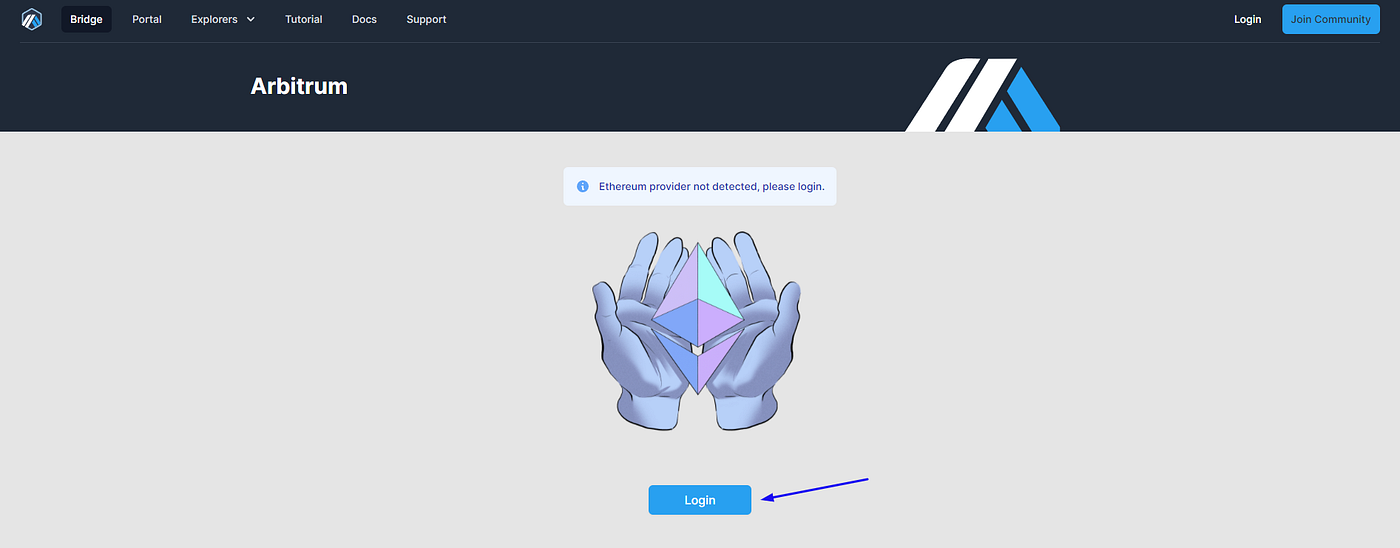
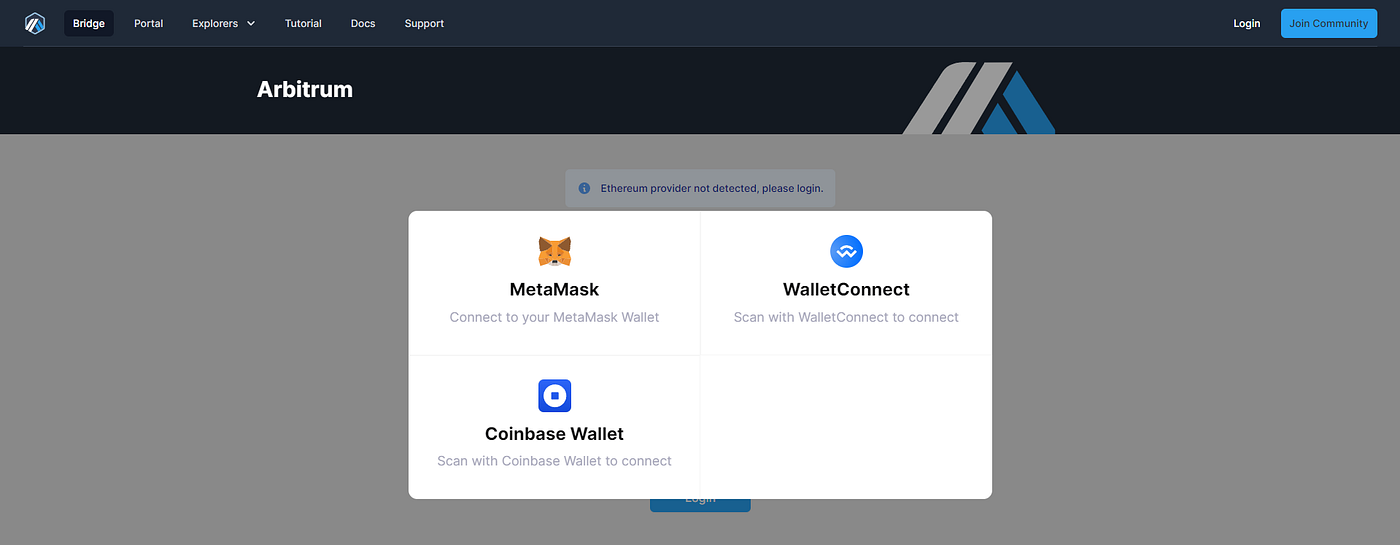
Go to Arbitrum bridge, log in and connect your wallet. Remember to set Ethereum network in your Metamask.
Step 2
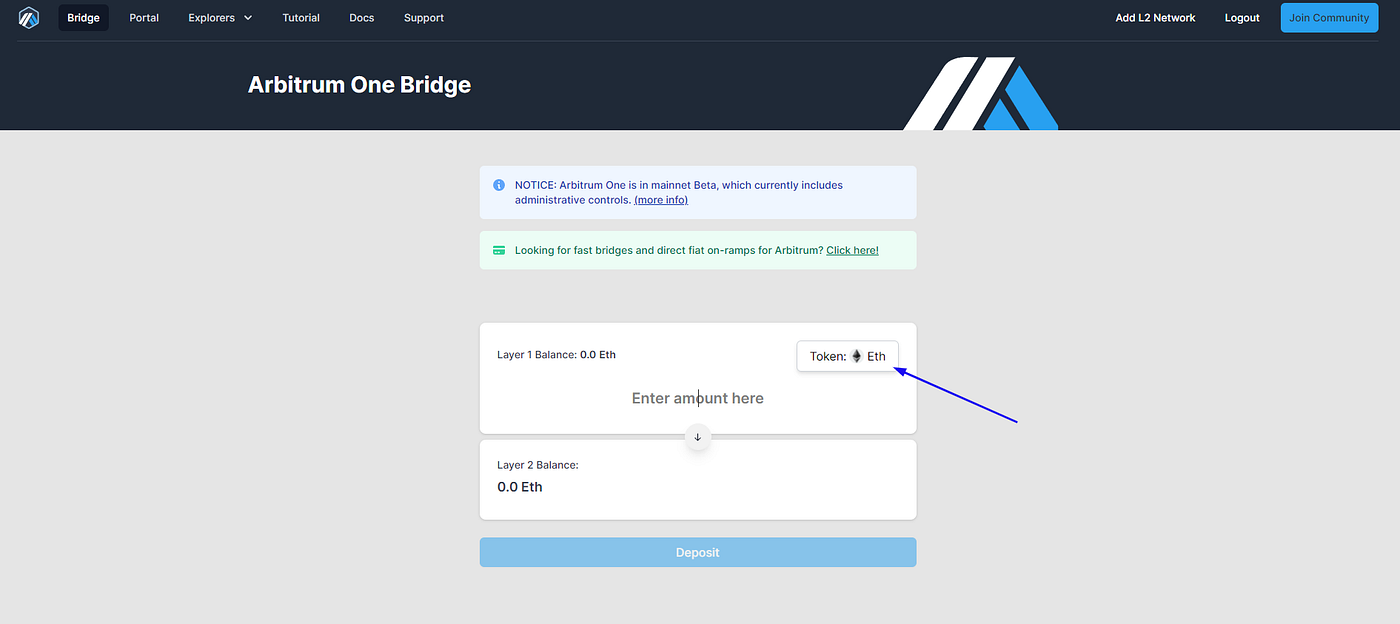
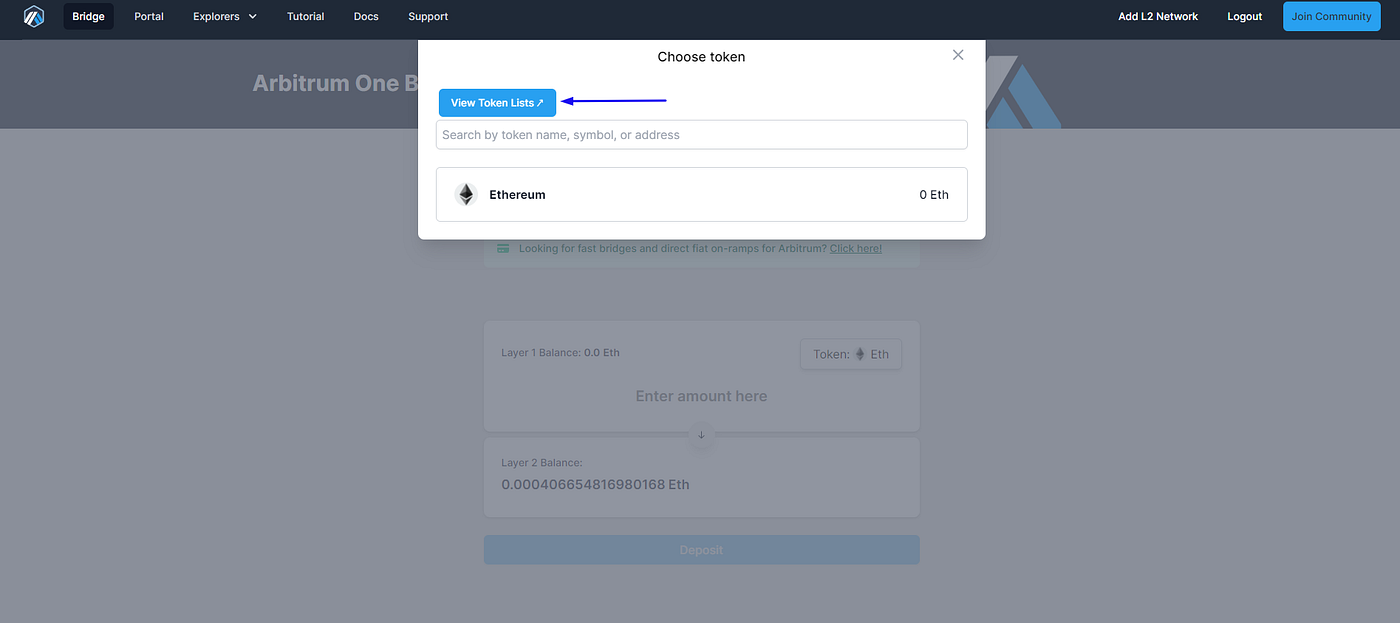
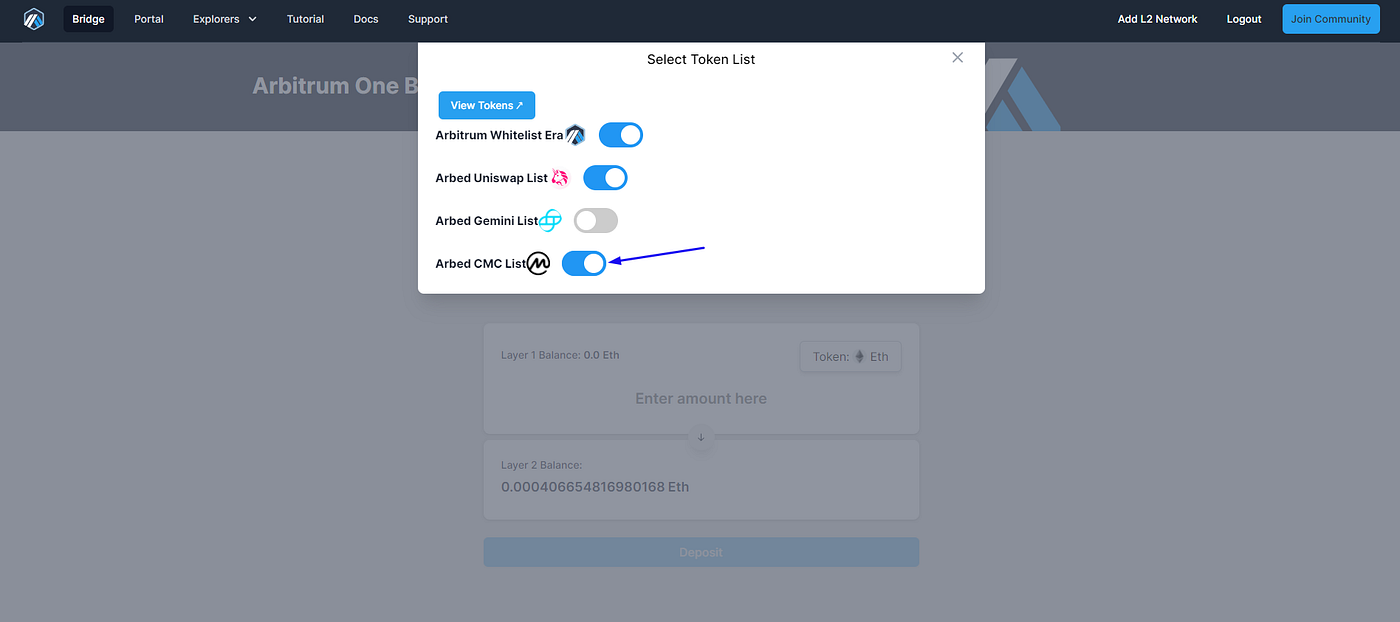
Click on “Token”, then “View Token Lists” and add “Arbed CMC list”.
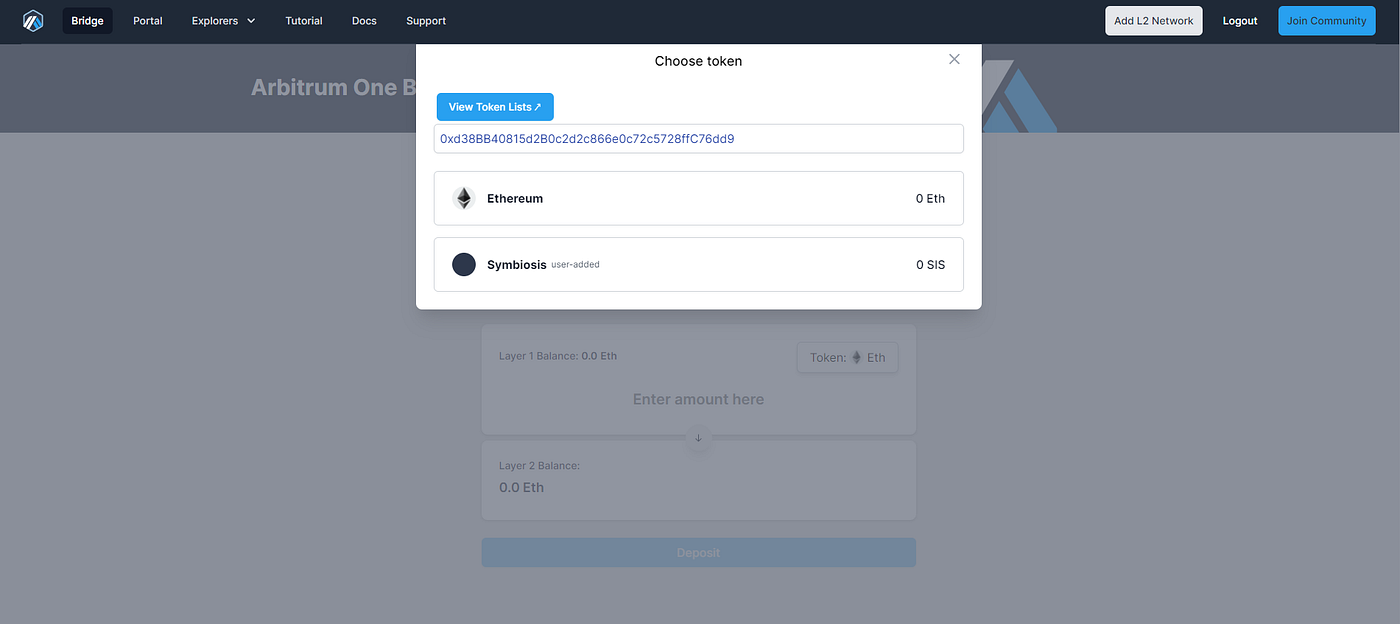
After that go back and paste $SIS contract address: 0xd38BB40815d2B0c2d2c866e0c72c5728ffC76dd9
Step 3
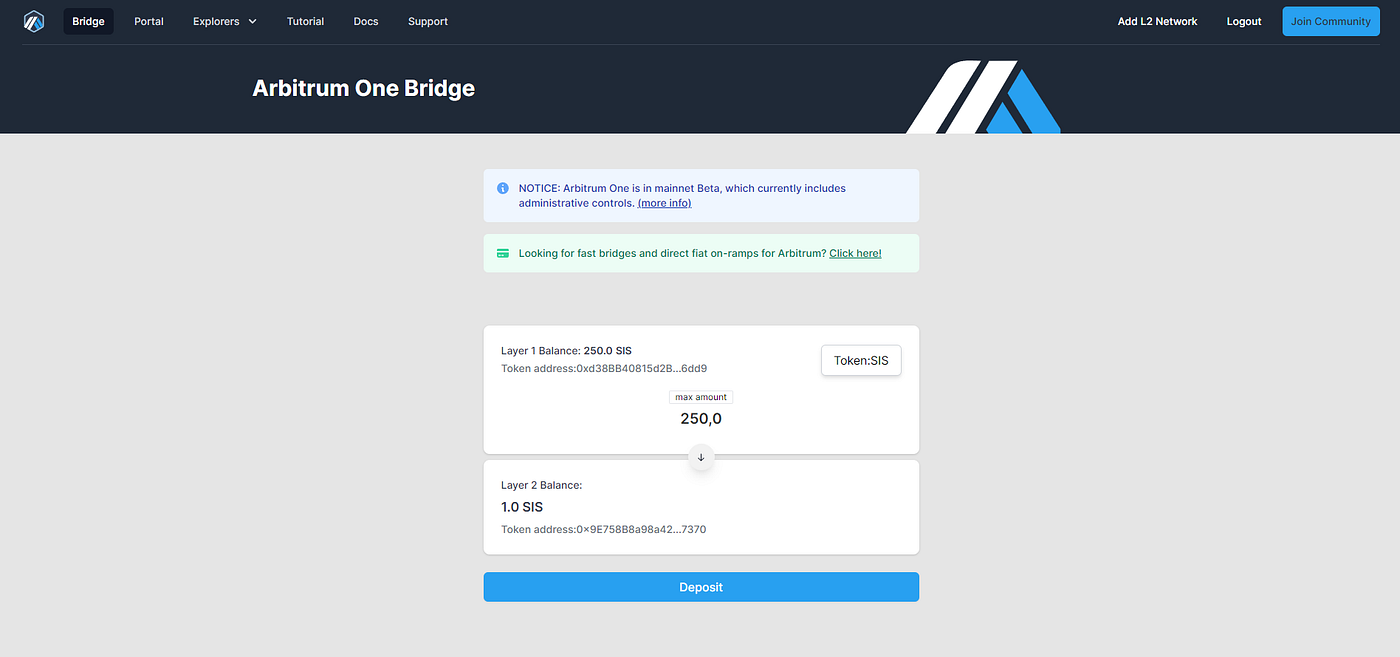
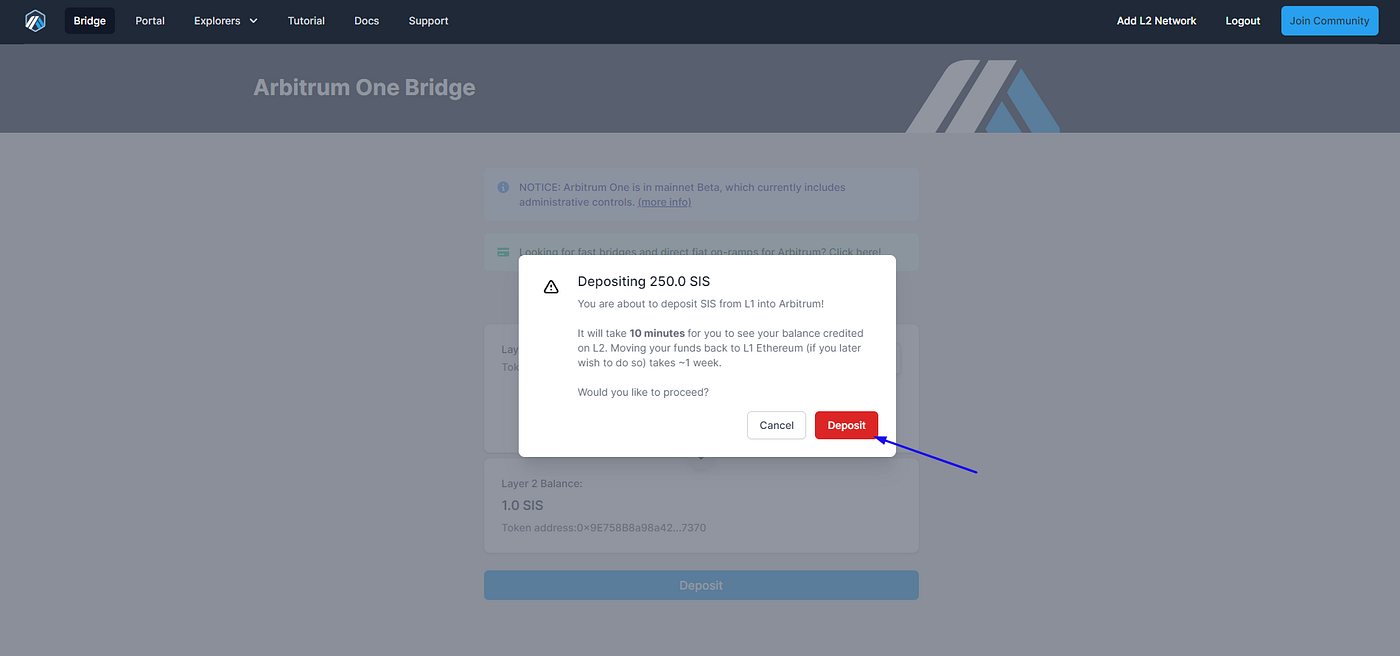
Enter an amount of $SIS you want to bridge and complete transactions in your wallet.
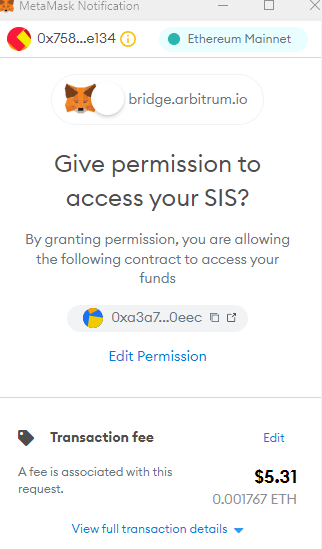
Step 4
That’s all! Now can successfully provide WETH-SIS liquidity on Arbitrum network via SushiSwap.
Have no idea how to do it? Here is the guide.
Join our community!
- Twitter: symbiosis_fi
- Telegram: t.me/symbiosis_finance
- Medium: medium.com/symbiosis-fi
- Discord: discord.gg/symbiosis
- Instagram: instagram.com/symbiosis.fi





