
If you want to resize a VirtualBox Disk on a Windows-Host with a Linux-Guest (with LVM-Disks) follow the following steps:
Check the type of your Disk, it must be dynamically allocated storage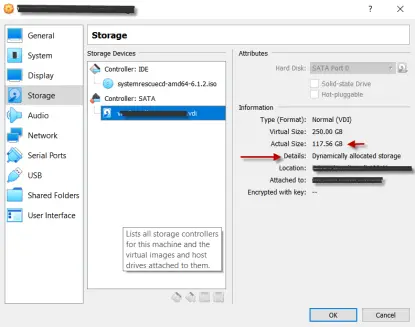
Actual size of the Disk = 117.56GB
- Insert a SystemRescueCd Live Image into the CDROM of your Linux-Guest-VM
- Boot up your VM
- Detect all available partitions and LVM-Volumes
-
fdisk -l
-
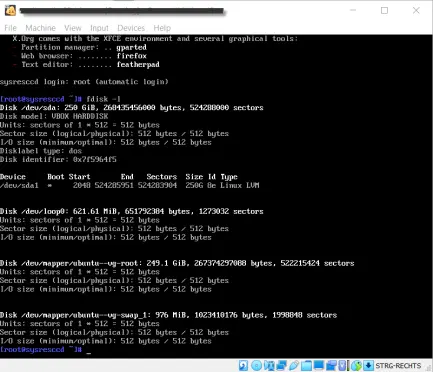
- Empty space by overwriting with zeros with the tool zerofree in every detected partition and LVM-Volume.
-
zerofree -v /dev/mapper/ubuntu--vg-root
-

- Shutdown your VM and open your cmd.exe on your Windows-Host. Change to the directory of your VirtualBox installation folder.
-
VBoxManage.exe modifyhd --compact "C:\Path\to\your\vdi-file.vdi"
-
- Done
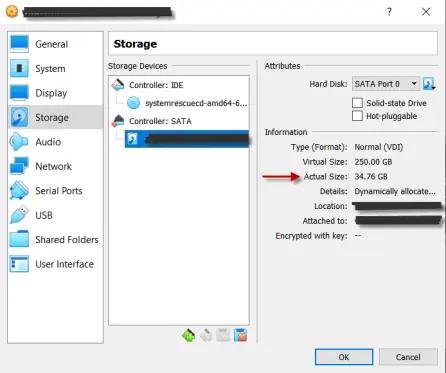
New size of the Disk 34.76GB
Success!!






