
In the last couple of articles, we have seen the guides to stake Cosmos (ATOM) tokens and UST stable coin on-chain staking. In this article, we will see a step-by-step guide to stake $LUNA tokens on-chain. The benefit of staking on-chain coins is that you always get a better APY compared to most centralized interest-bearing platforms and another most important benefit is that you support the ecosystem of a particular token directly and in return you get certain benefits like token airdrops of the new projects joining the ecosystem of that coin, which you miss in the centralized interest-bearing accounts. So if you are ready to stake your $LUNA tokens on-chain let's begin the article...!!
Note: We will be using TerraStation Wallet for staking $LUNA tokens. Create account over there and make sure you keep your password and seed phrases safe. If your are on laptop or PC you can download a web extension.
Step 1
Considering you have an account on TerraStation, head out to the website of TerraStation dashboard. You will see the following dashboard. you can fund your wallet using $LUNA tokens and if you want to pay fees in UST then you can add some UST tokens too but it's optional as you can pay transaction fees in $LUNA too.
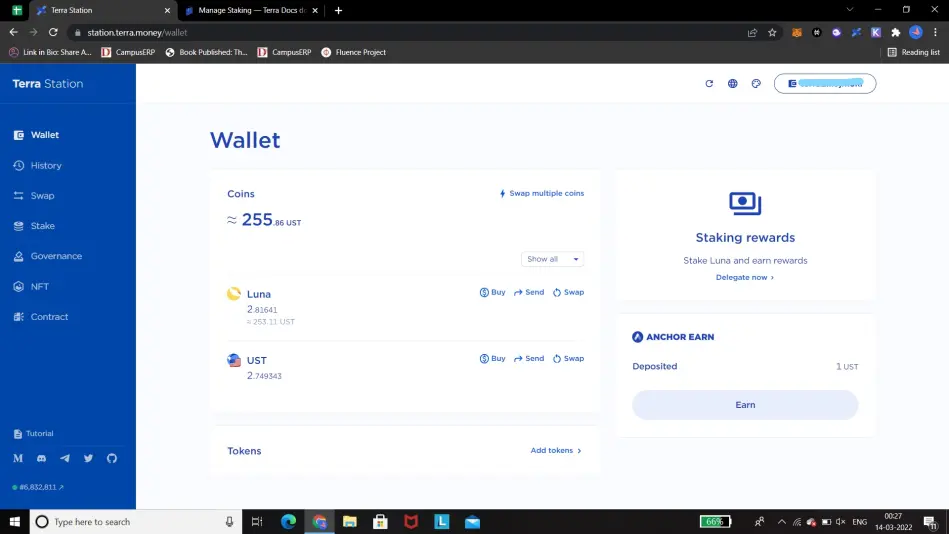
TerraStation Website: https://station.terra.money/
Step 2
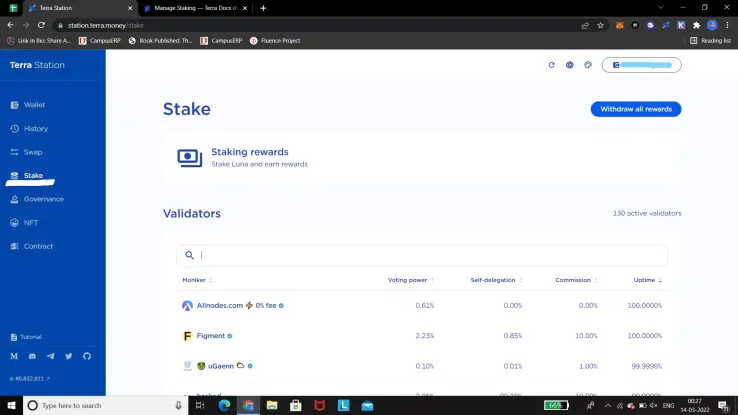
On the left side, you can see the menu bar where you can find the 'Stake' option. If you are all done with sending $LUNA tokens in your wallet then you can click on the Stake option and the following screen will show up.
Step 3
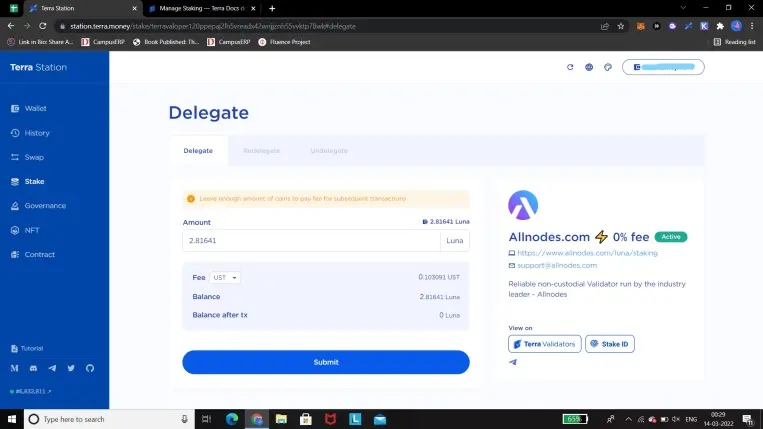
You can go through the number of providers (Monikers) by scrolling down but it is always good to go with an established one, Allnodes.com seems a perfect fit as they are reputed in the industry and also provide their services for free (0% fee) for now, so that was my pick, you can do your own research and select any of the providers. Once you decided your Moniker click on their name and the following screen will show up.
Step 4
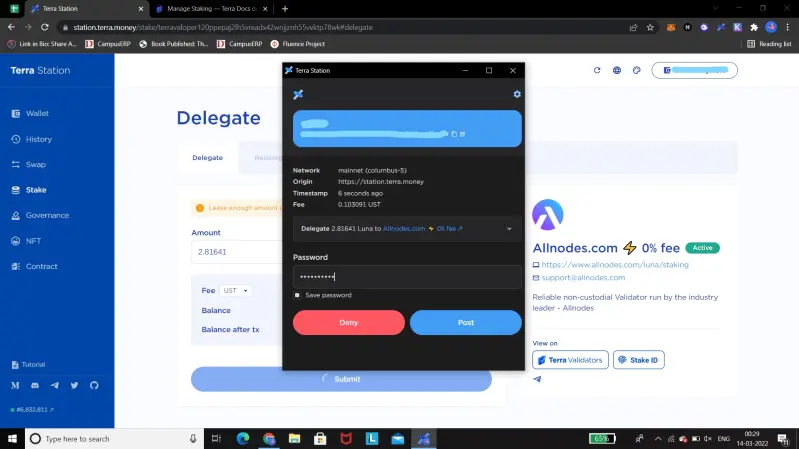
Enter all the details and the amount you want to stake, remember that if you are willing to pay the transaction fees in $LUNA then keep some tokens aside. Now as you are ready with the amount you want to stake simply click on the 'Submit' button, the following pop-up will show up where you have to fill in your password and confirm the transaction.
Step 5
Congratulations, you have successfully delegated your $LUNA tokens for the staking and you will see the following confirmation pop-up.
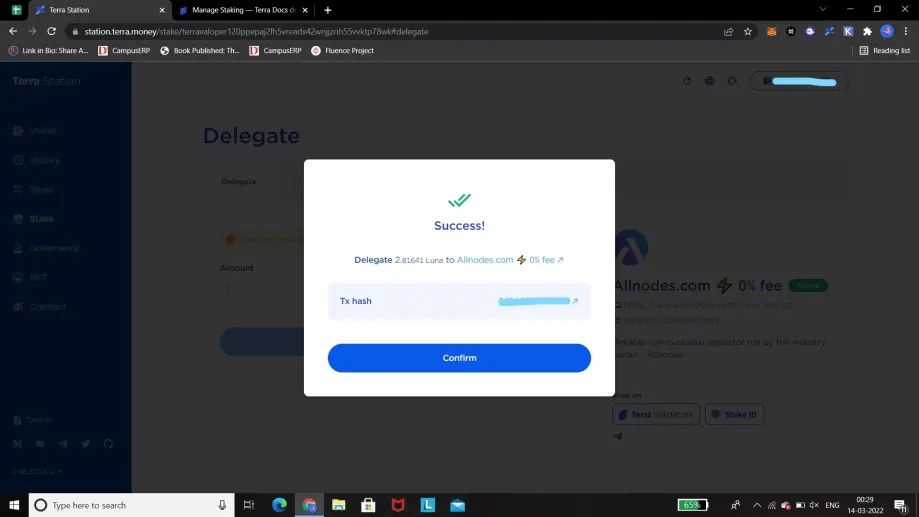
you can check your rewards on the TerraStation dashboard. Congratulations again!!
Last Note
Terra is an emerging project in the crypto space and has gotten huge attention in recent times. Despite the entire market crackdown, the $LUNA token stood strongly. There are multiple projects building over the Terra network so be sure to check for the upcoming Airdrops.
Hope you find this article interesting and get to know something helpful in the crypto space. Thanks for your time and appreciation!






