
In the previous article, we looked into staking Cosmos (ATOM) through the Keplr wallet and earning around ~20% interest annually. Decentralized staking, or simply delegating tokens, helps secure the network It is a much safer way to make interest over your holding than using centralized platforms like Celsius and Nexo. I will share a step-by-step guide to stake Cardano through Yoroi in this article. So, let's dive into it!
What is Yoroi?
Yoroi is one of the most popular and widely used wallets in the Cardano ecosystem. It is built by the Emurgo, which is a very renowned name in the ecosystem of Cardano. It facilitates simple and fast ADA transactions as well as an opportunity to participate in the governance, like a facility to vote and delegate ADA tokens to various validators and earn interest for securing the network. Yoroi is available on all kinds of devices & browsers like Chrome extension, android, iOS, etc. It is important to use popular and trusted wallets while interacting with the blockchain, that's why we will be using the Yoroi wallet for delegating our ADA tokens. Now, that you are aware of the Yoroi wallet, let's get back to the delegating steps.
Step 1: Install & Create the Yoroi Wallet
The very first step is to install Yoroi, for this guide, we will be using the Chrome extension, and the installation is very simple as installing any other Chrome installation. Here is the official Yoroi Chrome extension: Yoroi - Chrome Web Store (google.com)
If you are new to Chrome extension installation or wallet creation, then you can refer to the following guide: How to install Yoroi? How to create a wallet? – EMURGO
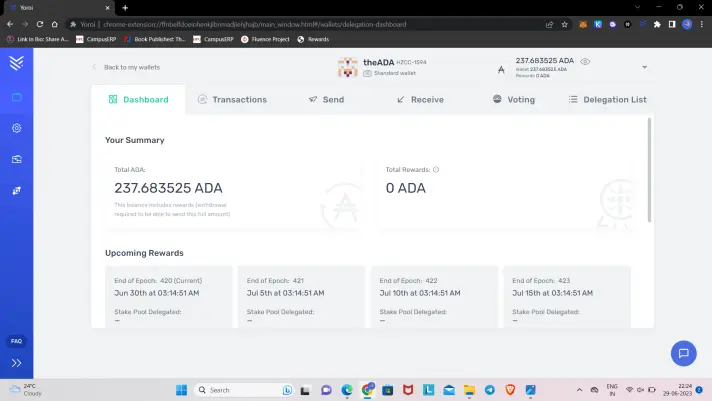
Once you create the Yoroi wallet, the following dashboard will show up:
Step 2: Deposit ADA in Yoroi Wallet
Now considering you are done with the first step and successfully created the wallet, it's time to fuel up with some ADA tokens. To deposit ADA, you can simply go to the dashboard and click on 'Receive', where you can see your wallet address and QR code as well. It will look something like this:
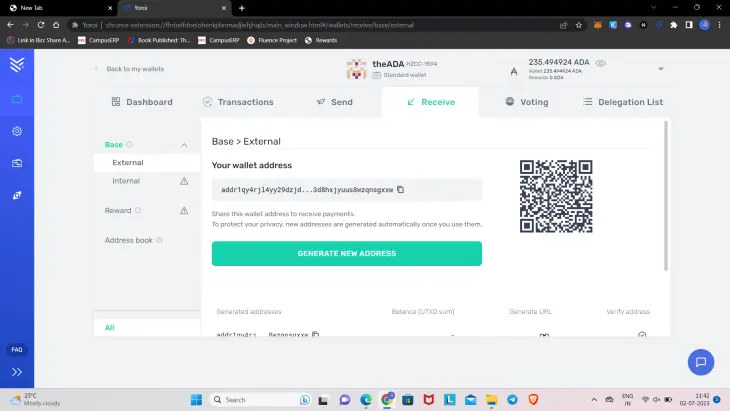
(Note: This is my Yoroi Wallet, specially created for this article, do not mistakenly send any ADA to this wallet, intentionally you can send 😅)
Step 3: Locate the Staking Pools to Delegate ADA
Now, that we have some ADA ready to delegate in our fresh Yoroi wallet, it's time to find the staking pools. You can find the list by clicking on the 'Delegation list'. It will look like the picture shown below:
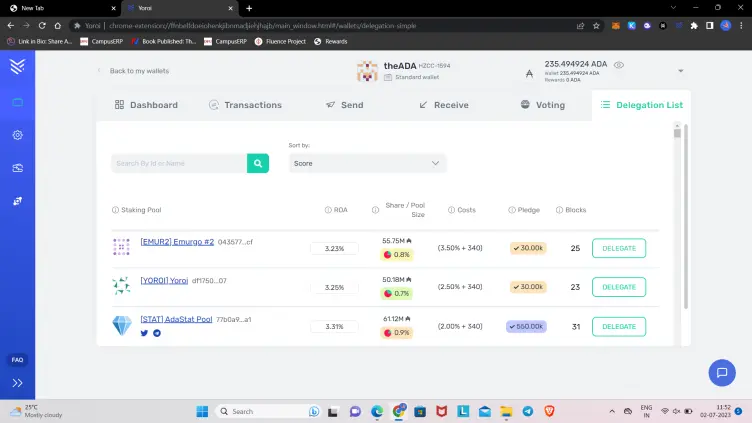
All the details like ROA (approximate annual returns), pool size, and others will be seen here. If you want to delegate to a particular pool, you can search with the name in the search bar and it will show up.
[Note: It's preferable to choose one of the top staking pools, as there are highly active and can have more chances of generating higher returns]
For this article, I will be delegating with the 'Allnodes' staking pool, but I will suggest going with others according to your preference.
Step 4: Delegate ADA
Considering you have chosen your staking pool, it's time to delegate some ADA to your selected staking pool. Click on the 'Delegate' button shown in front of your chosen staking pool. After clicking on it, the following pop-up will be shown on the screen:
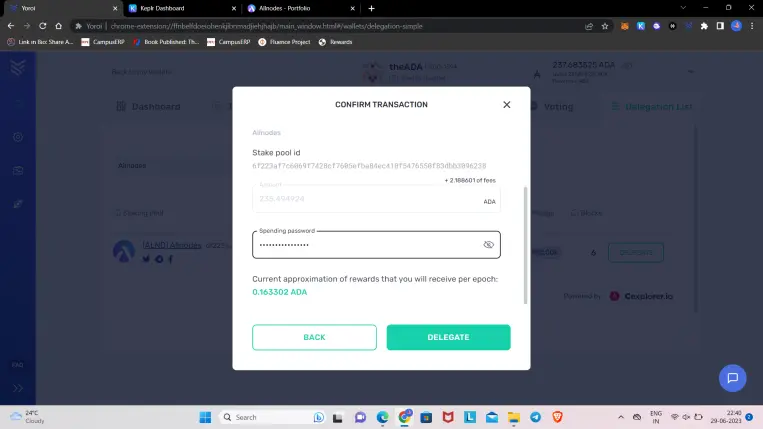
here you can select the amount and scroll down to enter 'Spending Password', enter it properly, and click on Delegate. If you have entered your password correctly then the following confirmation will show up:
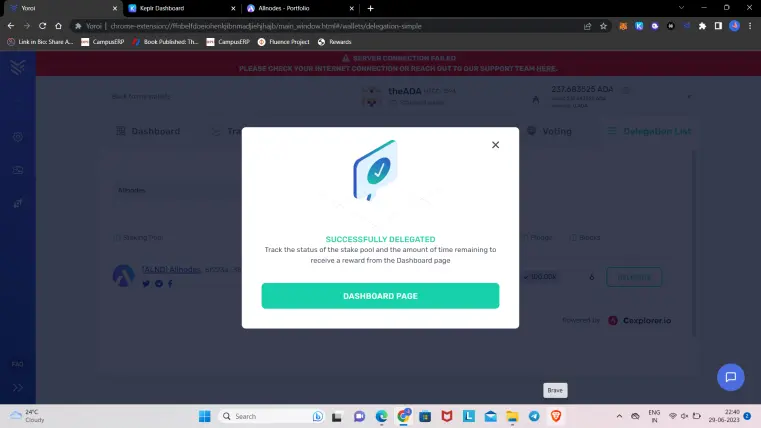
Congratulations 🎉🎉 you have successfully delegated your ADA tokens and now you are helping in securing the Cardano network, plus you are getting rewarded for that.
Step 5: Track Your Delegations
Now that you have successfully delegated your ADA tokens, you can track the entire report on the Dashboard. On Dashboard, scroll down a bit and there you can see the reporting of your delegation, for now, it won't show anything but later after the epoch, you can see the graphs here, as shown in the picture below:

This is it, hope you have found this article informative and helped you delegate ADA tokens using Yoroi. If yes, then do follow me on Publish0x @Cryptomanthan and on my Twitter.
Thanks for Your Time!
Hi, I am Ashish, an Author of this article!
I am an individual crypto writer and I write about the latest crypto news, crypto trading data, and guides like this article. If you are interested in getting notified when I publish my next article then do follow me, thanks if you are already a follower! Below are some of my referral links to verified and tested platforms where you can earn a small amount of crypto, so if you are interested then definitely check them out, it'll help me as well.
Freebitco.in - Most Trusted Bitcoin Faucet

Cointiply - All in one & Highest Paying Crypto Faucet

PipeFlare - Best Altcoin Faucet






