
A shoulder surfing attack is a type of social engineering technique used to obtain information such as personal identification numbers (PINs), passwords and other confidential data by looking over the victim's shoulder.
There are three types of shoulder surfing attacks:
a) an attack is performed at close range by directly looking over the victim's shoulder;
b) an attack is performed from a longer range with, for example, a pair of binoculars or similar hardware;
c) an attack which use technical tools, for example, hidden cameras, video recorders, infrared vision devices, etc. A hidden camera allows the attacker to capture the whole login process and other confidential data of the victim, which ultimately could lead to financial loss or identity theft.
Attackers do not need any technical skills in order to perform a) and b) types of this method, and keen observation of victims' surroundings is sufficient.
As a rule, shoulder surfing attacks happen in public places such as airports, cafes, hotels, libraries, etc., but may happen in work related buildings and even residential homes/apartments.
In this post, we consider a simple way to defend ourselves against such attacks by using free services of link redirection and a private dynamical passwords generator (DPG).
There are many sites or apps which offer shorten URLs or URL redirect services, for example,
https://free-url-shortener.rb.gy,
Many offer free tools or accounts with limits on links and clicks per month to use.
First of all, you need to create a short URL for your private DPG’s URL/link. In the example below it is mytestlink.io and set up an expire limit of 1 click.
Secondly, we set up a temporary link with expiration by number of clicks, using https://www.nimblelinks.com/redirect-click-count
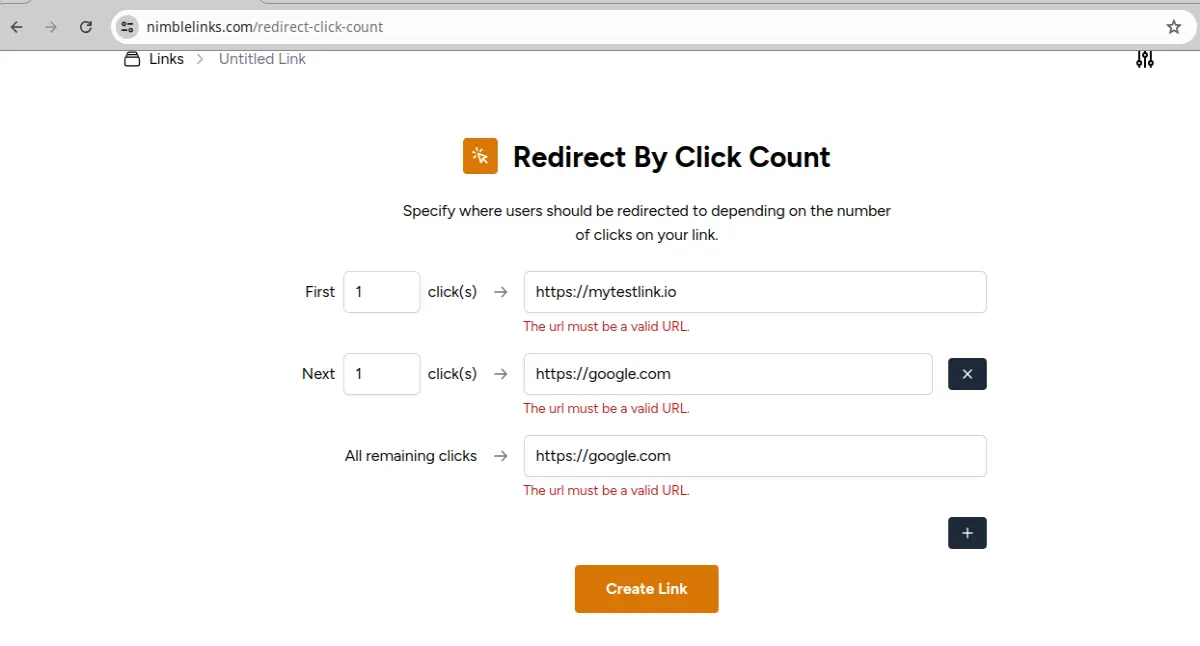
As you can see, our URL mytestlink.io has the expiration limit of one. This means that the first click on the URL below will be redirected to mytestlink.io, but all other clicks will be redirected to google.com. After clicking on the “Create Link” button you get the following link
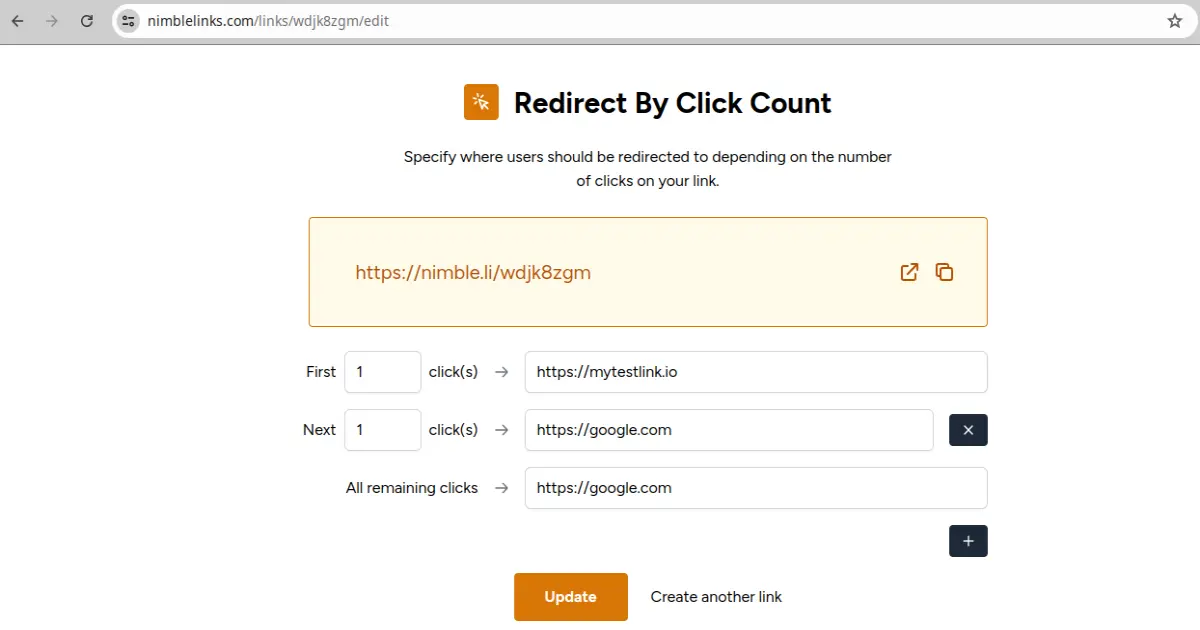
Click on the “Update” button to update the info.
For each temporary link, you can set up a number of clicks after which this link will expire. For our purpose (defense against the shoulder attack), you should set up 1 click for each temporary link you will use. The temporary links should be to your private DPG. In this way, an URL with your private
DPG link will never be shown on your device screen, therefore attackers will not be able to discover the private DPG’s URL. After such set up, you need to follow the procedure described below. Use F11 key to hide URL address bars of web browsers.
Step 1 Click on the temporary link to your private DPG and enter a key and date.
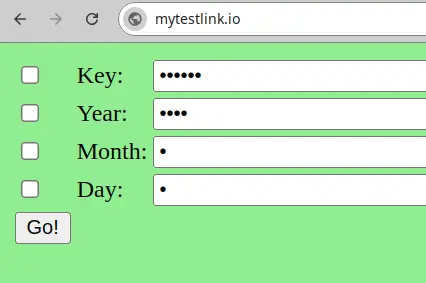
As you can see from the picture above, the key and date are hidden. The only information which can be seen by attackers is your temporary link to your DPG, which just expired, because you already clicked on it to open this page. You can hide the URL with F11 key on modern devices/browsers, as well.
Step 2. Find a place with a plain wall and sit with your back as close to the plain wall as possible. In this way, you can be sure that nobody look over your shoulder and there are no cameras or other hidden devices to record your actions and the device screen.
Step 3. Click on the “Go!” button to get an output.
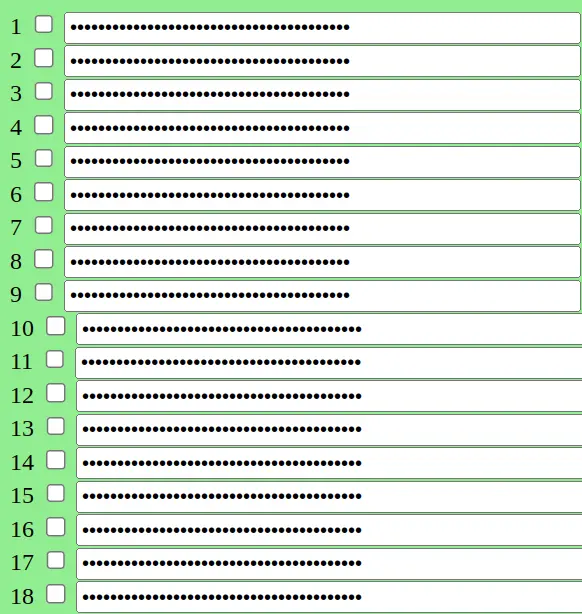
As you can see from the picture above, the output is hidden. Double check that nobody is watching you and if all is fine then mark check boxes on the left side to see the output.
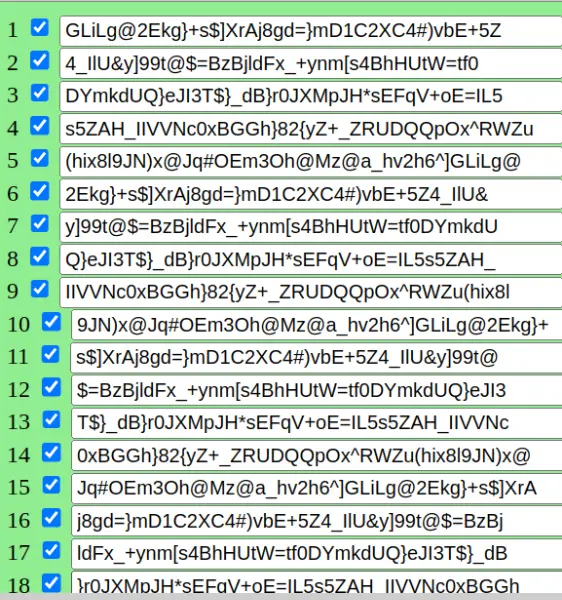
Now, you can reconstruct your passwords with your rules (see [1-3]) and login into your accounts.
This method also protect your passwords against key-loggers or similar malware, because you do not need to type your passwords during login process. Instead, you copy paste the passwords into the passwords fields of login pages.
You can set up links expiration by date/time as well or just use the procedure from the step 2 without any temporary links. Another simple option to hide URLs is to use F11 key, but this option may not work on old computers/devices/browsers.
There are many different combinations of options to choose from and you can select the combination, which better suits your needs.
References:
[3] https://dynpass.online/list_solutions.html





