
Are you as excited as I have been for crypto? This defi and people wanting more control over their finances has been a great thing for the space. I must say tho that the censorship has just gotten worse and this will bring a whole new mass to crypto and places like hive as well so this Bullrun IMO has just started.
This post is a little different than my normal grow logs and cannabis post but I thought I really wanted to get it out and show off that HIVE is not sitting back like Steem did the last bullrun. Hive or hive-engine has been killing it with the tribes and tokens that they are now bringing us Liquid Pools.
So shout out to aggroed and his team for bringing all these awesome things to the hive ecosystem.
This post is going to be about making a swap on the Weed/hive pool that is now live thanks to richardcrill for this.

Swap
For those of you that are reading this post on a different platform than a hive front end that you will need to deposit hive from your hive wallet to the tribaldex. The great thing about hive is you will be able to access your hive from many front ends with just your active key. I will list a few frontends that I use.
- https://weedcash.network/
- https://peakd.com/
- https://leofinance.io/
- https://www.hive.io/wallets/ this has all the wallets from the desktop to the keychain browser extension
You will buy hive on an exchange or earn it from posting, The most known exchange is Binance but hive is found on many exchanges

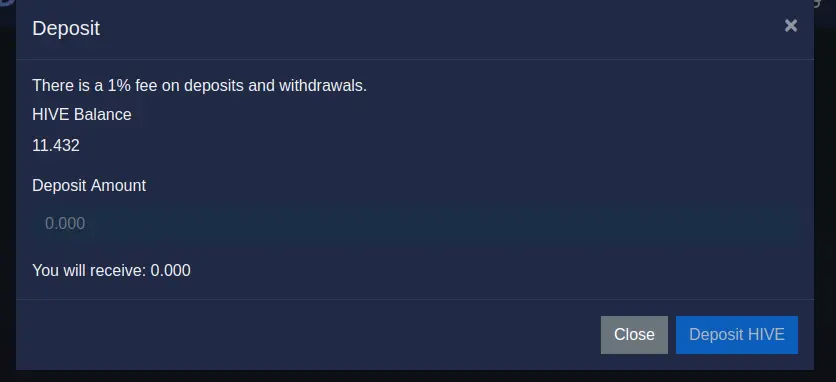
1. Click deposit in the wallet
2. Click the dropdown and select hive
3. Select the amount you will deposit
Now that you have the deposit of hive you are ready to make a swap to weed. This is the easiest part I think and I can see a lot of this linking different crypto projects with ease.
You will click on pools on the right side of [tribaldex](https://tribaldex.com/dieselpools/). You will be brought to a page that has "from and to" this is the place you will select what token you want to choose and since this is to swap Hive to WEED you will select those two tokens.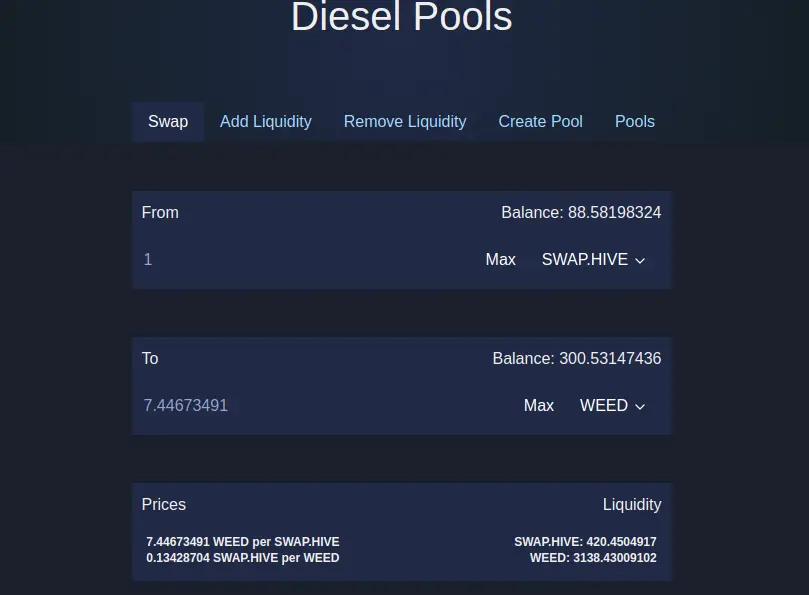
I am just going to swap over 1 hive and at the current time, it is 1 HIVE - 7.4467 WEED. I use a keychain so at this point you click swap and keychain will pop up to accept the transaction.
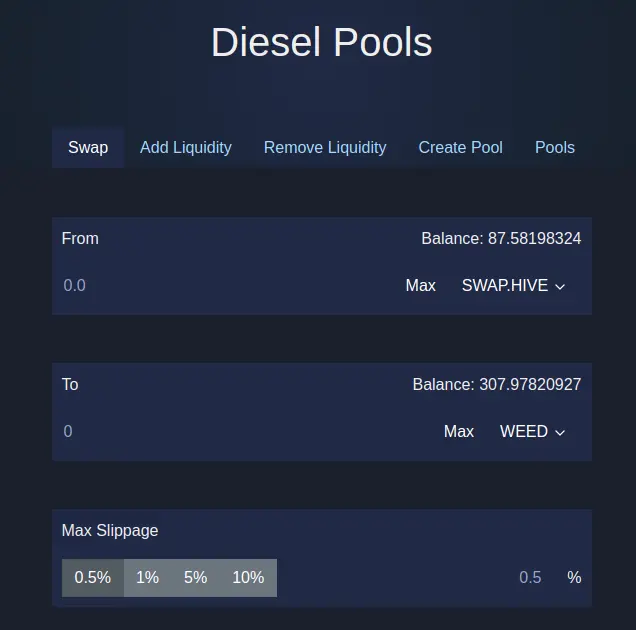
As you can see the swap went with ease and I now have 307 weed in my tribal wallet. This is the easiest way to swap tokens and is going to only get better.
Liquidy Pool
Now that I have done a swap and you see how easy that was I am going to show how to add some liquidy to the WEED/HIVE pool.
You will already be in the pools tab, You will now head to the tab that says add liquidity. This is the spot you will select the pool you want to add liquidity like WEED/HIVE.
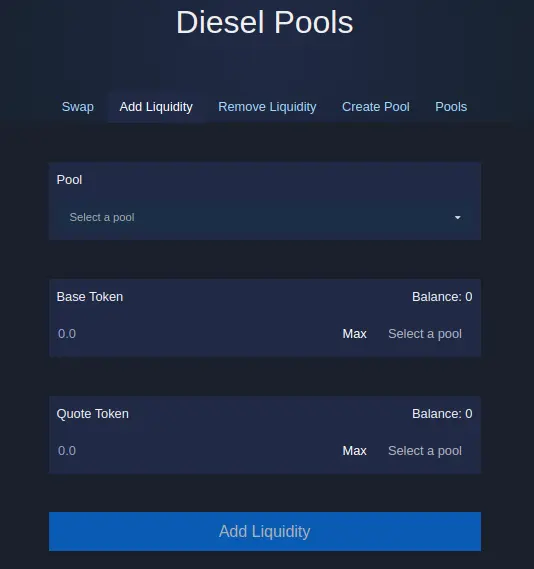
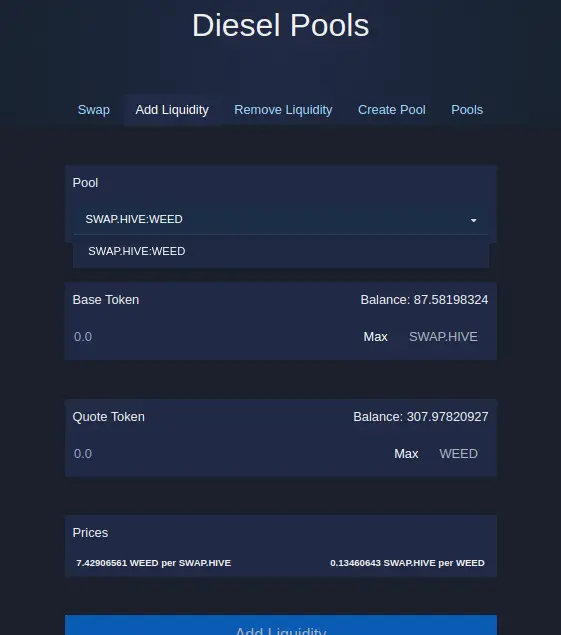
You can see that it will show your balance of the pool you select so in my case I have 87 swap.hive aka hive and 307 WEED. For the liquidity, you will have to add an even amount of HIVE - WEED in my cause I am going to add 300 weed and that is going to take 40.381929 hive.
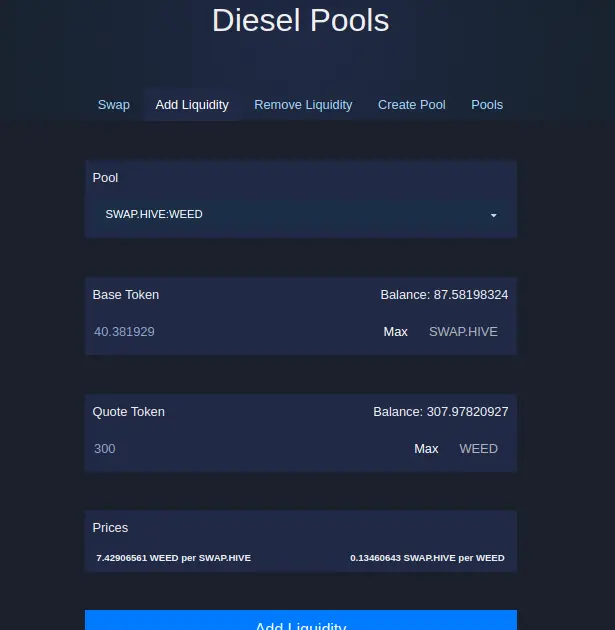
After click add liquidity and accept the transaction from keychain. You can see from the balance that it worked, Hopefully, of course over time we can have a spot to see our active pools and P/L but hey, on day one alpha this is working quite smooth.
Rewards are still being worked on and I am sure this will be implemented quite fast You can find more about this in the announcement post
Remove
To remove the liquid you have added to the pools you will just click on the remove tab and click the pool you want to remove the liquid from and set the shares to the amount you want to remove from 0-100%.
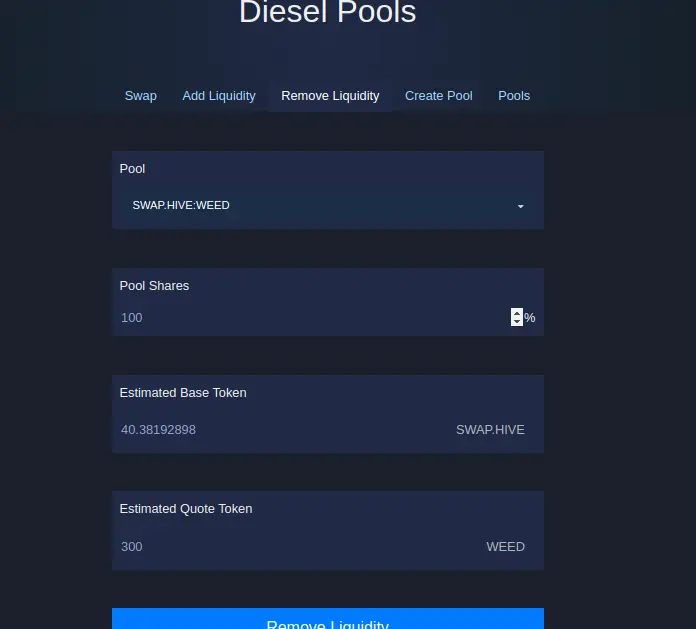
I never clicked on remove but I imagine it is just as easy as clicking and accepting on keychain.
As always when you provide too liquidity pools you face a HIGH risk of losing some or all of your investment so you should provide with caution and this is not financial advice. using the swap is flawless and has zero risks. ( unless your own mistake)






