
Time SavingTip:
Ok, you have same installation problem, but don't have time to read top to bottom, just goto bottom of this blog and read
Second method, I used Mac's Finder
So I was reinstalling AVG Internet security on my Mac, and I encounter little bit trouble.
Uninstallation went well with out any error message, but after that I just couldn't reinstall the software anymore.
Reply message from AVG:
-----
Thank you for providing the screenshots.
We are sorry to know that you are unable to install AVG Antivirus on your Mac. I believe that the uninstallation of AVG Antivirus didn't go through completely.
We request you to remove the AVG Antivirus traces manually by getting to this path: Library/Application Support/AVGAntivirus/
Once it is removed, restart your Mac and install AVG Antivirus as mentioned in this article Installing AVG AntiVirus and AVG Internet Security on Mac
If these instructions didn't resolve your issue, you can start the remote connection at your convenience, the service is available 24/7. You will be able to watch the progress and chat with the technician until the issue is resolved to your satisfaction.
To take advantage of this service, simply request the remote connection at your convenience by following these steps:
- Visit the AVG Remote Support website.
- Fill in the short form. Your Case number is available in the subject of this e-mail.
- Click Connect to an expert. A remote support file will be downloaded.
- Run the downloaded file.
- Use the opened window to chat with the AVG technician.
Best regards,
-----end of message-----
First I try to erase the left over file/folder from Mac's Terminal, but...
Mac Terminal
Command: ls -list file/directory
cd - change directory
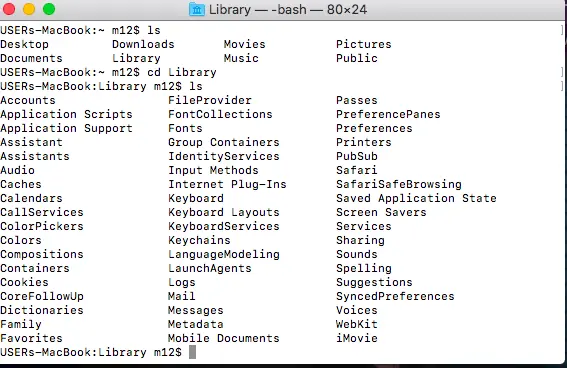
2nd screenshot pic of Mac Terminal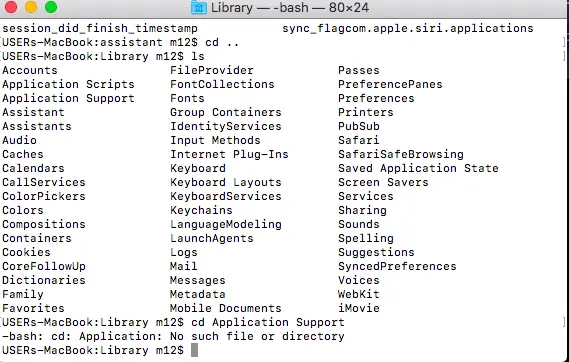
Some reason I cannot get into Application Support, so I give up; yes, I'm a quitter.
Second method, I used Mac's Finder
This worked out, I was abled to remove remaining file/folders.
Screenshot from Finder: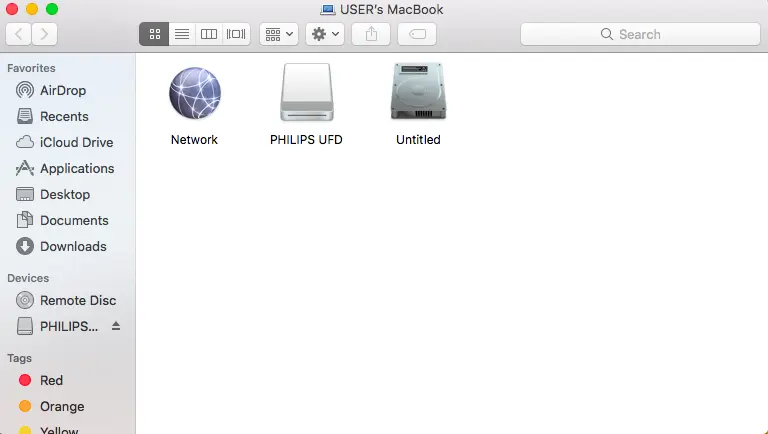
Second screenshot image of Finder: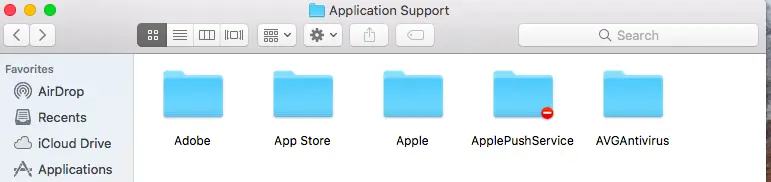
Yes, there's leftover AVGAntivirus folder! Just erase that leftover folder. That's it.
Thank you for reading.
If you like what you read, please consider up vote, comment, or donate.
It motivates me. Thank you.






