
Originally published on my medium account: https://medium.com/@CyrilOsagie/10-design-principles-every-designer-should-follow-visual-hierarchy-00d46bf2395b
Whether UI/UX, WEB, PRINT, or non-print designers, Visual hierarchy is a basic principle designers should follow to have users engage and pay attention to their designs.
Visual hierarchy is simply the arrangement of objects, patterns, or elements to show their order of importance. It is a way designers prioritize some information or elements over others so that clients and users can grasp important information.

In this modern world where the average human attention span is about 9 seconds, designers need to make use of these principles to achieve, eye-catchy designs:
1. Size and scale of elements.
Just as you’re more likely to see something the closer it is, the size of elements really affects users’ attention so the bigger the size, the more attention it would have.
Designers should always make the important stuff as big as possible so that it can be easily noticed.
 2. Typographic Hierarchy
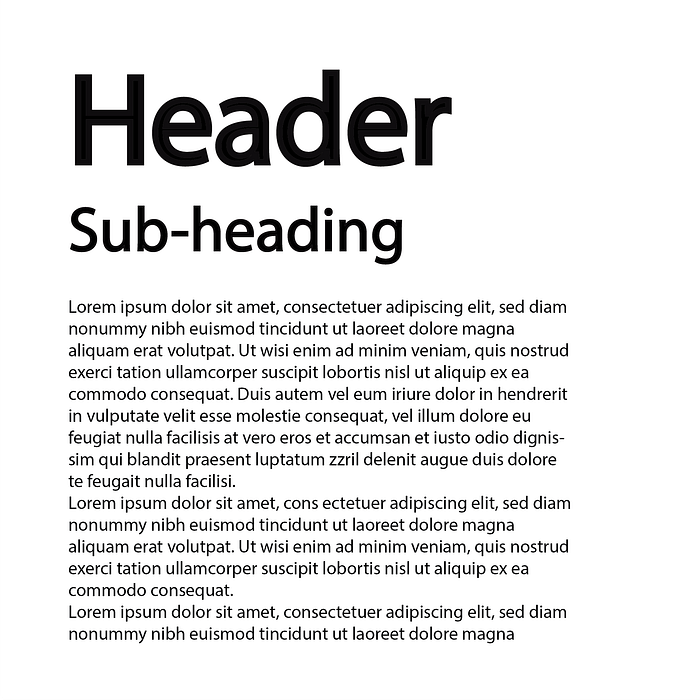
This is a part of the visual hierarchy that no designer is supposed to neglect especially when dealing with texts. The most important texts like headings, themes, and titles should appear bigger and bolder, subtitles can be smaller and then the main content should be the smallest.
A newspaper or magazine is a good example of how important typographic hierarchy is.
 3. Fonts
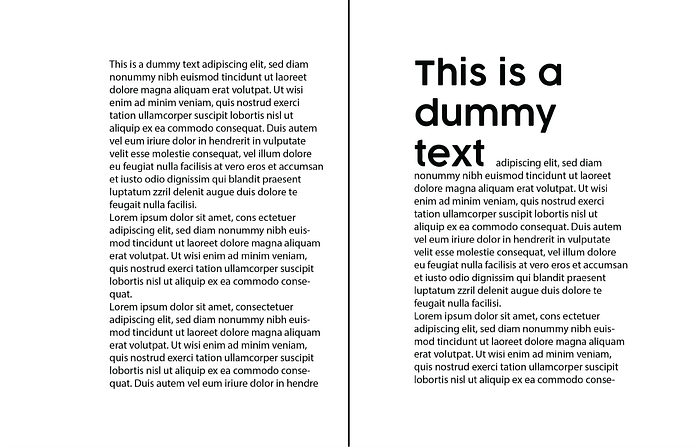
Different fonts come in different shades, Heavy, bold, regular, light, thin, etc. and the composition (San-serif, serif, hand-written, or decorative) can make a design look good or bad.
Also, font variations make the text more organized and readable.
 4. Color and Contrast
Colors that clearly contrast their background appear closer to the viewer than other colors. Warm colors would appear closer over dark backgrounds while cool colors would appear closer over light backgrounds.
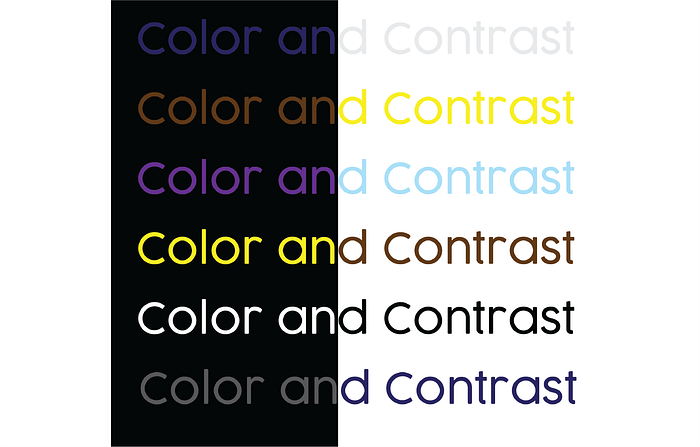
Also, designers should avoid the overuse of colors and stick to moderation. so that not all the elements would appear important and then cause confusion.
5. Proper use of white space
White space(blank) is one of the most important but ignored principles of design. As a designer, you should be able to plan your design so that its elements have space to breathe, and you’ll not end up with a confusing design.
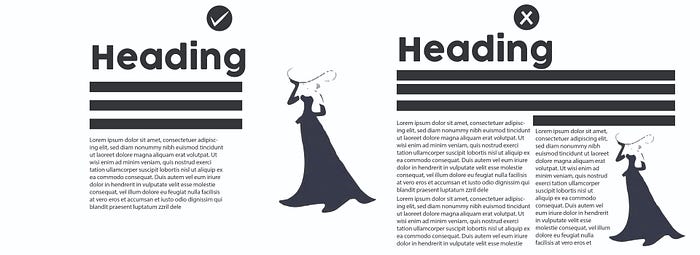
Some designs are so jam-packed that it looks disorderly and confusing. Create space in between design elements so that the user knows what to focus on first and has places where the eyes rest a little before going to other elements.
6. The rule of odds
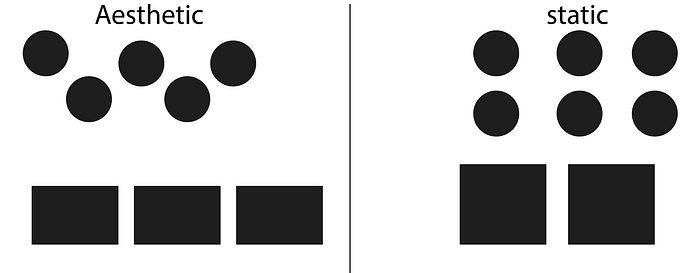
This rule states that you have to have an odd number of elements in your design to make it aesthetically pleasing as even numbers often relax and make objects look equal. On average the rule of law makes a design to be interesting. It can help achieve natural balance when viewing objects.
 7. Reading patterns
Humans usually read from top to bottom, which is the normal way to read, but in a situation where you can only scan through an image, flyer, or some information on a billboard when driving. This is where design patterns for reading come in. We have two major reading patterns.
- The F pattern.
The F reading pattern is often applied when reading text-filled images or materials. Users would scan for the headline first, then sub-headings, numbered items, or bullet points before going to the main content.
- The Z pattern.
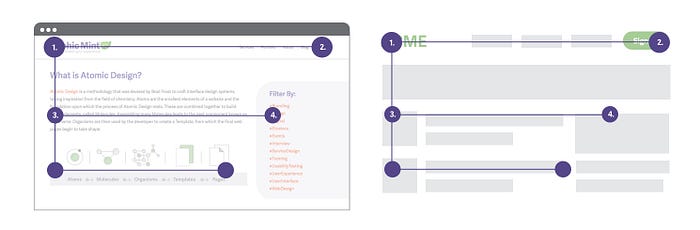
Designers should make sure that materials or products with less text and more images should be arranged in a Z pattern starting from the top-left corner to the bottom-right corner. This is one of the reasons why most websites put their logos on the top left and their contact information on the bottom right.
 8. Repetition
Repetition of design elements in a proper manner helps the user to see unity and rhythm in your product. It projects visual harmony and emphasis. Designers use repetition of elements in creating unique visual patterns by reusing elements like colors, shapes, patterns, lines, etc. throughout a piece of work.
 9. Leading Lines
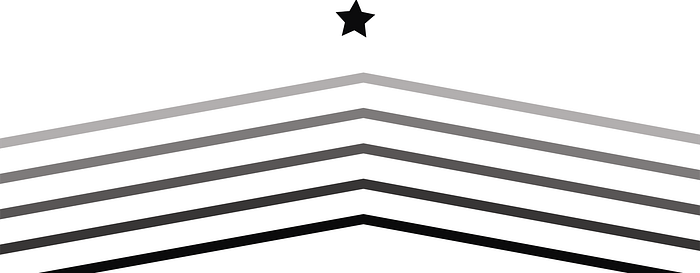
This is a technique used to draw users’ attention to a particular area or important detail. Leading lines help to create symmetry, establish a focal point, and direct the viewer’s eye to focus on important information. Designers follow this principle to be able to trickily shift the user’s eye to a particular position.
 10. Perspective
This is one of the principles of design every designer needs to look out for to create visually pleasing and realistic designs. Perspective deals with lines, color shades, and textures that are arranged in a manner that shows how far or near an object is to the viewer.
There are three kinds of perspectives.
a. One-point perspective: This is a situation where the object is directly facing the viewer and has only one vanishing point lying on the horizon.
b. Two-point perspective: In this case, the object faces the viewer with the vertical edge visible so that it can be seen by another viewer.
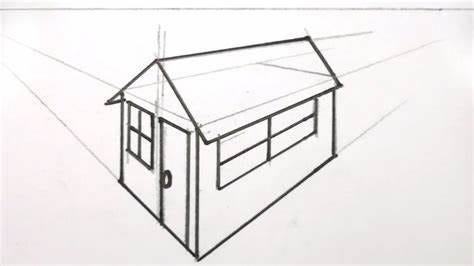
c. Three-point Perspective: This starts with the corner of the object and is positioned in a way that can be seen from up or down by the observer.
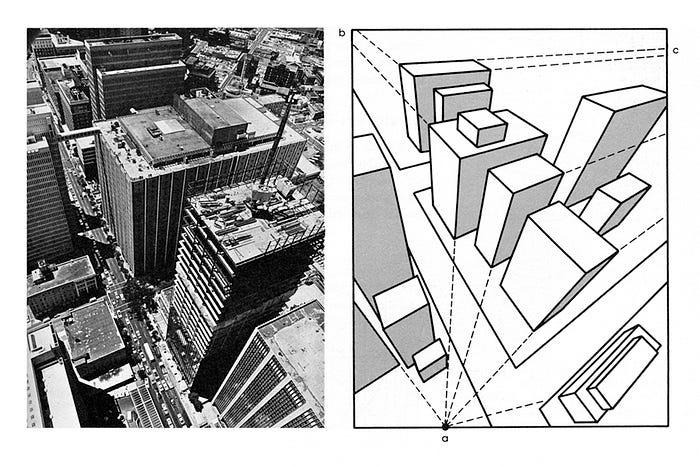
the three-point perspective has two separate vanishing points, one on the horizon line and one vanishing point at the top or bottom of the object.
In conclusion
Visual hierarchy is a very effective principle when designing especially if you’re conveying important information to different users (old and young alike). The more visually pleasing your design is, the more attractive and engaging it is. You need to take all of these principles seriously if you want to advance your career in the design industry.






