
It's my first post so sorry if it's not perfect :)
For a first purchase of bitcoin, we will go through a very secure buy / sell platform: Coinbase. It will take you about 30-60 minutes to create and validate the account. Once it is validated, it will only take a minute to buy bitcoins by credit card.
Positive sides
• The security of your bitcoins on a proven site.
• Simple and reliable platform to start
• Account validation by providing identification documents has a didactic side.
• This site is both a place to buy / sell and a “wallet” / bitcoin address (this is not a trading site. Thus, its use is suitable for beginners. In a second step, if that's what you want, it will be possible to trade with the same account). • The Coinbase site also offers a Smartphone application (Android / iOS) for your wallet.
Negative sides
• Registration is long and requires taking good quality photos (This is the KYC or "Know the consumer" policy. In return, this is a guarantee of safety for them and for you)
You have to prepare a good quality photo of:
1. One piece of ID
2. The same back piece
3. A selfie of you holding this ID (which lets you see the ID)
Have the amount, in euros, of buying bitcoins
o Either by bank card - immediate
o Either by bank transfer (this can take 3-4 days due to banks)
BONUS sponsorship: On Coinbase, provided you are sponsored - via the link below - you will earn a credit of $ 10 (approx. € 9). And this in the following case: buy for an amount at least equal to $ 100 (approx. € 90). So you earn 10%.
Don't worry, you can buy just for € 5 if you want.
My link : https://www.coinbase.com/join/menut_e
Simple registration
Let's start by opening the CoinBase page Top right: registration
The opening of an account begins in the usual way: First name, last name, email and password. The site verifies that your email address is valid. You check your emails and click on the validation link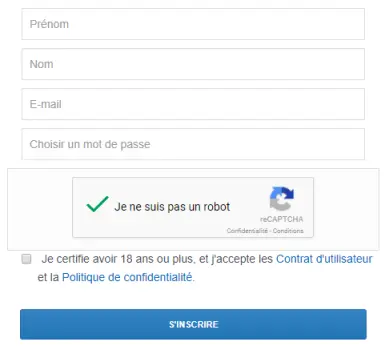
Validate your identity This is where things get serious. We have to prove our identity.
This is because the account will hold money or bitcoins. Consequently, our identity must be verified.
As an individual, choose Individual.
Confirm your phone number.
To validate your legal identity, either: passport, driving license or identity card The site uses your webcam to take a picture of an ID. Make sure the documents are READABLE In case of failure, the site will also offer verification by phone because the camera is often of good quality. 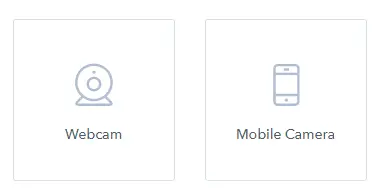
Leave the site page open during verification with the phone.
Here ! This step was delicate. It may need to be repeated several times.
Add a payment method
On the Settings> Payment methods> Add a payment method site.
Choice of SEPA (bank transfer) or by bank card. The fastest being by bank card.
By credit card Terms:
Only Visa, Mastercard and Maestro cards with support for 3D Secure authentication are accepted
Fee: 3.99% per transaction
By bank transfer (SEPA) Prerequisite:
Contact your bank to activate European bank transfers
Fees: 1.49% per transaction
Create a Bitcoin address
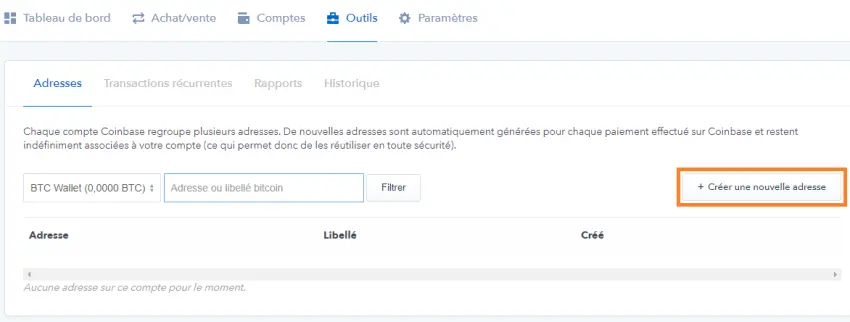
Go to Tools> Create a new address. Give a name to the Bitcoin address.
Buy bitcoins
Go to Buy / Sell. Enter a value in euros or bitcoin.
Click on the blue button. The purchase is made.





