
Sometime last month, I reviewed a project known as Identiconizer. With Identiconizer, users can get a custom contact view without needing to root their device. In that post, I emphasized how much I love, or prefer custom views to stock ones. You might also check out this post where I gave valuable points to why third-party apps are better than stock ones.
In today's article, I will be reviewing a project by Chooloo. This is my first time reviewing a project from this responsive developer.
Huh, response? Yes, you will understand why I used the word responsive when I start talking about how hardworking he is.
He named this project Koler, and defined it as "A uniquely stylized phone app, with customizable features for Android devices".
I don't know why the project isn't available on other app stores except for the popular one. But, I see that the project repository has an issue opened to add the app on F-droid. However, you can download the project from Playstore link below.
Note: Make sure your device is an android version of 6, and later.
What Is Koler?
Koler is an app that lets you view contacts, place, and receive calls. It has similar functions as the stock phone dialer on Android devices. If you've been using your phone dialer, which I am sure you are using. Then, you won't have issues using Koler.
To get everything on Koler to function as intended, you have to accept the permission requests that will appear when launching it. The three permission that is to be accepted are;
- For Koler to manage phone calls
- For Koler to send and view SMS messages
- For Koler to access your contacts
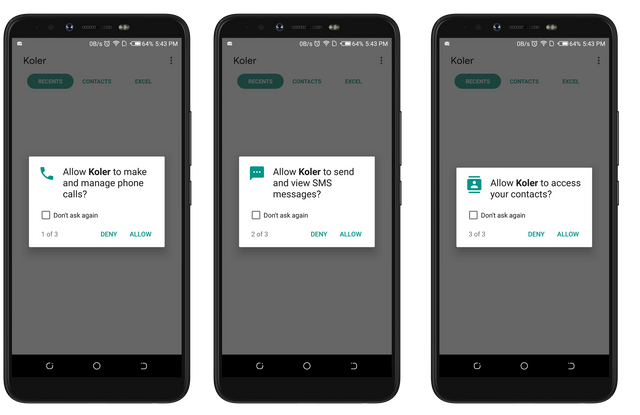
Since Koler was developed to seamlessly let its users view contacts, place, and receive calls, Then, It needs the user's permission to access them. So you are advised to accept them all.
one of the reasons I have decided to use Koler is because of its beautiful UI. While I was checking out the project info on Github, I fell in love with the three screenshots from the repository ReadMe page. The project owner stated that "One of the main parts in this app is the design. Making it intuitive and comfortable." The screenshot proved in the ReadMe file proved the statement right. And yes, when I first used koler, then, I noticed that the UI is beautiful as the project's owner stated.
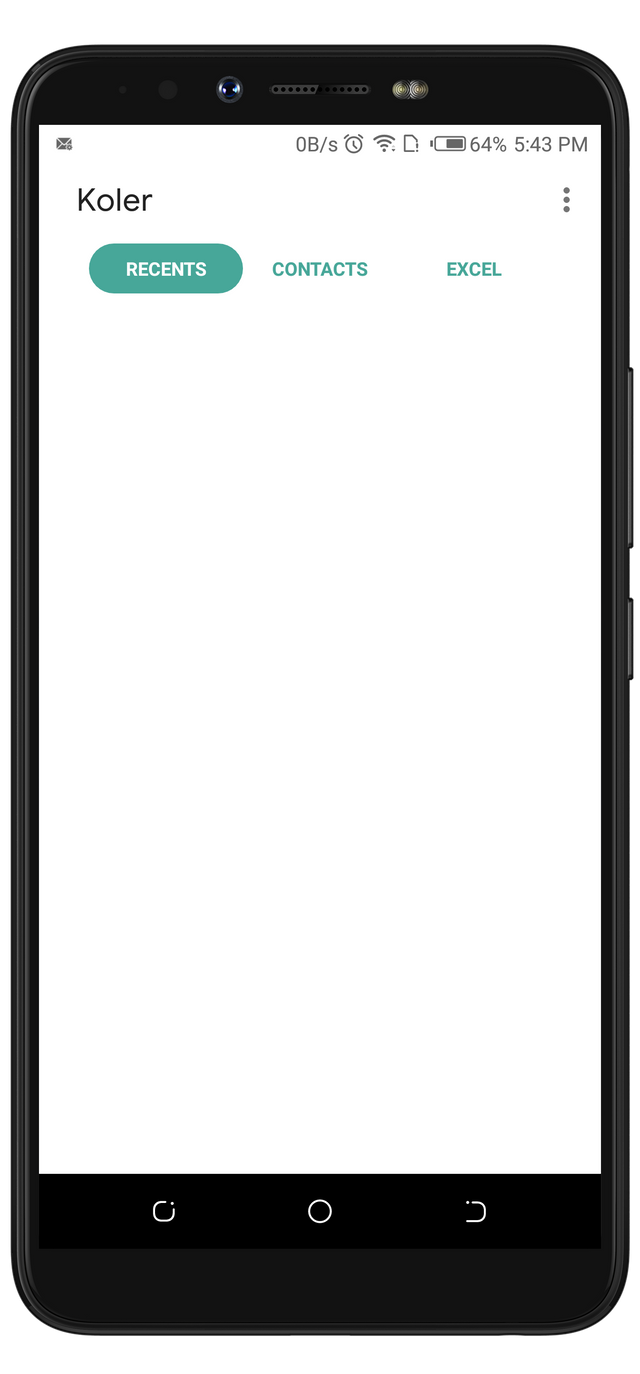
Clean & Beautiful UI
After I accepted those permissions, The page from this screenshot displayed. As you've seen, the user interface is clean and beautiful. There are no unwanted buttons or text displayed. This page is known as the Recent interface. Its function is to save my call history. I haven't received or placed any call that's which why it's empty. You'll get to see how clean it'd still look when it displays my calls history. From this page, I was able to view the title of other interfaces. It was at this point I noticed that the developer made use of my favorite color as the background for the tabs. In case you're wondering what my favorite color is, It's Green.
Placing A Call
Do not forget that the screenshot above doesn't hold any of my call histories because I haven't placed any call. So, I'd have to actually place a call for the Recent interface to save it. And when I did, I was amazed by how the interface looked while I was on a call (The first screenshot). It's interface looks similar to that of an iPhone's. It has a White color as its background, and lovely icons displayed on it.
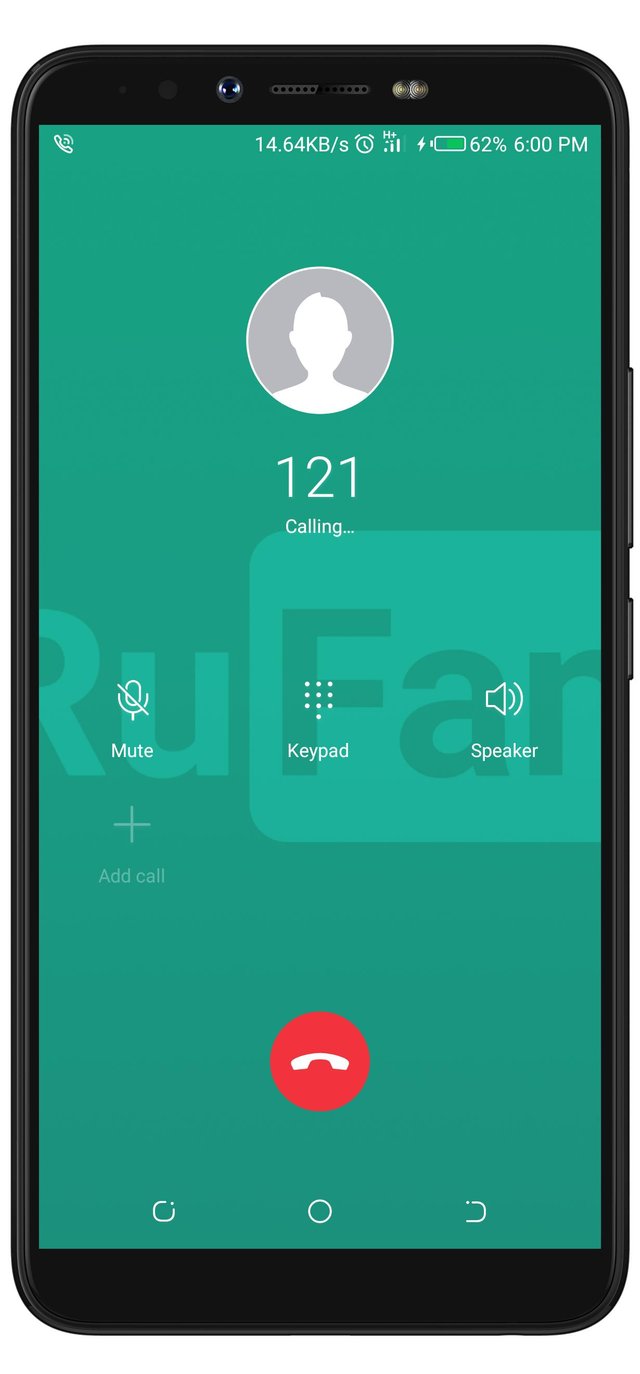
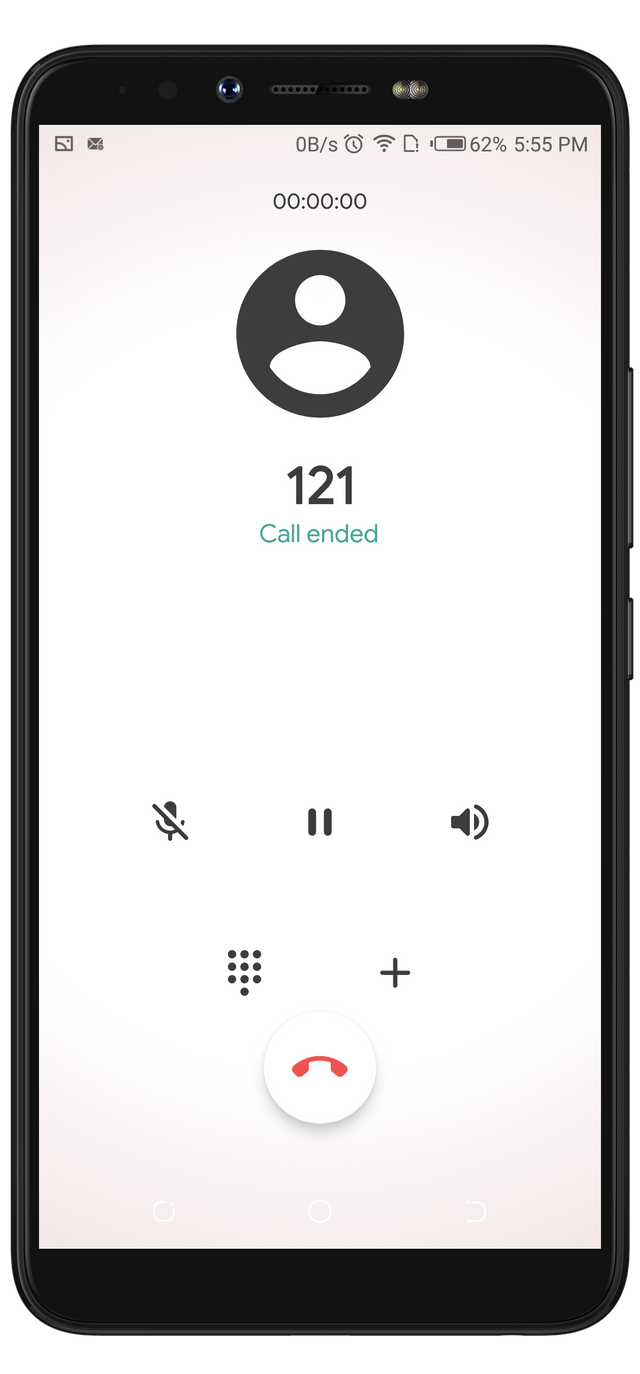
The screenshot on the right side of the screen above is the calling interface from my stock phone dialer. I would have preferred this interface to Koler's. But, the Green color used doesn't match the icons and texts displayed on it. It's hard to read the texts on this interface.
If you check Koler's calling interface, you'd notice that the text and icon colors are black on a white background. I believe Black on White or vice versa is one of the best color combinations. And I am glad the developer applied it while designing Koler. The only text with a different color is "Call Ended". It has a green color on a white background. Interesting enough, the green text still fits the White background.
Recent Interface Is Same As Call History
As I have explained in previous paragraphs, the Recent interface on Koler's app has the same functions as the history interface on my stock phone dialer. Below are the screenshots from both apps displaying the lists of my call history. The Recent page on Koler's app still maintained its lovely color combination.
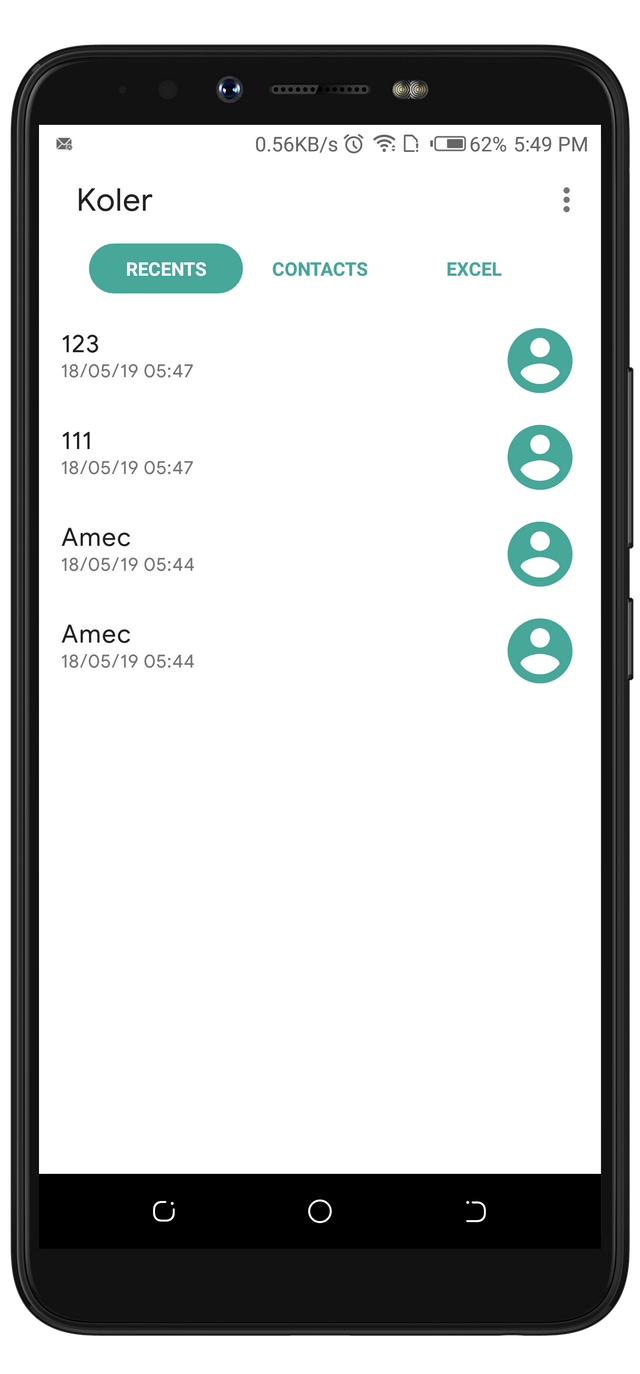
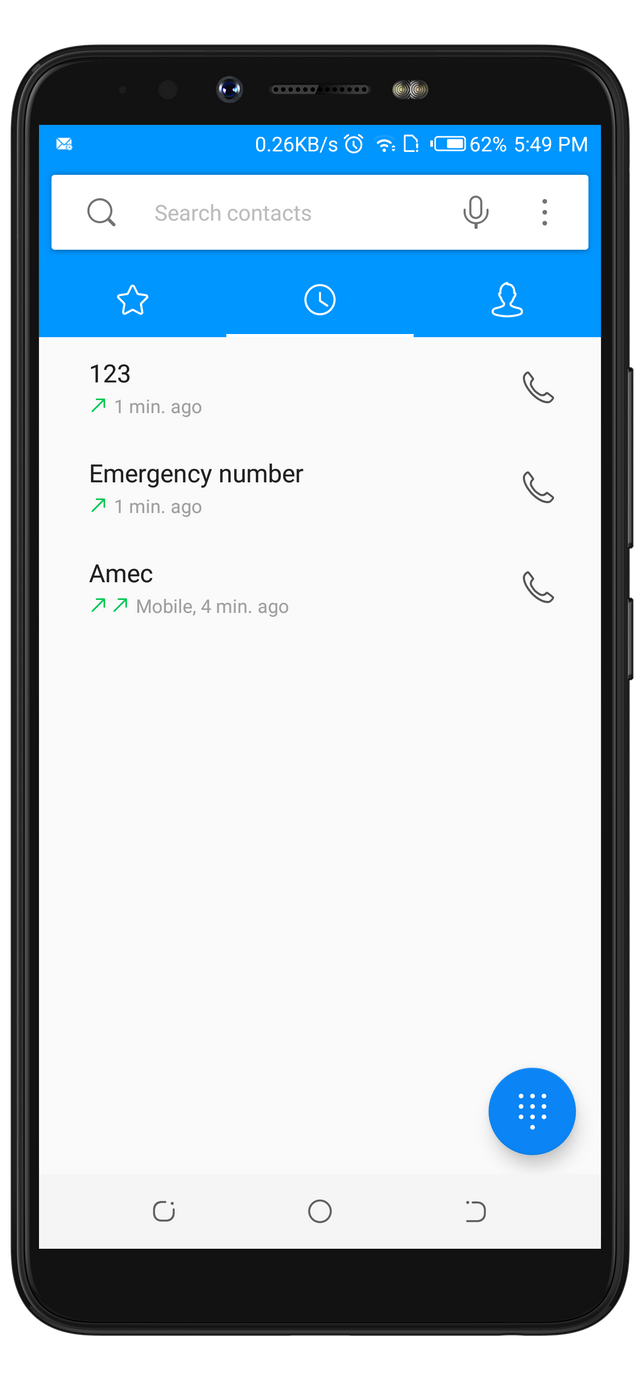
My stock dialer has an option to search for contacts and place a new call which is missing on Koler. Maybe this would be one reason i will prefer it over Koler's Recent page.
Contacts
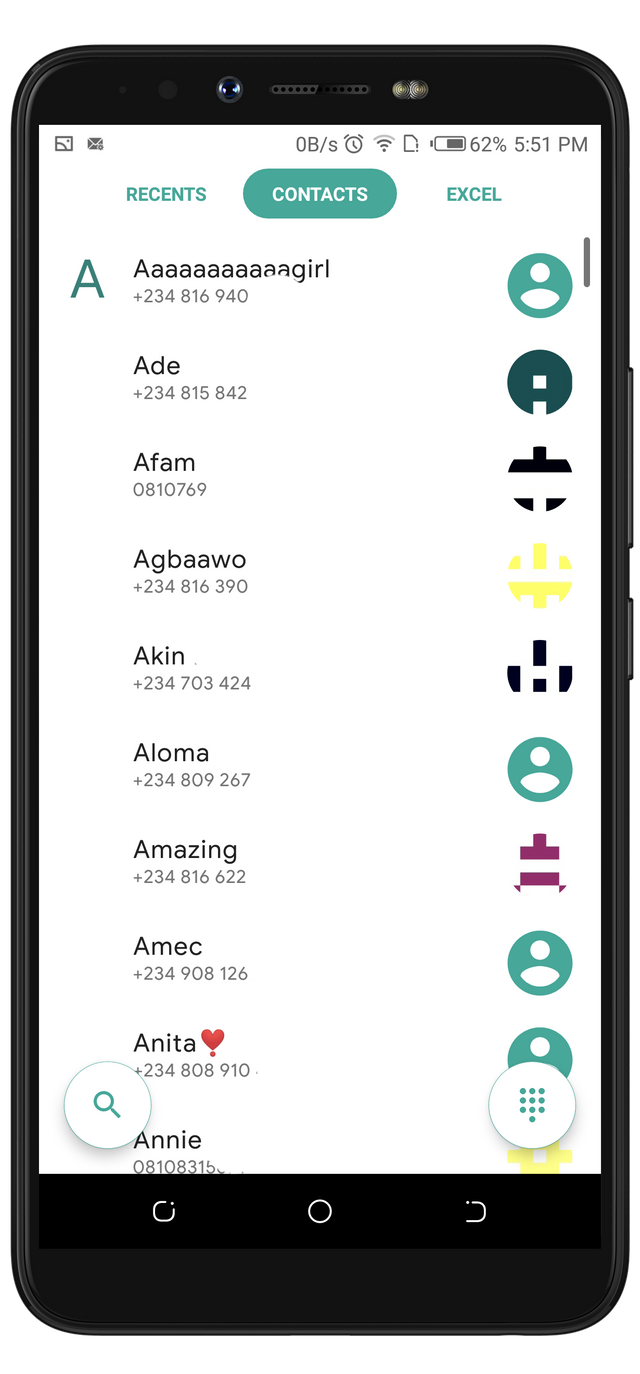
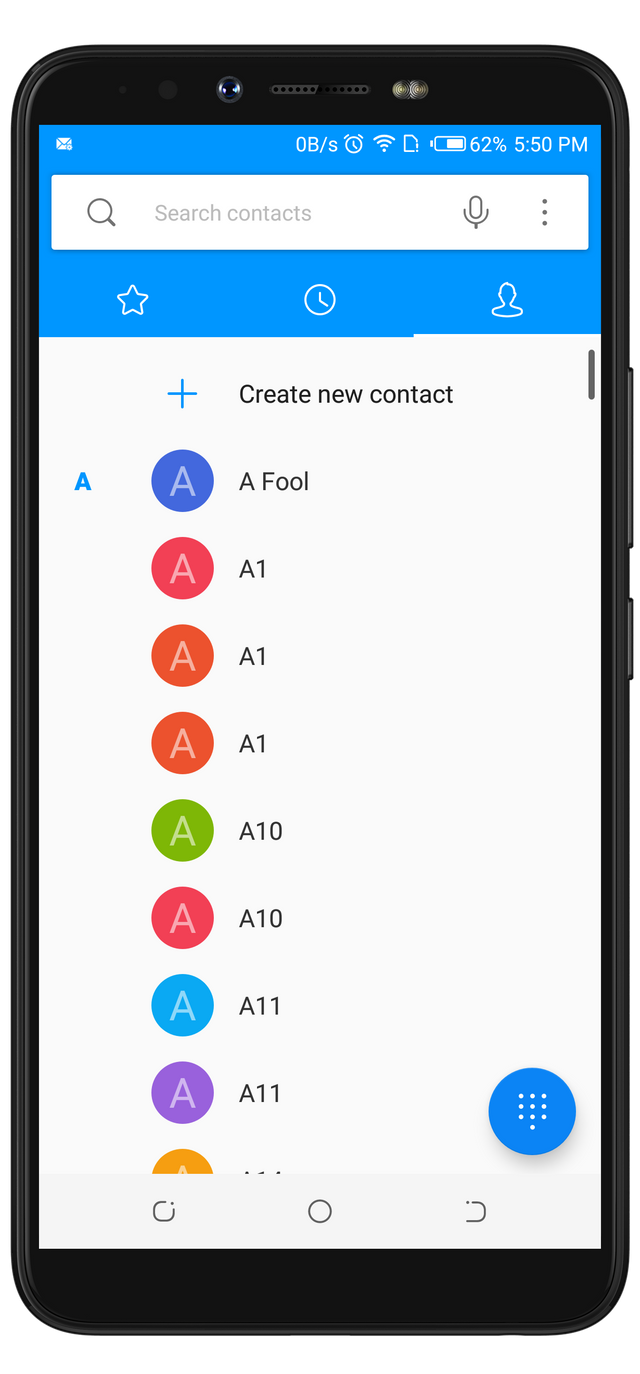
The screenshots below are displaying the Contact pages on both apps. They look very similar except for the colors used for their interface designs.
The options that were missing on Koler's interface from the paragraph above, are found on this page. I got shocked when I noticed that these same options are also available on my stock dialer's interface.
Users can save a new contact right from the page on my stock contact page. This option is missing on Koler's app. I wish Koler have this options implemented. However, I will suggest it to the developer.
Unique Features
After I have successfully used the features on both apps, I noticed two unique features of Koler's app over my stock app. These features are displayed in the screenshots below.
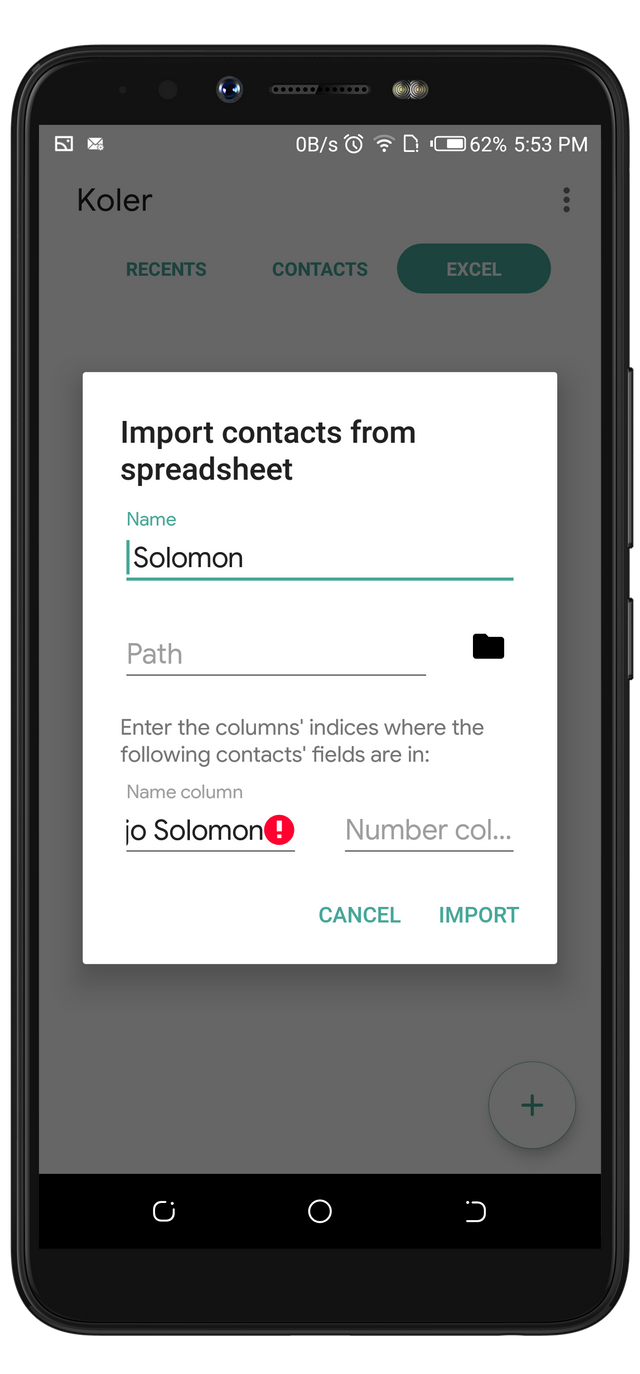
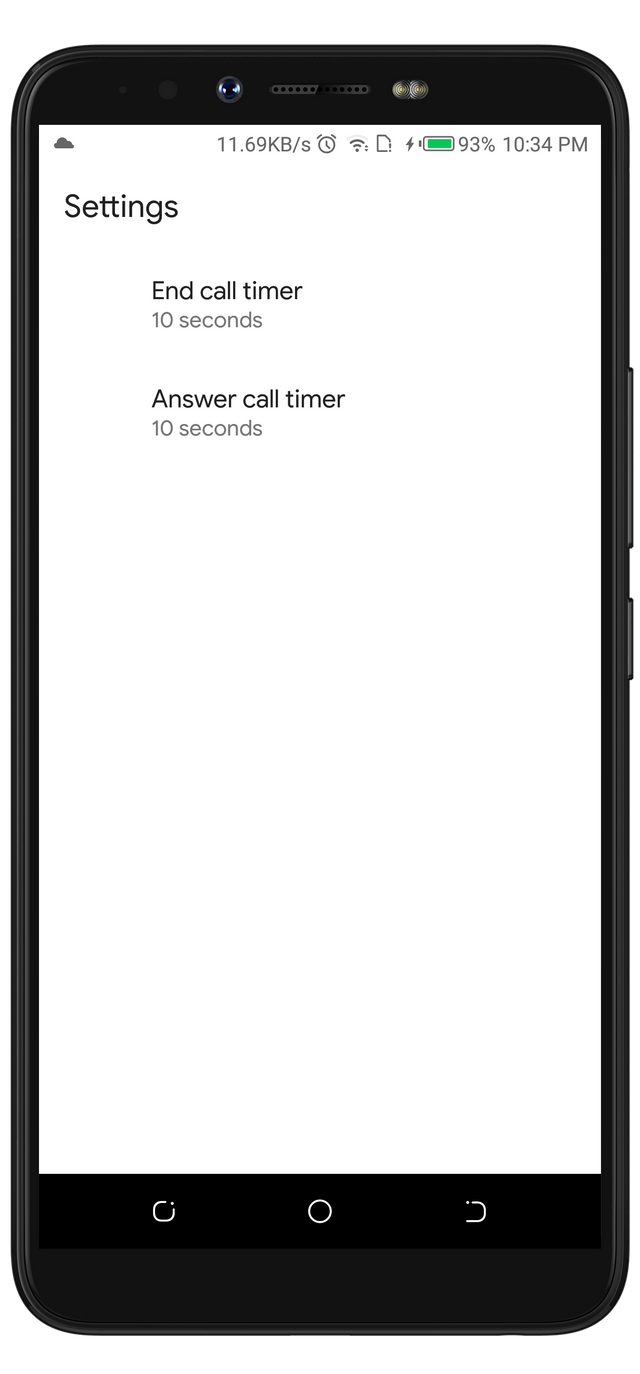
Do you know that with Koler app, you can set a timer to automatically answer a call? And also to end a call? Yes, The options are displayed on the first screenshot above. These options are missing on my Phone dialer. The option to set a timer to answer a call will be a very useful feature for me. With this option, I don't have to run towards my phone when I have a call because it'd automatically pick when the timer ends.
The other unique feature is the ability to Import Contacts from a spreadsheet. This feature is missing on my stock dialer. These options are enough to prefer Koler to the stock dialer on your phone.
The only unique feature I noticed while using my stock dialer, is the ability to contact to a favorite list.
Project Update
At the beginning of this article, I stated that the developer is very responsive. I typed that statement after I seeing how he responds to every issue opened on the project's repository page. I opened about 7 issued days ago, and I was amazed when I got a notification that the developer has fixed the issues. The fixes caused him to release the latest version which is V.0.2.8.
In the latest version, he fixed the following issues:
- Koler V0.2.7 Crashes When A Number Is Pressed While On A Call bug
- Koler V0.2.7 - Search button and the button that displays the interface to dial numbers turns blank after searching and dialing a number bug
- Koler V0.2.7 - Number Sign Or The Hash Sign Doesn't Respond OnClick bug
- Koler V0.2.7 - Search Button And Button_Keypad Covers Star (*) And Hash (#) Button.
- Koler V0.2.7 - Refreshing The Recent Page When It's Empty Crashed The App bug
- Koler V0.2.7 - Recent Page Doesn't Hold The Call History bug
- Koler V0.2.7 - Doesn't Recognize Digits/Phone Number If Shared/opened With Koler
Those were the 7 issues I reported. And I am glad they are all fixed.
Conclusion
Koler is that app every Android users needs to have. When you install Koler, you will definitely love its material design, and how it responds to swipes. Thank you.
Previously posted on my steemit blog.
https://steemit.com/utopian-io/@rufans/koler---the-android-call-manager-with-minimalistic-design






