
The Blazing Extension connects your browser directly to your Blazing trading account. You buy, sell, and manage trades without leaving your favorite crypto platforms. The extension focuses on speed, precision, and control for active onchain traders.
Fast setup and simple use
Blazing Extension runs directly in your browser. You install it once and connect through Telegram. No separate dashboards. No extra setup steps.
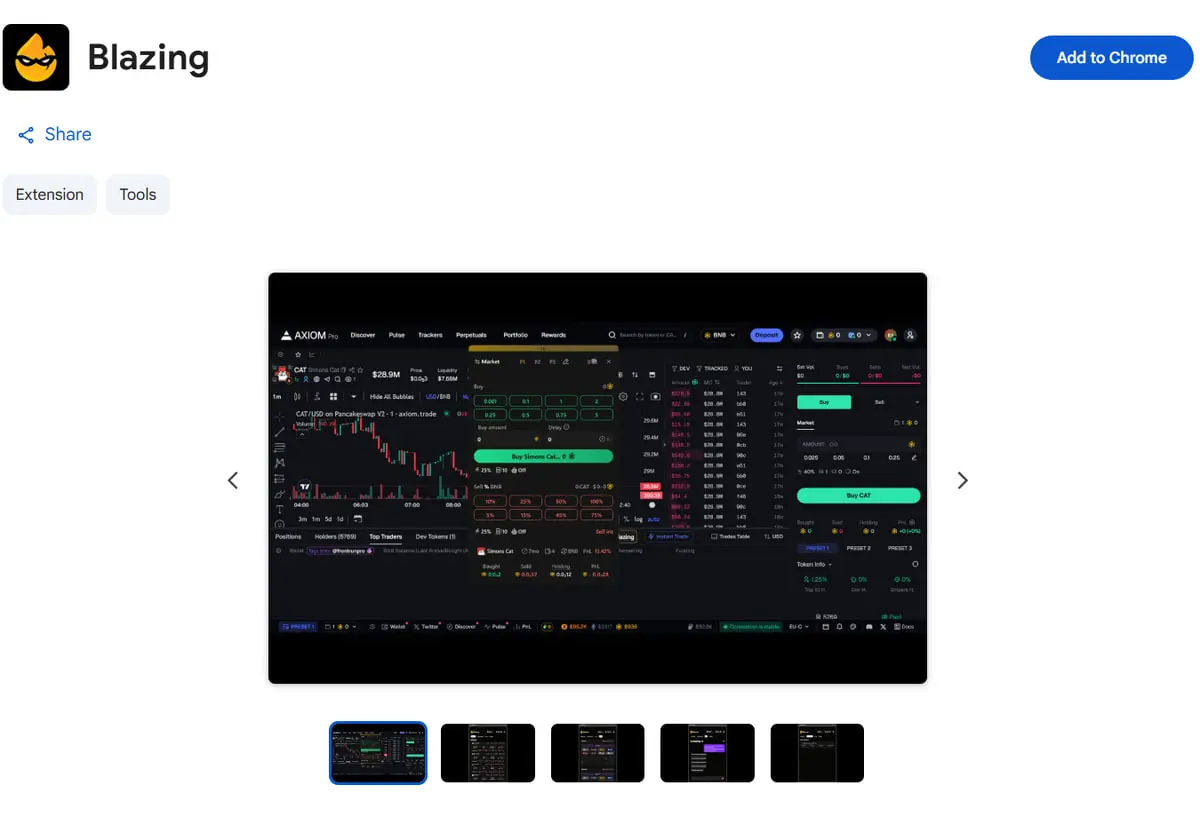
1. Install the extension from the Chrome Web Store
2. Log in through your Blazing Telegram account
Once connected, a trading panel appears instantly on supported sites. You place trades, manage positions, and control orders from one clean interface.
Download the extension:
https://chromewebstore.google.com/detail/blazing/cmoojdpccibbmgchghdibmmmfcehpine
Trade across many wallets
The extension supports up to 20 wallets at the same time. You manage them from a single menu.
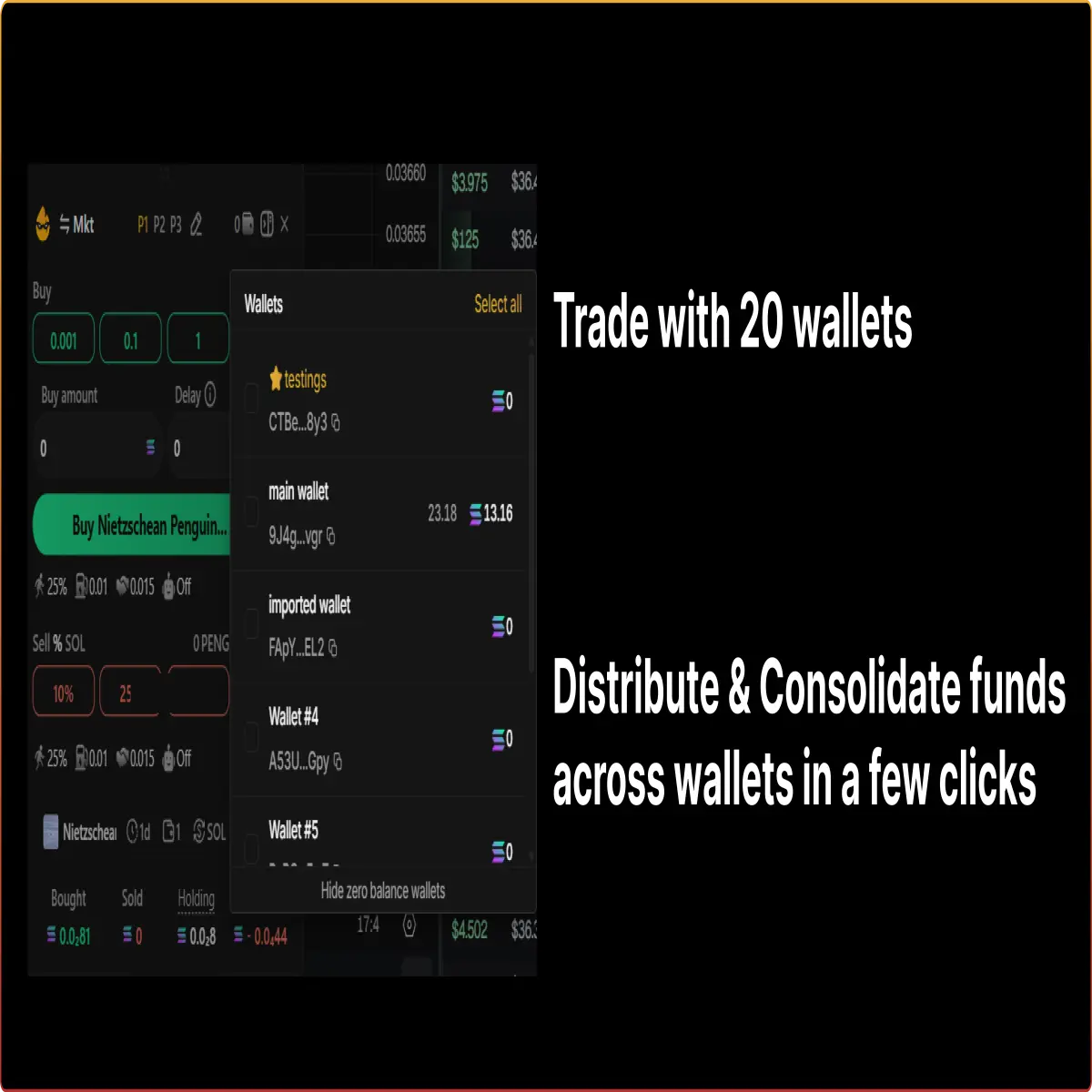
- Create or delete wallets
- Rename wallets for clarity
- Copy addresses instantly
- Move funds between wallets
This setup supports scaling, privacy, and strategy separation. You spread capital or collect balances in seconds.
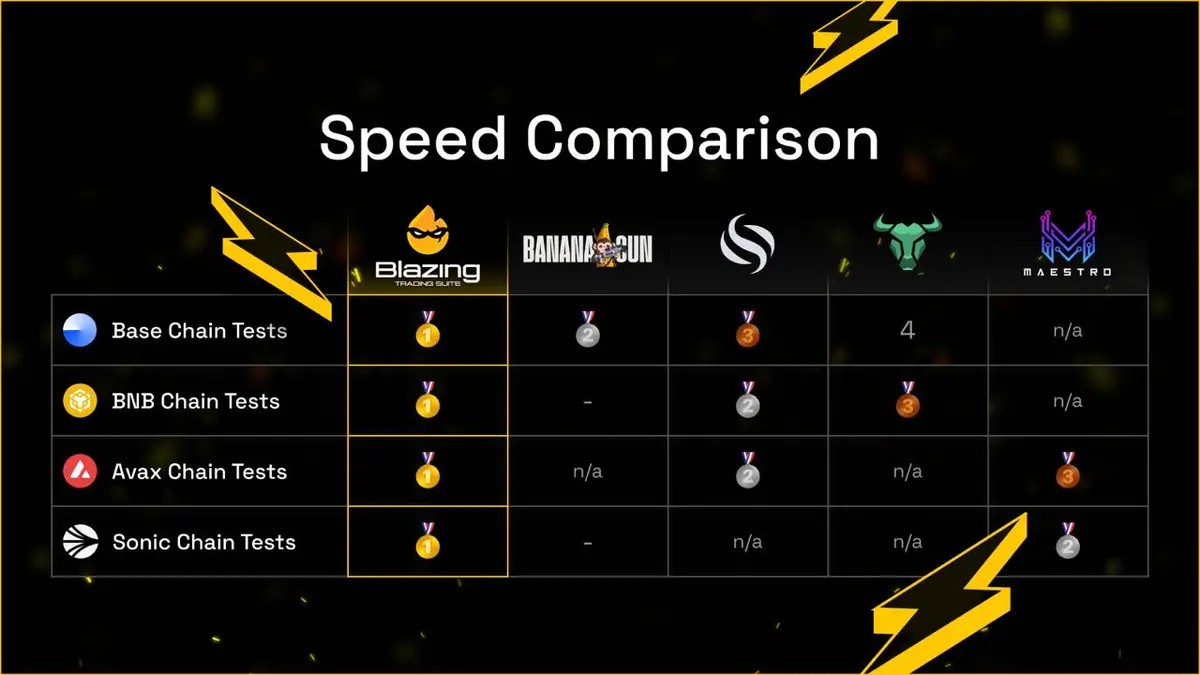
Precise limit orders with fast execution
Blazing delivers accurate limit order execution directly from the extension.
- Set take profit targets
- Set stop loss levels
- Buy below market price
- Buy on breakout levels
Orders trigger when price targets hit. Execution stays fast and consistent during volatility and launches.
Cross-chain trading and bridging
The Blazing Extension supports nine chains and over 50 decentralized exchanges.
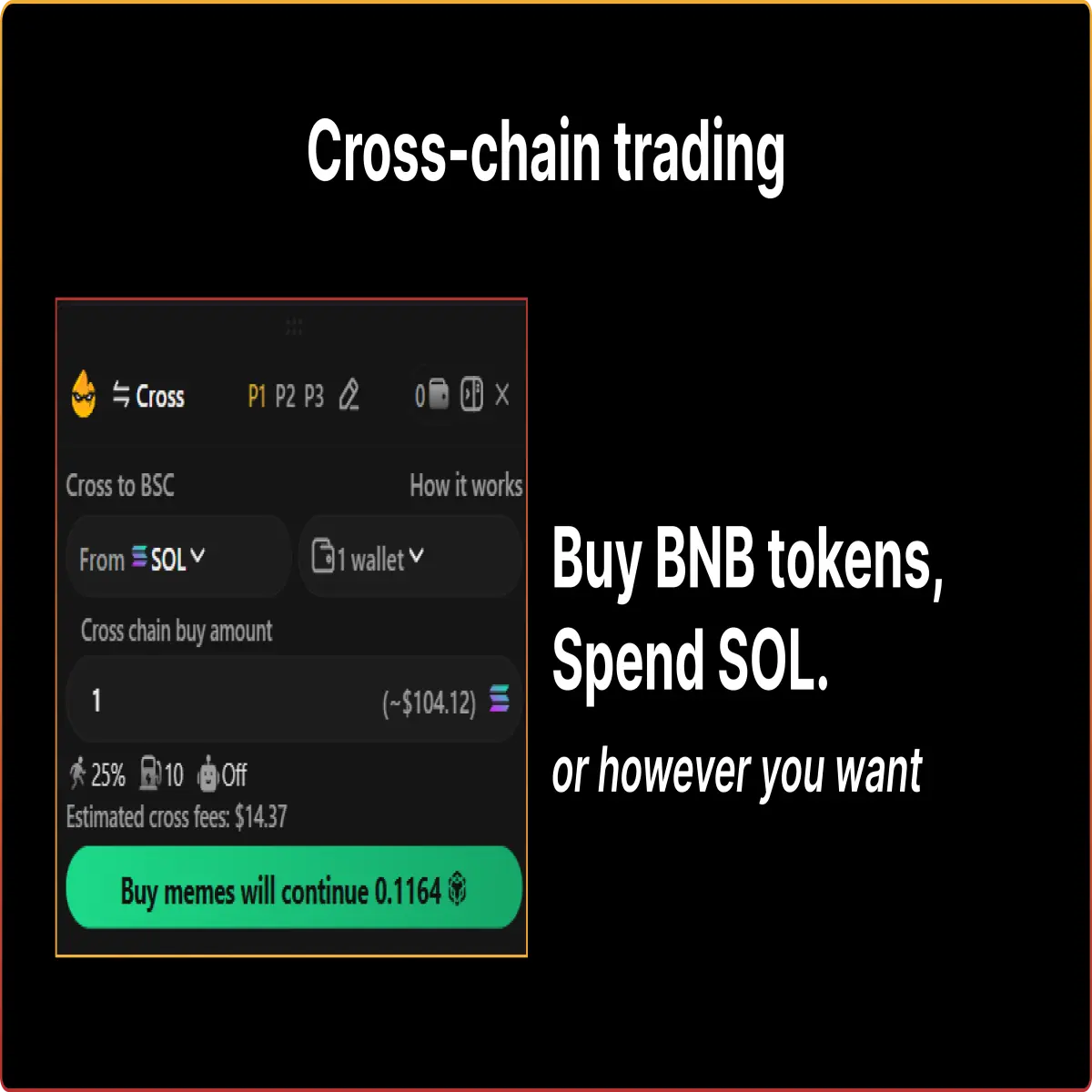
- Bridge funds between chains in a few clicks
- Buy tokens on one chain using funds from another
- Receive bridged funds in seconds
You select the source chain and wallet. The extension handles the rest. This makes cross-chain trading part of the same flow as regular buys.
Trade using natural language commands
Blazing AI responds to plain text commands inside the extension.
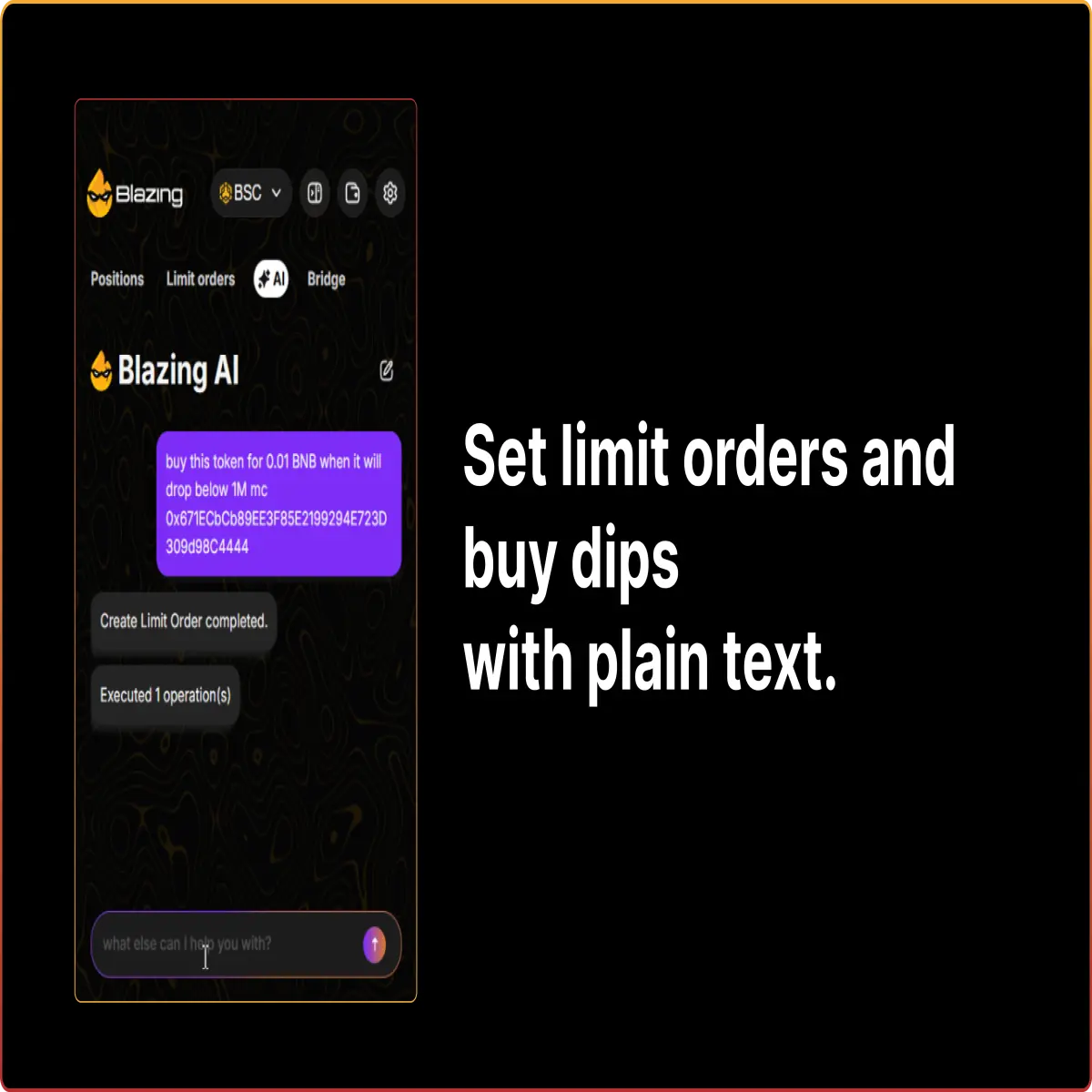
- Create limit orders by typing instructions
- Ask the AI to buy or sell tokens
- Tell the AI to bridge funds across chains
The system executes complex actions from simple sentences. You focus on decisions, not menus.
Use Blazing on your favorite trading platforms
You trade directly from the sites you already use. The Blazing Extension integrates with major crypto tools.
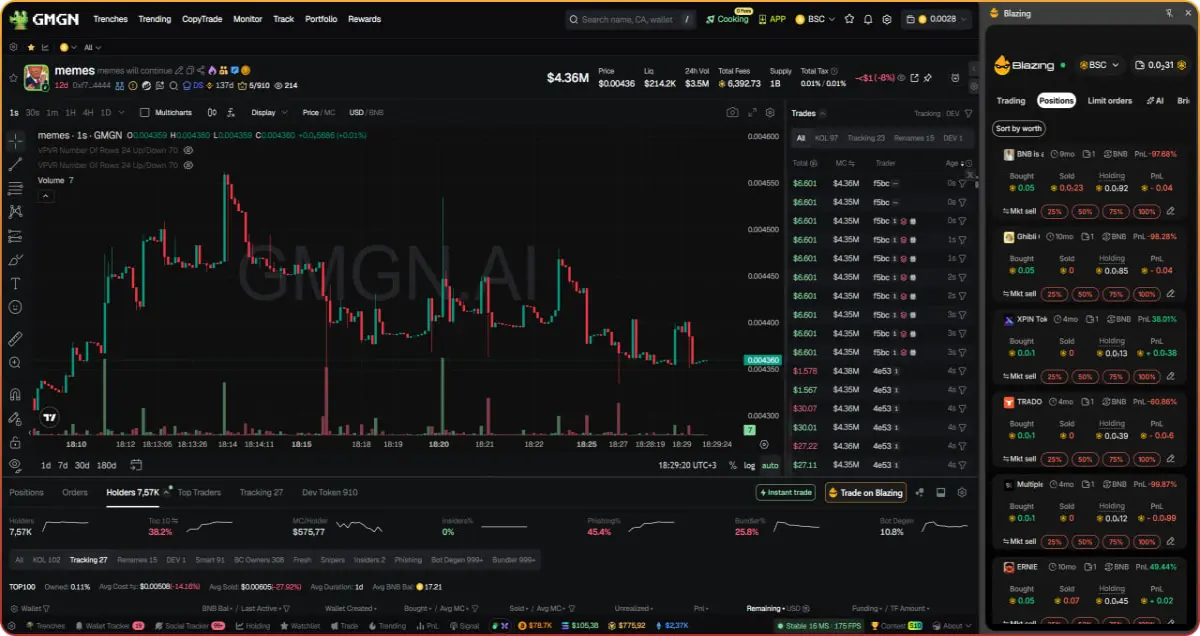
- GMGN
- Dexscreener
- Axiom
- Trojan
- Terminal Padre
Click the Trade on Blazing button to open the panel and execute trades instantly.
Start using Blazing Extension
1. Start trading with the main Blazing Telegram bot
2. Trade directly from your browser with the Blazing Extension






