
Slice Buy gives group owners direct control over referral income inside Telegram groups. You earn fees even when members use different trading bots. No traffic leaks. No forced behavior changes.
Two types of buy actions exist in Telegram groups.
1. Quick buy links
2. Instant buy buttons
Slice Buy supports both.
Quick buy links. Useful, but limited in other bots
Many scanners already show quick buy links under token scans. Examples include Rick Bot and Phanes.
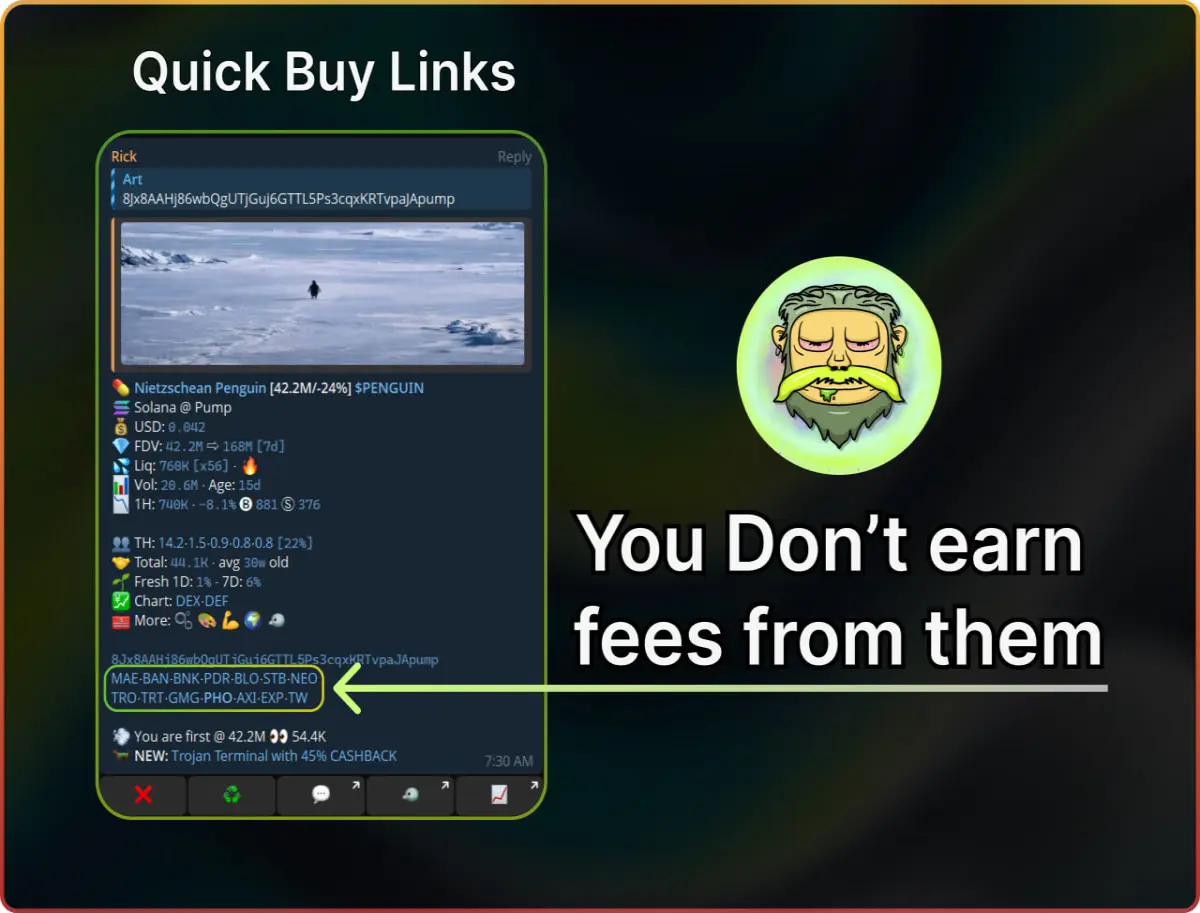
When a user taps a quick buy link, Telegram opens a trading bot with the token prefilled. These links include the scanner owner referral, not yours. All referral fees go to the scanner owner.
Your group generates volume. Someone else earns from it.
Slice Buy puts those links under your control
Slice Buy replaces default quick buy referral links with your own.
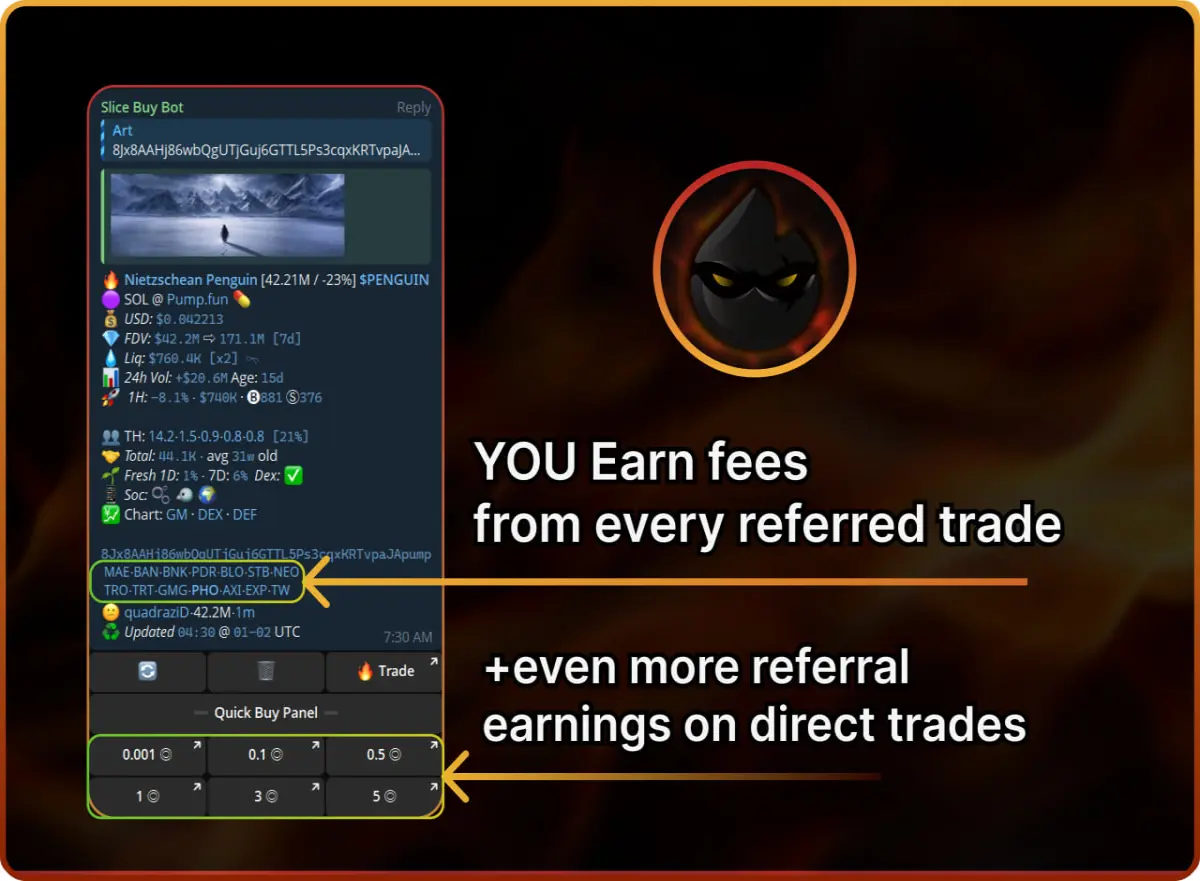
When members tap a quick buy link and trade in their preferred bot, referral fees route to you instead of the scanner owner.
What this changes for you
Members keep trading in bots they already trust
You control referral usernames
You earn from buys triggered inside your group
Slice Buy redirects value back to the group owner without breaking user flow.
Instant buy buttons. Highest earning potential
Slice Buy also adds instant buy buttons under scans.
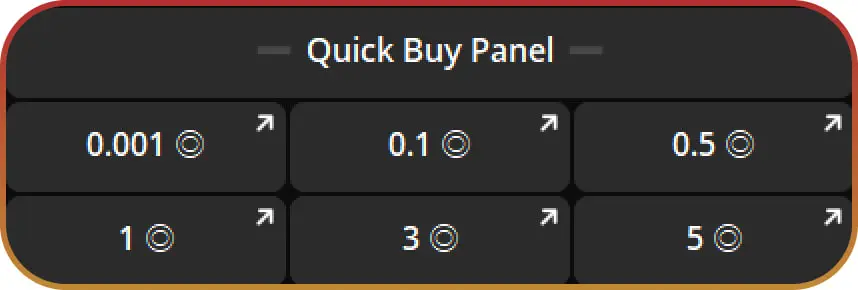
These buttons execute trades through Blazing in one tap. No redirects. No copy paste. Faster execution increases trading frequency and total volume.
With instant buy buttons, you earn from buys and future sells of the same token. This creates recurring revenue from active traders.
Why both systems matter
Quick buy links monetize users who prefer external bots
Instant buy buttons monetize users who want the fastest entries
Both behaviors get covered. No value leaks from your group.
Earning example with Slice Buy
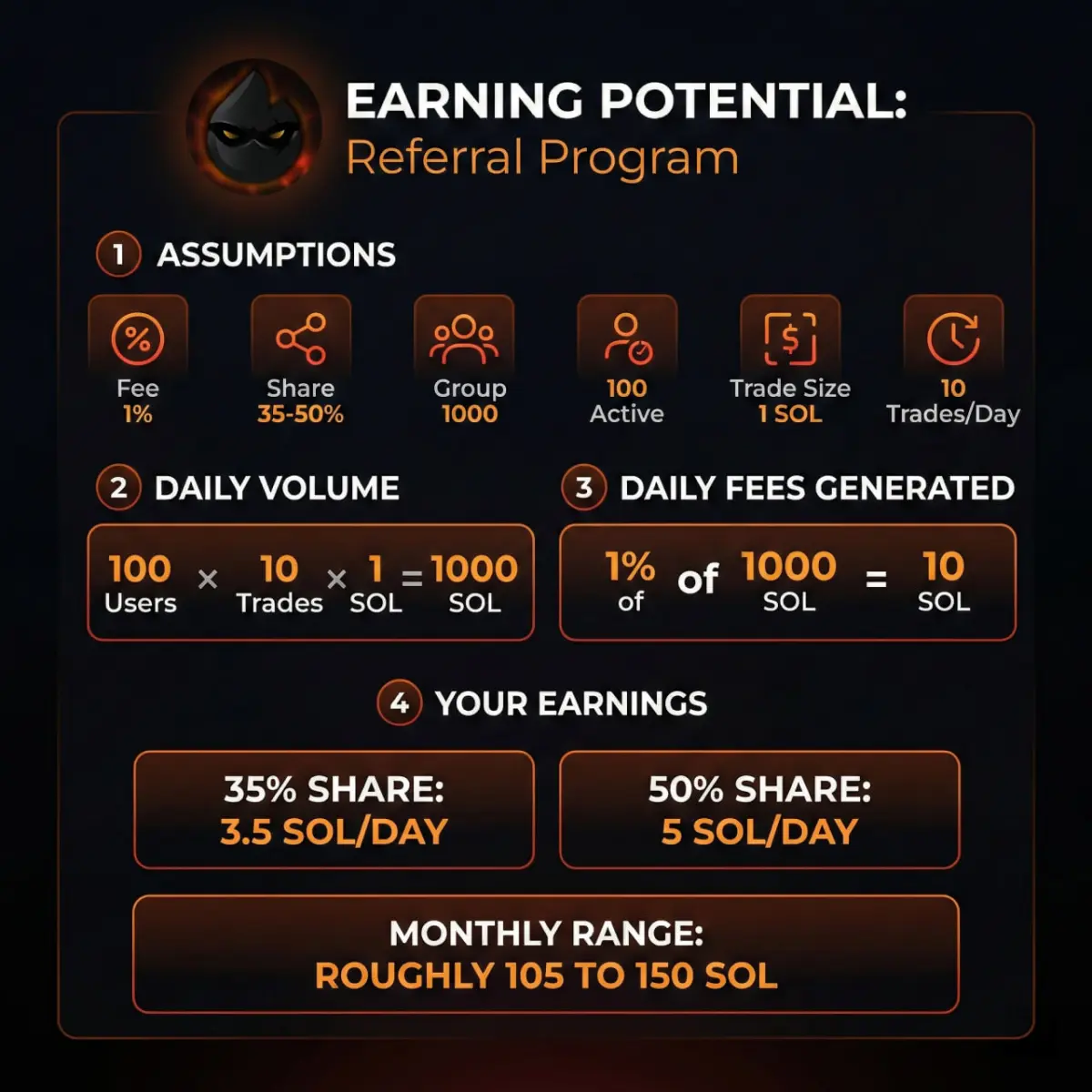
Daily activity example
100 users
10 trades per user
1 SOL per trade
Total daily volume
1000 SOL
Fees generated at 1 percent
10 SOL
Your share
35 percent share equals 3.5 SOL per day
50 percent share equals 5 SOL per day
Monthly range with stable activity
About 105 to 150 SOL
Why Slice Buy works for group owners
You monetize existing traffic
Members trade more with instant buy buttons
User habits stay the same
You earn from multiple bots and flows
You control referrals at the group level
How to set custom referral links for your group
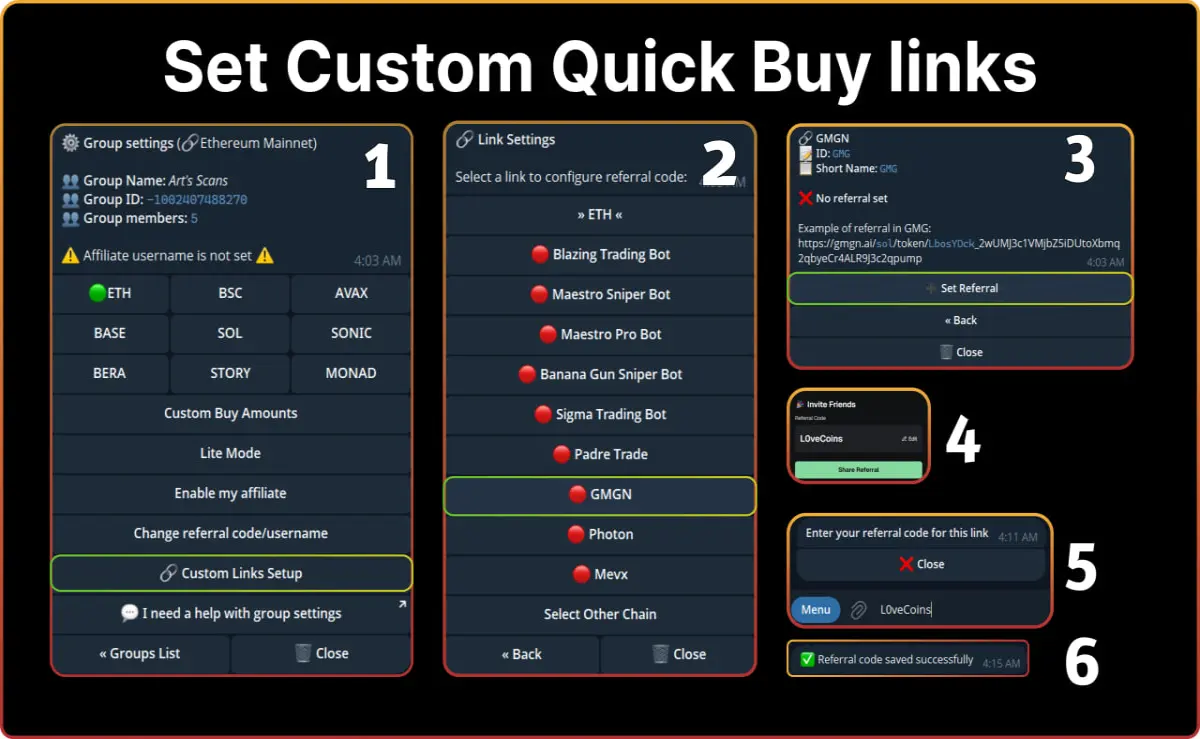
1. Open Slice Buy group settings
2. Select your group
3. Open Custom Links Setup
4. Choose the trading bot you want to add as a quick buy link
5. Click Set Referral
6. Get your affiliate username from the selected bot
6. Enter the username into Slice Buy
The quick buy link now appears under each scan in your group. When members trade through it, referral fees route to your account.
A full walkthrough is available in the Slice Buy GitBook
Bottom line
Slice Buy gives group owners ownership over trading revenue. Members trade how they want. Fees flow back to you. You keep your scanners. You keep your users. Revenue stays inside your group.
Start using Blazing Slice Buy
1. Start trading with the main Blazing Telegram bot
2. Add Slice Buy to your group and start earning referral fees






