
When I first discovered NULS, I was impressed with it because it was written entirely in Java. I didn’t need to learn a new language to interact with its code.
Later I discovered how simple the NULS smart contract platform is to use. The only code you write is your business logic. NULS does all the rest.
I found the documentation for creating a smart contract a little confusing, so here I’m sharing the brief simple steps necessary to get set up with a NULS smart contract.

1. Install the free community version of JetBrains IntelliJ IDEA (or paid version).
2. Install Java JDK1.8. You can get it from many sources, like: openjdk.java.net/install/ or yum, etc.
3. On the Intellij Welcome Page, the bottom right has a drop-down menu with a wheel icon labeled ‘Configure’.
-
Select: Structure for New Projects. Then Select the default SDK: JDK1.8.
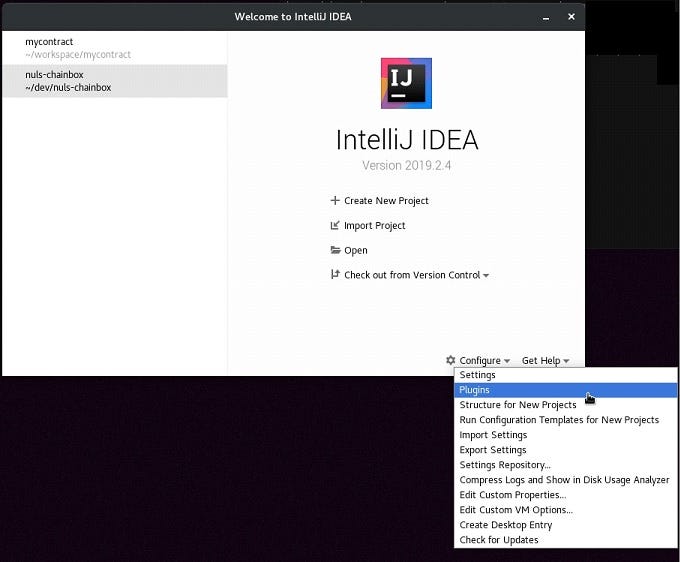
4. From the same Welcome Page drop-down menu, select Plugins.
-
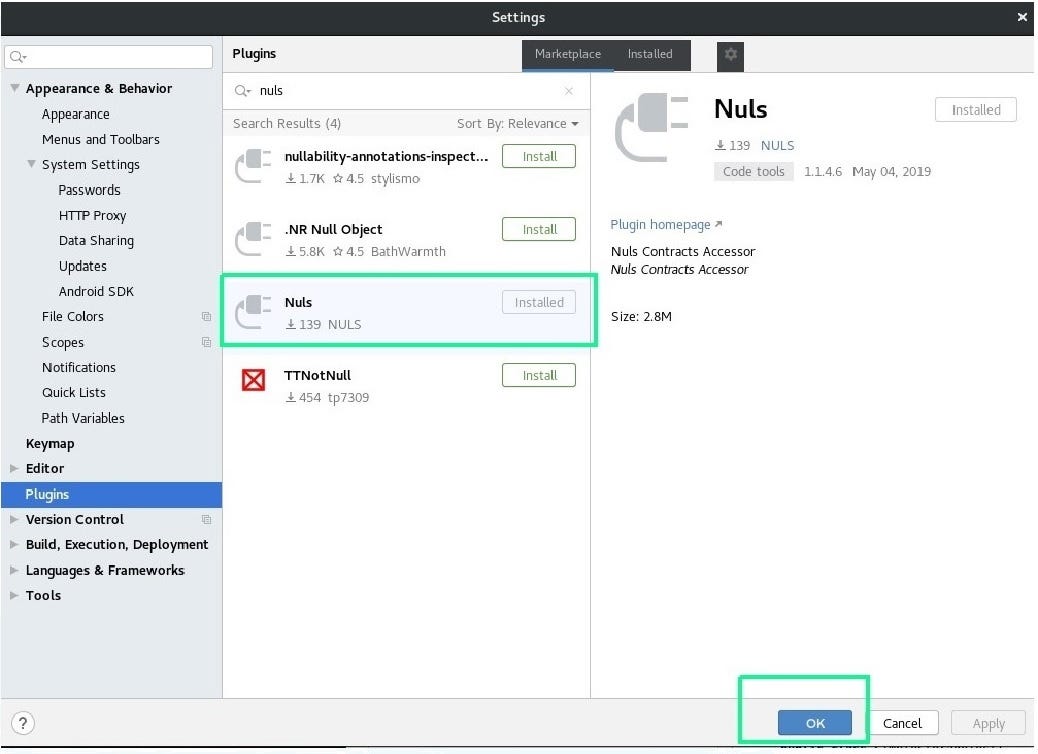
Search in the Marketplace (free) for the NULS Plugin.
-
Select Nuls and press OK.
5. From the Welcome Page, select Create New Project.
-
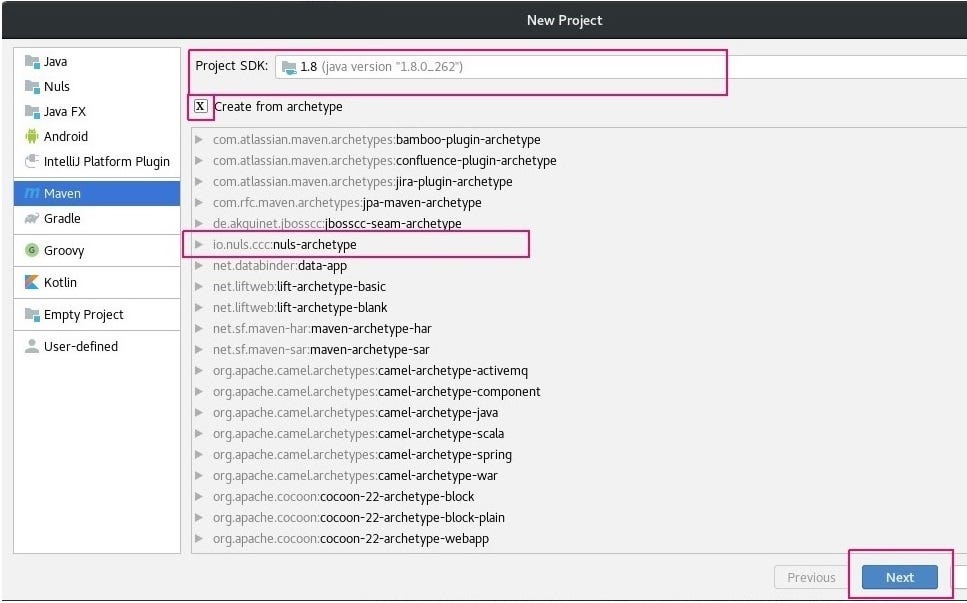
Select Maven in the left menu and check Create from archetype.
-
Select the io.nuls.ccc.nuls-archetype and press Next.
-
Fill in the project information in the next screen. Verify it in the following screen.
-
Continue through to the end of the chain of dialog screens. Press OK — and your project will be generated. Give it a minute to collect its resources and complete everything for you.
In the src folder, you’ll find two java files have been created. These are your starter files.
6. To compile, the only thing you must edit is the pom.xml file.
-
Enter the sender address, password, and private key.
Here’s the settings you need to edit in pom.xml:
    <sender.address>NULSyourAccountNumberHere</sender.address>
    <sender.password>YourPasswordHere</sender.password>
    <sender.privateKey>PrivateKeyHere</sender.privateKey>
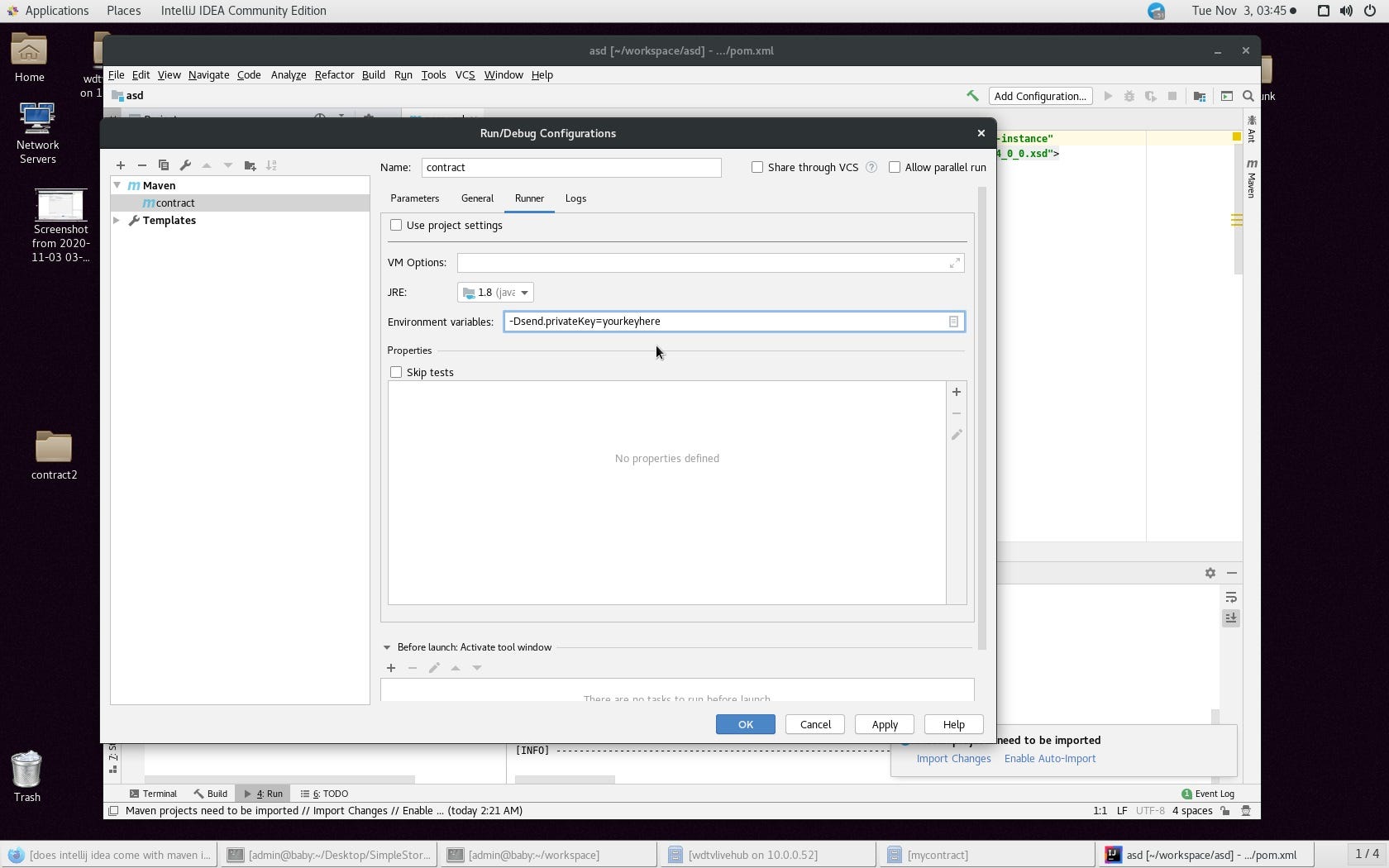
You can remove the private key pom.xml setting and enter that information at build time in Intellij via the run configuration area as a ‘-D’ command line setting for privacy.
-
Next, bring up the Maven window which you can find under the View menu.
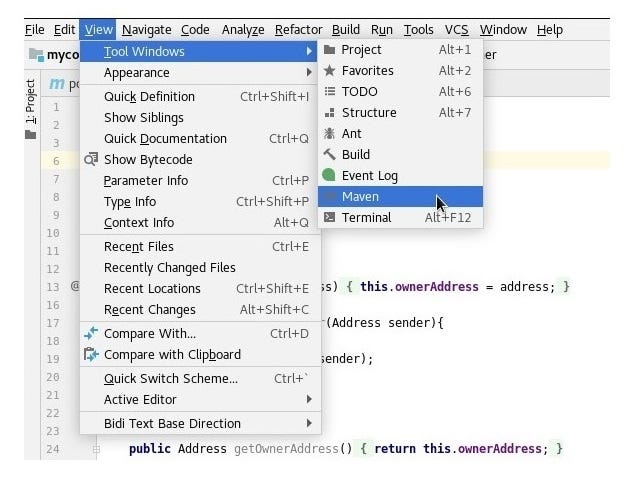
-
When you’re done, you only need to run clean and package to generate your jar.
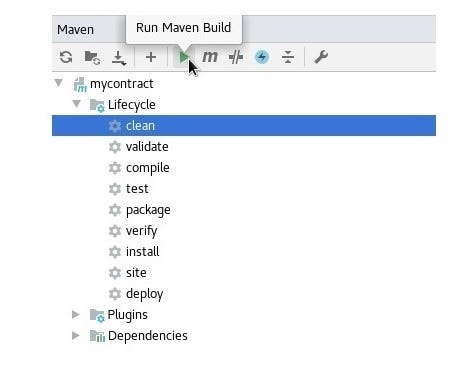
Your jar will be in the target output directory. Upload the jar to your blockchain with the Wallet, and you’re done.
You can deploy and interact with your smart contract using the Wallet. Open the Wallet of the owner of the Smart Contract. Click on Contracts, then Deploy Contract. Upload the jar and you're done.

You can also upload the jar as a hex string. To create the hex string of the jar, you can use a tool like hexdump. Be careful to produce a hex string without spaces, line feeds, etc.
Note: The NULS plugin can also be found here: plugins.jetbrains.com/plugin/12368-nuls
Contents of the 2 Java Files Created
SimpleStorage.java:
package io.nuls.v2;
import io.nuls.contract.sdk.Contract;
import io.nuls.contract.sdk.annotation.Payable;
import io.nuls.contract.sdk.annotation.Required;
import io.nuls.contract.sdk.annotation.View;
public class SimpleStorage implements Contract {
 private String storedData;
 @View
 public String getStoredData() {
   return storedData;
 }
 @Payable
 public void setStoredData(@Required String storedData) {
   this.storedData = storedData;
   }
}
Owner.java:
package io.nuls.v2.util;
import io.nuls.contract.sdk.Address;
import io.nuls.contract.sdk.Msg;
import io.nuls.contract.sdk.Utils;
public class Owner {
 private Address ownerAddress;
 private static Owner owner;
 private Owner(Address address){
   this.ownerAddress = address;
   }
 public static Owner getOwner(Address sender){
   if(owner == null){
     owner = new Owner(sender);
     }
   return owner;
 }
 public Address getOwnerAddress(){
   return this.ownerAddress;
   }
 public void requireOwner(String message){
   Utils.require(Msg.sender().equals(ownerAddress),message);
   }
}