
Intro
Exam season is stressful. The notes are many, the time is short, and it's tempting to ask an AI tool to "just give me the answers." But on exam day, no chatbot sits next to you. The only thing that counts is what's in your head.
The good news is that AI can help you learn faster if you use it as a tutor and not as a shortcut. Here is a simple method I recommend.
The AI Study Loop
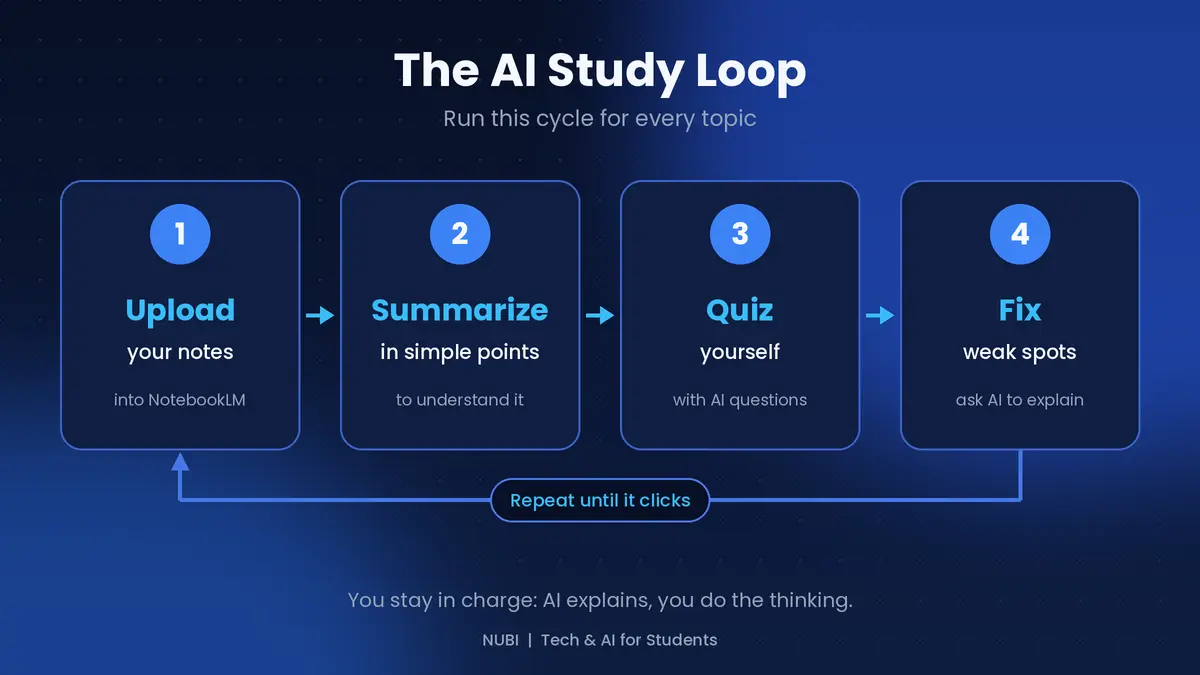
For every topic, run this four-step cycle:
Upload your lecture notes or PDFs into a tool like NotebookLM, which answers from your own material.
Summarize each topic in simple points so you understand the big picture.
Quiz yourself. Ask the AI to test you with questions, and answer before you look at its answers.
Fix your weak spots. When you get something wrong, ask the AI to explain it in a different way.
Then repeat until the topic clicks. The key is that you do the thinking, and the AI only explains and tests.
Prompts you can copy
"Summarize this topic in 10 simple points for a beginner."
"Explain [concept] like I'm 15, then give me a real-life example."
"Ask me 10 questions on this material, one at a time. Wait for my answer, then tell me if I'm right."
"I got this wrong: [your answer]. Explain where my thinking went wrong."
The third prompt is the most powerful. Answering before you see the correct answer is what makes the information stick.
Smart use vs cheating yourself
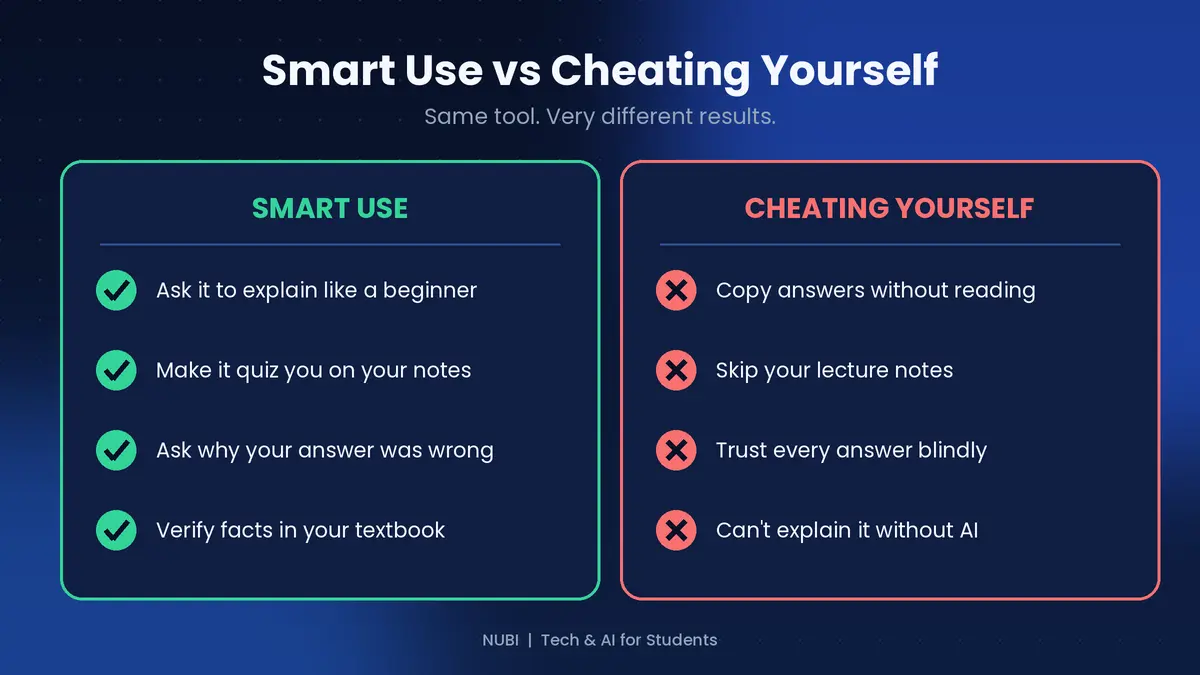
The tool is the same, but the results are very different. Smart students ask AI to explain concepts, quiz them and correct their mistakes. They also check important facts in their textbook.
Students who cheat themselves copy answers without reading, skip their lecture notes and trust every answer blindly. AI can be wrong and still sound confident, so this is risky. A simple test: if you can't explain a topic without the AI, you haven't learned it yet.
A simple 7-day plan
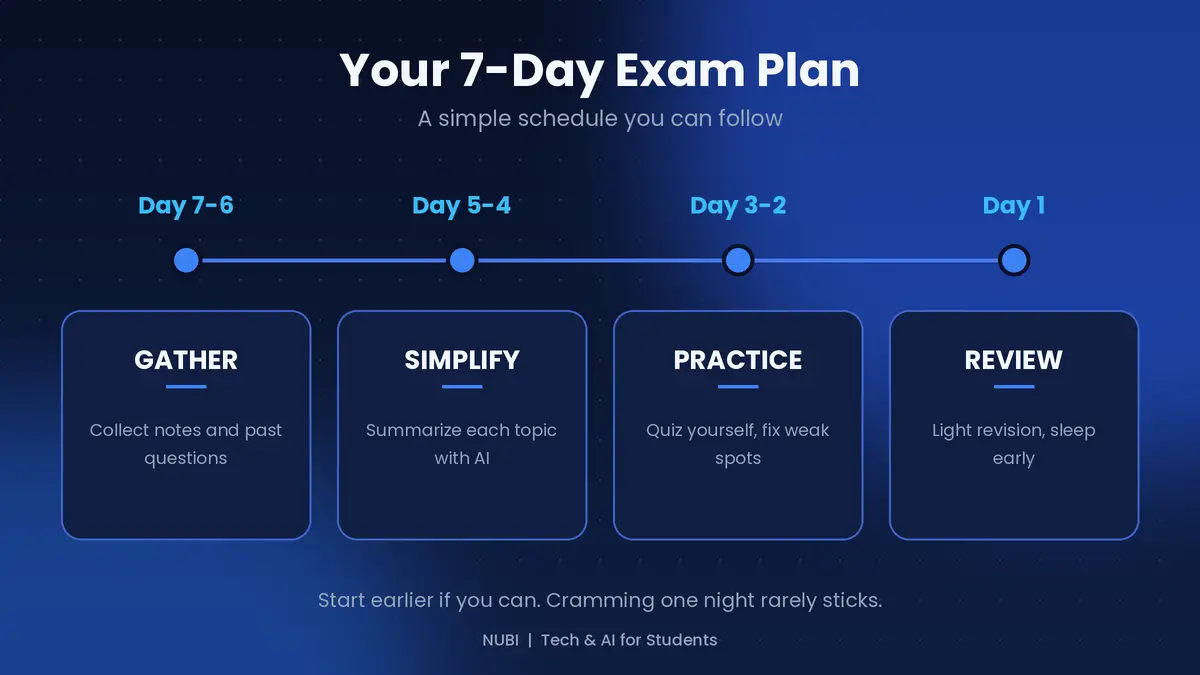
Day 7-6, Gather: Collect your notes, handouts and past questions in one place.
Day 5-4, Simplify: Use AI to summarize each topic in plain language.
Day 3-2, Practice: Quiz yourself and fix the weak spots.
Day 1, Review: Do light revision and sleep early. A rested brain remembers more.
If you have more time, spread these steps out. Studying in short sessions over many days works better than cramming for one night.
Quick recap
Use AI to explain, quiz and correct, not to copy
Study from your own notes
Answer questions before checking the AI's answers
Verify facts in your textbook
Start early and follow a simple plan
Final thoughts
AI won't pass exams for you, but it can make studying clearer, faster and less stressful. Use it as a patient tutor that's available any time, and keep doing the hard thinking yourself. Do you use AI to study? Tell me which tool in the comments, and I'll cover it in a future guide.
Support this blog
If this guide helped you, you can tip me. Every bit helps me keep creating free guides for students. Thank you!
Next: the best free tools for taking and organizing notes as a student. Follow so you don't miss it.






