
INTRO
Your first CV can feel scary. You may think you have nothing to put on it, because you're still a student with no job experience. The good news is that employers, internship supervisors and scholarship panels know that. They want to see clear, honest information presented neatly.
AI can help you do that faster. But it should write with you, not for you. Here are five steps to build a clean, professional CV.
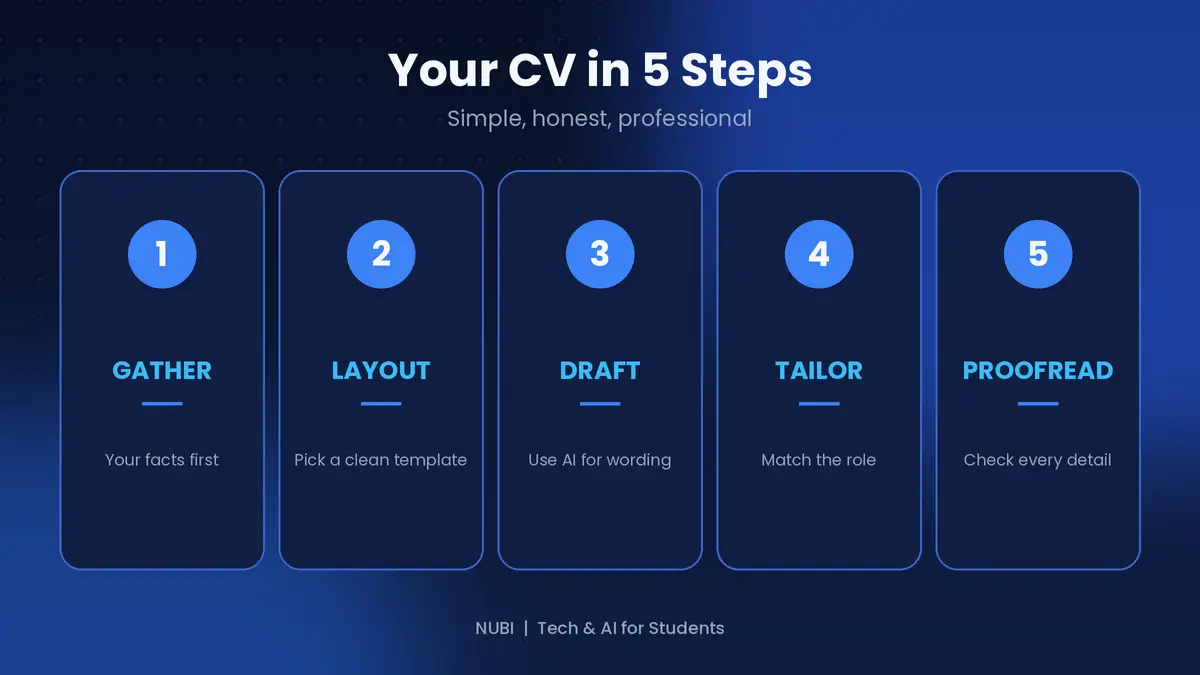
Step 1: Gather your facts first
Before opening any AI tool, write down your real information in a plain note: your school and course, your skills, projects you've done, volunteer work, leadership roles, certificates and contact details.
For a student, projects and skills matter a lot. A class project, a group presentation, or a tool you've learned to use all count. AI can only polish what you give it, so don't skip this step.
Step 2: Pick a clean layout
Keep it to one page with a simple font, clear headings and plenty of white space. Canva and Word both have free CV templates. Avoid fancy graphics, too many colors, and heavy designs. Simple CVs are easier to read, and they also work better with the software many companies use to scan applications.
Step 3: Use AI for the wording
Paste your facts into a chatbot like Claude or ChatGPT and ask it to turn them into strong CV bullet points.
Try this prompt: "Here are my details: [paste]. Write a 3-line professional summary and short bullet points for each project. Start each bullet with an action verb. Do not add anything I didn't tell you."
That last sentence matters, because AI can invent achievements. Only keep what is true.
Step 4: Tailor it to the role
Don't send the same CV everywhere. Copy the job or internship description and ask the AI: "Which of my skills best match this role, and how should I reorder my CV to highlight them?"
Then change your summary and top skills to match. This takes ten minutes and makes a big difference.
Step 5: Proofread everything
Read the CV out loud, then run it through Grammarly or QuillBot to catch spelling and grammar mistakes. Check every date, name, phone number and email address yourself. A typo in your own email address can cost you the opportunity.
Also ask a friend or senior to read it. Fresh eyes catch what you miss.
Common mistakes to avoid
Lying or exaggerating. You can be asked about anything on your CV in an interview.
Copying a template word for word, so you sound like everyone else.
Writing paragraphs instead of short bullet points.
Using an unprofessional email address.
Making it longer than one page as a student.
Quick recap
Gather your real facts
Choose a clean one-page layout
Use AI for wording, but keep it true
Tailor it to each role
Proofread carefully
Final thoughts
A good CV doesn't need fancy design or big words. It needs to be clear, honest and easy to read. Use AI as your writing assistant, and make sure every line is something you can explain confidently in an interview. Which part of your CV do you find hardest to write? Tell me in the comments and I'll cover it in a future guide.
Support this blog
If this guide helped you, you can tip me. Every bit helps me keep creating free guides for students. Thank you!
Next: how to use AI to prepare for exams without cheating yourself. Follow so you don't miss it.






