INTRO
As an engineering student, I'm always short on time. Between lectures, practicals, assignments and exam prep, there are never enough hours. AI tools helped me a lot, but only after I learned one rule: use AI to understand faster, not to think less.
If you only copy answers, you'll struggle in exams, where no chatbot is allowed. If you use these tools to learn and practice, they can save you hours every week.

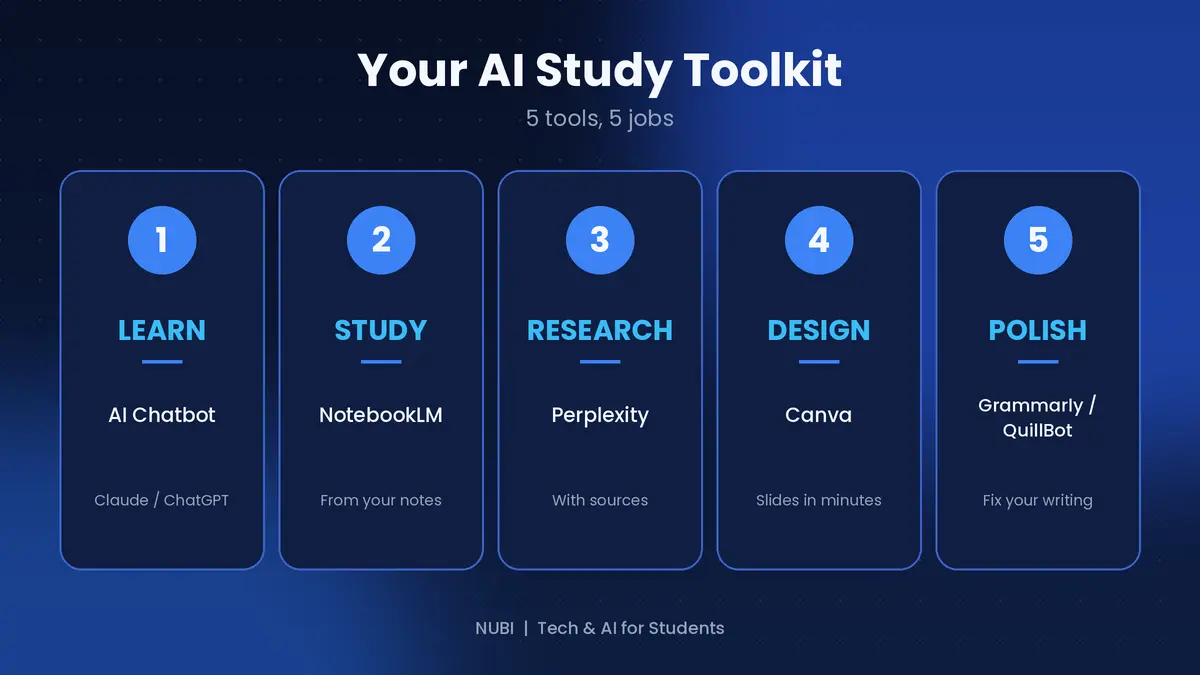
Here are five tools that can help you study smarter, and exactly how to use each one.
1. An AI chatbot (Claude or ChatGPT): your 24/7 tutor
Don't ask it to "do my assignment." Ask it to explain the topic like you're a beginner, then quiz you on it.
Try this prompt: "Explain [topic] simply, give me a real-life example, then ask me 5 questions to test my understanding."
When you get an answer wrong, ask it to explain why. That back-and-forth is where the real learning happens.
2. NotebookLM: turn your notes into a study partner
Upload your lecture notes or PDFs, and it answers questions only from your material. That makes it great for exam prep, because you're studying what your lecturer actually taught.
Try asking: "Give me 10 likely exam questions from this material." It's a quick way to test yourself before the exam.
3. Perplexity: research with sources
When you need information for a report or project, it shows where the answer came from. Always open the sources and verify before you cite anything.
AI tools can make mistakes, and your lecturer won't accept "the AI said so" as a reference.
4. Canva: presentations and posters in minutes
Group presentation due tomorrow? Pick a template and let its AI features handle layout and design. You just fix the content.
Keep it simple: one idea per slide, two colors and one font. Clean slides look more professional than crowded ones.
5. A grammar and rewriting tool (Grammarly or QuillBot): polish your writing
Write your first draft yourself, then use the tool to catch mistakes and tighten sentences. This works for CVs, emails and project reports.
Don't let the tool rewrite everything. Keep your own voice and use the suggestions to improve what you wrote.
The golden rule
AI can be wrong, and it can sound very sure when it is. Check facts, do the thinking yourself, and follow your school's rules on AI use. If you can't explain something without the tool, you haven't learned it yet. The goal is to become a better student, not a dependent one.
Quick recap
Chatbot → learn and practice
NotebookLM → study from your own notes
Perplexity → research with sources
Canva → design fast
Grammarly/QuillBot → polish your writing
Free plans change often, so check each tool's current limits before you rely on it.
Final thoughts
You don't need to use all five tools at once. Start with one, build the habit, then add another. Small habits add up over a semester. Which of these tools do you already use? Tell me in the comments, and I'll cover it in more detail in a future guide.
Support this blog
If this guide saved you time, you can tip me. Every bit helps me keep creating free guides for students. Thank you!
Next week: how to build a clean CV with AI. Follow so you don't miss it.