
And Keep Your Data Off of Hackable, Sellable Databases in the Process
In a beautiful example of open-source code’s technical prowess, we no longer have to enter an actual email address into web forms.
After all, if tech giants like Google and FB succumb to data breaches, how safe do you feel leaving personal details on a merchant’s website?
Maybe you want to sign up for an email newsletter, but don’t necessarily have faith that your address won’t be spammed — or even sold for a profit while you get nothing.
No need to use your real email address in places like these
Today I’m passing along a free, easy-to-use forwarding service. A couple of steps and a few minutes of your time are the only requirements to give yourself an extra layer of online privacy.
So, where do you go, and how do you get started? Glad you asked — I’ll give you a quick rundown, using a free account as an example…
1) Sign up for an account at AnonAddy
You won’t find any referral links in this article — I’m just filling you in on a service I find useful.
For example, if I’m interested in a blockchain project and want to determine their content quality, I might subscribe to their eLetter. But since I discovered AnonAddy, I no longer give my address to strangers.
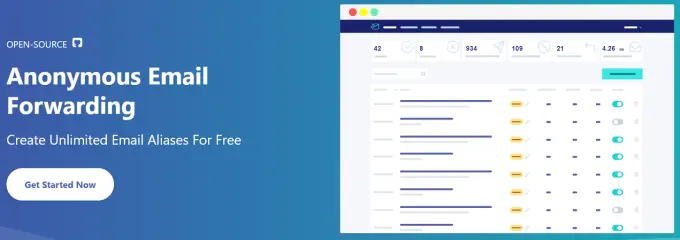
Visit AnonAddy to protect your online privacy
2) Generate an Alias
In a nutshell, an alias is the email address you’ll input into web forms. Simply link the alias to your actual account.
Let’s say my actual email address is buckwillius @ Gmail.com. But since that’s the account I don’t want to leave lying around all over the Internet, I use my alias whenever signing up for a new service.
Here’s my (slightly edited) alias:
b0#0##af-9c##–4a1b-8ccf-##df1a####[email protected]
Rather than enter buckwillius @ Gmail.com, I enter my alias. Any messages sent to the alias account automatically forward to my Gmail account.
If a spammer begins sending unsolicited mail to an alias, AnonAddy gives you the ability to toggle the alias off and on. Or, you can simply create another alias — the free plan gives you an unlimited amount.
3) Enjoy Your Newfound Privacy
The globe’s viral pandemic has put many of us on edge. Also, certain groups and individuals will use the virus as an excuse to invade your privacy while your guard is down. And, especially during times of uncertainty, people may choose security over privacy.
But by using an anonymous forwarding service — again, something that takes only a few minutes to activate — you don’t have to make a choice.
Let’s face it; the Internet can be an ultra-scammy environment. The good news is that it’s simple to keep yourself off of spammers’ radar by using email aliases.
That way, if your info lies within a compromised database, your actual email address won’t be on a sellable list for spammers and scammers to spam.
Stay safe out there!
~BlockchainAuthor






