
This is my first english article. I’m sorry if i had mistakes.
I’ve always been interesting in web programing. Now i am development about mobile programming : now i am try to improve myself about mobile programming.
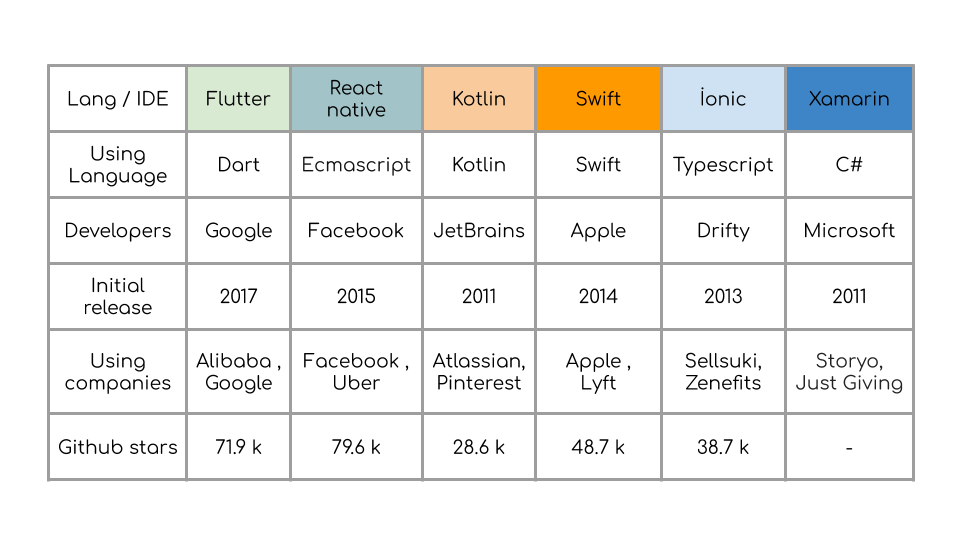
And i decided to learn Flutter . I choose Flutter.
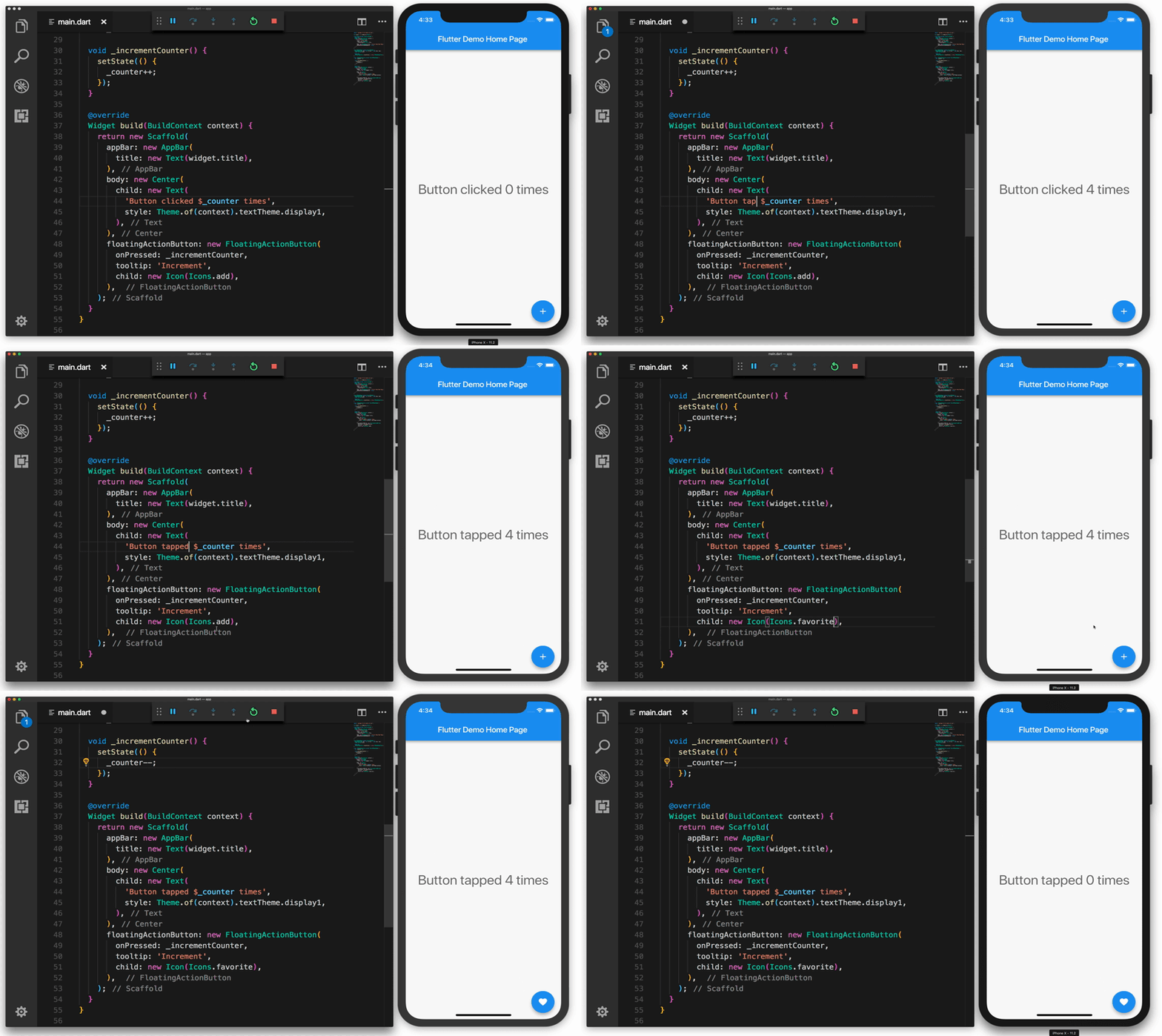
Flutter, which was first announced at Google’s 2017 I / O developer conference, did not go beyond the release of version 1.0, but many companies such as Groupon, Philips Hue, Tencent, Alibaba developed and launched beta applications.
Flutter is a mobile application SDK that includes the framework, widgets and other tools that allow developers to develop applications for the Android and iOS platforms. Flutter, developed by Google, is open source and available to all developers and designers free of charge.
Advantages of Flutter
Cross platform . Since Flutter apps are cross-platform, the testers do not always require to run the same set of tests on different platforms, such as iOS and Android, for the same app.
Cordova, Xamarin and React Native are the cross platform sdks too, but they use some bridges or vehicles for get output on different operating systems. In Flutter, we can directly get native output.
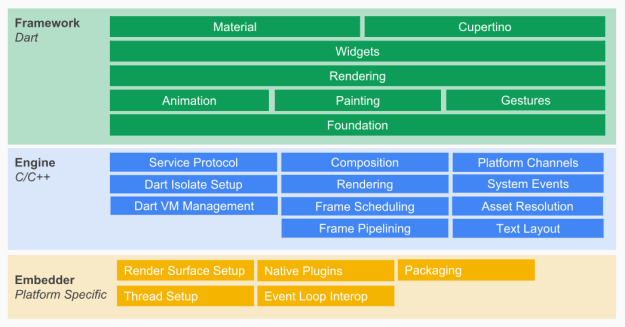
If you want see more advantages you can check the article.
How to install Flutter ?
You can check article. Also i can explain linux installation.
How to install and setup Flutter on Linux(Linux mint) ?
- Use this url ( https://flutter.dev/docs/get-started/install/linux) and .tar extension file to install.
- If you install after we can run script.
cd ~/development
$ tar xf ~/Downloads/flutter_linux_v1.7.8+hotfix.4-stable.tar.xz
3. We can set PATH.
export PATH=”$PATH:`pwd`/flutter/bin
4. Run scripts.
flutter precache
flutter doctor
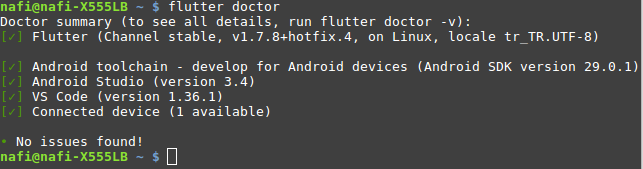 Output flutter doctor script. this output finish the installlation . dont worry if you all tic.
5. Now update PATH.
nano .bashrc
export PATH=$PATH:/<home/nafi/Masaüstü/flu>/flutter/bin
<> you can set between your file location.
6. Instalization Android studio.
7. If you setup Android studio now we will create emulator.
Let’s follow
Android Studio > Tools > Android > open AVD Manager
Create Virtual Device
Complete the emulator setup by selecting phone and operating system.
8. Install to Flutter extension on Android Studio.
- Starting Android Studio
- Open extension (File > Settings > Plugins ).
- select Browse repositories , find and install Flutter extension
- And find and install Dart extension
- Restart Android Studio
9. If you want use Visual Studio Code içinde you can add Flutter and Dartextension. I can use Visual Studio Code.
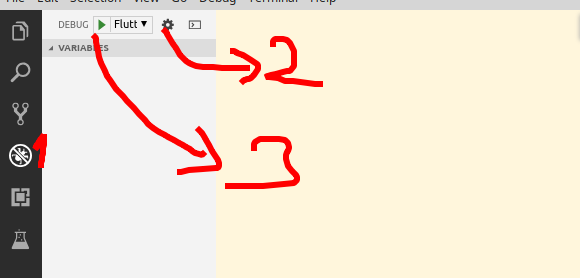
1 number -> clicking debug
2 number -> clicking and select flutter
3 number -> clicking play button you can start.
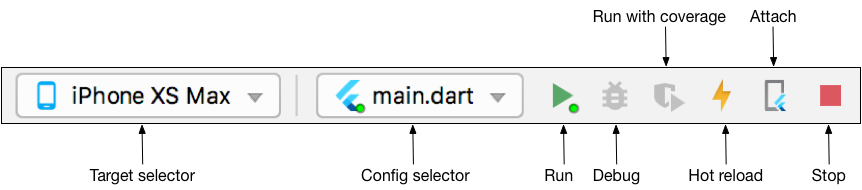 starting emulator you can see bar
10. Now again run flutter doctor script. We can check all details.
And now you can starting to development mobile application.
You can contact to me ,
Patreon | Twitter | Instagram | Facebook | Medium |
Github | Linkedin | Youtube | Mail |






