
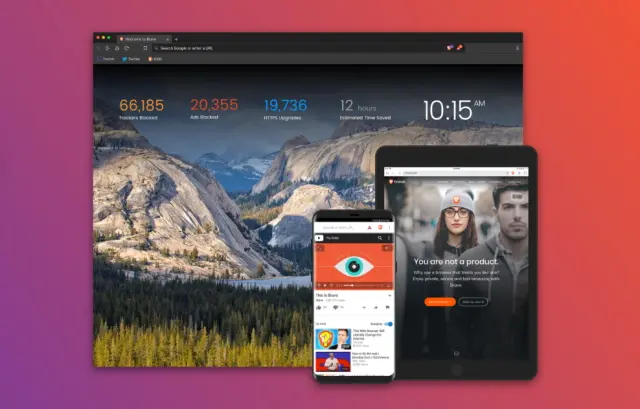
Brave Browser Desktop Version 1.8.96 has been officially released to fix May Ads Payout Issues which prevented Brave users to claim their earned BAT.
The good news was shared by Brave developer on Twitter with the username @BraveSampson.
He is quoted as saying
"Brave v1.8.96 is now available for desktop users. Open the ☰ menu and select About Brave to manually check for (and apply) the update.
This version of Brave addresses one of the few remaining issues impacting May payouts.
For my fellow data-nerds, version 1.8.96 consists of 32 file-changes, 473 code additions, and 145 code deletions (comparing against 1.8.95) Nerd face"
He also disclosed that the new Brave Desktop version consists of 32 file changes from the previous version, 473 new code additions as well as 145 code deletions which was also in the previous version.
Many users have been complaining of being unable to claim their BAT earned for the month of April after viewing privacy respecting Ads from the Brave Browser.
Users channelled their complaints on the brave Community websites and on social media especially twitter. And Brave team who values users comments took heed to the various complaints and have been able to fix the bug and rolled out updates.
The old Brave Desktop version was 1.8.86 which caused many issues but the new version 1.8.96 has fixed all issues with no problem. Users can now claim their April Ads payout which was supposed to be claimed earlier this month.
Remember, users who uninstalled their browsers and reinstalled it back in other to receive their Ads payout will not be able to receive their claims. Reason being that, they have a changed wallet which can't trace their old wallet.
For further explanation on this visit the Brave Community website.
Brave Browser is known to pay out BAT Tokens to users who opt in to receive privacy respecting Ads. BAT is a native token built on the Ethereum Blockchain by Brave team. Advertisers by the BAT Token from Brave and use it to reward users who view them. The token is distributed by Brave as a middleman.
To be eligible to receive BAT token from brave as a user,
Download Brave Browser.
Go to settings,
Allow brave Ads. You can set the number of Ads you want to view per hour from 1 to 5 Ads per hour.
Disable auto contribute if you want to receive your BAT token on the 8th of every month or else your earned BAT will be given to publishers and creators whom you viewed their contents.
Remember to open your browser every day to maximize your BAT earnings from Ads.
You can tip content creators and publishers like my self using twitter, YouTube, Vimeo, Reddit, GitHub websites and not their apps.






