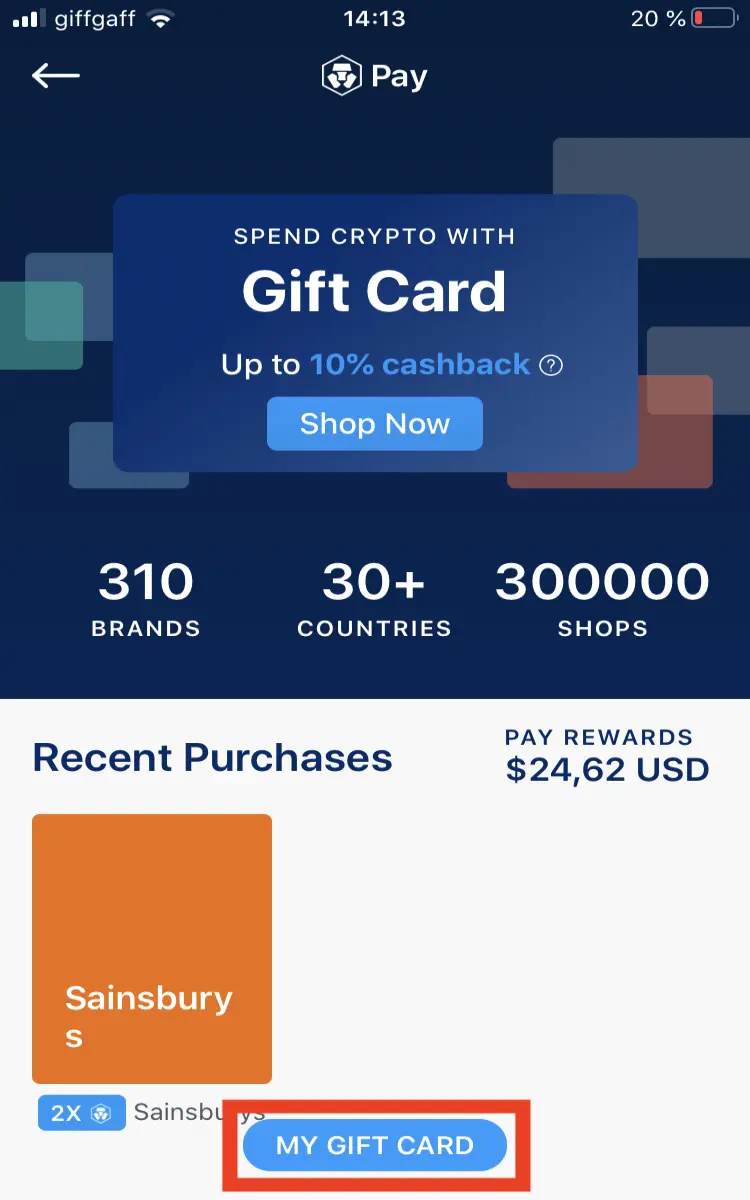
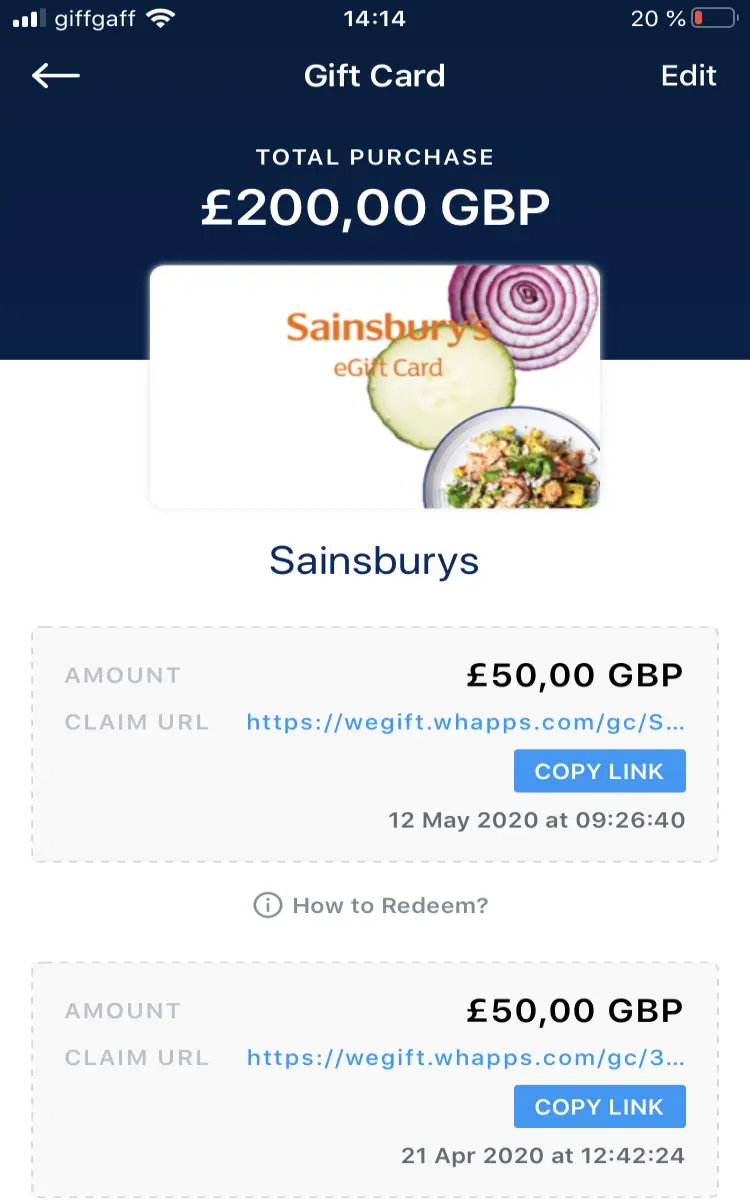
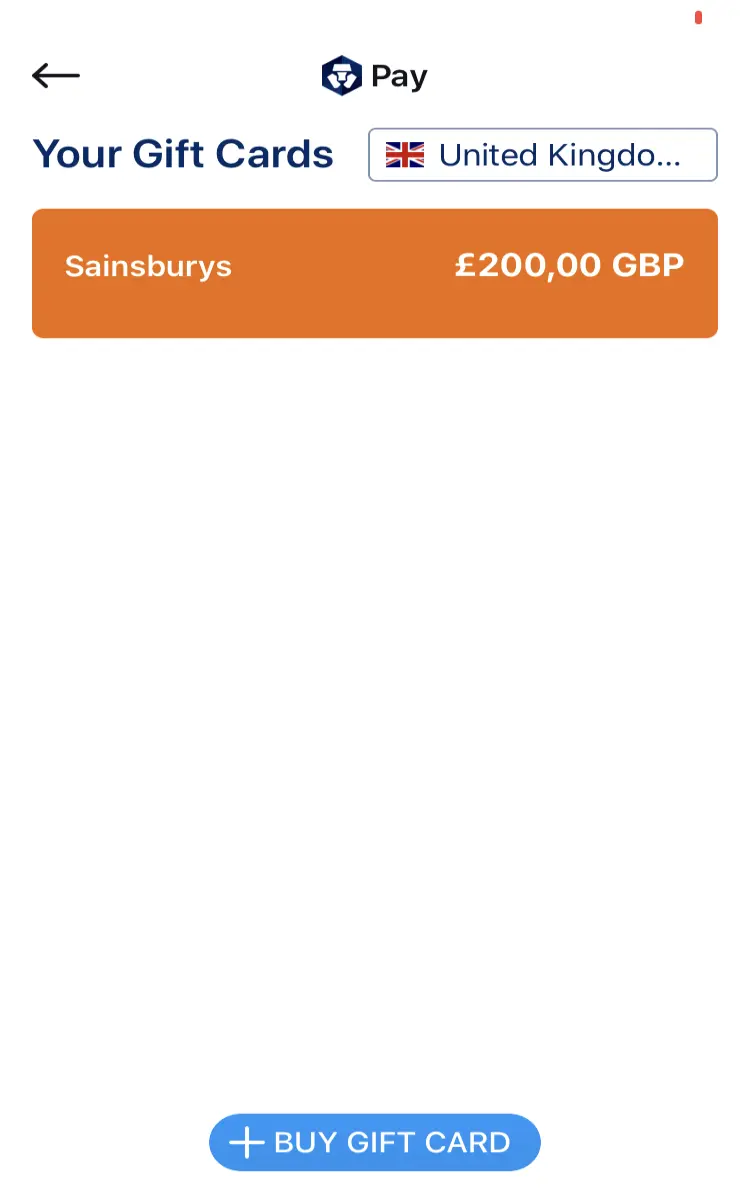
Hi . Here a small protocol to buy gift cards using your CDC app.
1/Open the app, and click on PAY
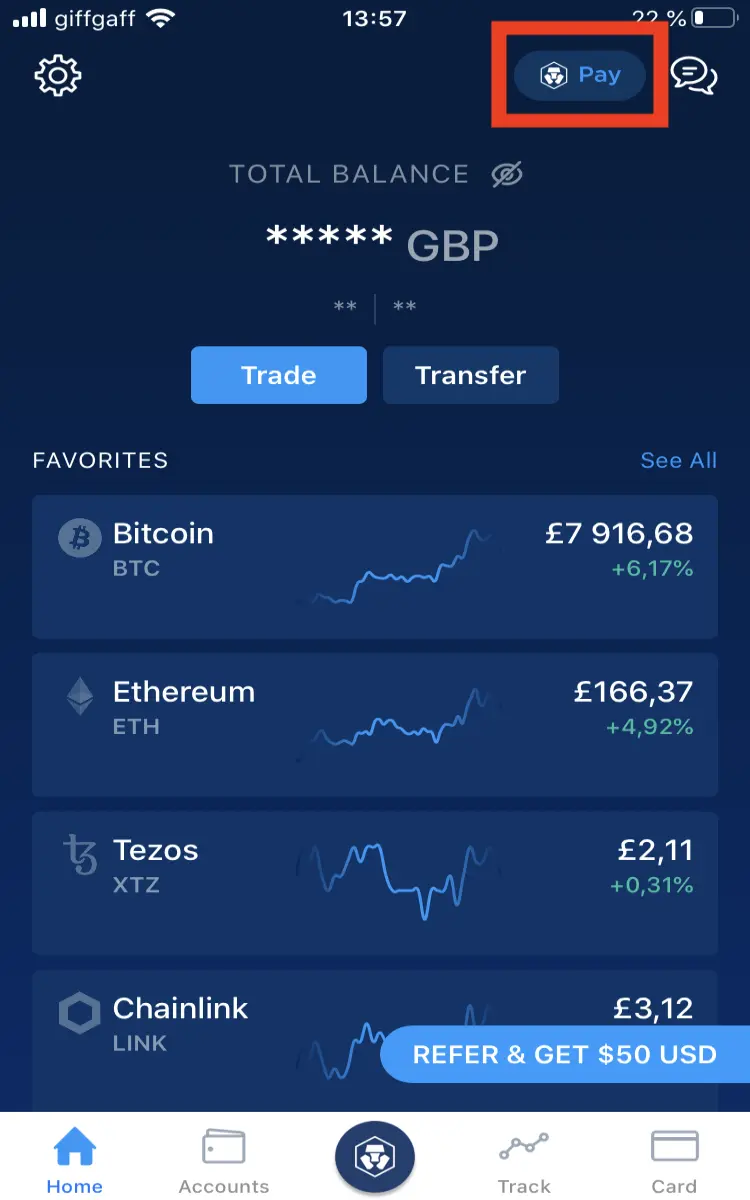
2/ Then click on Gift Cards
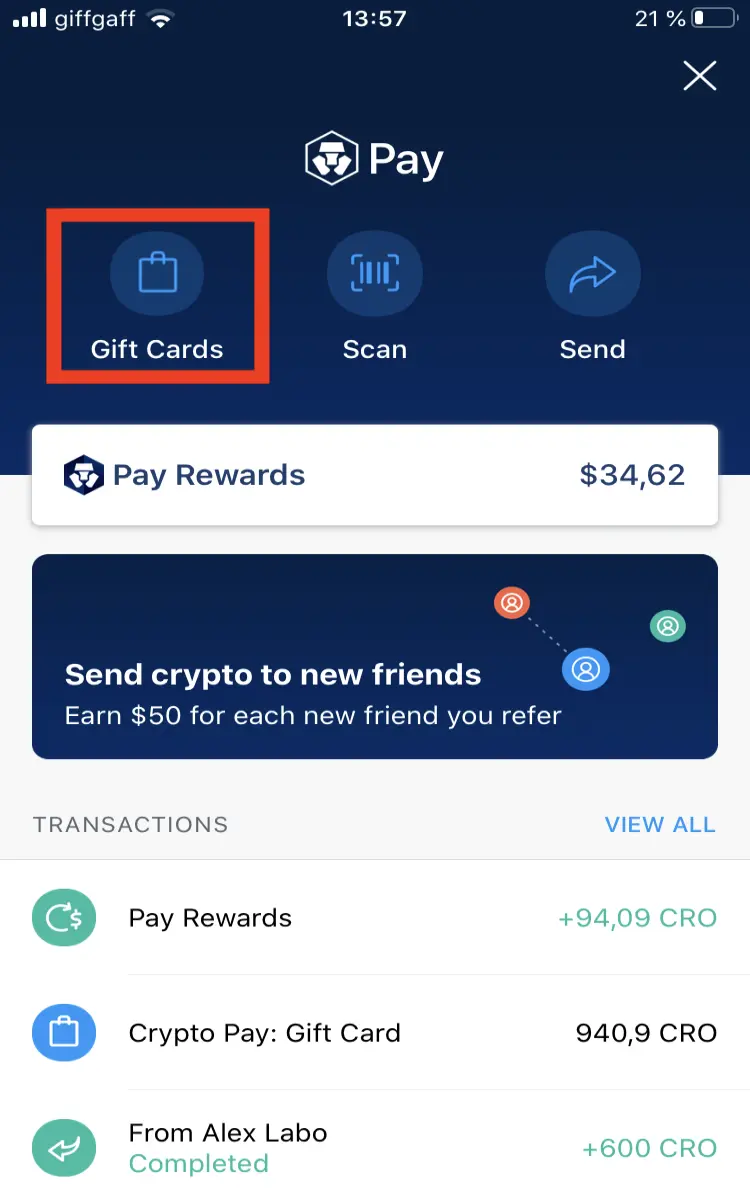
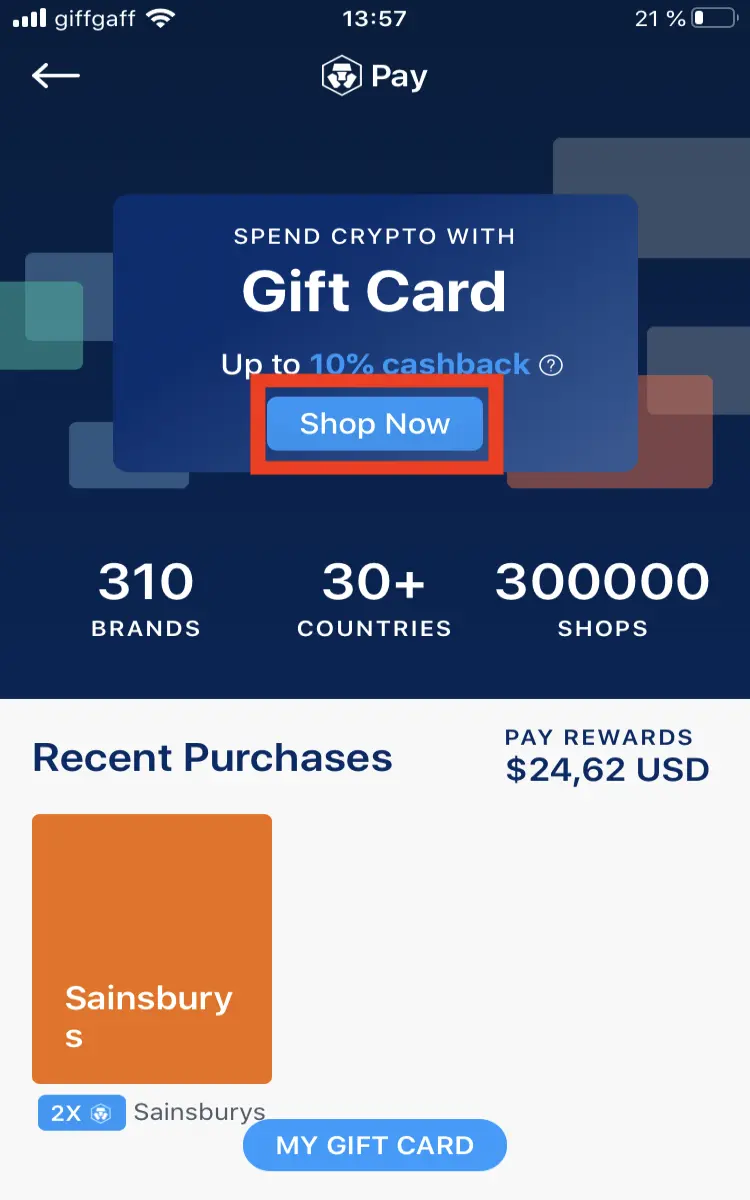
3/ Click on SHOP NOW and select your country of residence
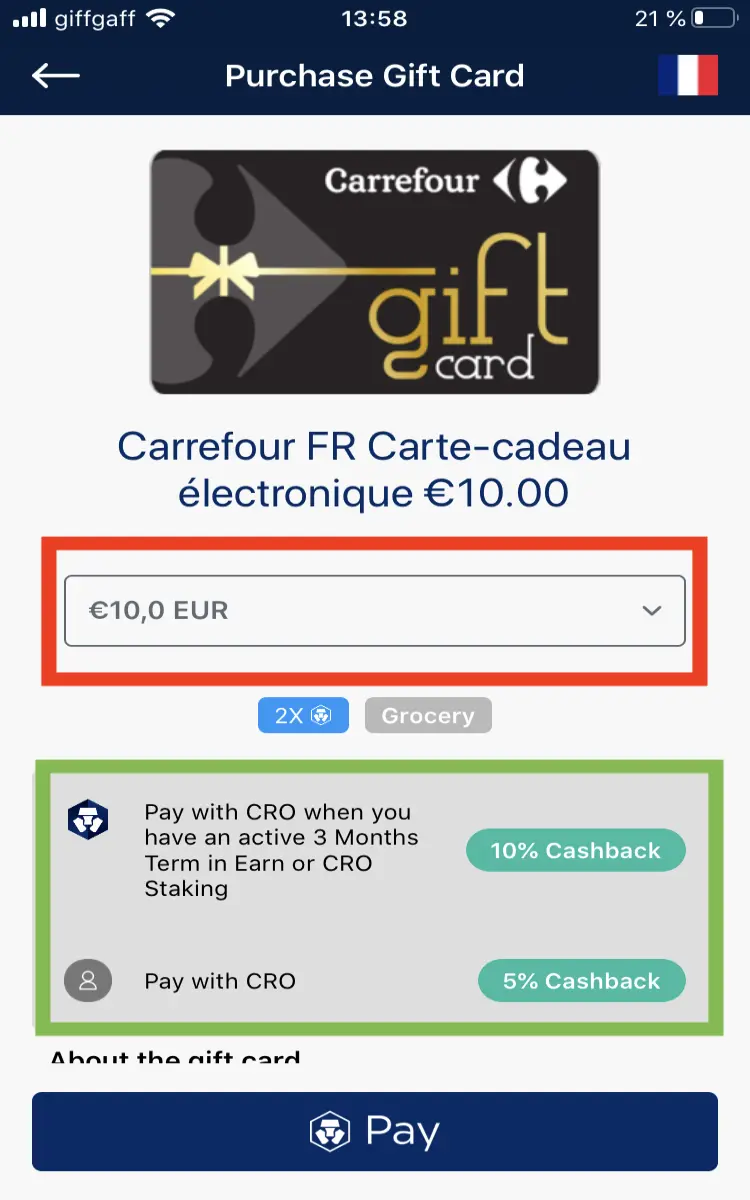
4 / You will have a list of partner stores. Select the one you want. Then enter the amount you want.
As you can see in the green frame, if you pay your gift card in CRO you will have 5% cashback. Right now this cashback is doubled if you have either CRO stacked for 3 months in EARN (in the application), or else stacked 6 months in the exchange (Please note the exchange is not the same as the 'app). One of the 2 possibilities is required, no need to have both.
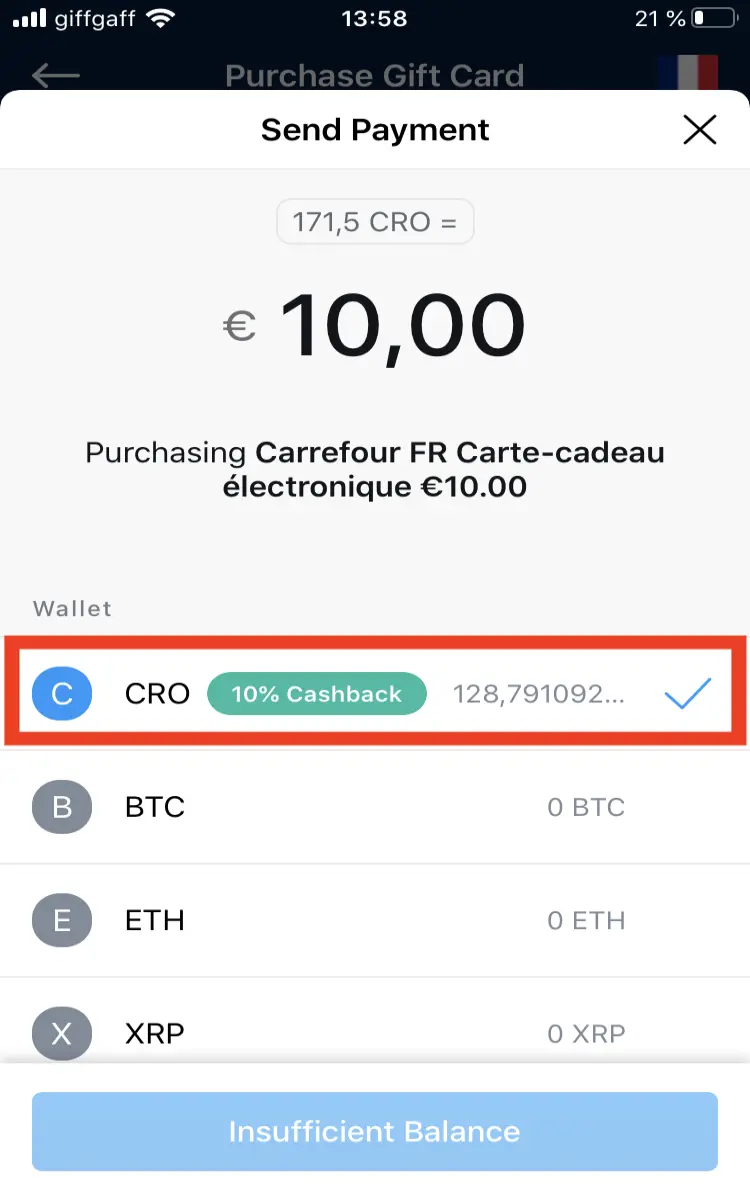
5 / Then you just need to select the payment in CRO and validate
You will receive an email very quickly with a link to download your card
6 / You can also find all your cards by clicking on MY GIFT CARD at the bottom of the page. You will find all the stores for which you have purchased cards, and by clicking on each store you will find a detail of each card with a link to download it again if necessary.