
Wallet Extensions
Do you have multiple wallet extensions such as Metamask, Keplr, Solflare, Coinbase wallet, and [many] other options in use with Brave or Chrome, and have issues with the wrong wallet connecting while interacting with defi (decentralized finance) or dapps (decentralized applications)? A frustrating endeavor, for sure. Luckily, there is a simple solution built in to chromium extensions management.
Default Setting
By default, a new extension is set to interact On All Sites. You can check this by clicking on Extensions icon:
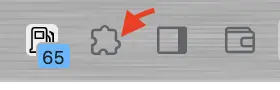
Next, Enter Menu:
Tap 3 Menu Bars icon to enter options menu > This Site Can Read and Change Site Data
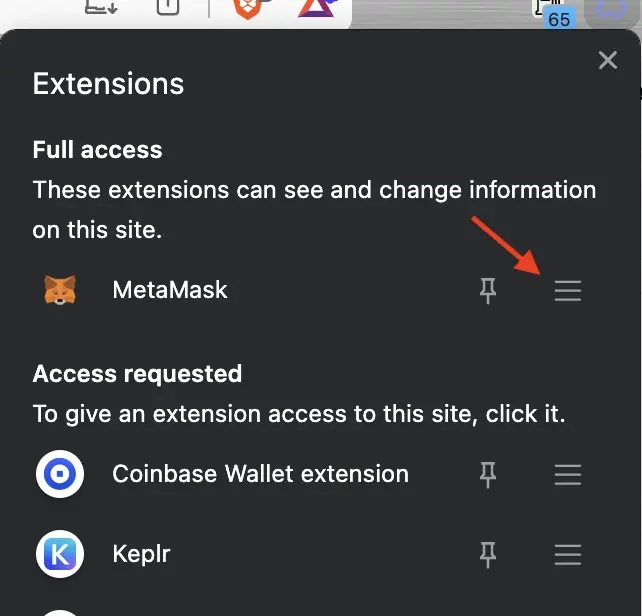
Here You Will See Multiple Options
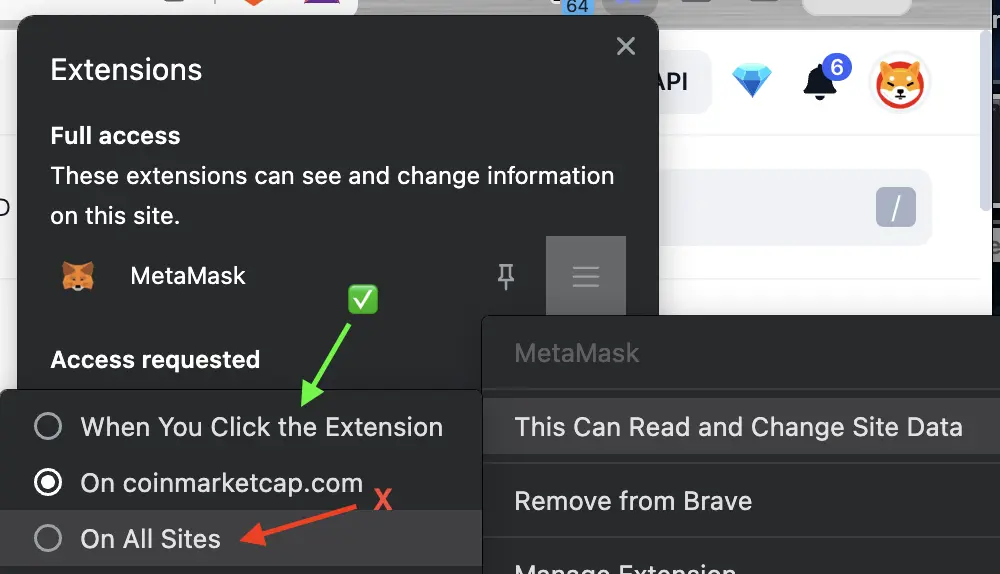
By default, each extension is set to On All Sites. There are security reasons why you should disable this for all web wallets. To do this, change option to When You Click the Extension. The page will refresh. Now each visit to a web app [for the first time] will require a manual connection to set which wallet to use. But who wants to do this for every visit? That is where "On ______.com (.crypto, .io, etc...)" option comes into play.
Wallet Choice
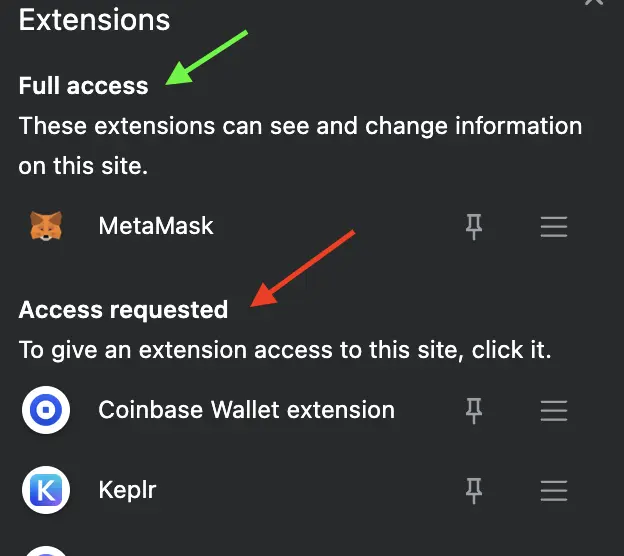
Be sure to click on extension wallet of choice in extensions menu before attempting to connect within dapp, or else web app will not recognize your wallet extension and redirect you to download within Chrome Web Store. Once you manually choose a wallet, connect as normal within web app using Metamask, WalletConnect, or whichever is normally used.
Wallet will show up separately after connection, above remaining wallets under Full Access. Other wallets will show as Access Requested - meaning manual selection is necessary. Blockchain bridge sites commonly allow use of multiple wallets - depends on your individual needs. Now, change Read and Change Site Data option to allow on this website, instead of When You Click the Extension. As long as cookies are not cleared, wallet will automatically connect as soon as you visit most web3 sites. No need to open Extensions menu every visit.
Final Thoughts
This feature is useful to ensure that only a wallet of choice is connected for each visit to a web app. Let's say you use MetaMask on one site and SolFlare, Keplr, or Coinbase wallet on another. Proper setting allows for less toggling between different wallets for a smoother web3 browser experience.
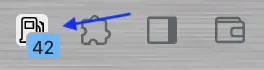
One additional note - a great extension to use for any crypto enthusiast is Ethereum Gas Prices. This extension sits visible on your browser and gives current gas prices for Ethereum transactions to decide when is ideal to perform L1 & L2 trades, sends, and more without worry of higher gas fees during peak hours and congestion.
Thank for reading. Tips are appreciated.






