
If you are new to the KCC network and have set up your KCC Wallet successfully, you have the chance to claim free KCS as a gas fee.
Here is a step-by-step guide on how to claim free KCS:
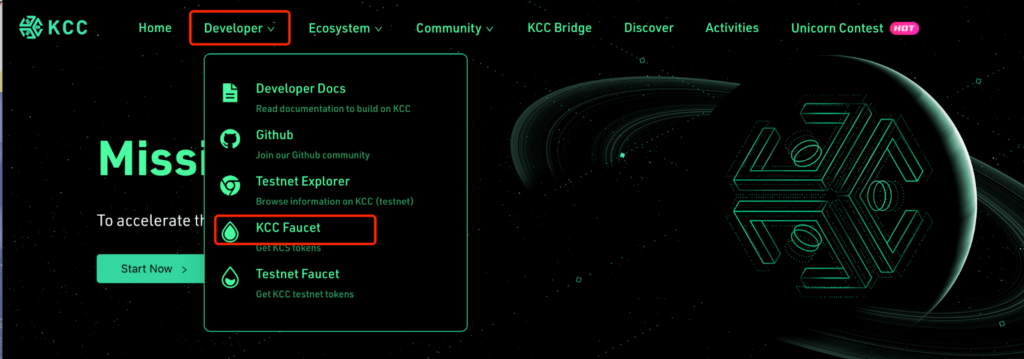
1. Visit KCC’s official website via www.kcc.io
2. Click ‘Developer’>’ KCC Faucet’ on the KCC faucet page
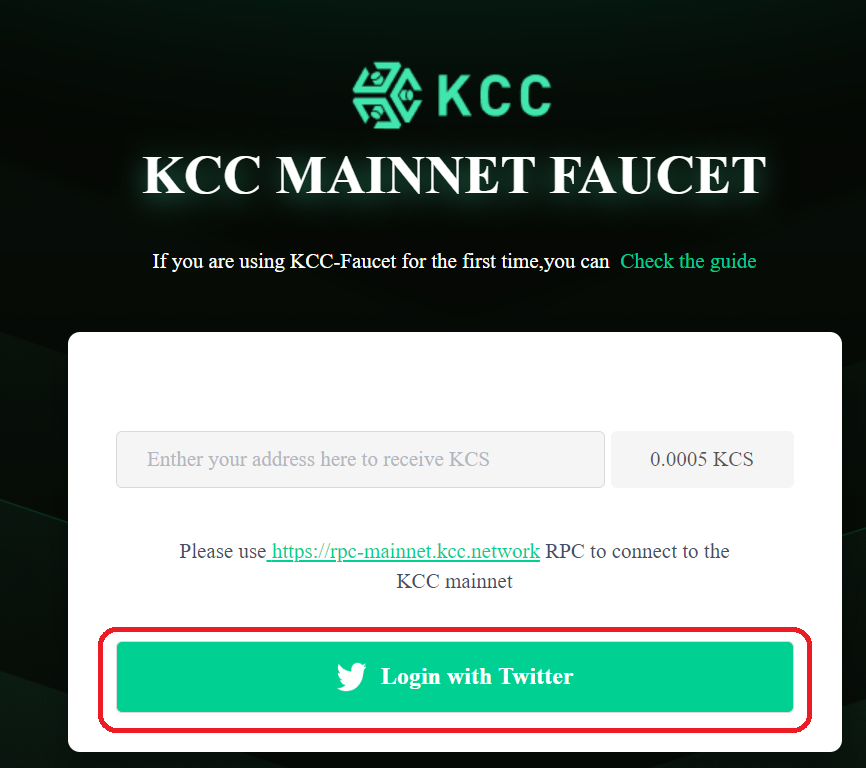
3. Login with Twitter first before claiming free KCS
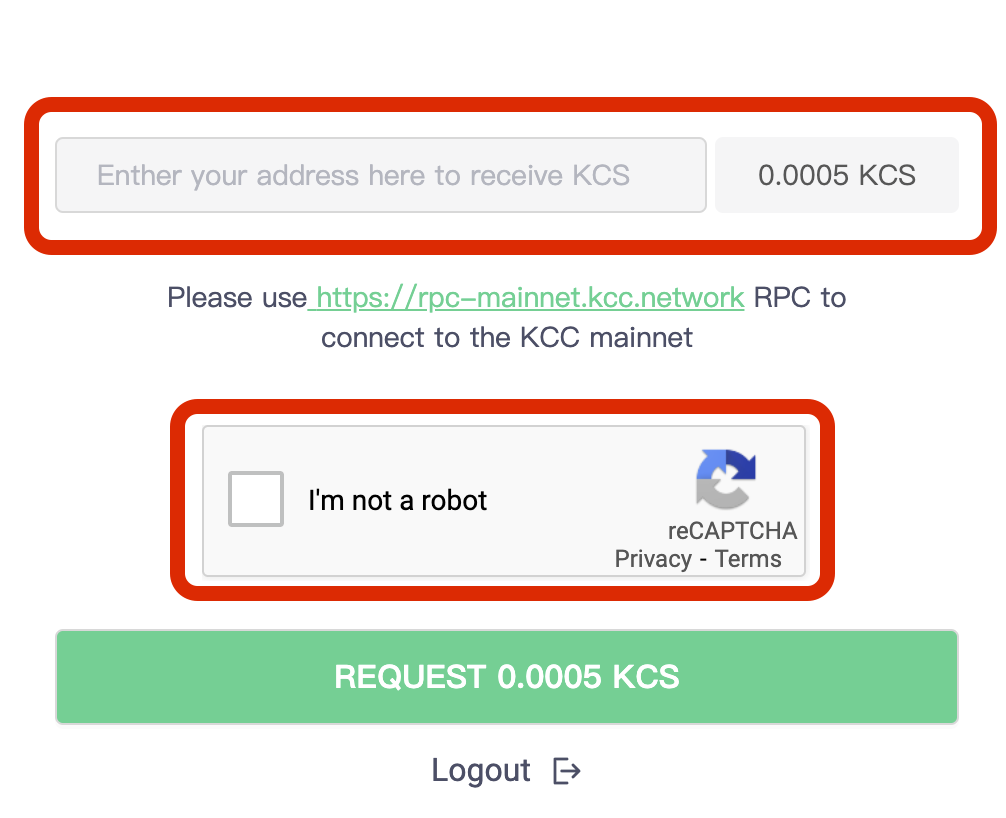
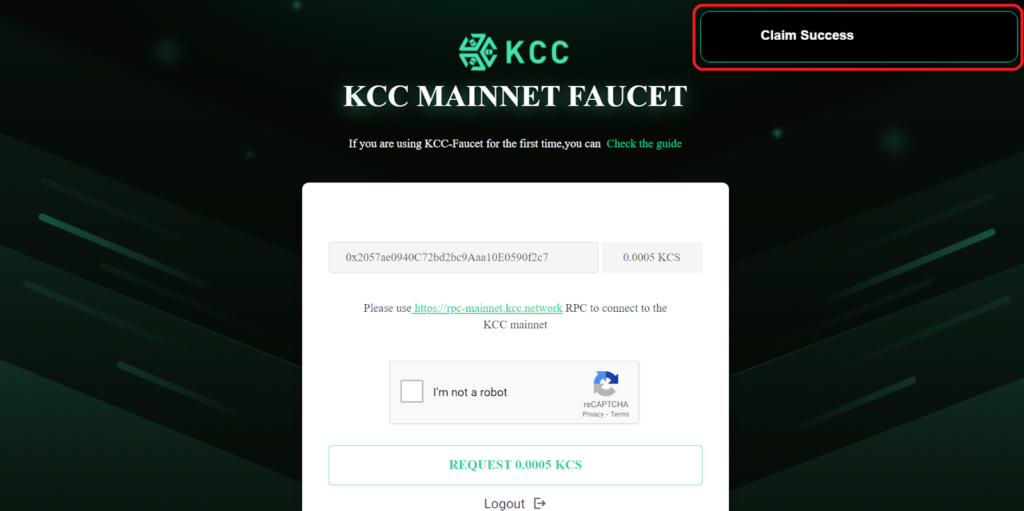
4. Enter your KCC wallet address and finish the ‘reCAPTCHA’
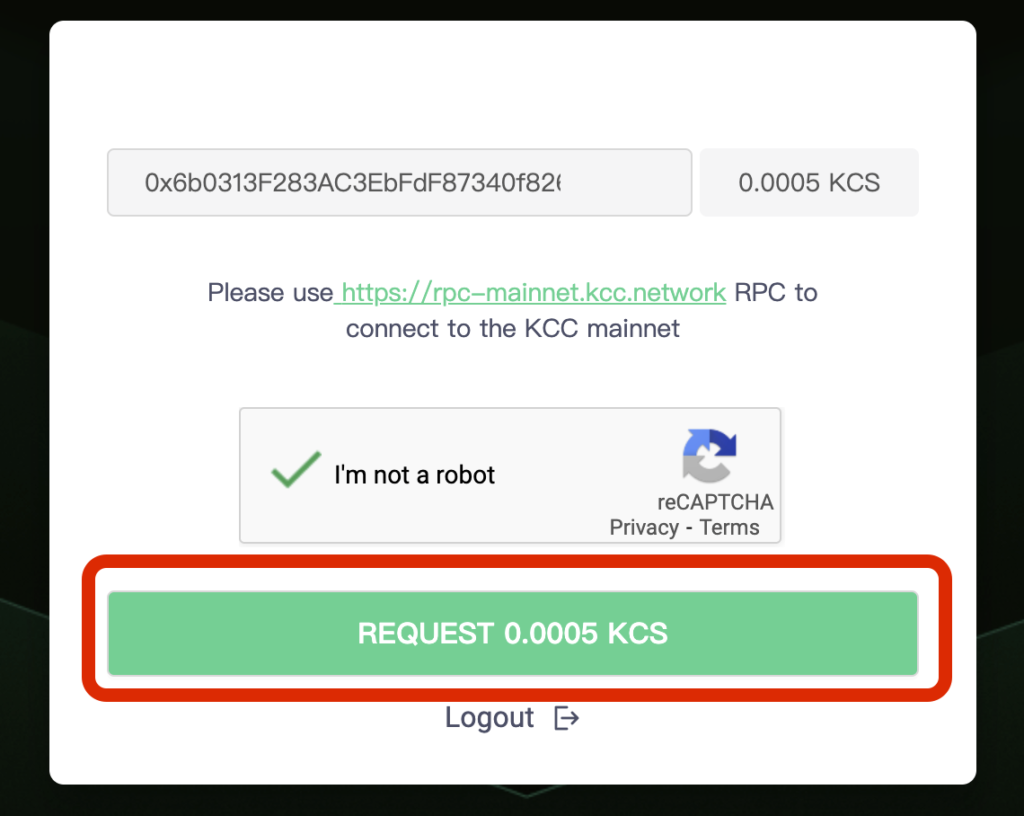
5. Then, you can click the ‘REQUEST 0.0005KCS’ button to claim your KCS token.
6. Next, you will see this pop-up when you successfully claimed KCS.
After claiming your KCS, you will have your KCS token in your Wallet. Now, you can start experiencing your KCC journey. Claim Now!






