
If you want to create a new channel on LBRY, this quick video will show you exactly what to do.
- First you need to have at least 0.01 LBC in your LBRY wallet.
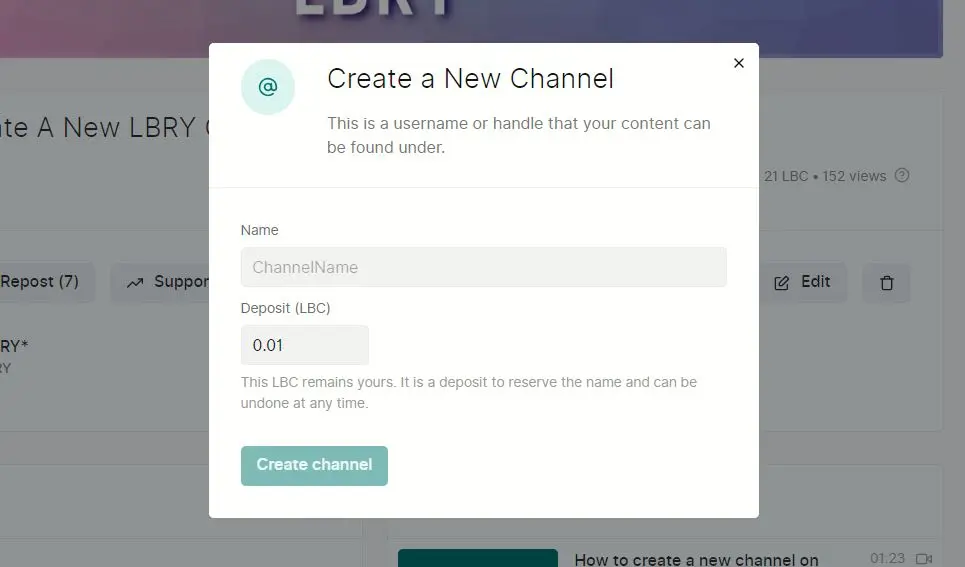
- Then click the cloud upload icon near the top right and select “New Channel”
- Type in your channel name and set the amount you want to deposit (0.01 LBC is all you need)
- Note: Just deposit the minimum to use your LBC for supports later
- Your new channel should appear pending on your channels list
- In your wallet you will see the pending transaction and when it is complete your new channel will show up and you edit it and upload content to it
- You can delete your channel by abandoning the claim once it’s published
Do note that if someone else has the same name, you are somewhat competing against them for the top search result and claim of the address when they go to @yourusername.
I hope this helps you learn the inner workings of LBRY and give you the tools, tips, and tricks you need to succeed in your ventures here. Please comment on any video or on the channel any topics you’d like to see that aren’t listed or anything you need help with!





