
Hello, please find below easy steps to add Magma to your MetaMask Wallet.
Note: I hope you kept your 12 MetaMask recovery words safe - be careful not to lose or share them with anyone.
Alright, below are the simple steps:
1. Assuming you already have MetaMask installed.
2. Go to Settings > Network > Add Network
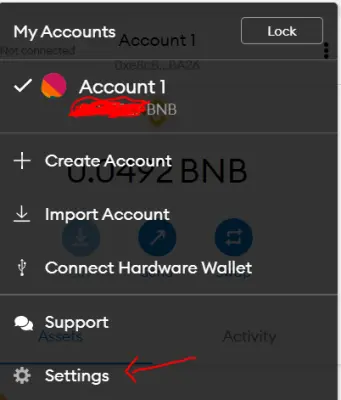
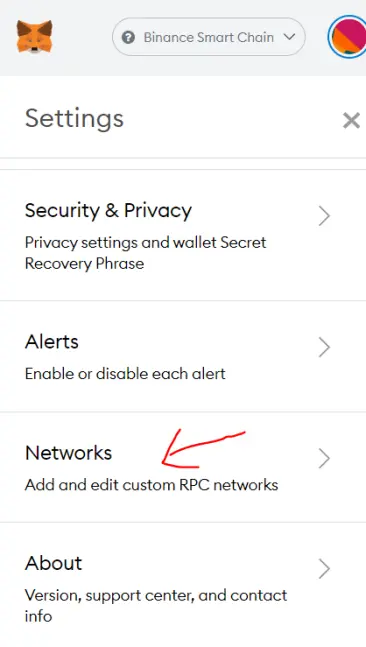
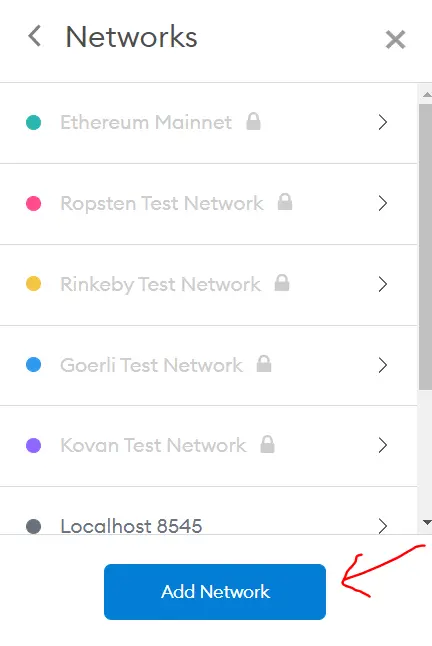
3. Since Magma is on BSC network, add the below details and click on Save:
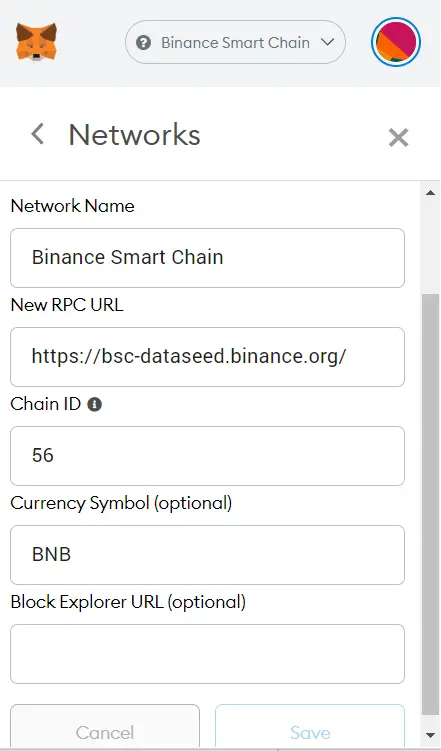
Network Name: Binance Smart Chain
New RPC URL: https://bsc-dataseed.binance.org/
Chain ID: 56
Currency Symbol: BNB
4. Once the above is done, Click Add Token:
Add this to the contract address: 0xD5A7448b2289d24432F4F2F714458efA8a996359
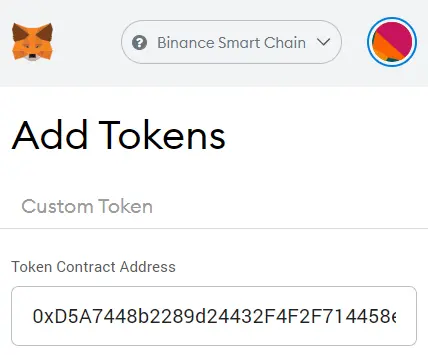
That's it, you should now be able to view your tokens. If you want to purchase, you can do that on Pancake Swap. Note that since this is a new token, at the moment, you can only buy a maximum of $1. I will add more liquidity to allow purchase of higher amount once the Token takes of :)
If you want to buy $1 of Magma on Pancake Swap and support my token, you can do this on the link below:
Thank you very much and I really wish the Token takes of and becomes successful. We will all be rich together :)






